

Website pages vs. landing pages
Website Pages are the standard site pages Kajabi has created and connected for you that make up the foundation of your website. Standard Website Pages include pages like your: But you may need more than just the essentials to make your website work for your business. This is where your standalone pages (i.e. Landing Pages) come in. Landing Pages are independent pages that can be connected to your standard Website Pages or used separately. Your unique standalone Landing Pages can be used to:- Encourage opt-ins to grow your list. Learn about Forms on Kajabi.
- Provide supporting materials (e.g., video content, downloadable files). Learn to add downloadable files.
- Create Sales Pages for your digital products.
Creating navigation menus
Navigation menus provide a set of links to help your website visitors easily navigate between pages. Navigation menu example: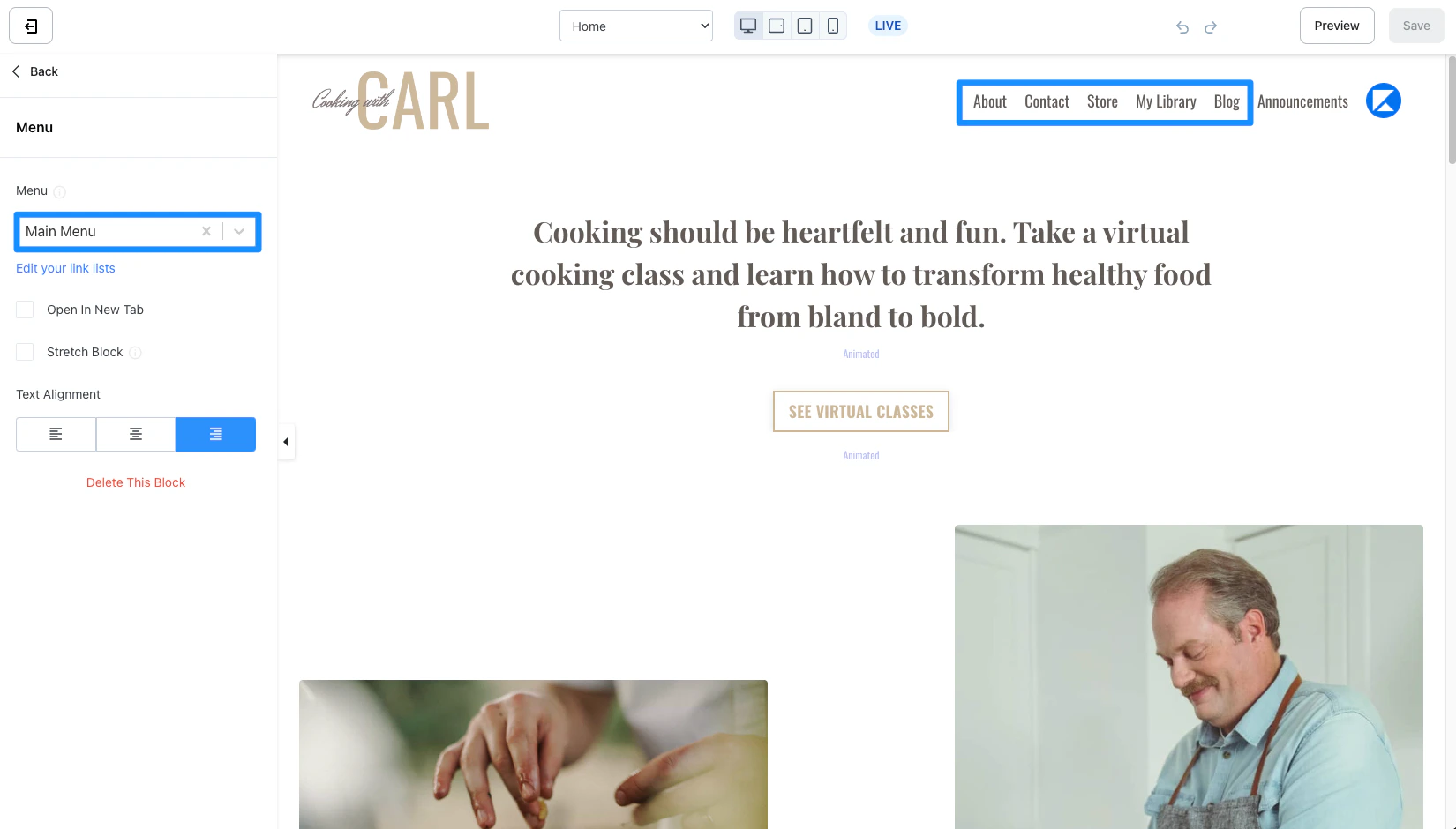
How to add your landing page to a navigation menu:
- From your Dashboard, select the Website tab.
- Then, select the Navigation tab.
- Locate the navigation menu you wish to update with your Landing Page link.
- Click + Add and select Add Page.
- Enter your link Name (note: this is the link name that will appear in your navigation menu).
- Then, select your Landing Page from the “Linked object composite” dropdown menu.
- (Optional) Select the Visible to logged in users only checkbox if you want the link to only appear for logged in customers of your site.
- Click Save to keep and apply your changes.
- Preview a Website Page containing the navigation menu you updated to verify your changes:
Link types:
- Product - Add a navigation link to a Course Module or Lesson.
- Page - Add a link to any of your Website or Landing Pages in Kajabi.
- Link - Add a link to any URL.
Adding call to action buttons
Don’t want to link your Landing Page in a navigation menu? Add a Call to Action button to your page instead. You can build sales pages for your offers, opt-in pages to subscribe contacts to your list, promotional campaigns, and more with your custom Landing Pages. Then, add a Call to Action button to a standard Website Page (like your homepage) to encourage your site visitors to view your custom Landing Page. What is a Call to Action? A Call to Action is typically used to provoke an immediate response from your site visitors to subscribe or purchase. Kajabi has built a Call to Action button which can be used for a variety of purposes by configuring the Button Action:- Lead a visitor to a custom Landing Page
- Lead to a sale by going to a Checkout Page
- Encourage your audience to download a file
- Lead to any page with a URL
- Open a Two Step Opt-in Popup
- Act as a link to lead to a section of the page
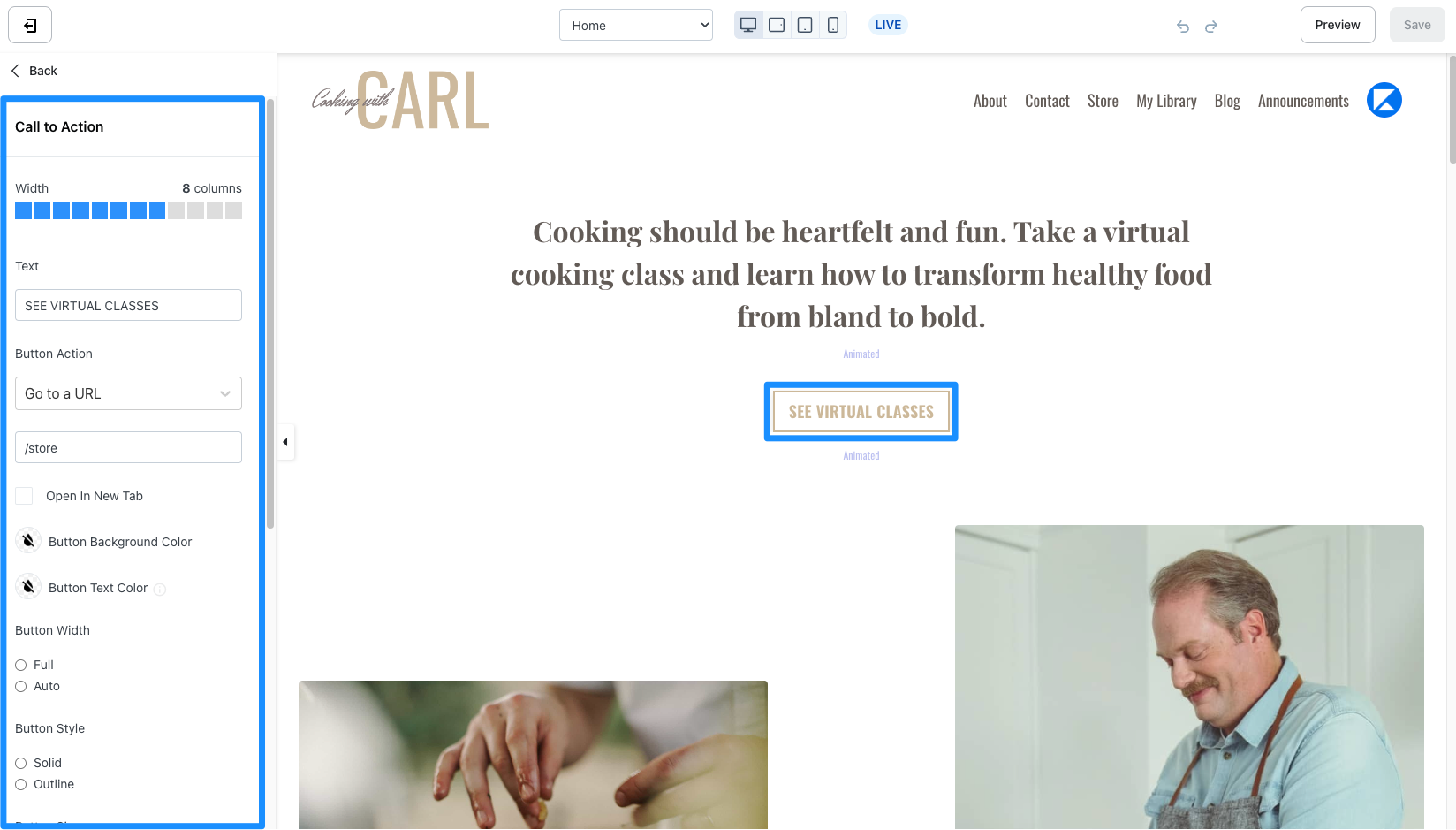
How to add a Call to Action button to your page:
- Open the Website tab from the Dashboard.
- Open the page editor for your standard Website Page. Learn more
- Click the Section you want to edit or create a new Section.
- In the sidebar, click Add Content.
- From the list, select Call to Action. Your newly created Call to Action will generate at the bottom of the Section.
- For the Button Action, select Go to a Landing Page.
- Choose your Landing Page from the dropdown menu.
- Customize your Call to Action. Learn more
- Click Save to keep and apply your changes: