Overview
Kajabi helps you design smart pages by automatically adjusting text color based on the brightness of your selected background. For example, if you choose a dark background, the text color changes to stand out. If you select a light background, the text takes on a darker tone. You can also override these dynamic colors and define your own branded text and background colors using the site brand settings.Customizing your color palette
By default, Kajabi adjusts text color based on your background brightness:Change your site brand colors
- Open the Settings tab from your Dashboard.
- Click Site Details.
- Scroll to Colors.
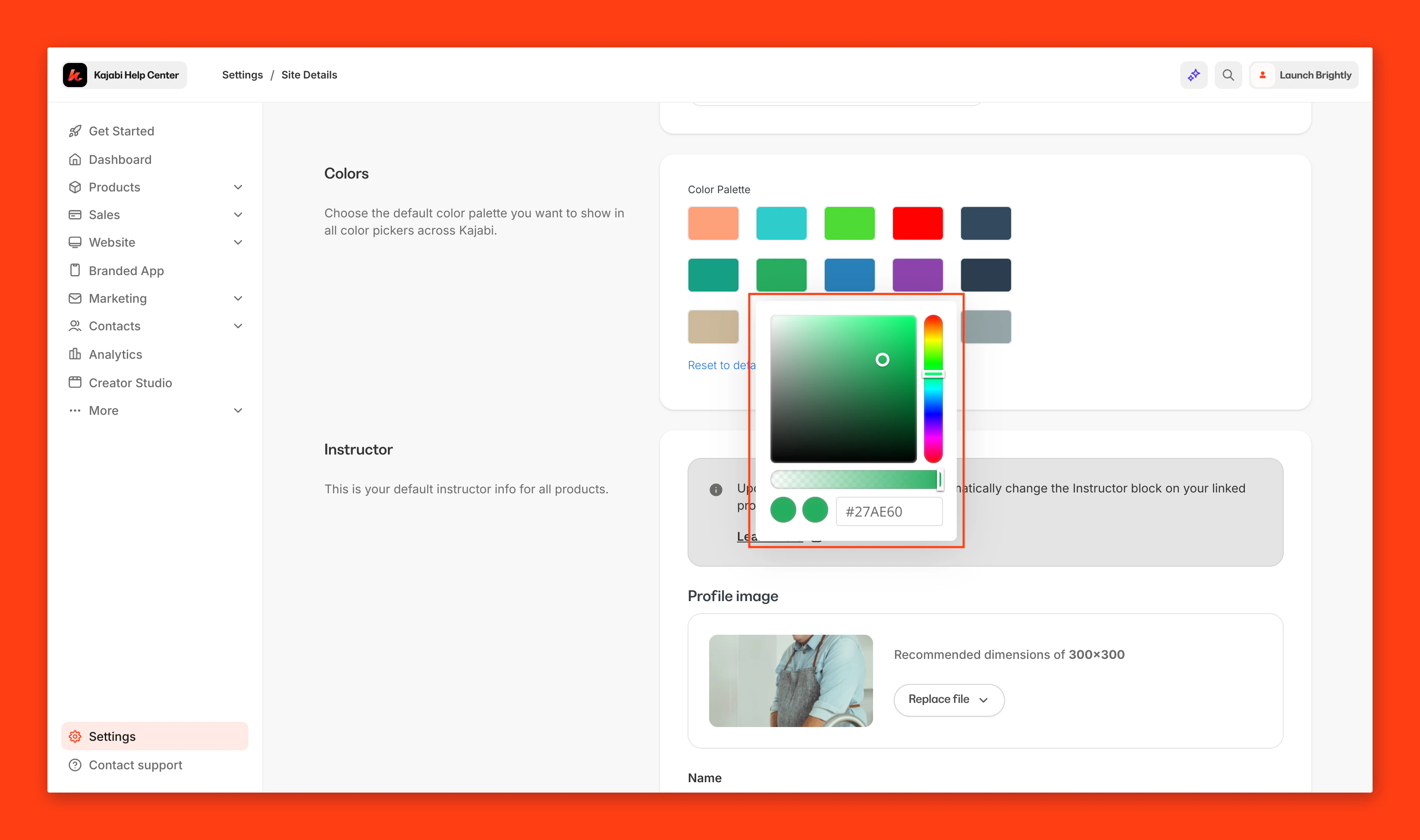
- Click each color you wish to change to create your desired custom color.
- Click Save to keep and apply your changes.
Create a custom color
To create your custom color palette, click the color you wish to change and enter your RGB color code in the bottom right field or use the sliders to select your color:- Use the vertical bar to select the hue
- Use the square box to adjust the saturation and brightness of your color
- Use the horizontal bar to adjust opacity of your color
- Use the color code box to insert a pre-designed custom code
Note: You can find hundreds of pre-customized codes online or by using this site.