

What is the customer directory?
The Customer Directory gives you the space to design an elevated experience for your customers to fully immerse themselves among like-minded people and build connections with one another directly from their account.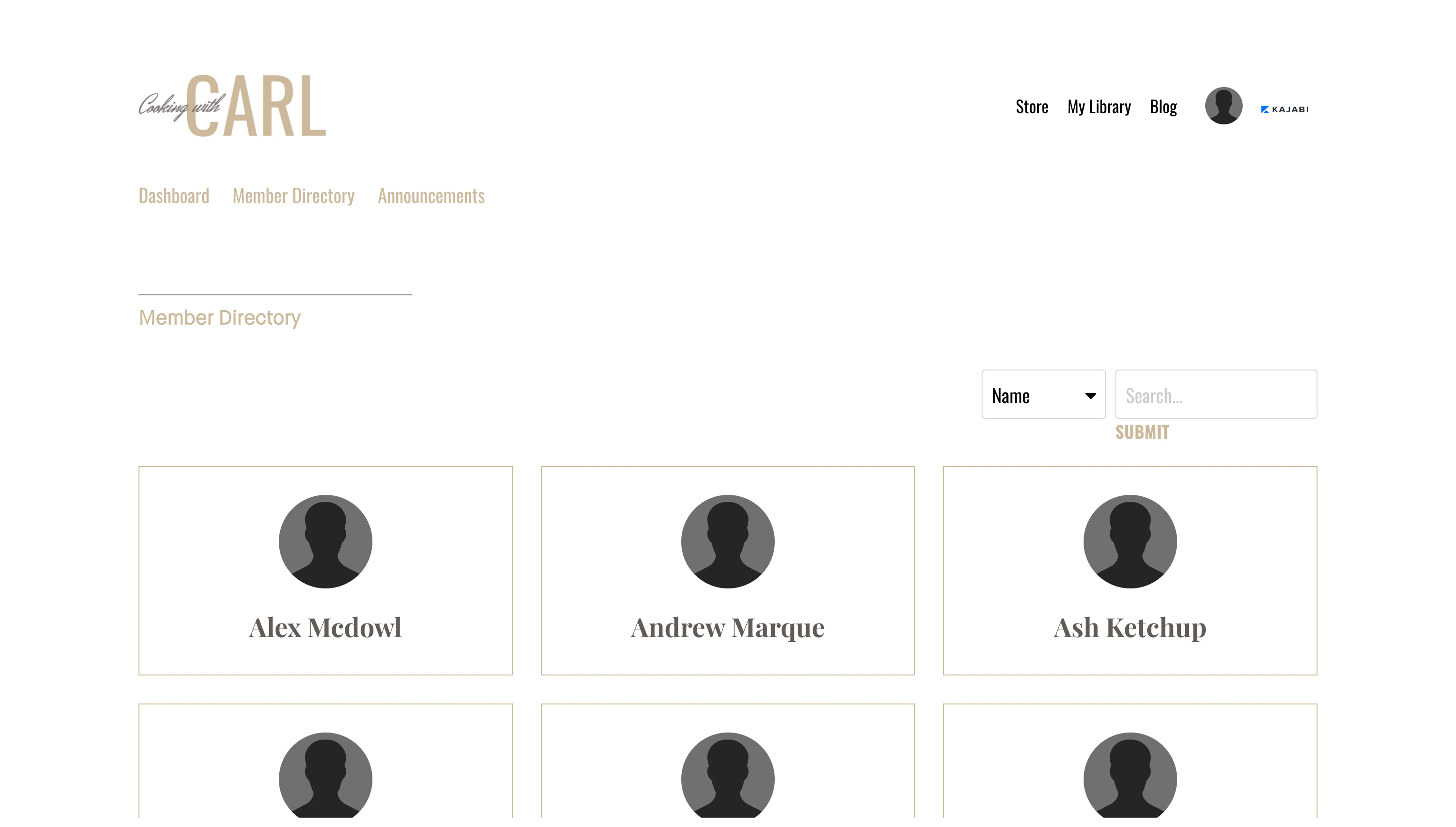
How to customize the customer directory page
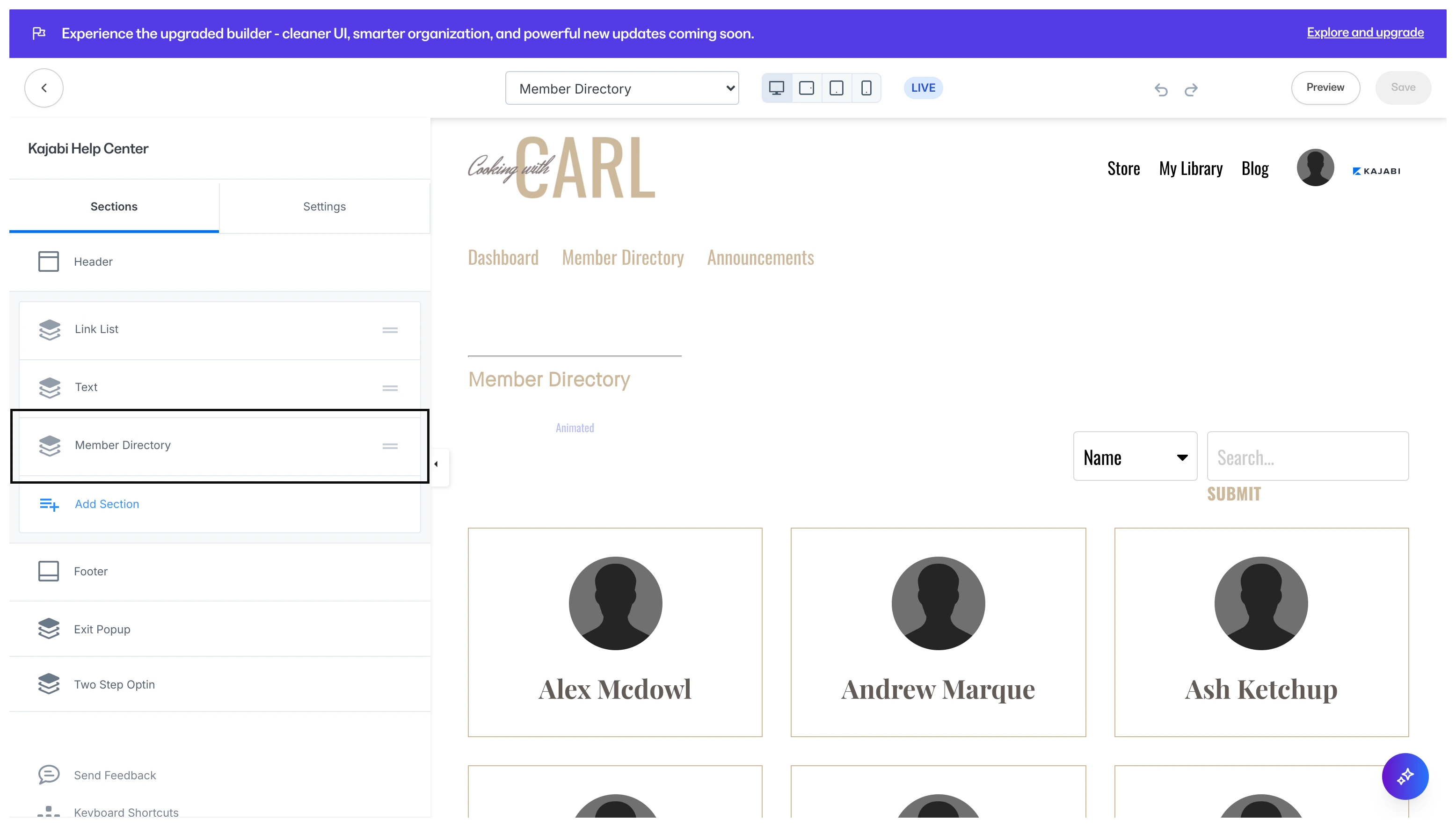
The Customer Directory page is only available with the Website Builder. Learn more Design the appearance of your Customer Directory page by customizing the Header & Footer and adding Blocks and Sections to create a page that is uniquely yours.- Open the Website tab from the Dashboard.
- Click Pages.
- Select the Customer Directory page from your list of website pages to begin customizing:
Note: For customers to display in your Customer Directory page to other customers, they must opt-in through their Customer Settings.
How customers opt-in to your customer directory
For customers to appear in your Customer Directory page they must opt-in through their Customer Settings. Opting into your Customer Directory will only display the information they provide in their Social Profile:- Name
- Location
- Social accounts (i.e., Facebook, Instagram, Twitter)
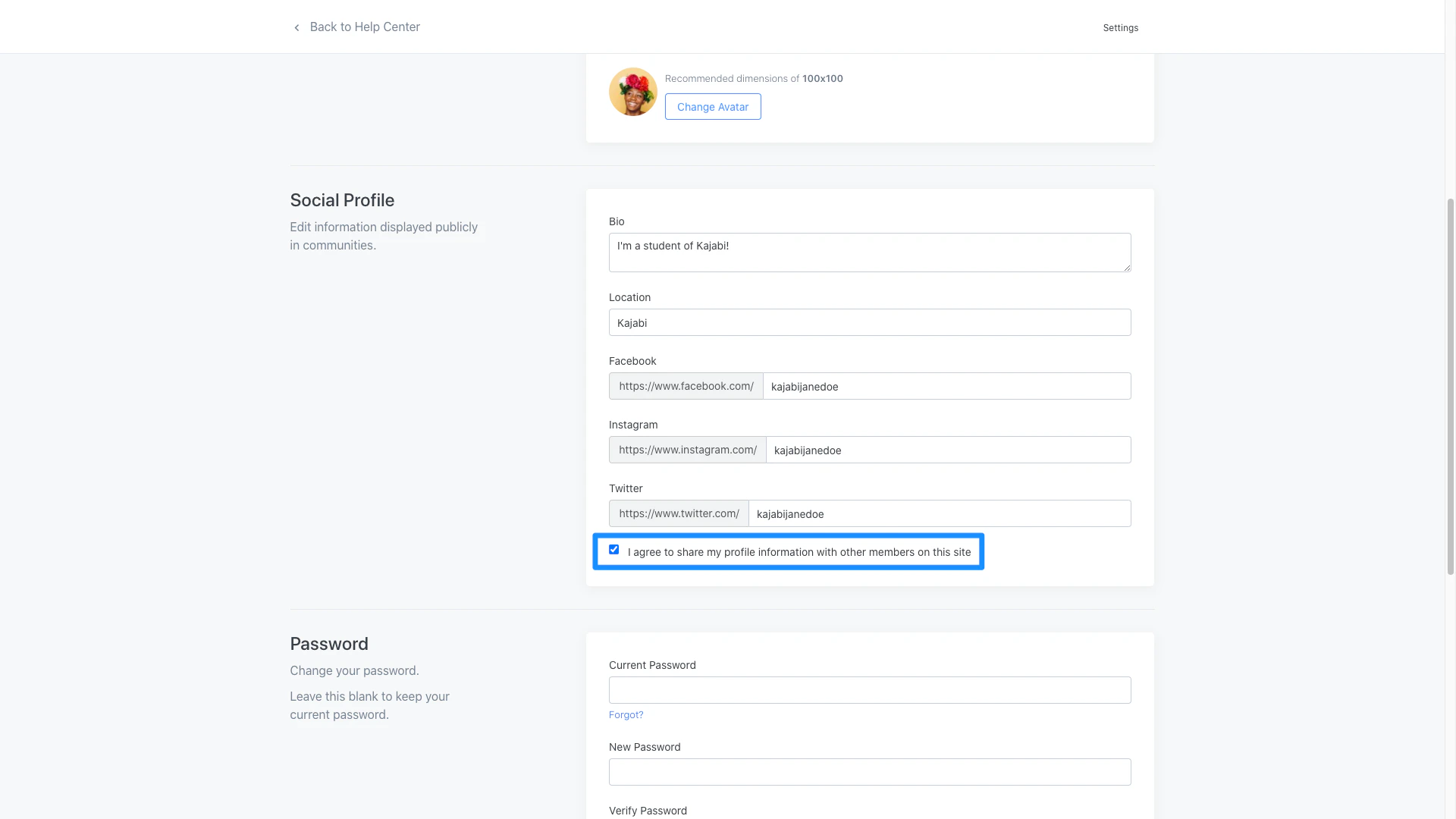
How a customer can opt-in to your customer directory:
- Log into their customer account on your site.
- Navigate to the top right corner.
- Click Settings.
- Scroll to the Social Profile section.
- Enter the information they wish to share.
- Select I agree to share my profile information with other customers on this site.
- Click Save to keep and apply their changes:
Note: If your customer wants to opt-out of your customer directory they can follow the same steps to opting in, but instead they will deselect I agree to share my profile information with other customers on this site.