

What are website settings?
Website settings help you streamline the design process for your website pages so you can focus on the design aspects that matter to you. Configuring your website settings will carry your settings over into all of your website pages to easily create a cohesive, branded experience for your site. Your website settings include design features ranging from your favicon and page fonts to your background media and color: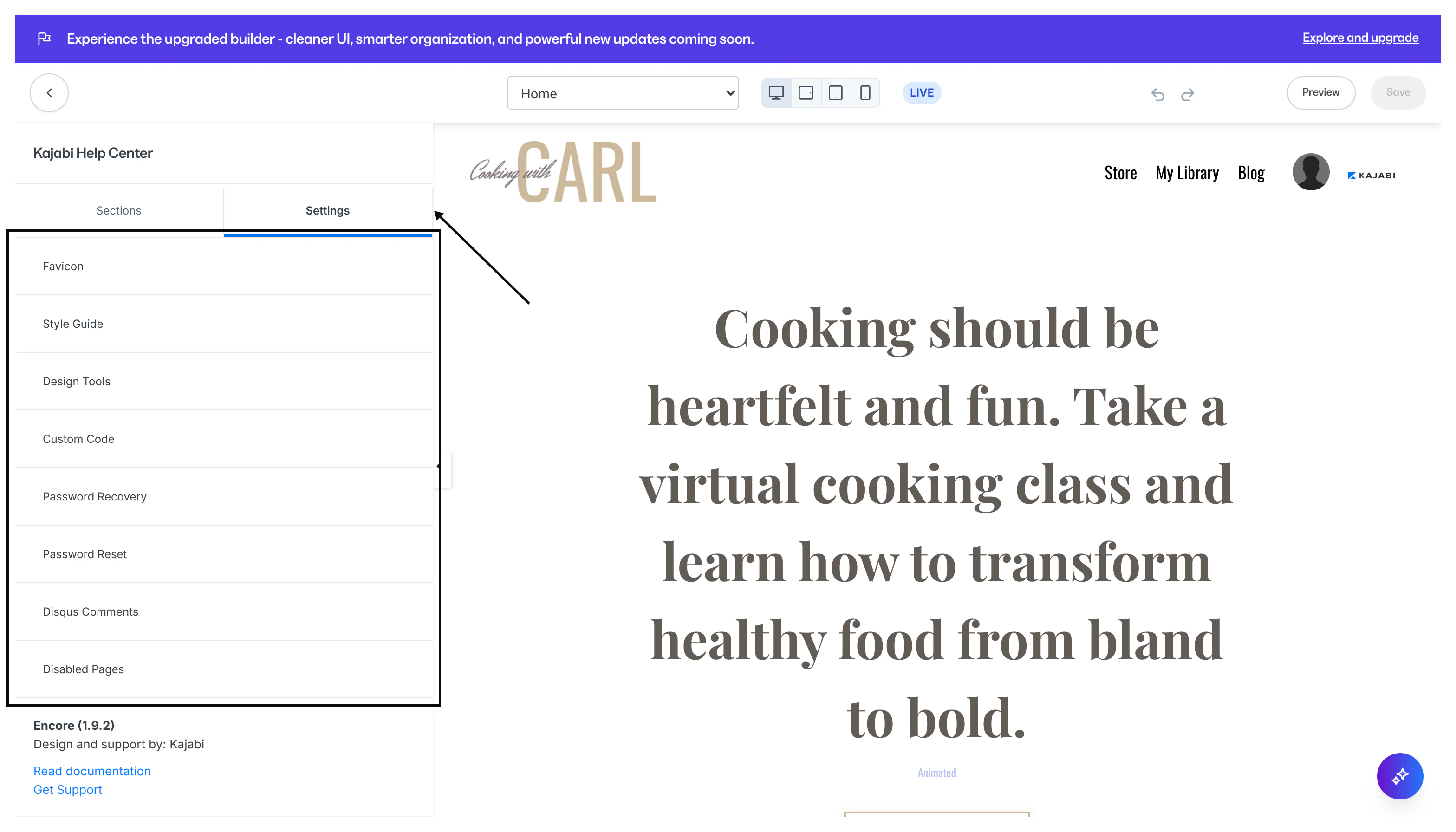
Note: These settings are independent for Landing pages as those are built for individual use, separate from your main website.If you are looking to set the global branding settings for pages, products, emails and more, you can learn more here.
Defining website settings
Favicon is a small icon on a website tab or window of a web browser. With the style guide settings, you can upload your favicon once to display for all of your website pages built with the website builder. Learn more Style Guide contains the bulk of your design settings. This includes the general appearance, primary color, button appearance, fonts and font sizes, and the colors used for error messages. Learn more Design Tools include the grid and guide to help you take control of the build and structure of your page. Learn more Custom Code in your Page Settings allows you to insert custom HTML, CSS, or JavaScript into your page. Although most can achieve unique designs using just the Custom Code Block, you may desire more advanced functionality or appearances that can only be achieved with the Custom Code Page Setting. Learn more Password Recovery appears after a user clicks the Forgot password button in the Login Page. Customize your password recovery language with this setting. Learn more Password Reset page appears if your user has forgotten their password and has clicked the reset password link in the email received. Learn more Disqus Comments is a comment hosting service that makes it easy to moderate comments and gauge engagement. Create a disqus comments section for your website pages with this global setting. Learn more Disabled Pages allows you to disable or remove the Customer Directory, Announcements page, About, and Contact pages from your website. Learn moreHow to access website settings
These website settings are only available with your website pages (i.e. not Landing pages). If you wish to use these settings, create custom website pages with the website builder. Learn more After installing the website builder, you can adjust the settings for your website in any website page.To locate your website settings
- Open the Website tab.
- Click Pages.
- Select any page from your Website tab.
- Click Customize or click the Page Title.
- Navigate to the sidebar panel.
- Click Settings to access your website page settings: