If you’re working hard on building out your website, you may not be ready for everyone to see your site until it’s finished. Display a temporary “Coming Soon!” message using a Landing Page while you prepare for launch.
Overview
Hiding your site before launch allows you to work on your website behind the scenes while showing visitors a polished “Coming Soon” page. This approach lets you grow your email list as you prepare to launch and ensures visitors see a professional message rather than an incomplete site.
Create a Coming Soon landing page
Create a Coming Soon Landing Page with Kajabi Pages.
Tip: Try generating one of the pre-built Coming Soon templates!
- Select the Website tab from your Dashboard.
- Open Pages.
- Click the Landing tab.
- Select + New Landing Page:
Customize your Coming Soon page
With the Streamlined Coming Soon Page template available with Kajabi Pages, customize your page by:
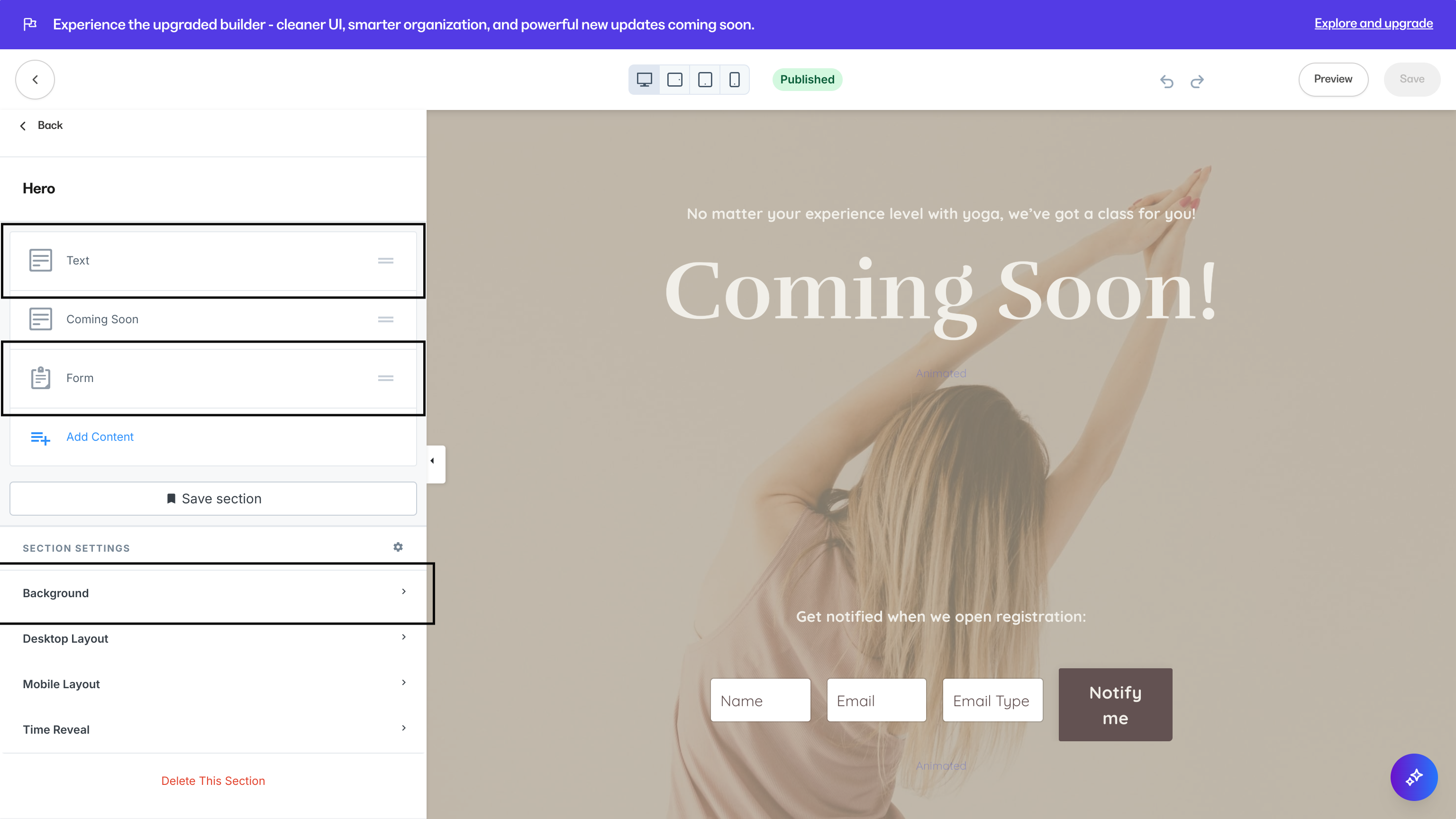
Set the landing page as your homepage
- Open Settings from your Dashboard.
- Select Site Details.
- Scroll down to the Homepage section and change the selection to Show a Landing Page.
- Select your “Coming Soon!” Landing Page and click Save:
When you’re ready to reveal your site, follow these steps again and select your desired page or customized homepage to officially launch.
What your site visitors will see
When users visit your site, they will see your Coming Soon page: