

Defining your page analytics
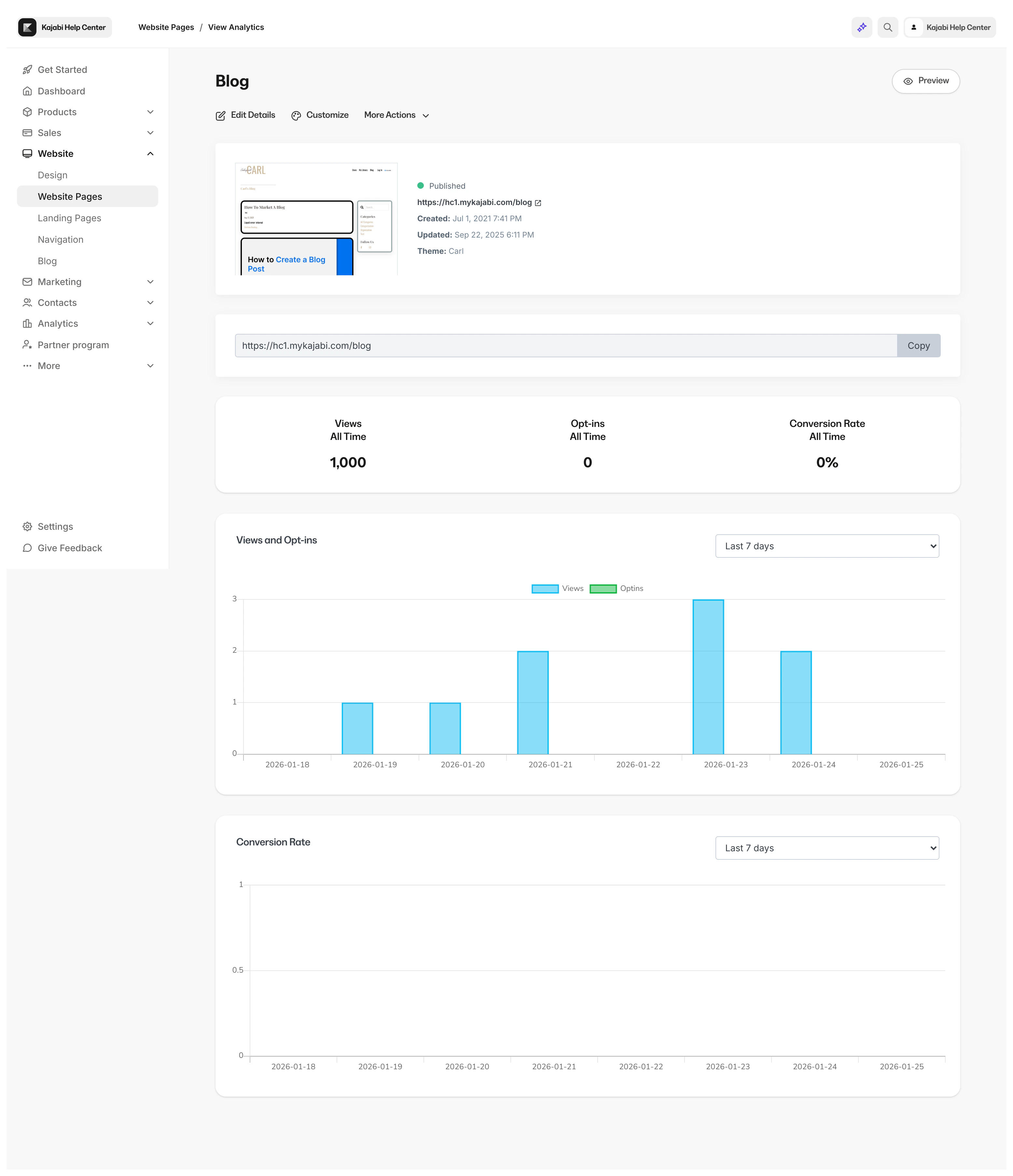
- Use the time frame dropdown located in the top right corner of the Views and Opt-ins Card to bring focus to your stats.
- Use the time frame dropdown located in the top right corner of the Views and Opt-ins Card to bring focus to your stats.
- Use the time frame dropdown located in the top right corner of the Conversion Rate Card to view your conversion rate within a specific period of time.
Note: If your page does not include a Form or a Form has not been submitted the Recent Opt-ins card will not display in your Page Dashboard.
View your Website page analytics
View your website page analytics to track the performance of your website pages:- Open the Website tab from your Dashboard.
- Click Pages.
- Locate the title of the Website Page you wish to view.
- Open the three dots menu.
- Select View Analytics.
- Scroll down the Page Dashboard to view your Page Analytics:
View your Landing page analytics
View your individual landing page analytics to track the performance of specific pages:- Open the Website tab from your Dashboard.
- Open your Landing page tab.
- Locate the title of the Page you wish to view.
- Open the three dots menu.
- Select View Analytics.
- Scroll down the Page Dashboard to view your Page Analytics:
Note: Page stats cannot be reset. Instead, duplicate your page and edit the URL to reflect the original page to begin tracking stats. Learn to duplicate your page and edit your page details.