

Overview
Duplicate a landing page from one Kajabi site to another by exporting and importing your page. This is useful when you want to reuse designs across multiple sites.Step 1. Export landing page
Duplicate a landing page from one Kajabi site to another Kajabi site by exporting your landing page:- Open the Website tab from your Dashboard.
- Click Pages.
- Locate the Page you wish to export.
- Open the
…menu for the page you wish to export. - Then, select Export:
Step 2. Download zip file
After exporting your page, check your email inbox for an email from Kajabi Support to download your exported page as a zip file: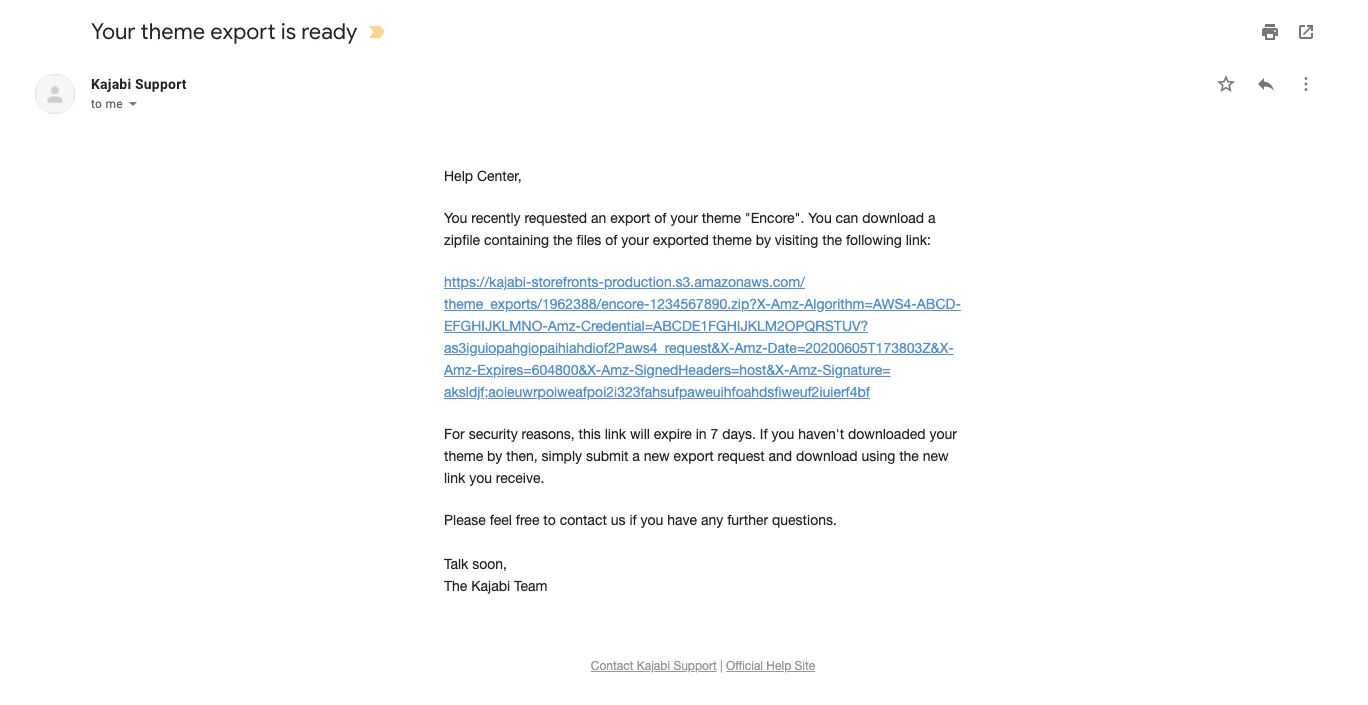
Note:For security purposes, the link provided in the email will expire in 7 days from the date of export. If the link expires before you have the chance to download the zip file, repeat the export steps to receive a new link.
Step 3. Upload template
Now that you have successfully exported and downloaded your landing page, navigate to your other Kajabi site to upload your exported zip file:- Open the Website tab from your Dashboard.
- Click Pages.
- Open your Landing pages folder.
- Navigate to the top-right corner and click Upload Template.
- Upload your exported file:
Note:If your original landing page includes a Form, recreate the Form in the Kajabi site you import your page to. If the Form includes an Automation, be sure to include the Automation when recreating your Form.