

Overview
Learn about your Section Background Settings to further customize and brand your page with images, videos, and colors.Note: This article refers to the Section Background Settings. If you are looking to customize your Block Background Settings, please refer to the Block Background Settings guide. Learn more about the difference between sections and blocks.
Section background settings
Design beautiful pages with Kajabi Pages by customizing your Section Background Settings. With your Section Background Settings, you can create a unique, custom page to encourage and engage your visitors.Accessing your section background settings
Access your Section Background Settings to customize the visual appearance and behavior of the Sections on your page:- Open the Website tab from the Dashboard.
- Select the Pages tab.
- Open the page editor for your Page. Learn more
- Navigate to the sidebar editor and select the Section you wish to customize.
- Scroll to your selected Section Settings.
- Click Background:
Customizing your section background settings
With your Section Background Settings, further customize your page by:- Uploading an image or video as the Section Background.
- Adjusting the position of your image.
- Selecting the image behavior to stay fixed on scroll when viewed on a Desktop.
- Selecting a background color.
Background media type
Selecting a Background Media Type from the dropdown menu will pull from the media uploaded in the corresponding media type. For example, selecting Image from the Background Media Type dropdown menu will display the image you upload into the Background Image setting: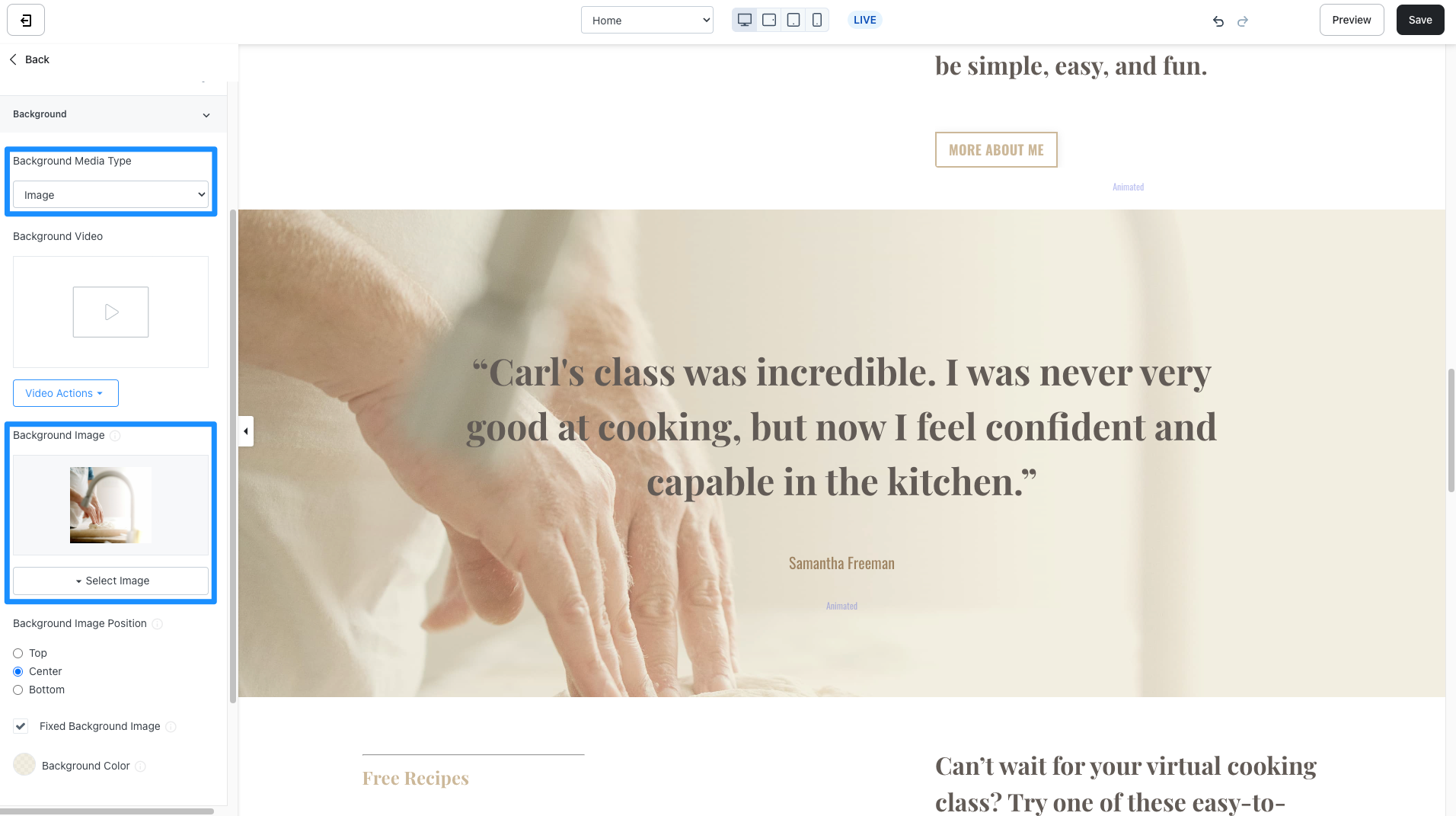
Note: The Background media will not show until the Background Overlay Color has been made transparent.
- None
- Video
- Image
Background image position
If you selected Image as your Background Media Type, you can choose to adjust the vertical position of the background Image in your Section:- Top
- Center
- Bottom
Fixed background image
Checking and unchecking Fixed Background Image will change the behavior of your image in relation to the Blocks in the Section. As your users scroll through the Section, a Fixed Background Image will cause your Blocks to scroll over your static (or fixed) Background Image:Note: Selecting Fixed Background Image does not apply to mobile devices.
Background color
Customize your Section Background Color:- Create a solid background (without the use of an Image or Video).
- Create an overlay for your uploaded background media type.