What’s new
The latest updates to the Page Builder include:- Refreshed visual design across the entire interface
- Updated and reorganized Sections for better clarity
- Redesigned search bar for faster, more intuitive navigation
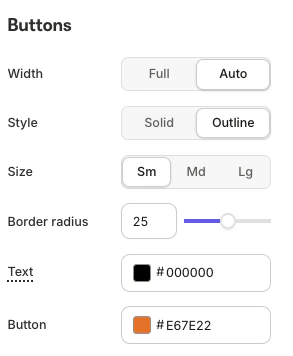
- Certain button toggles now follow the Page’s Style Guide
- Undo button for quick and easy edits
How to upgrade
The first step to experiencing Builder 2.0 is to upgrade from your current version. To do so:- From the Kajabi Homepage, select the Website tab.
- Choose either Website or Landing Pages.
- Select the page you wish to edit.
- In the Builder, click Explore and Upgrade in the upper right corner.
- Click Upgrade:
Note:Remember to upload your template Zip files to complete the Builder upgrade.
Refreshed visual design
The refreshed left sidebar is the first thing you’ll notice in the Builder. It’s been simplified and cleaned up for a more streamlined experience. Content blocks are now reorganized to create a smoother, more intuitive flow as you build. Buttons are clearly labeled and do exactly what you expect, helping eliminate confusion and speed up your workflow:Cleaner sections and search bar
Creating a Section is now easier than ever. The redesigned Section view is clean, intuitive, and user-friendly, making it simple to browse and choose the right content. Looking for something specific? Just use the Search bar to find exactly what you need quickly:Style guide
Specific button toggles and customizations now follow the Page’s Style Guide, ensuring a consistent and professional look across your design: