What is time reveal?
Time Reveal is a powerful tool to engage your page visitors. Setting up your Time Reveal Settings controls when your page visitors can see specific content on the page.Customize your time reveal settings to reveal your content after
- An Event
- A user loads the page
Time reveal settings
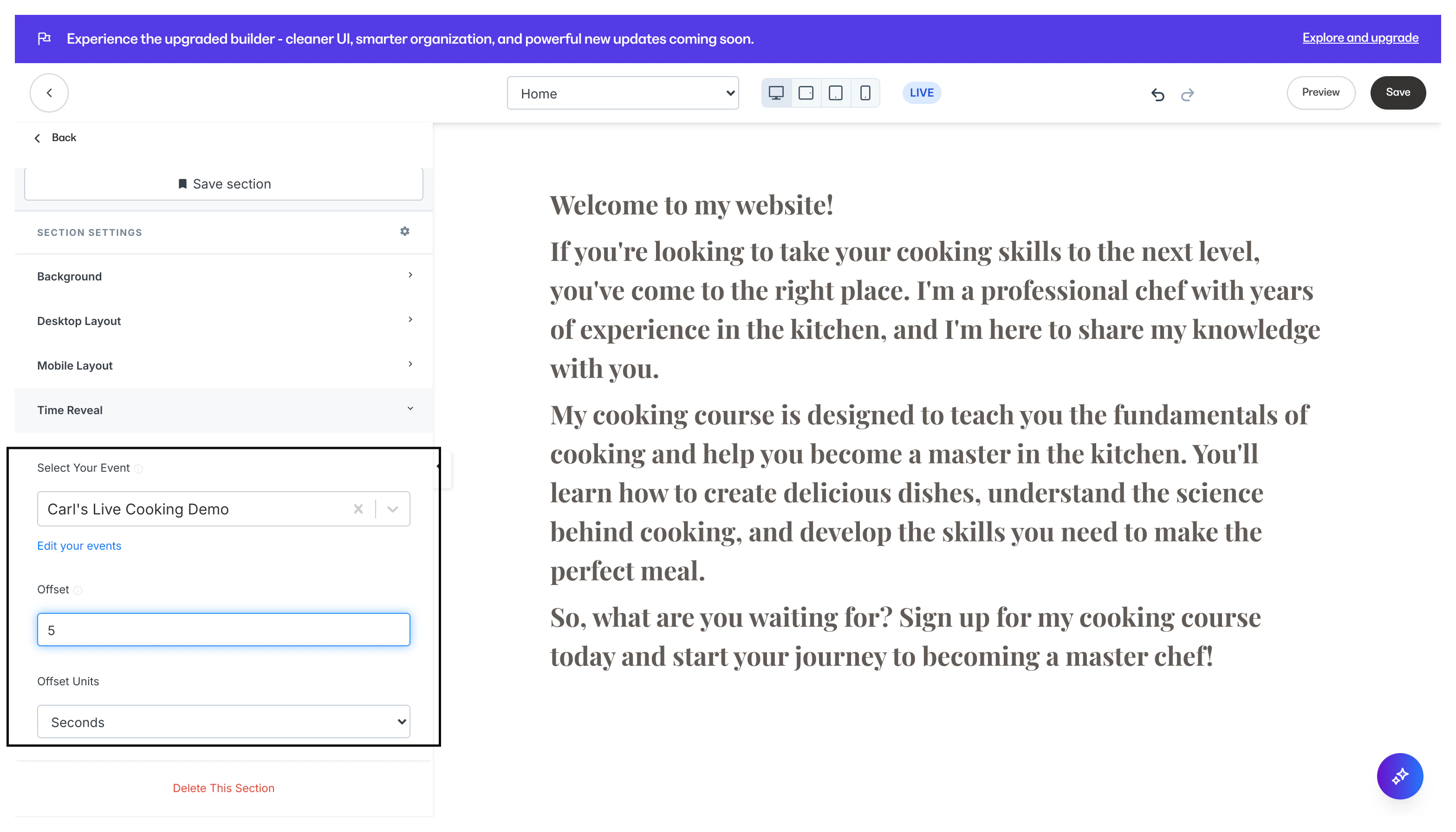
With your Time Reveal Settings, specify your desired trigger to reveal the Block or Section by setting up your Event, Offset, and Offset Units.Event
Optional: Select an Event to reveal your content after the Event time. If no Event is selected, the Section will reveal based on page load. Learn to create an Event Keep in mind, it is not required to link a Time Reveal to an Event. However, the Offset is required to enable your Time Reveal Settings with or without an Event selected.Offset
Enter your desired Offset value to specify the amount of time before your content Time Reveals. Depending on your Event selection (event selected or no event selected), the Offset will begin after the Event or after page load.Note: If Offset is left blank, the content will always be visible.
Offset units
Specify your Offset value by seconds, minutes, hours, or days.What is time reveal used for?
With just a few settings, create a variety of actions such as:- Revealing exclusive Offers after an Event.
- Encouraging visitors to purchase or subscribe after the page loads.
How to access your time reveal settings
Section time reveal settings
Access the Time Reveal settings for a Section of your page:- Open the Website tab from the Dashboard.
- Select the Pages tab.
- Open the page editor for your Page. Learn more
- Navigate to the sidebar panel and select the Section you wish to edit.
- Scroll to the Section Settings and click Time Reveal.
- Optional: Select an Event.
- Enter your Offset value and select the Offset Units.
- Click Save to keep your changes:
Block time reveal settings
Access the Time Reveal settings for a Block on your page:- Open the Website tab from the Dashboard.
- Select the Pages tab.
- Open the page editor for your Page. Learn more
- Hover over the Block you want to customize and click Edit.
- Navigate to the sidebar and open the Time Reveal in Block Settings.
- Optional: Select an Event.
- Enter your Offset value and select the Offset Units.
- Click Save to keep your changes: