Add Kajabi as an account admin
First, grant the Kajabi team admin access to the App Store Connect account so we can help ensure that the app submission goes as smoothly as possible. To give the Kajabi team access to the account:- Click this link to open the Users and Access page in App Store Connect: https://appstoreconnect.apple.com/access/users (If you’re not logged into the account, you’ll be prompted to log in).
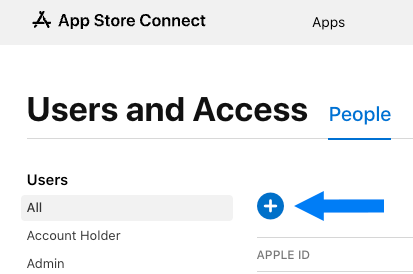
- Click the blue + sign to add a user:
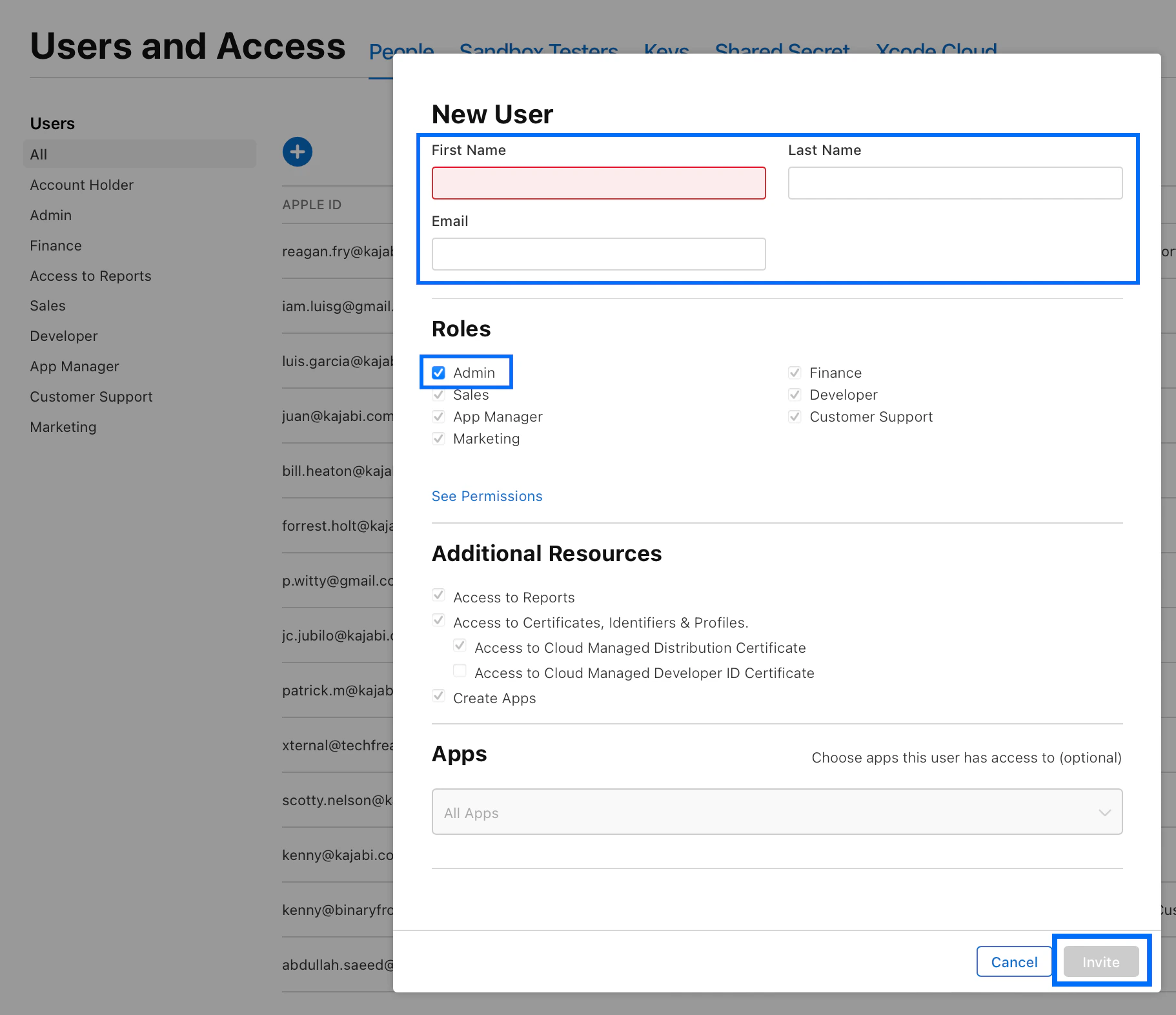
- In the First Name field, input: Patrick
- In the Last Name field, input: MacDowell
- In the Email field, input: Agile.Server@oc-corpeng.com
- Under Roles, select the checkbox next to Admin
- Click the Invite button:
Verify reviewer notes
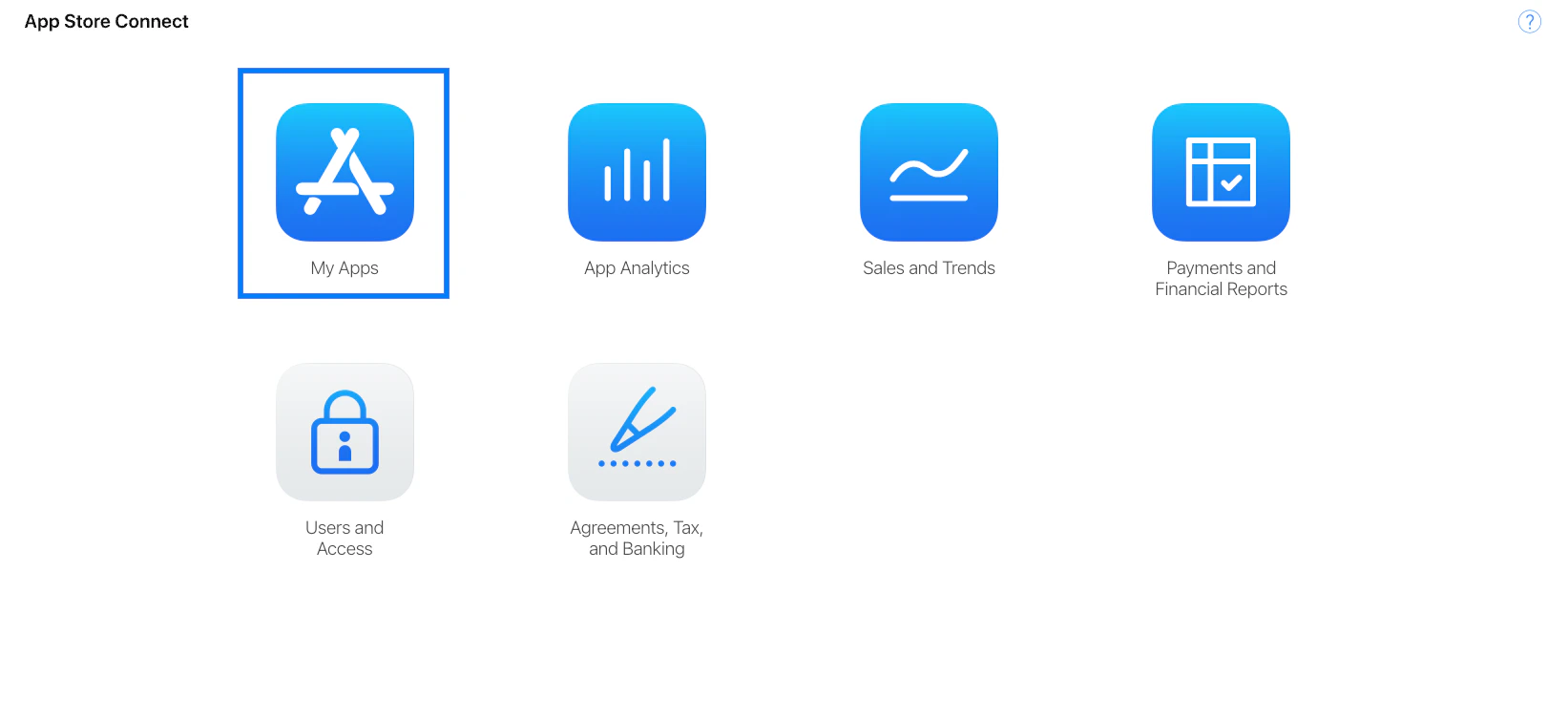
Next, check and confirm that you’ve already added notes for the app reviewers to help the app pass the review process. If you’ve not yet completed this step, follow the guide on How to Add App Reviewer Notes for Apple and return here when you’ve finished adding the notes. To verify reviewer notes:- Go to the main dashboard of the App Store Connect account.
- Click the My Apps icon:
- Click the Branded App icon to open the app details:
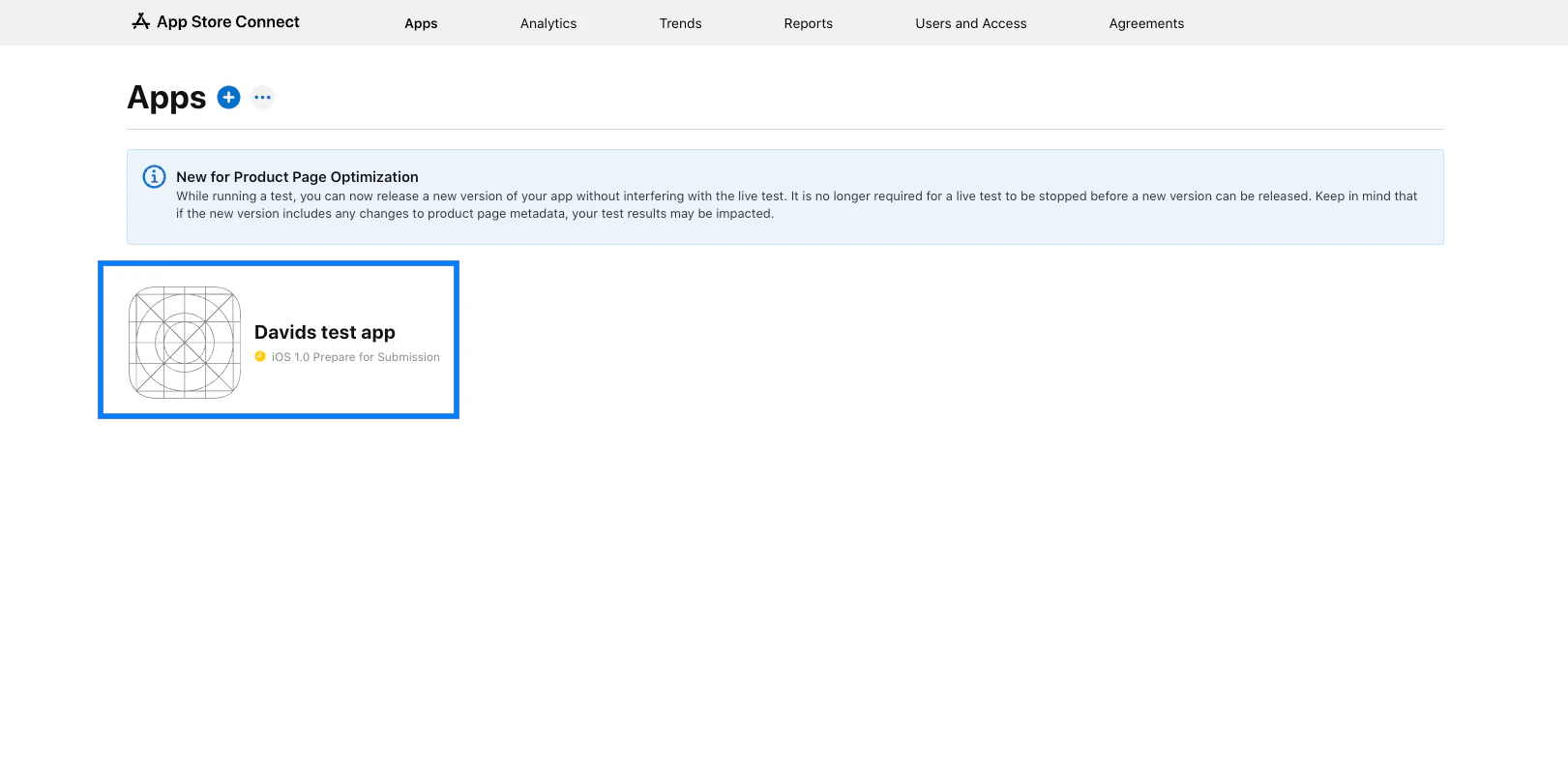
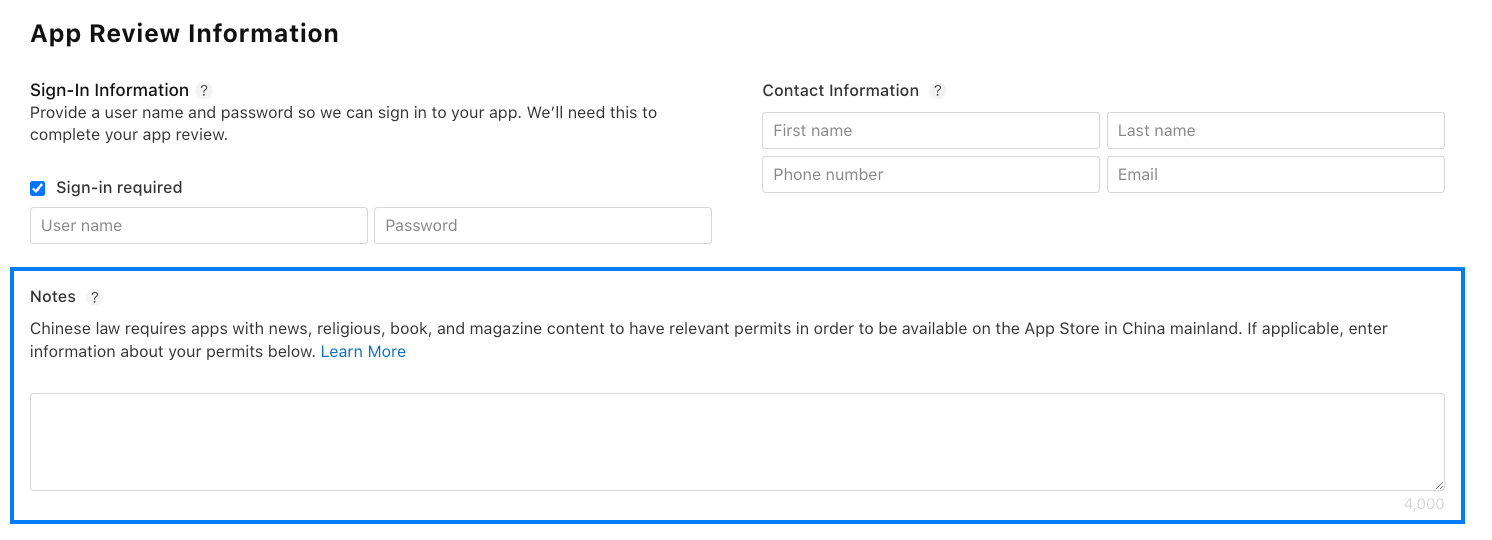
- Scroll down to the App Review Information section.
- Confirm that you’ve added the notes you were given by Kajabi during the intake process to the Notes input field:
Attach the app build file
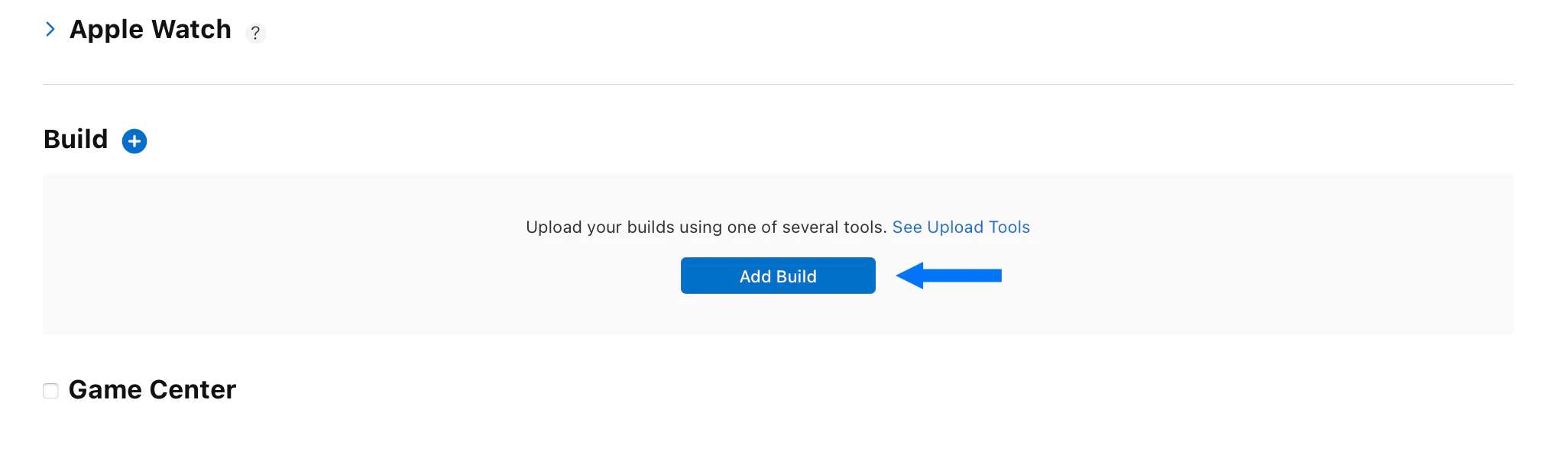
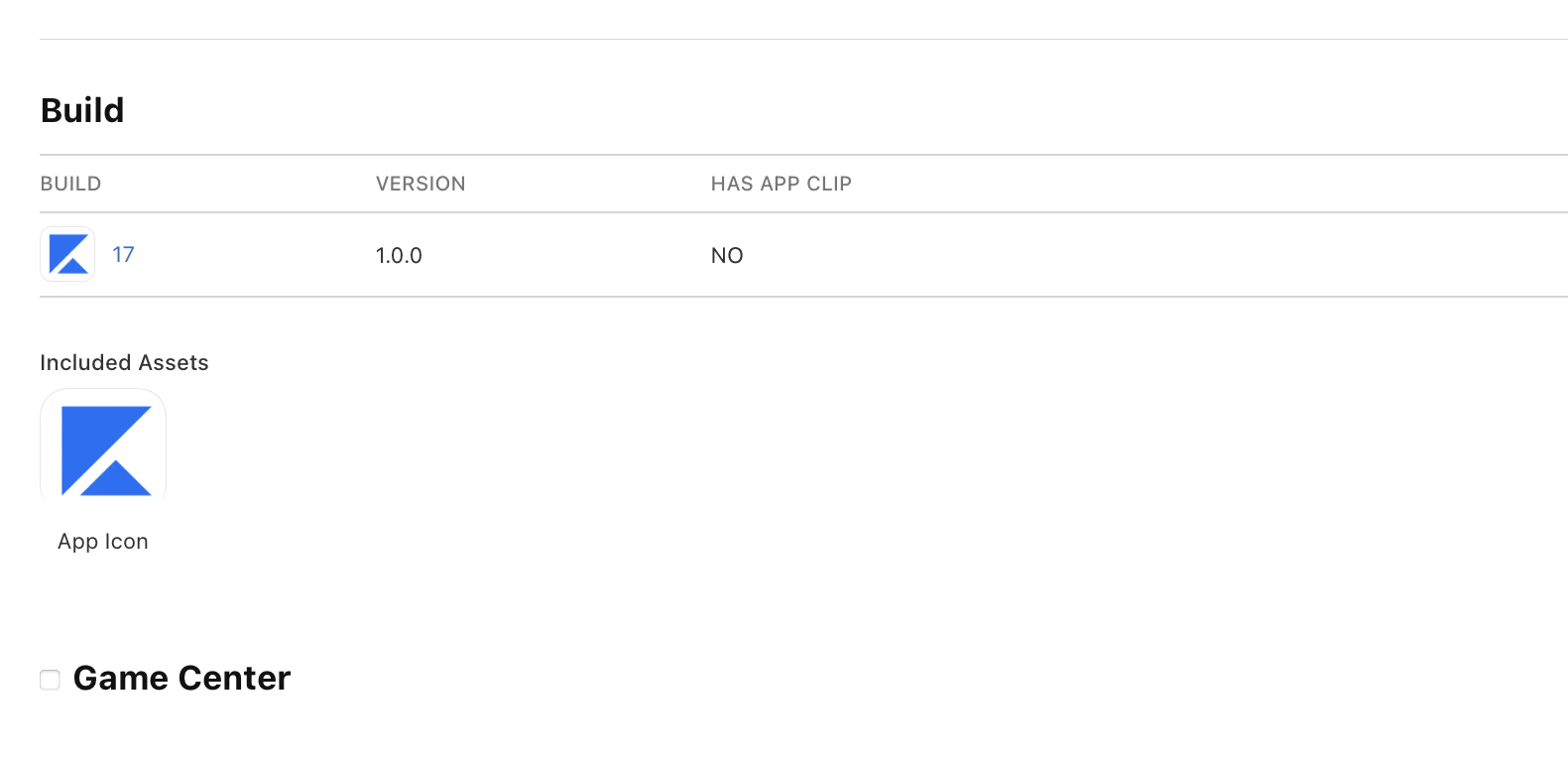
After adding reviewer notes, attach the app build file to the app submission. To attach the build file:- Scroll up to the Build section.
- If you don’t immediately see an Add Build button, click to expand the section.
- Click Add Build:
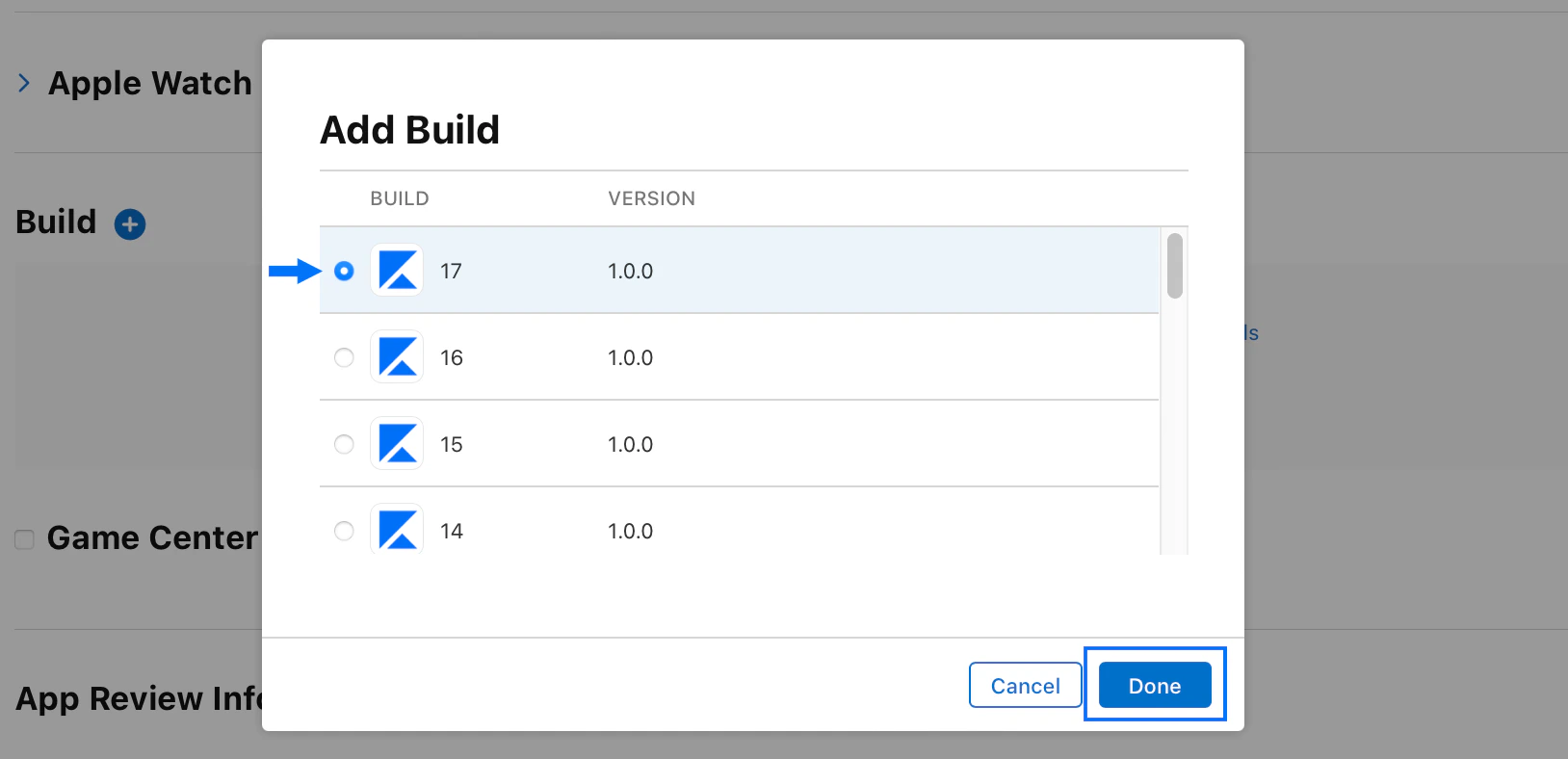
- Select the build file with the largest build number and click Done. (The largest build number should be the first one in the list. It may be a different number than 17.):
Submit the app
Once the build file is attached, you can submit the app to the App Store for review. To submit the app to the App Store:- Scroll up to the top of the page.
- Click Save at the top right.
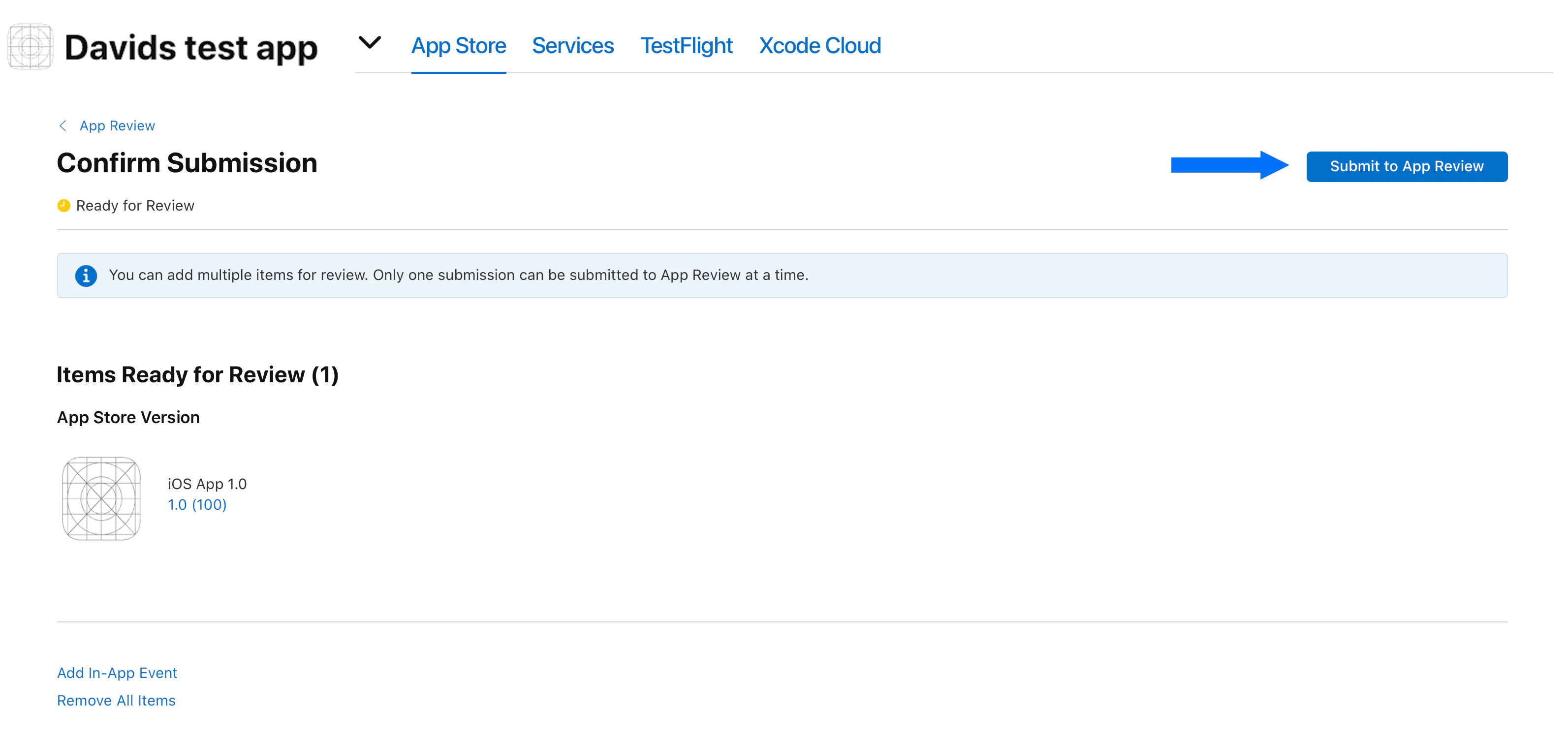
- Click Add for Review:
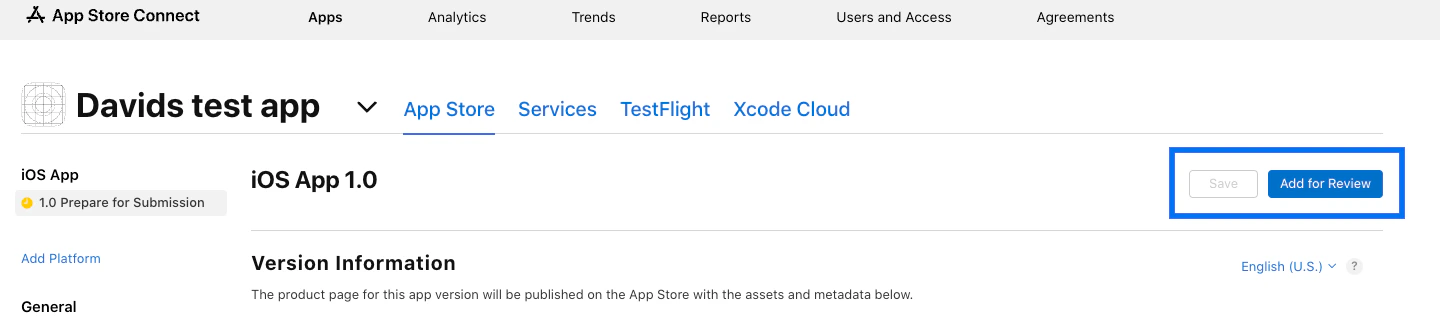
- Click Submit to App Review at the top right: