

What is an onboarding carousel?
An onboarding carousel is a series of images that rotate into view in a carousel motion the first time a user logs into the app. Choose up to 5 images to include in a Branded App onboarding carousel.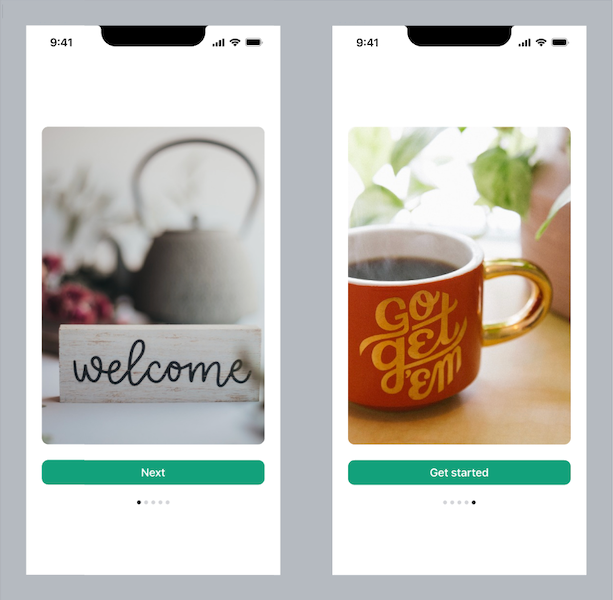
Note:
The onboarding carousel will only appear the first time a user logs into the app. When a user returns to the app, they’ll no longer see the carousel.
Add an onboarding carousel to the app
Note:
If you published your Branded App prior to January 30th, 2024 and haven’t updated your app since that date, you’ll need to update your app in order to add this feature. Learn how to update your Branded App.
- Select Branded Mobile App from your Kajabi dashboard
- If you’ve fully completed your app setup, you should see your app Design settings
- Select the Design tab
- Click Customize:
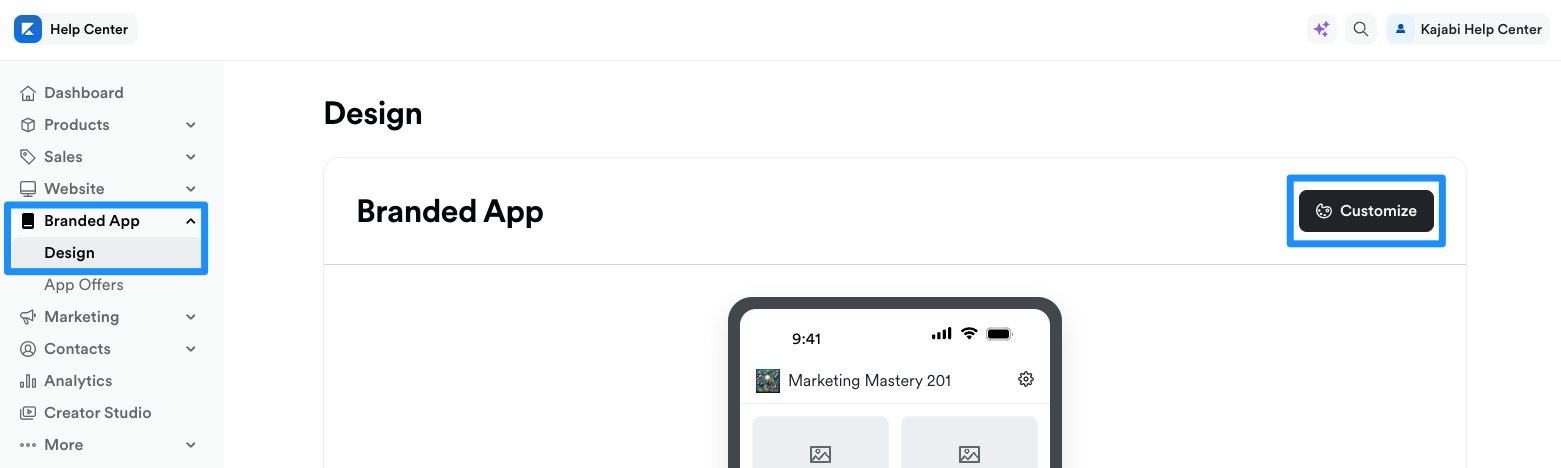
- Open the phone icon:
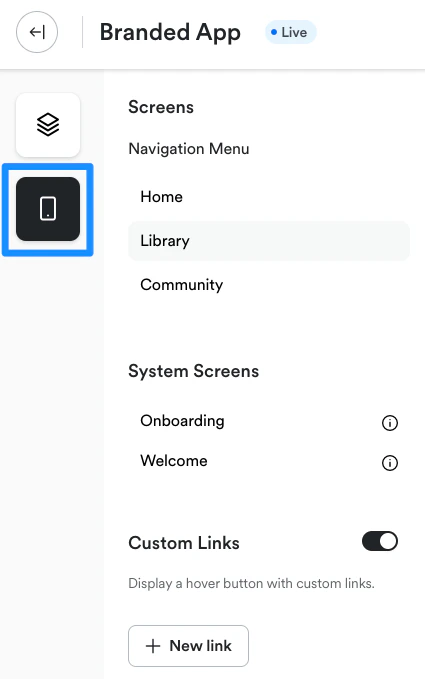
- Navigate to System Screens
- Select Onboarding:
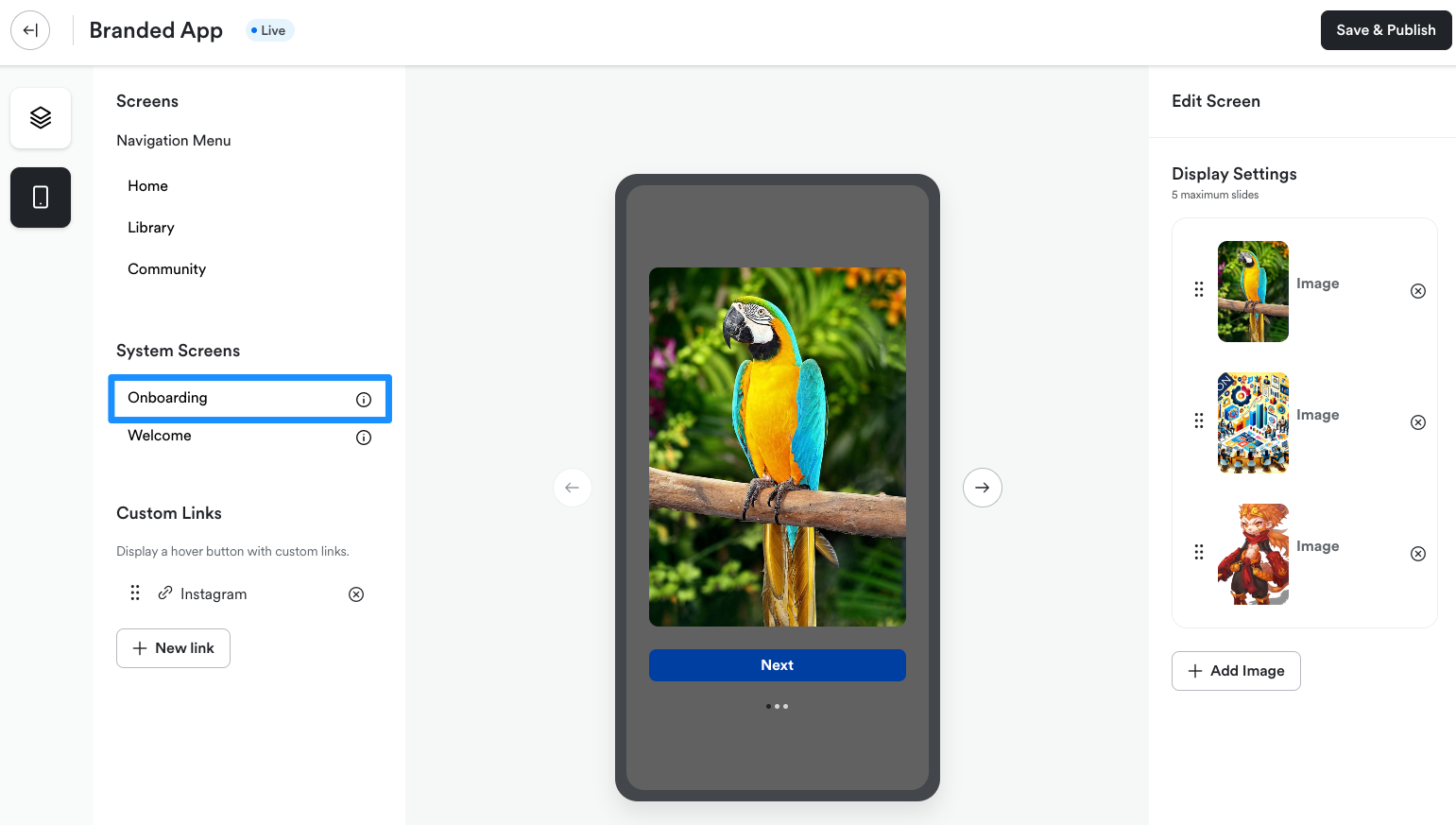
- The carousel editor will open on the right side of the page
- In the editor, click + Add image:
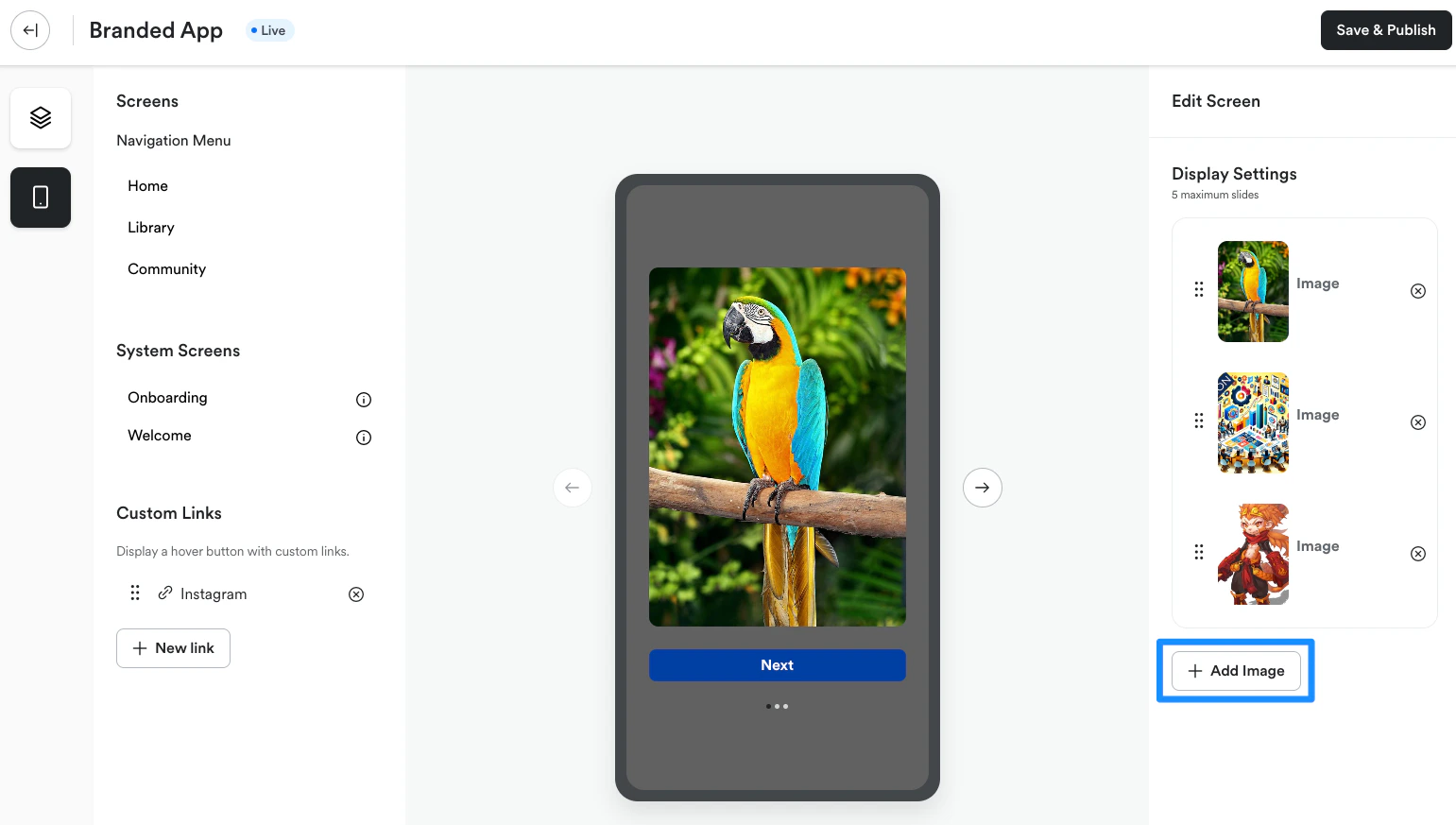
- Follow the prompts in the file uploader to upload your image
- We recommend using images with a 9:16 aspect ratio for best results
Update or delete carousel images
Want to remove or replace images in the onboarding carousel? Follow the steps below to update or delete images. Changes will automatically be pushed to the live app (i.e., you don’t need to submit a new app build to the Apple App and Google Play stores).Delete an image
To remove an image from the onboarding carousel:- Select Branded Mobile App from your Kajabi dashboard
- If you’ve fully completed your app setup, you should see your app Design settings
- Select the Design tab
- Click Customize:
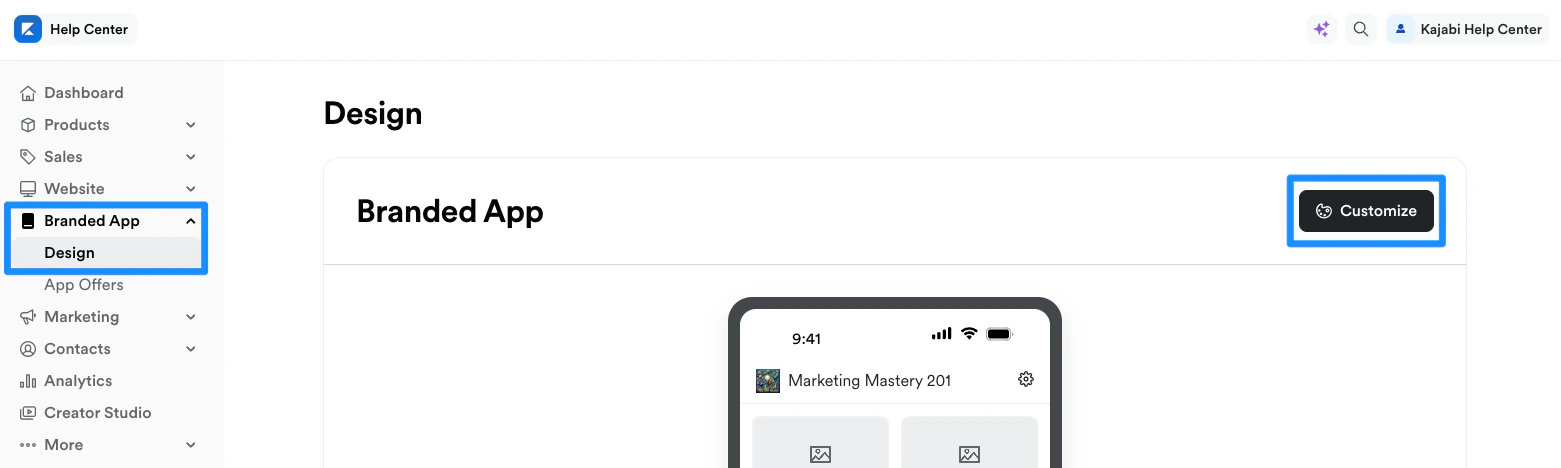
- Open the phone icon:
- Navigate to System Screens
- Select Onboarding:
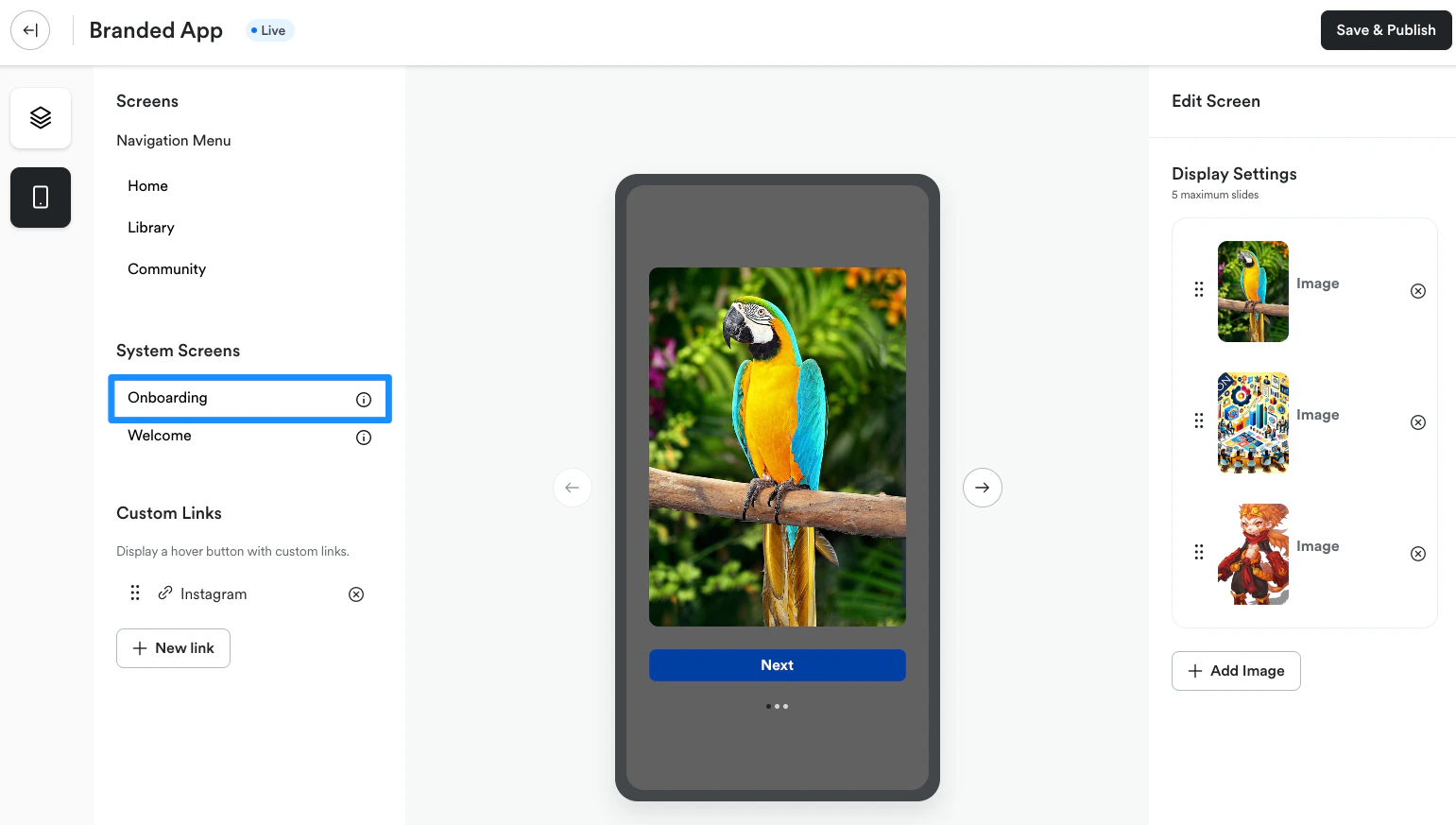
- Locate the image you want to remove and click the x symbol to the right of the image:
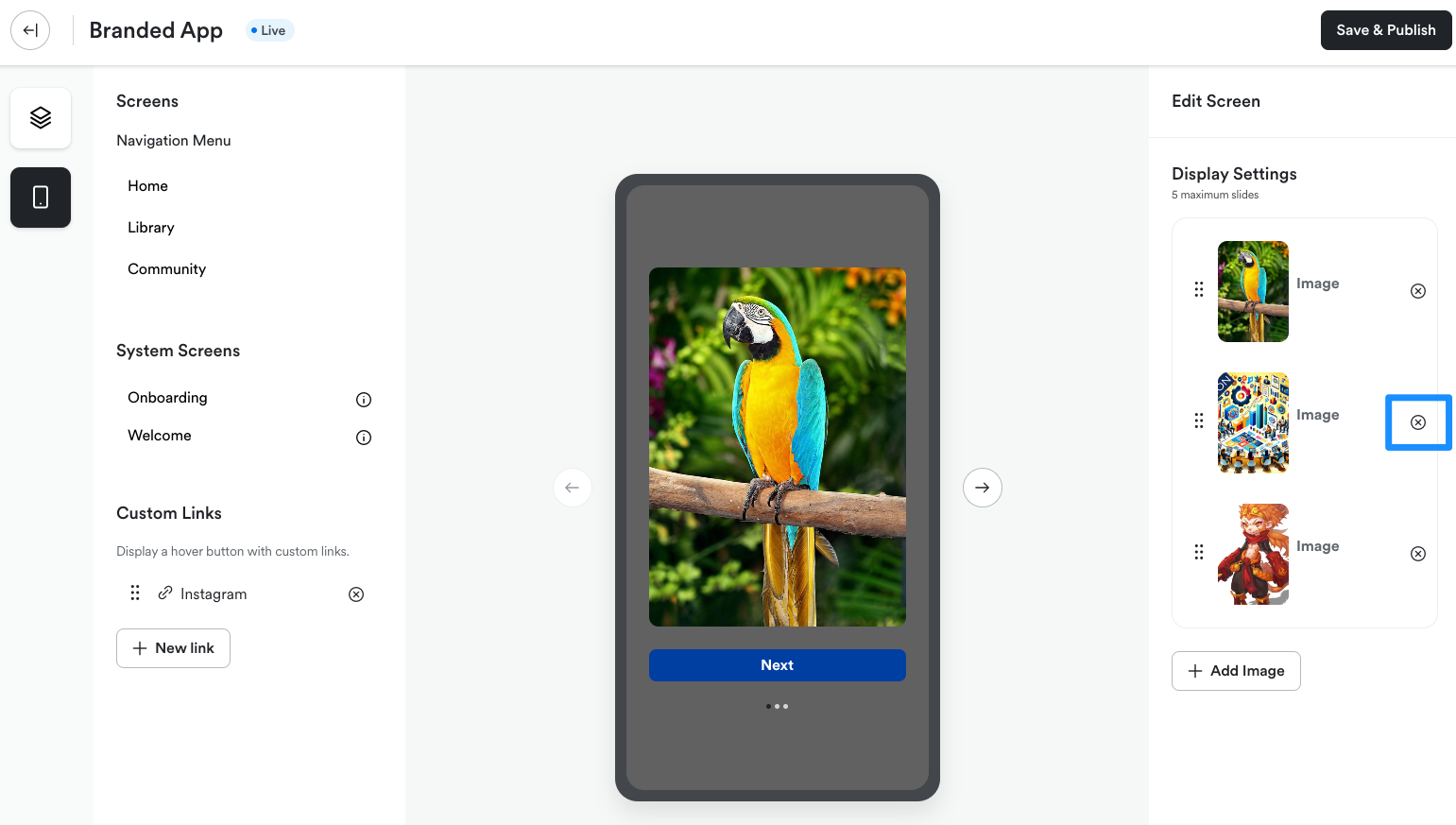
- Click Delete to remove the image from the carousel