

What is the floating action button?
The floating action button is a round clickable button in the lower right corner of a Branded App home, library, and custom screens. The button uses the brand color selected in app settings: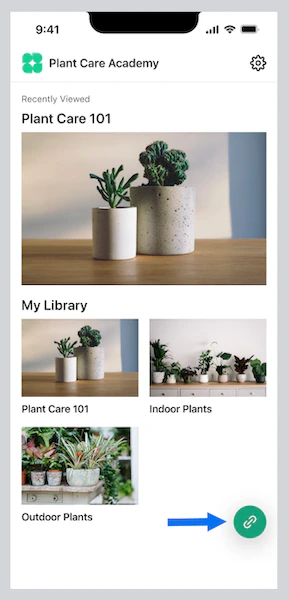
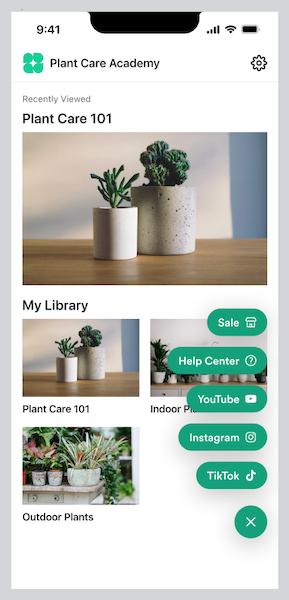
Add a floating action button with custom links to the app
Note:
If you published your Branded App prior to December 20th, 2023 for iOS or January 12th, 2024 for Android and haven’t updated your app since those dates, you’ll need to update your app in order to add this feature. Learn how to update your Branded App.
- Select Branded Mobile App from your Kajabi dashboard
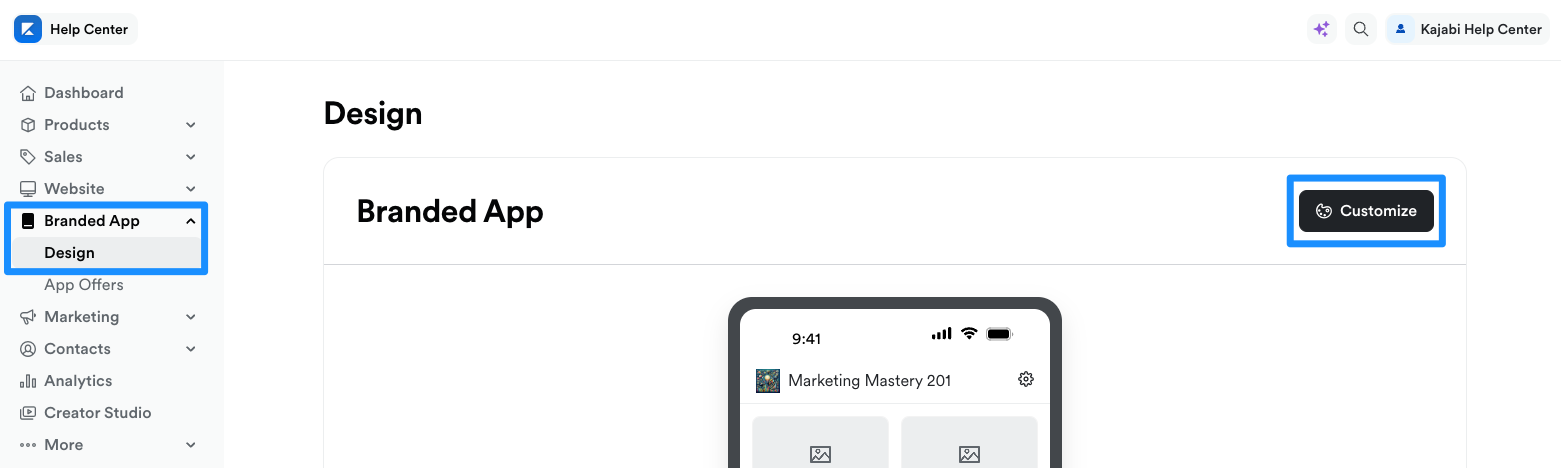
- If you’ve fully completed your app setup, you should see your app Design settings
- Select the Design tab
- Click Customize:
- Open the phone icon:
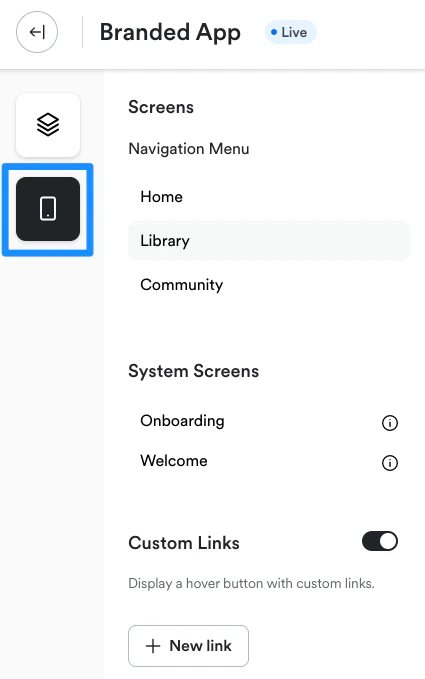
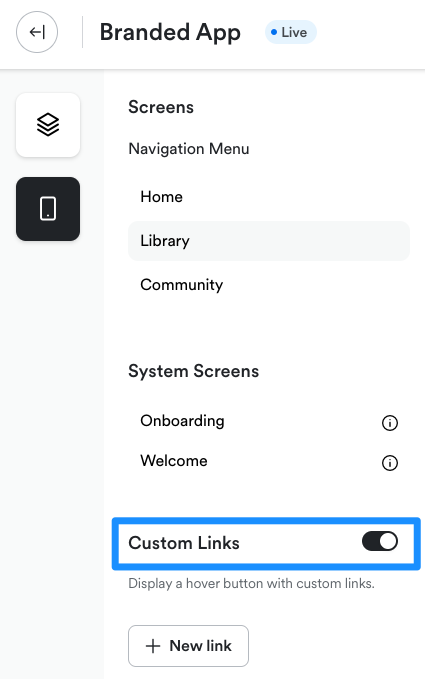
- Toggle on Custom Links:
- Then, click + New link:
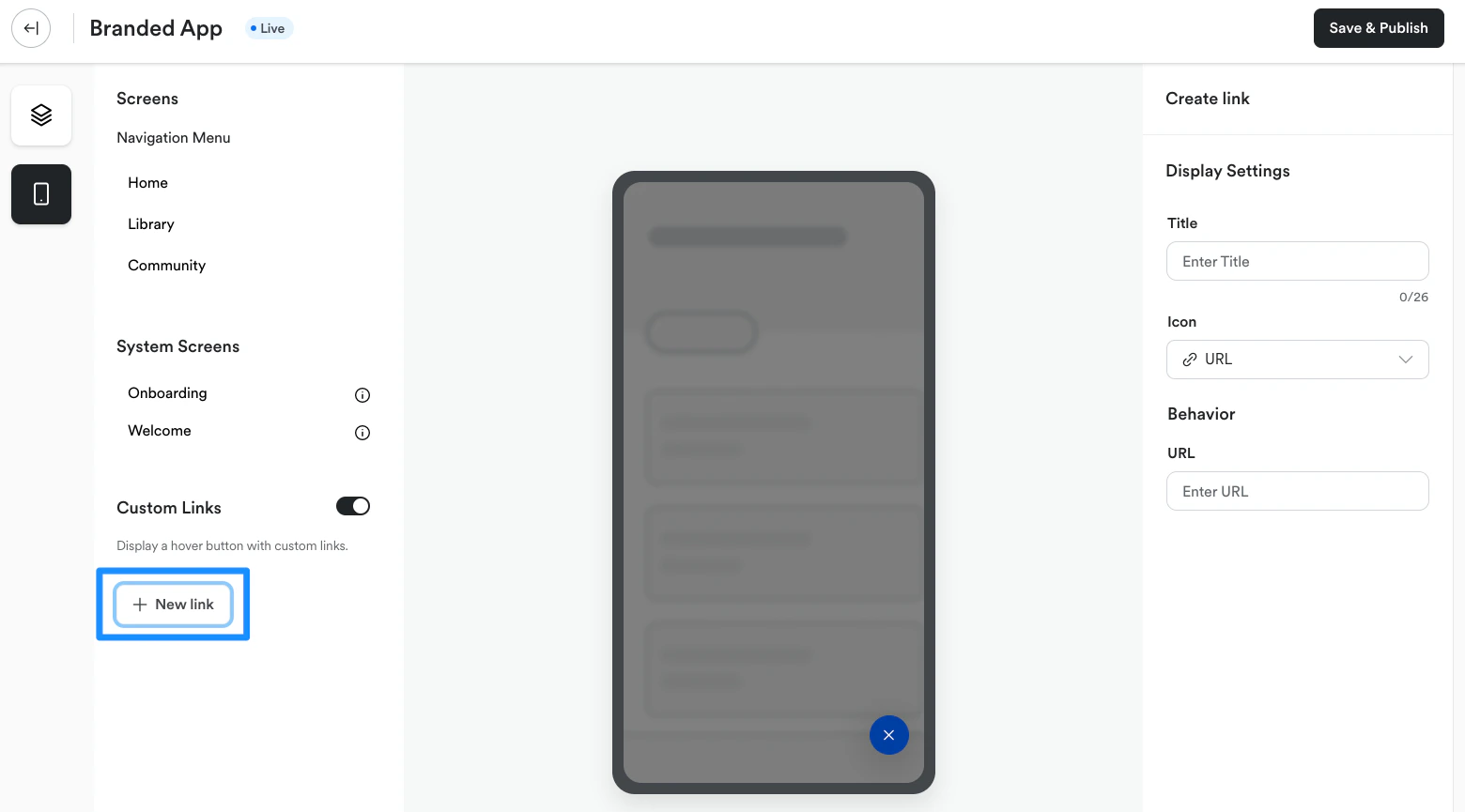
- Enter a Title for the link
- Next, click the URL dropdown menu and select an icon for the link
- Enter the URL address for the link
- Click Save to add the link to the floating action button in the app
Update or delete button links
Update a link
To update a page link in the floating action button menu:- Select Branded Mobile App from your Kajabi dashboard
- If you’ve fully completed your app setup, you should see your app Design settings
- Select the Design tab
- Click Customize
- Open the phone icon:
- Navigate to Custom Links
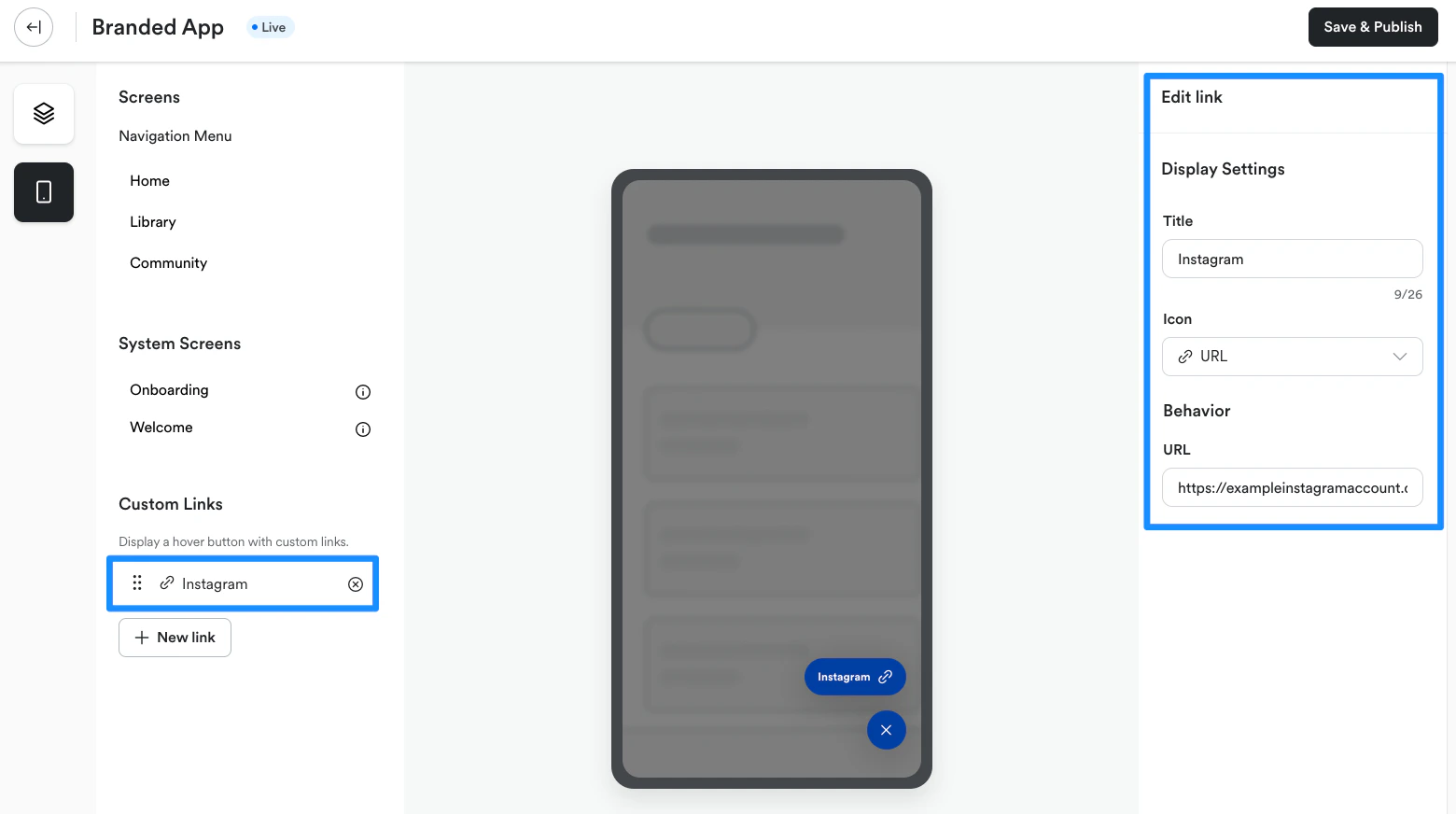
- Select the link you wish to update
- Edit the link Title, icon and/or URL address as desired
- Click Save to apply changes to the floating action button in the app:
Delete a link
To delete a page link from the floating action button menu:- Select Branded Mobile App from your Kajabi dashboard
- If you’ve fully completed your app setup, you should see your app Design settings
- Select the Design tab
- Click Customize
- Open the phone icon:
- Navigate to Custom Links
- Click the X icon next to the link you wish to delete:
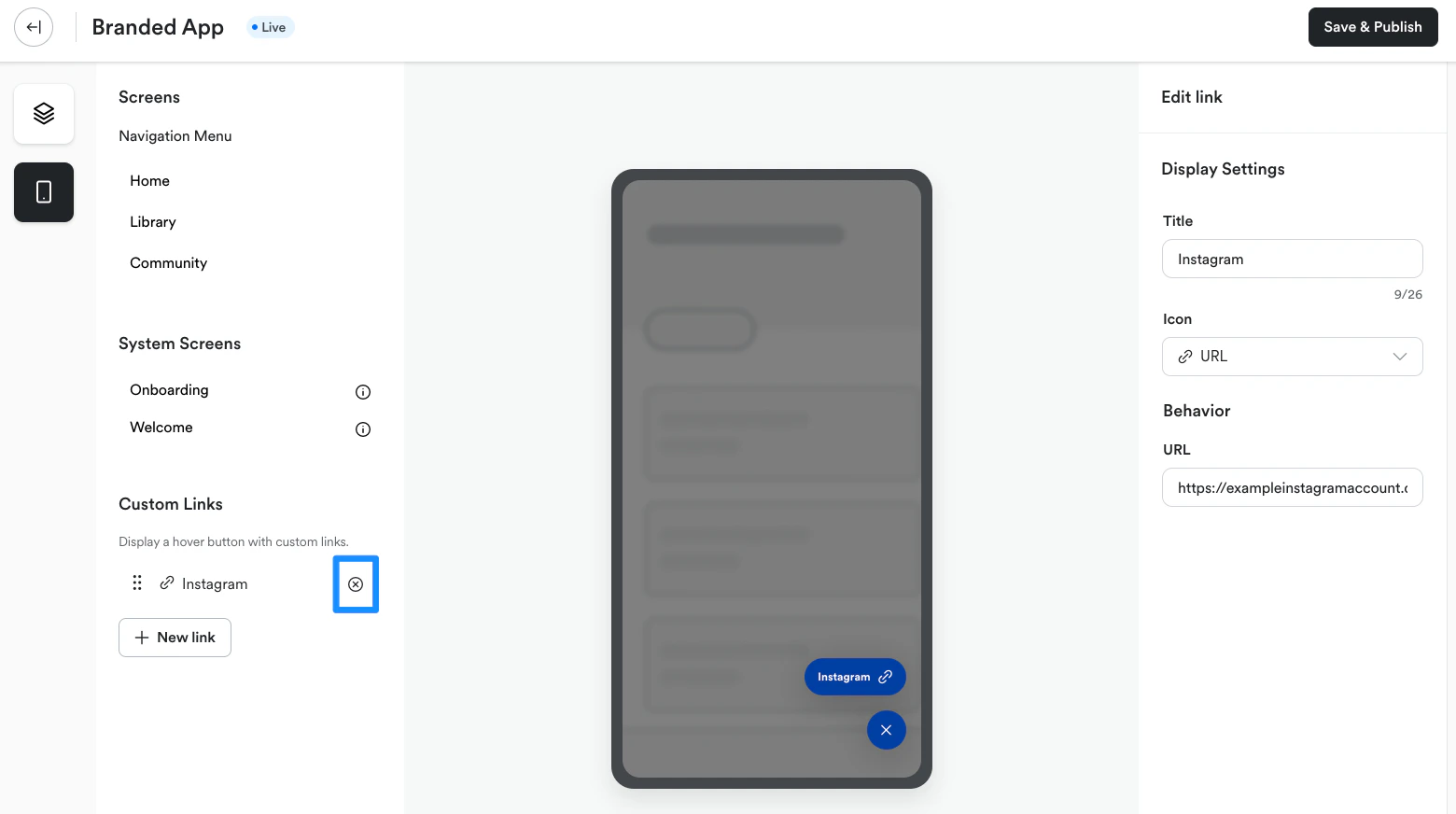
- Click Delete to remove the link from the floating action button in the app