Note:
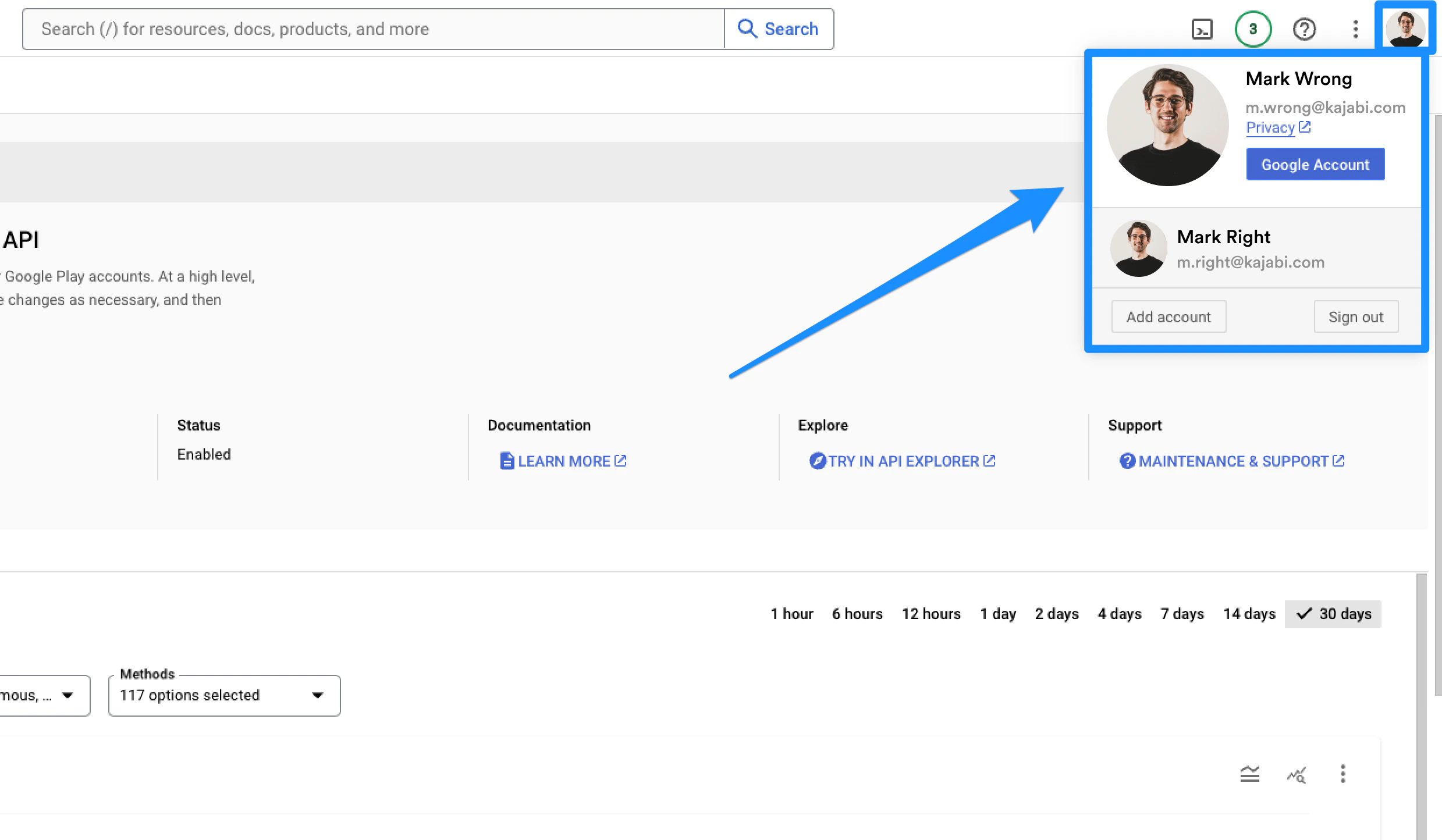
If you are logged into Google with more than one Gmail account where one of them is not the account owner email listed on the developer account, you may experience errors. We recommend logging in through an incognito or private window to ensure that you are logged into a single email.
Add Kajabi as a Google Play account admin
Grant the Kajabi team admin access to Google Play Console to allow Kajabi to access and create the Android App.- Log into your Google Play Console and make sure that you are not clicked into a specific app.
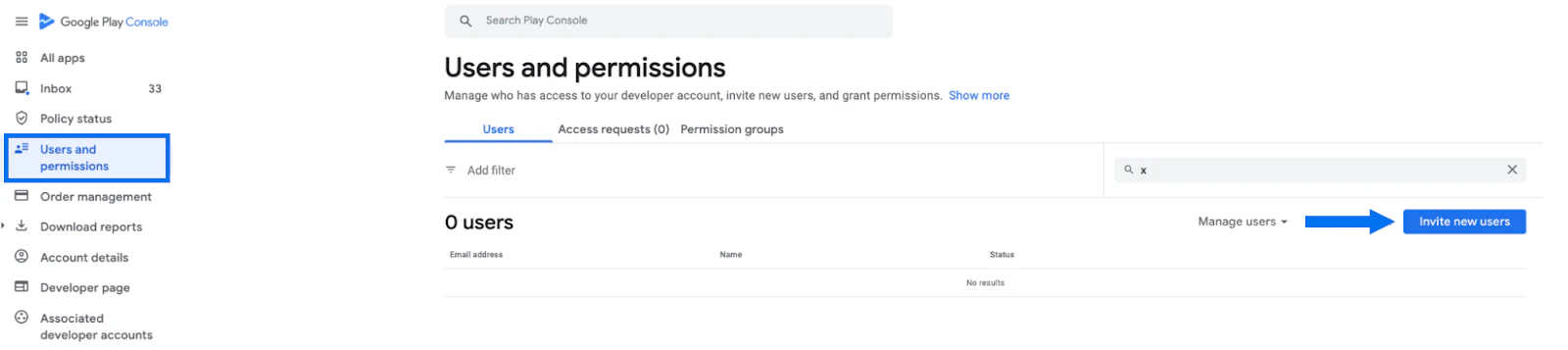
- Click Users and Permissions in the sidebar menu.
- Then, click Invite New Users:
- In the email address field, input: Creative.Coder@oc-corpeng.com
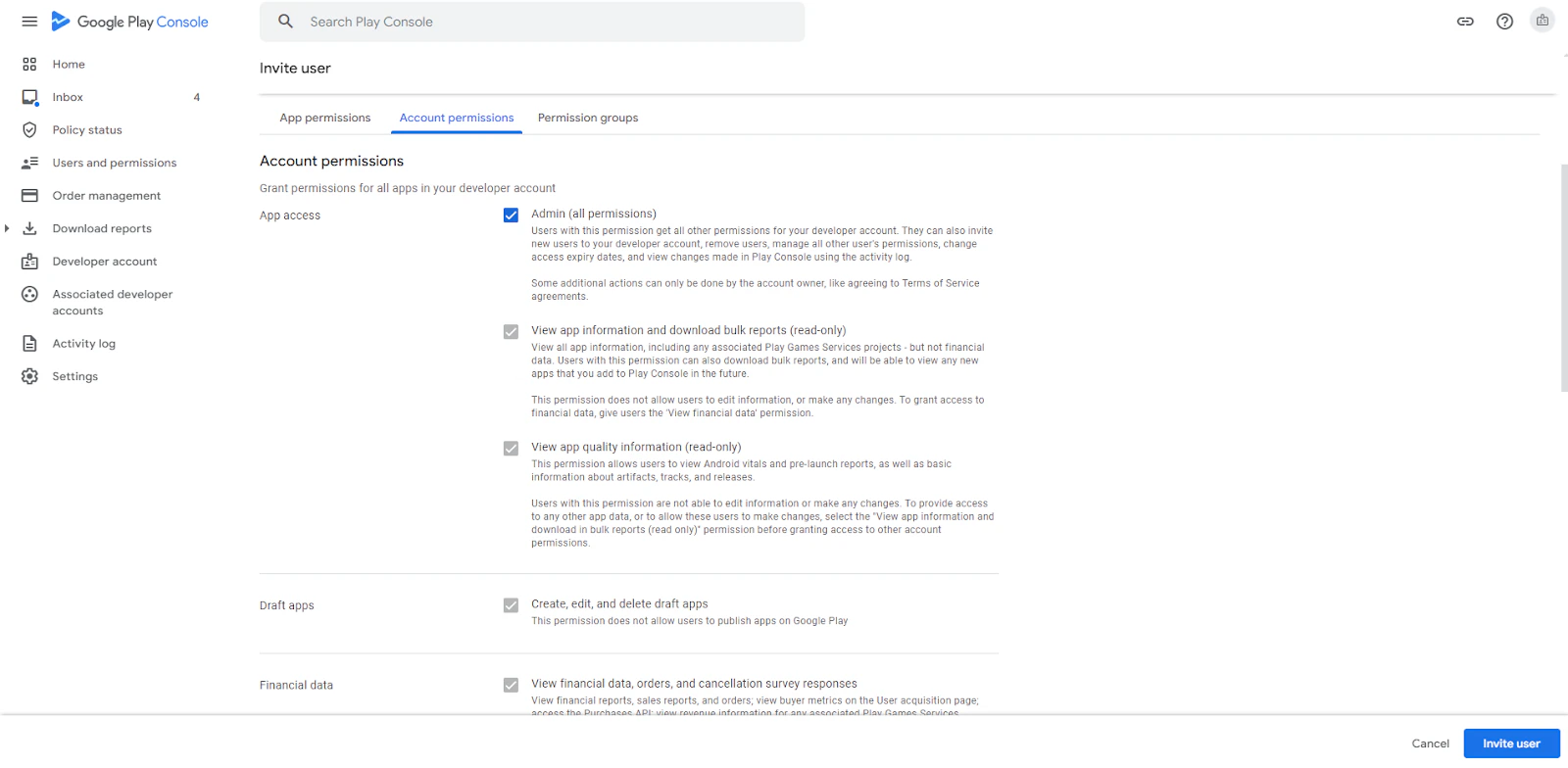
- Then, select the Admin checkbox under Account permissions.
- Click Invite User:
Add Kajabi as a Google Cloud account admin
Note:
If you do not have a Google account currently, please follow these instructions to create one.
- Log into the Google Cloud Console.
- Ensure that you are logged into the correct account as the account owner:
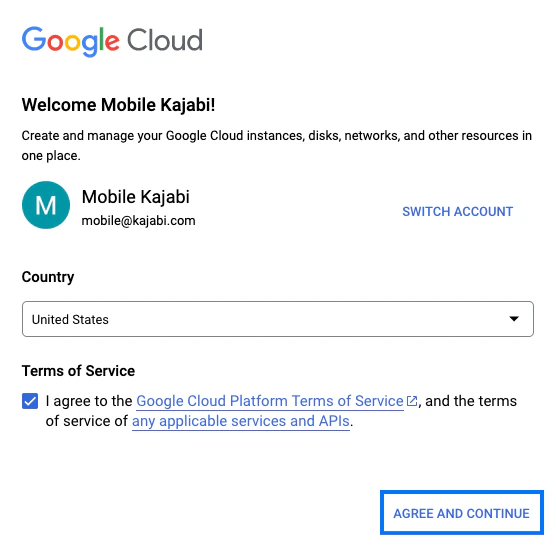
- Then, agree to the terms and conditions:
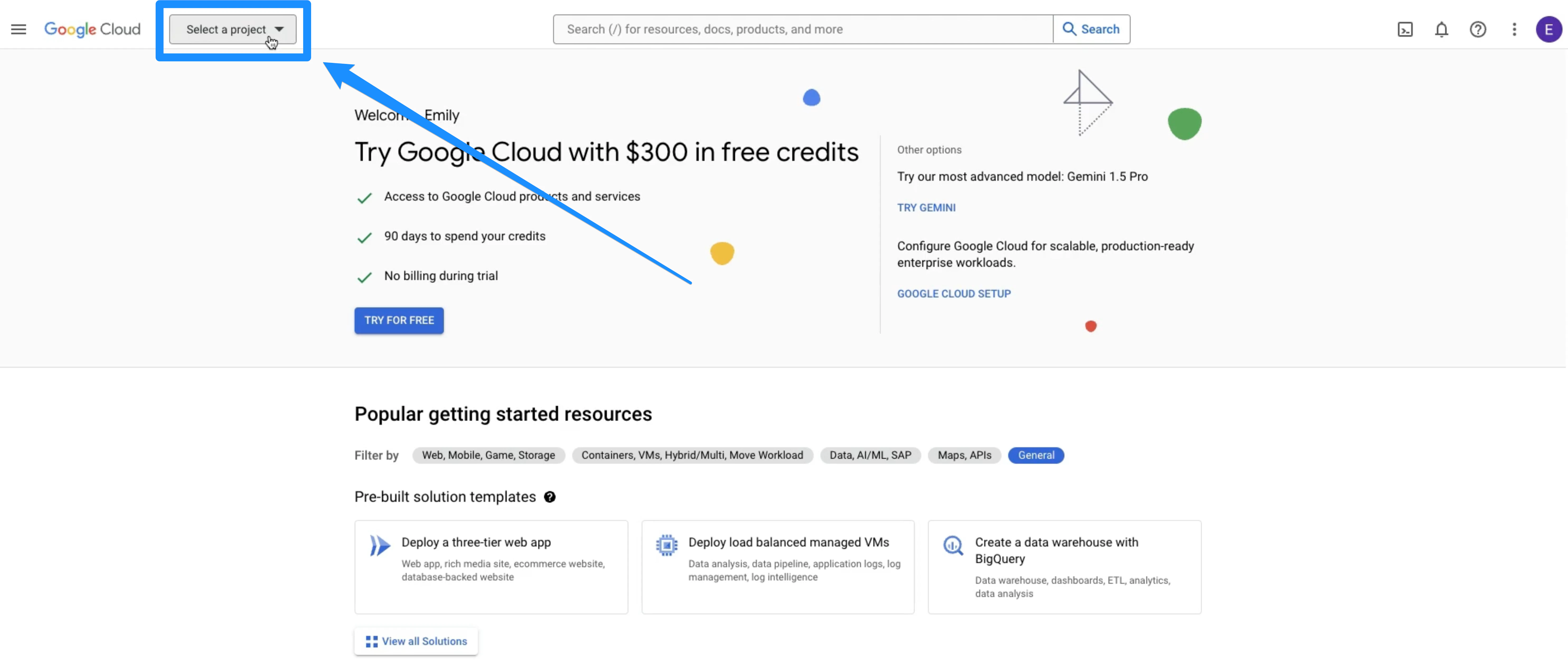
- In the top left corner, click the dropdown menu to Select a Project:
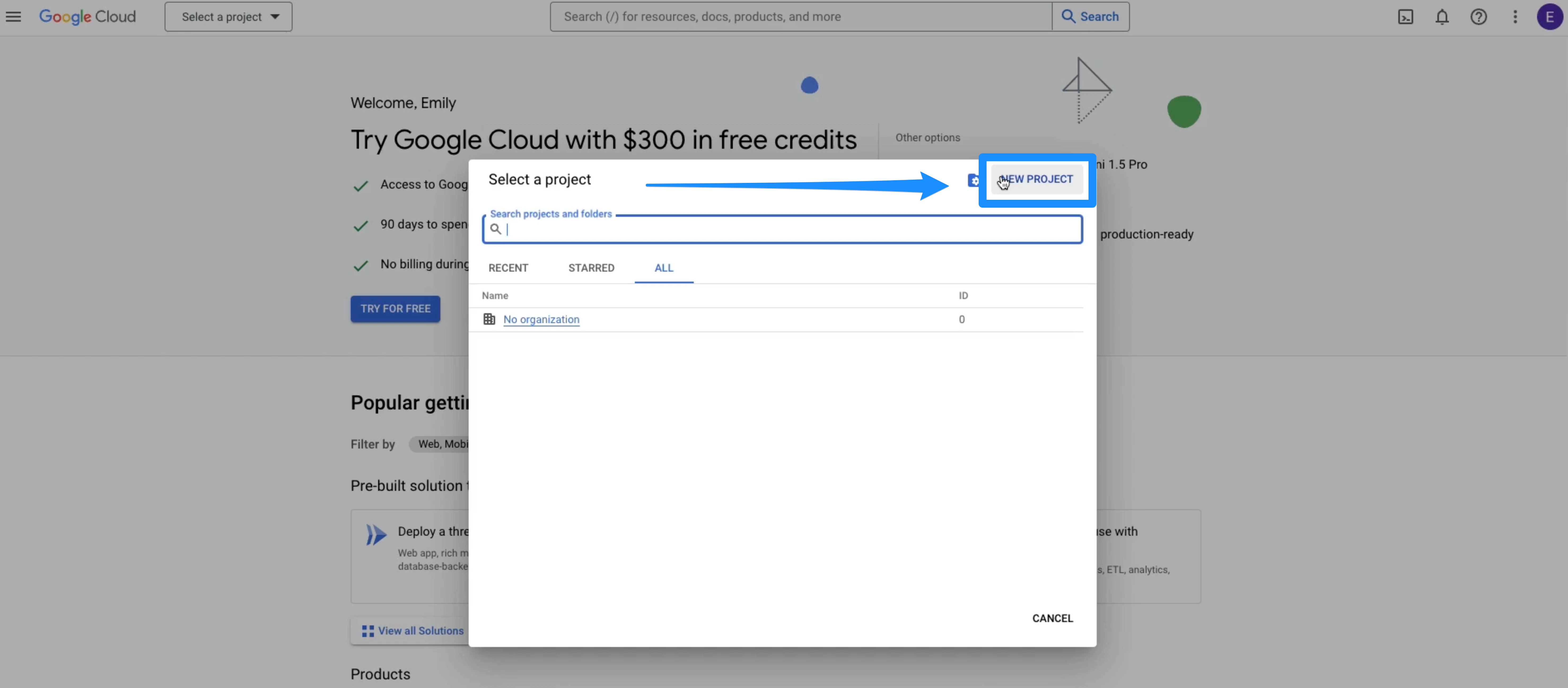
- When the next dialog box appears, select New Project:
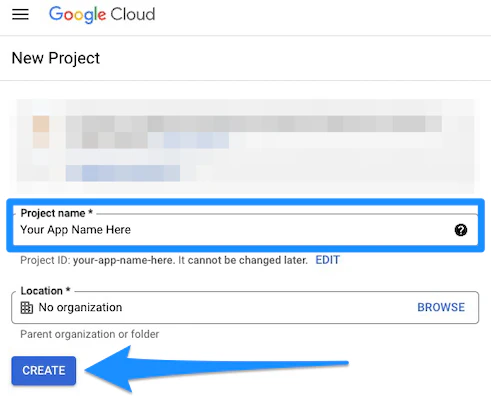
- Enter the Project name and click Create:
Note:
Be sure to use the App Name as the Project Name.
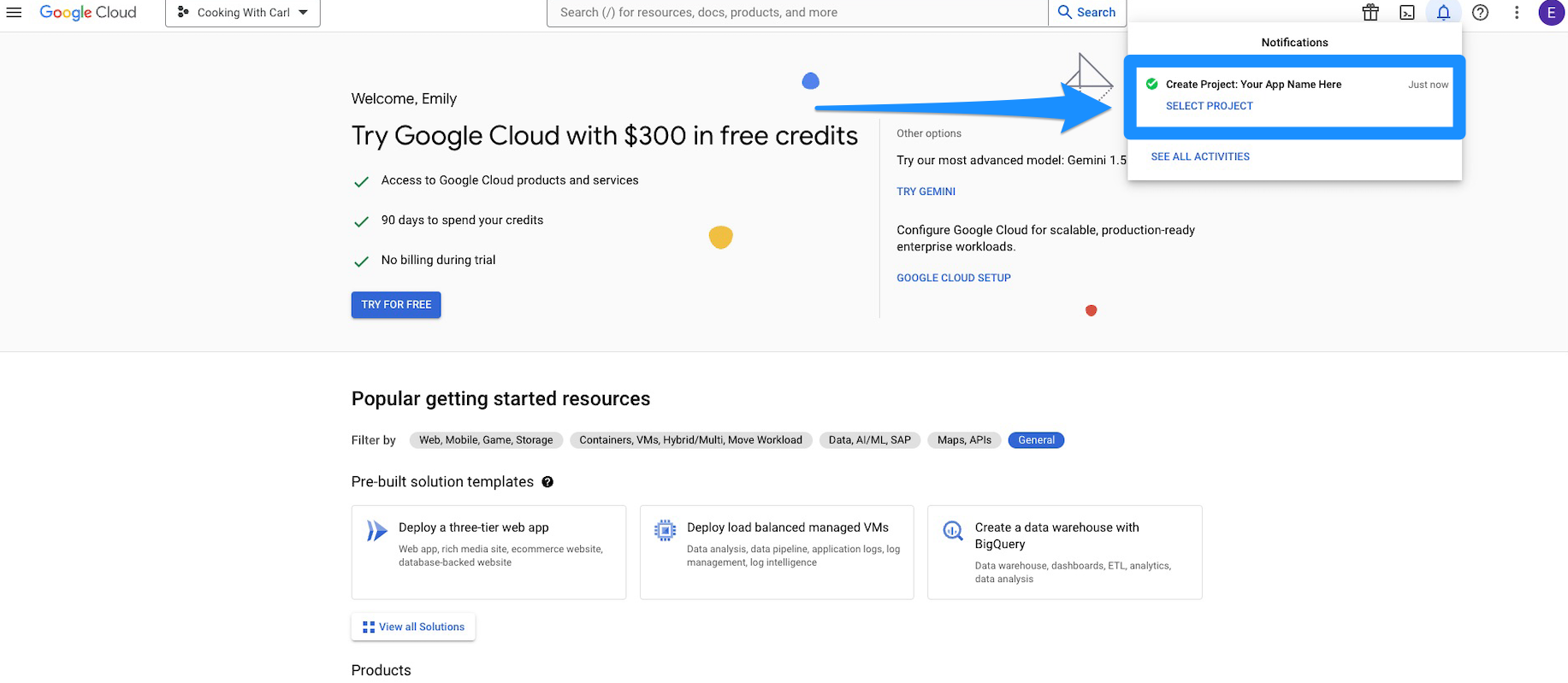
- After the project has been created, click the Select Project link in the notification window located at the top-right section of the window:
Locate API credentials
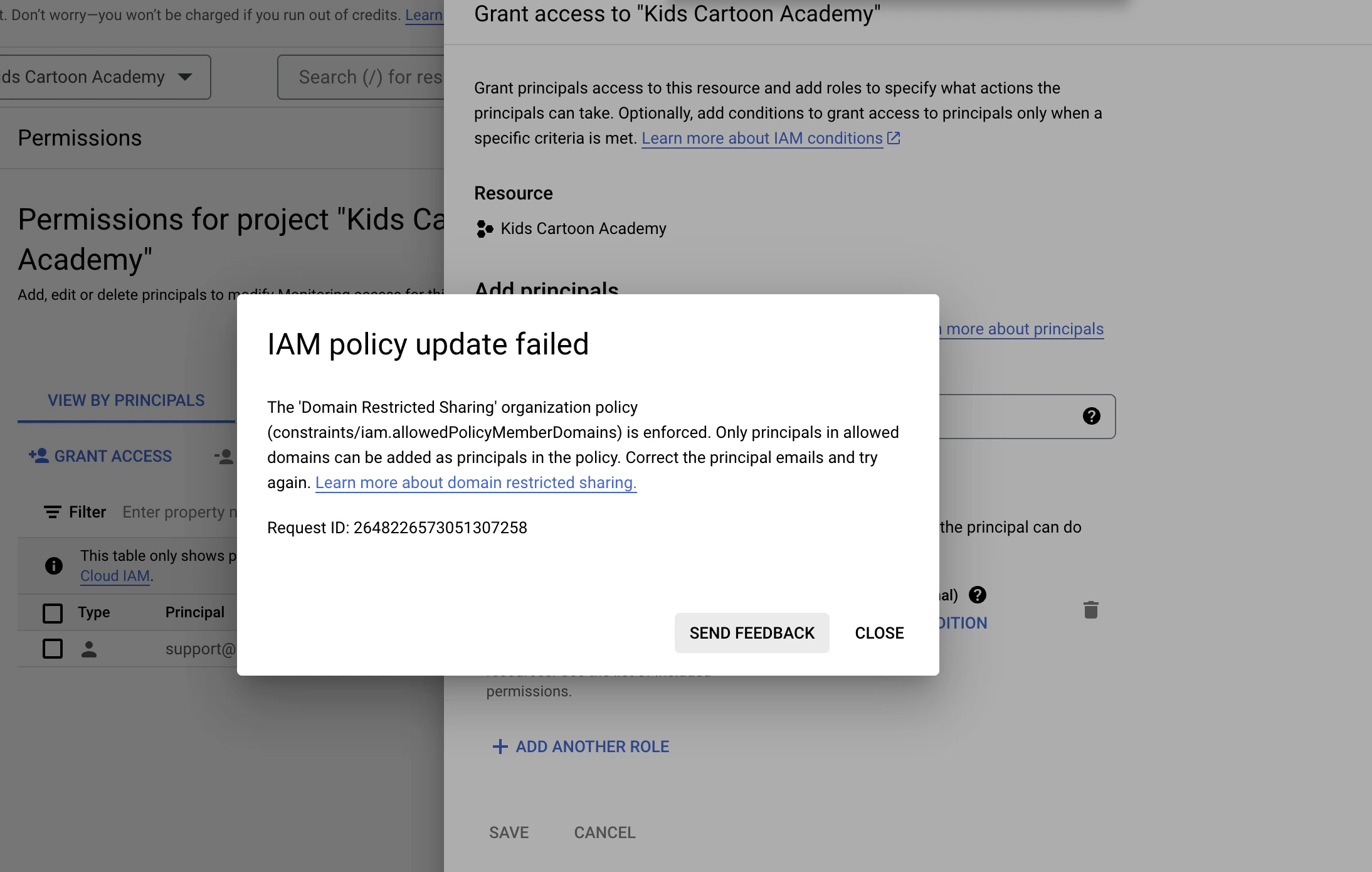
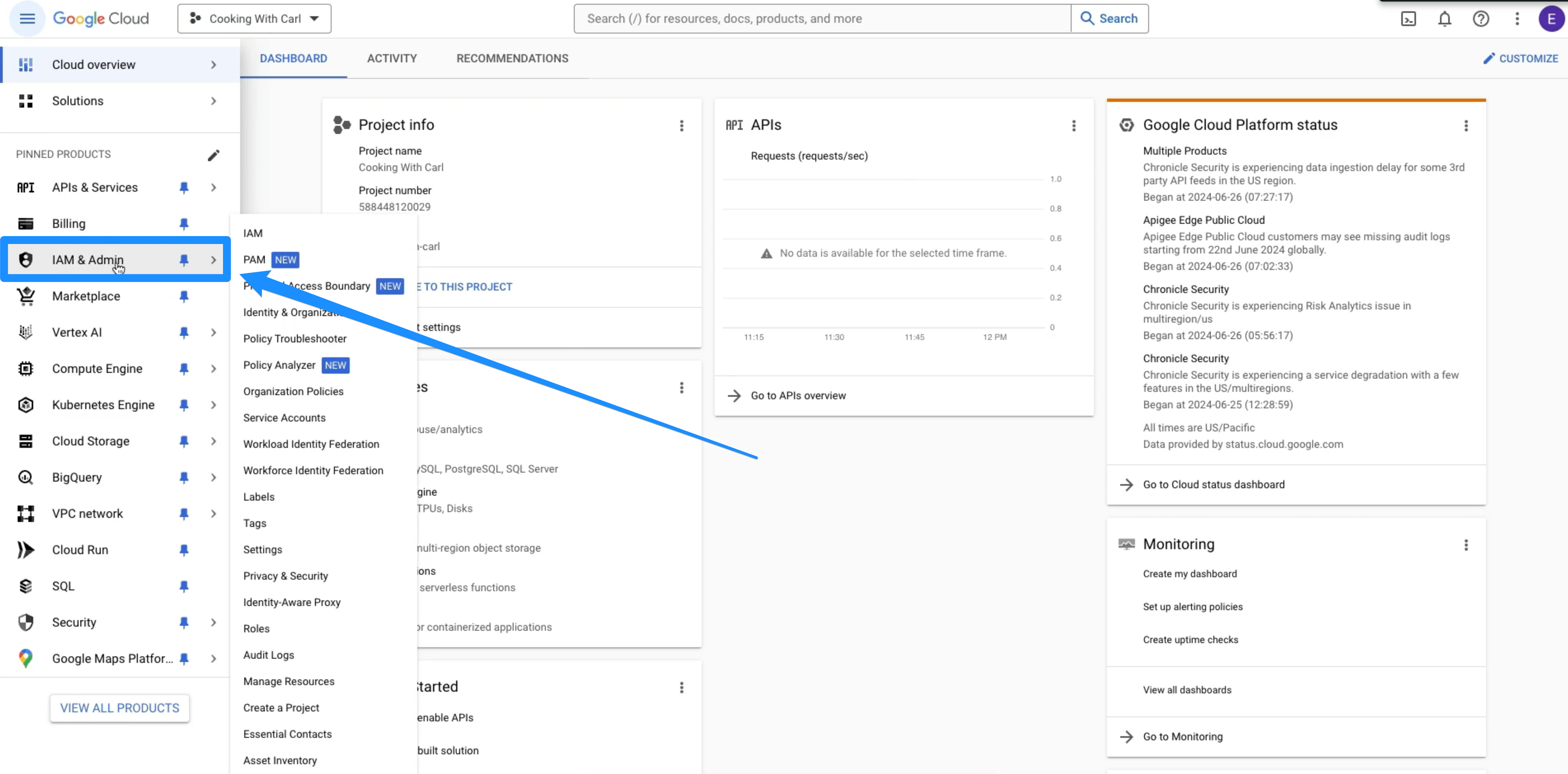
- On the left-side panel, click IAM & Admin:
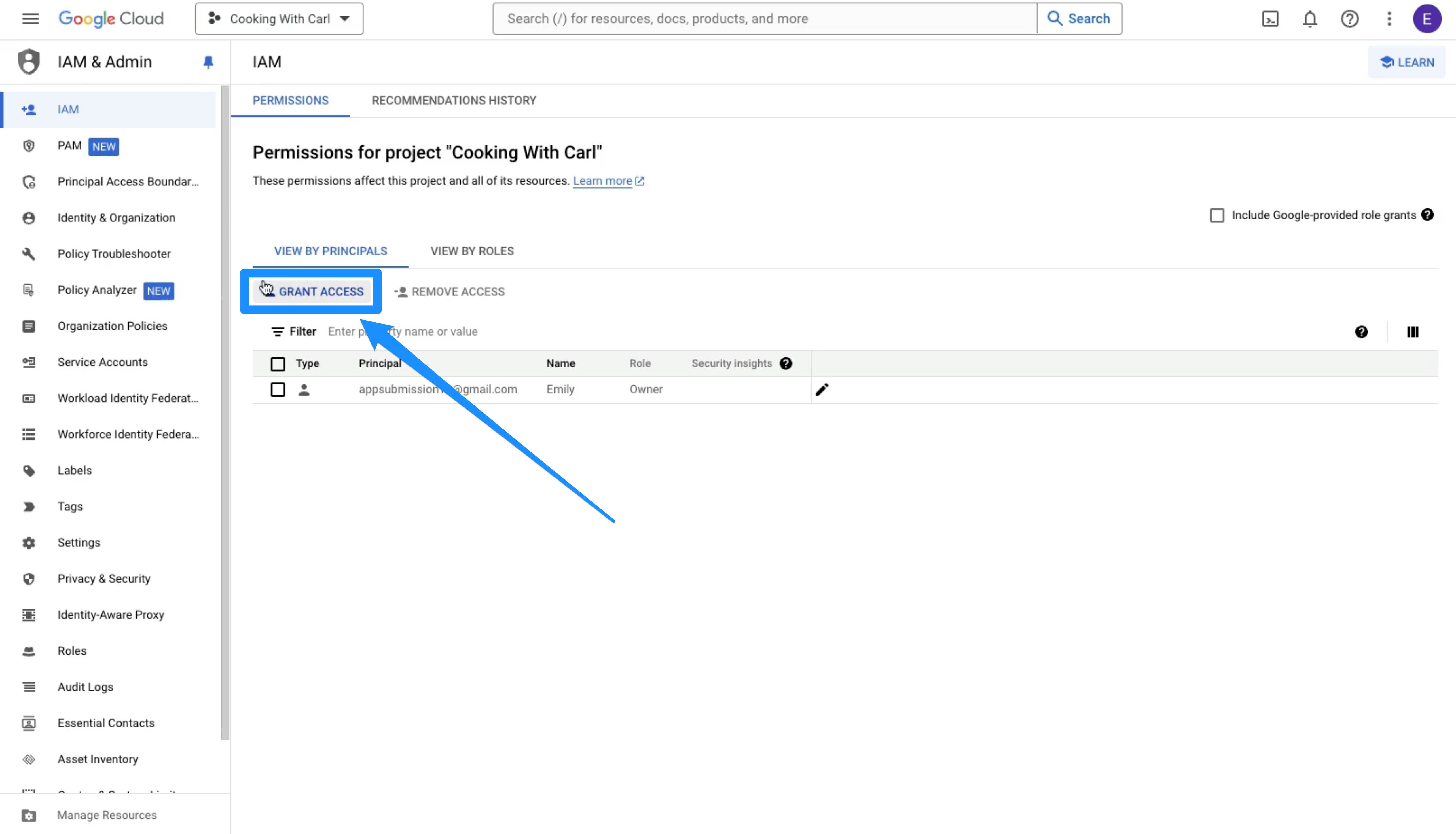
- Click Grant Access:
- There will be a pop-up menu on the left side panel under New principals. Add the following email address: Creative.Coder@oc-corpeng.com
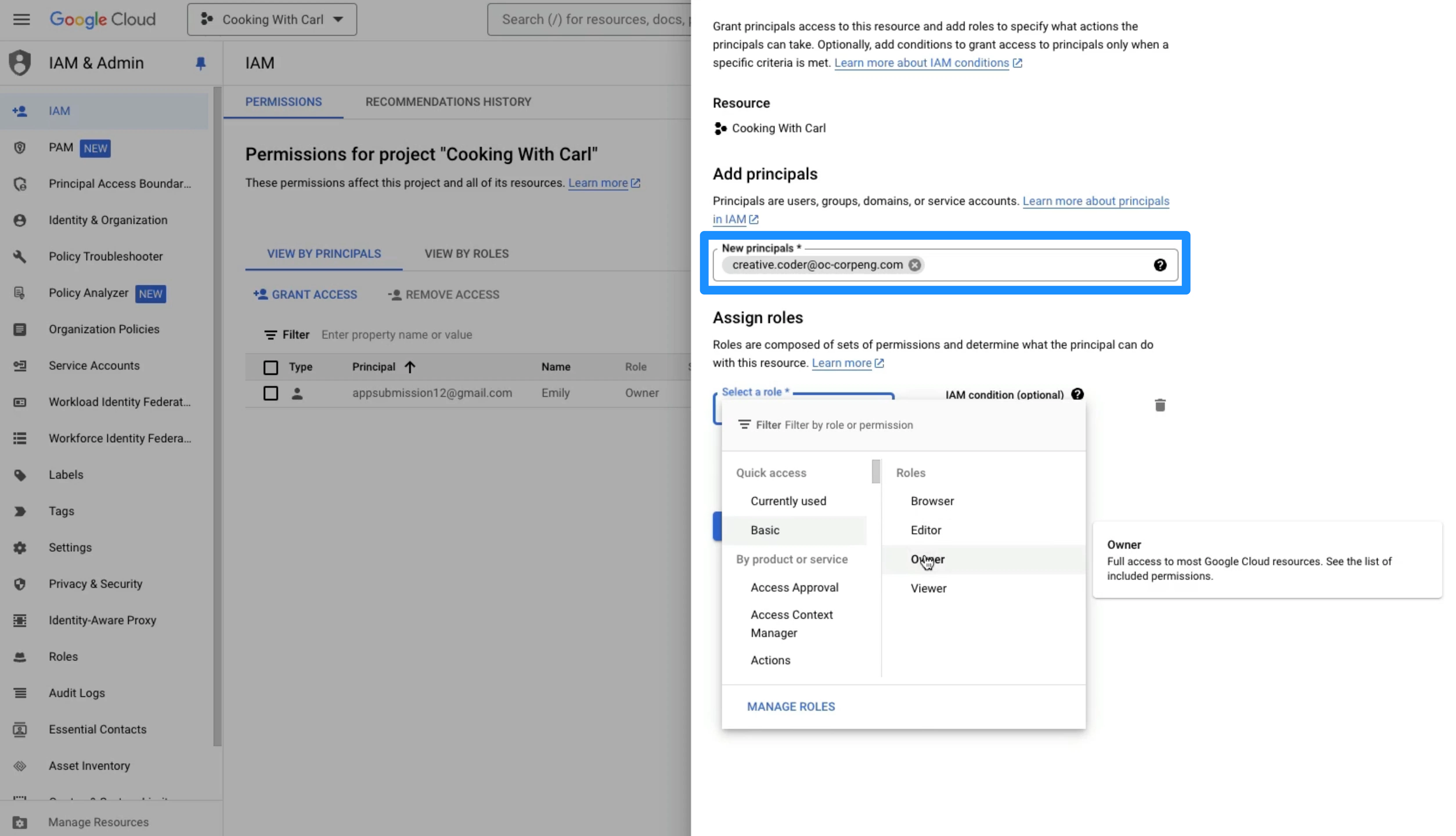
- Navigate to Step 2: Assign Role.
- Then, click Select a role.
- Select Basic as the access type and Owner as the role type.
- Click Save:
Enable the API
Enable the Google Publisher API
- Navigate to the Google Publisher API Settings.
- Ensure that you are logged into the correct account as the account owner:
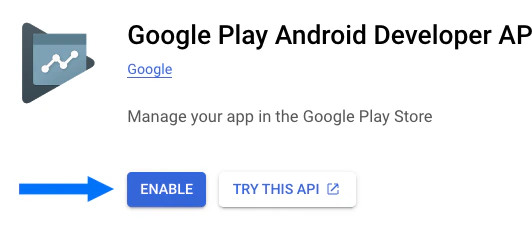
- Then, click Enable:
Enable Firebase
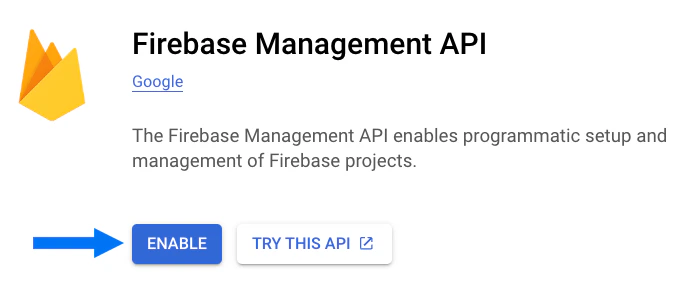
- Navigate to the Firebase Management API - Google Cloud Console.
- Ensure that you are logged into the correct account as the account owner:
- Then, click Enable: