Complete the declaration
To get started:- From the Google Play Console, navigate to Policy and Programs and then App Content
- From there, you will see a declaration requirement:
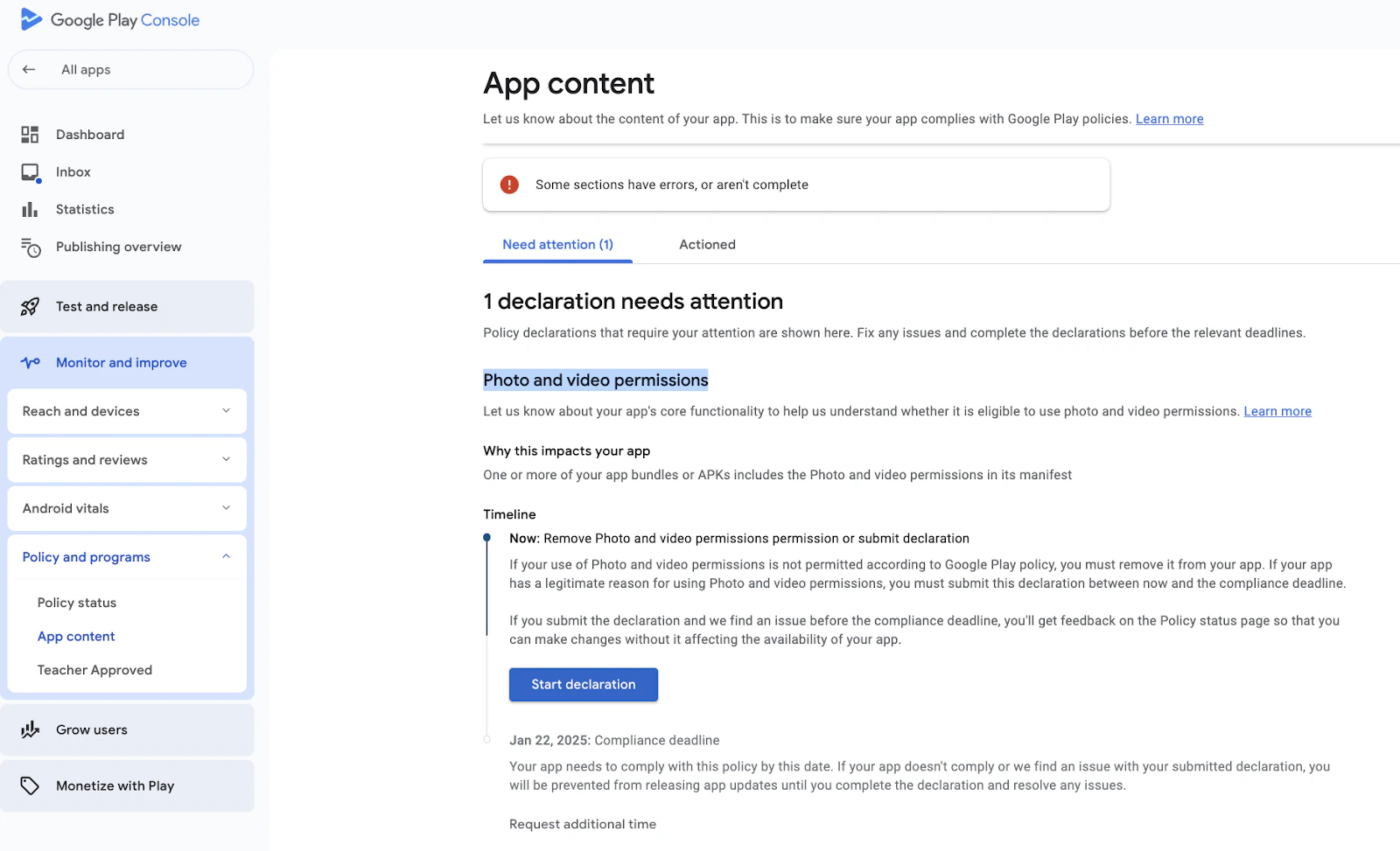
- Click on Start Declaration
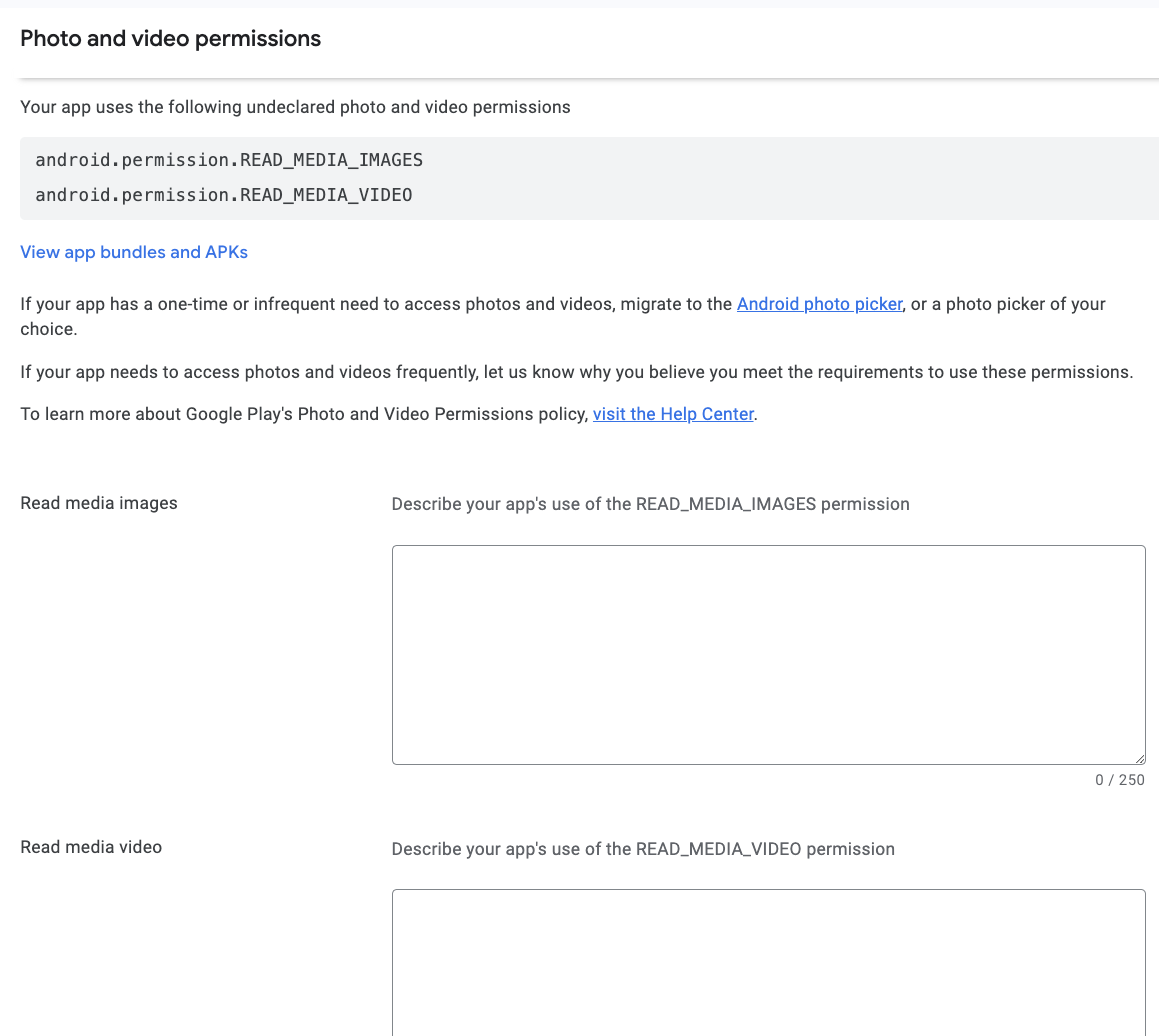
- Next, you will see 2 fields in which you can enter information
- In the Read Media Images box, please use the following response:
- My customers can, if they choose to give permission to access photos, upload photos and media content within the application.
- In the Read Media Video box, please use the following response:
- My customers can, if they choose to give permission to access videos, upload video and media content within the application.
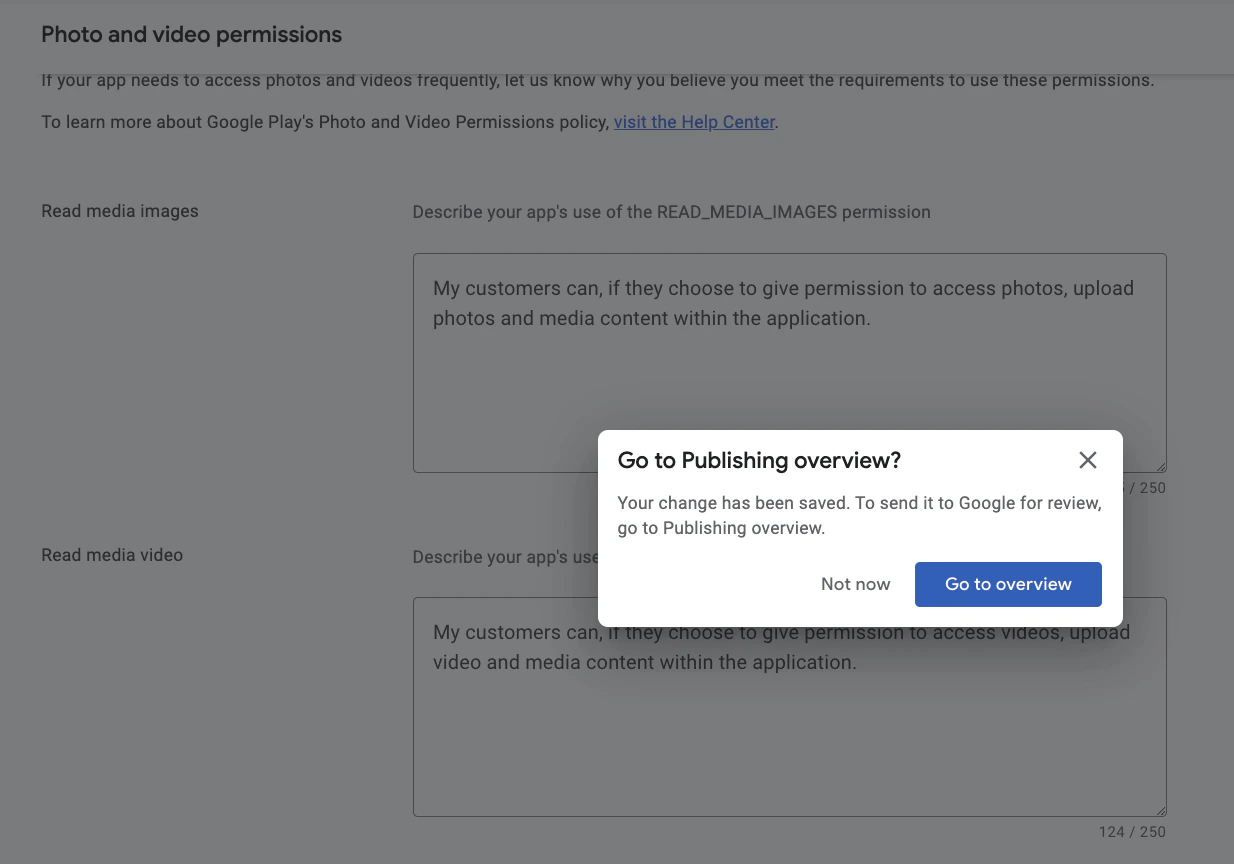
- After you click Save in the bottom right corner, you will be asked to go to the Publishing Overview
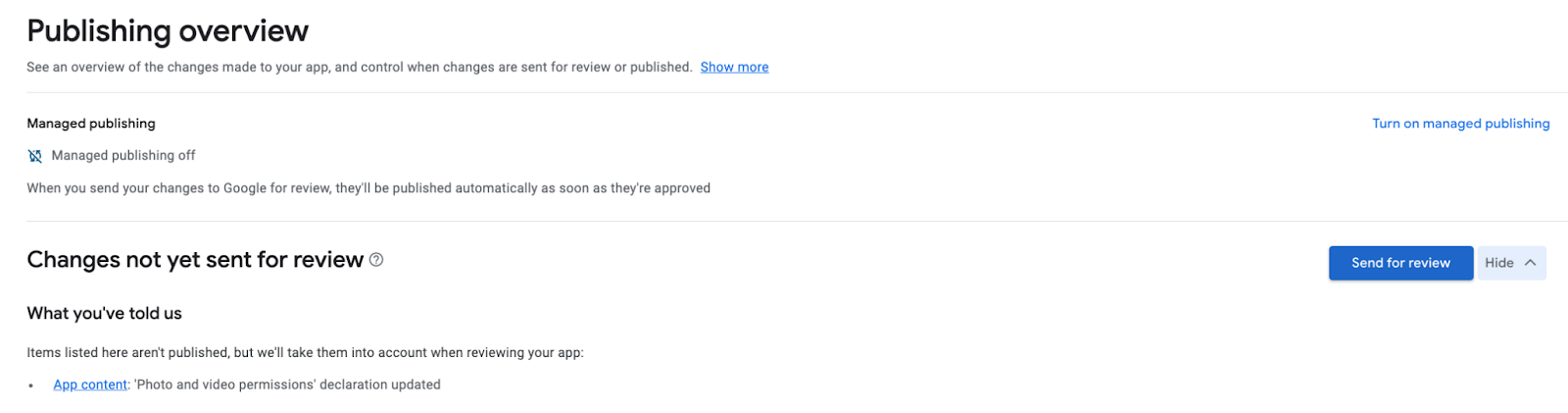
- Go to the overview page, then click on Send For Review: