If an iOS app was initially built under a different Apple Developer account, you need to complete a transfer process to move it into your own account. The steps below cover preparing account info, completing the transfer in App Store Connect, and updating Kajabi settings.
Prepare app account info
You’ll need to submit the following account information to complete the app transfer process:
- Full name
- Email address
- Phone number
- Support URL
- Marketing URL
- Privacy policy
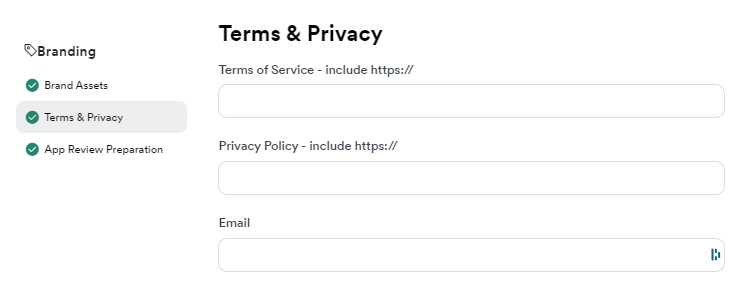
Make sure the email address and privacy policy URL you submit match those listed in the Branded App branding settings in Kajabi.
To open the Branded App branding settings:
- Log into your Kajabi account.
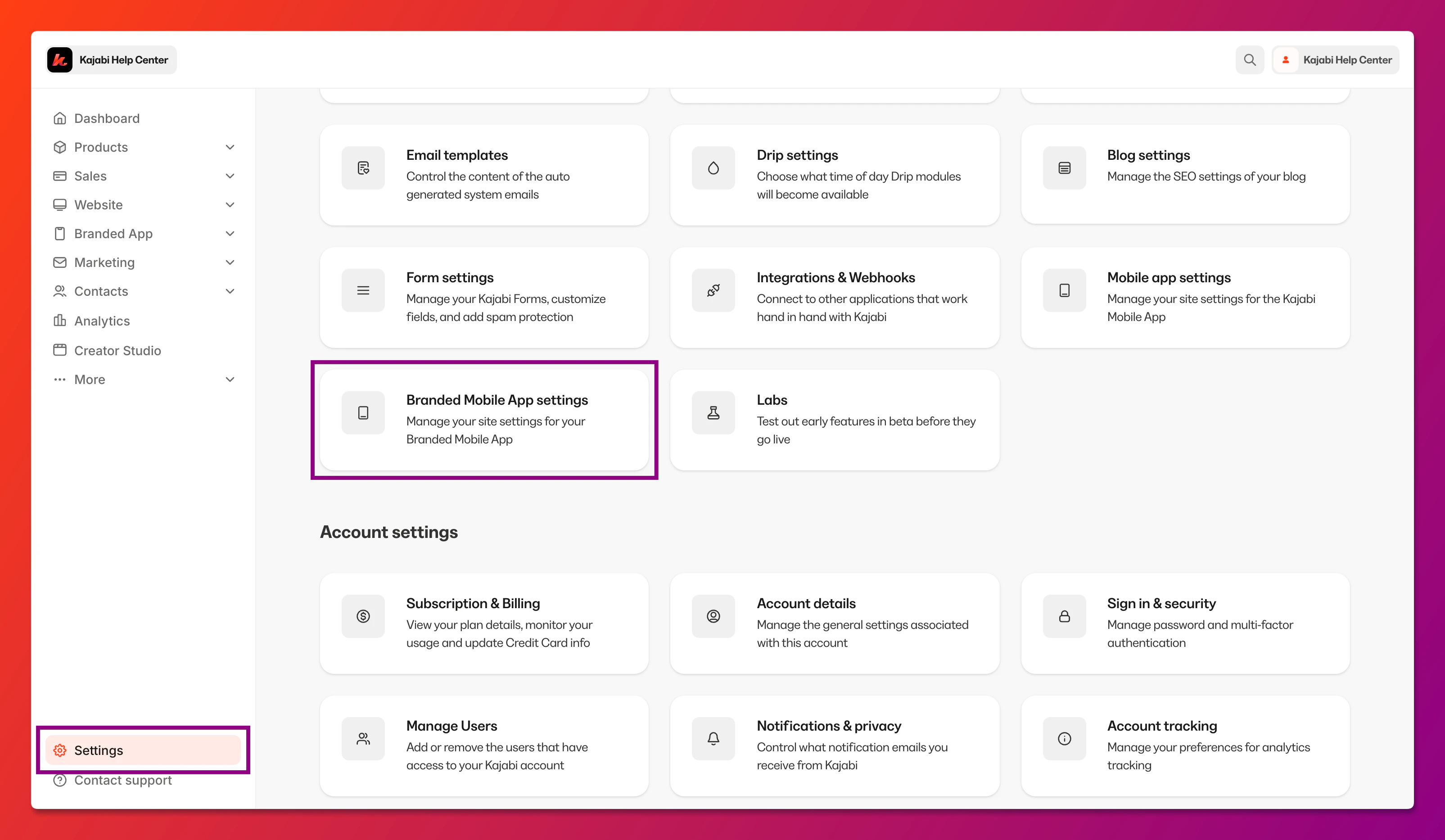
- Select Settings at the lower left corner of the Kajabi dashboard.
- Then, select Branded Mobile App Settings:
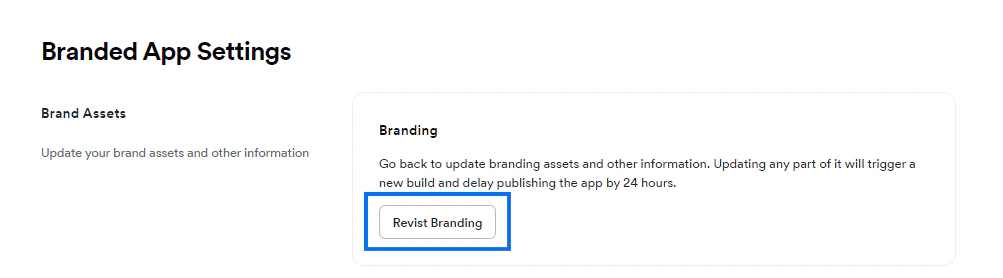
- Navigate to Brand Assets and click Revisit Branding:
- Select Terms & Privacy:
Complete the transfer in App Store Connect
Once you have your account information ready, complete the app transfer process in App Store Connect.
To transfer the app:
- Log into your App Store Connect account.
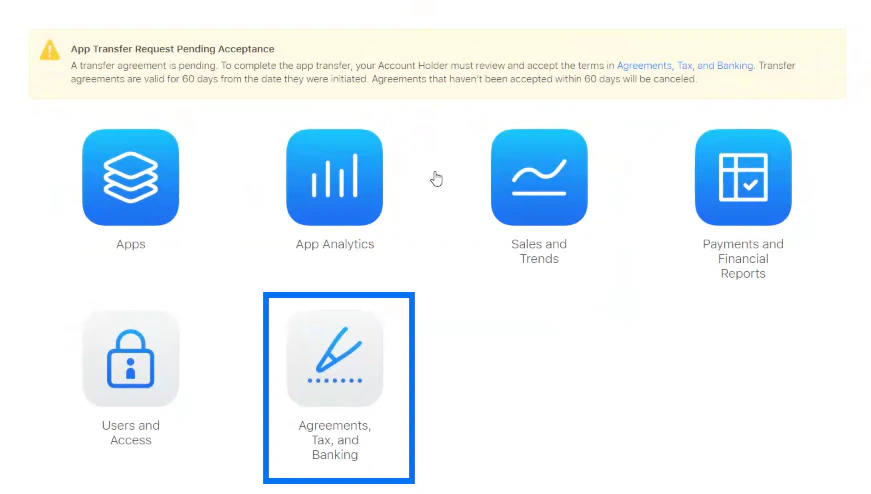
- You should see a yellow notification banner at the top of the page stating that you have an app transfer request pending acceptance.
- Click on Agreements, Tax, and Banking:
- Under App Transfers, verify that you see the pending app transfer request.
- In the Action column at the far right of the App Transfer record, click Review:

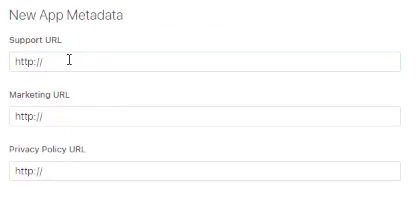
- Scroll down the page to New App Metadata.
- Enter your metadata information. Be sure to include https:// at the front of each URL:
- Support URL
- Marketing URL
- Privacy Policy URL
- Next, enter your contact information:
- First name
- Last name
- Phone number
- Email
To verify that the app transfer has completed successfully:
- Click the App Store Connect logo:

- Then, click Apps:
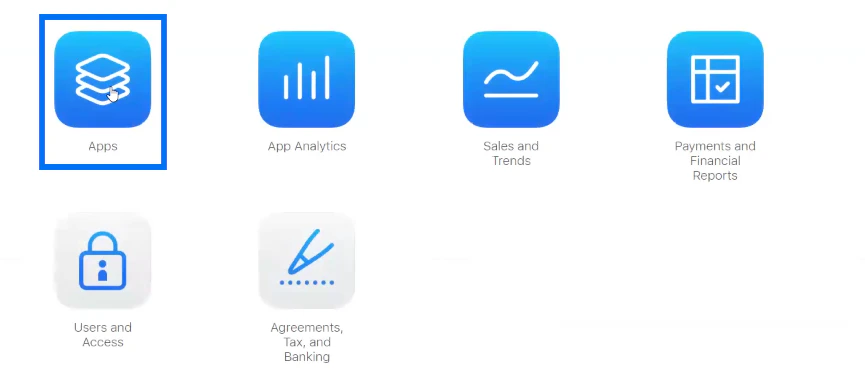
- If you don’t immediately see the app icon for the Branded App on the Apps page, keep refreshing the browser page until you see the app icon.
Update Branded App info in Kajabi
After transferring the app into your own Apple Developer account, you’ll need to update a few pieces of information in Kajabi Branded App settings.
Important:
If you don’t update the Branded App info in Kajabi after transferring the app, the app cannot be updated and push notifications will stop working.

