Send an announcement
Share upcoming events, launches, Product changes, and more to all customers within a Course by sending a Product Announcement:- Open the Products tab from your Dashboard.
- Select your Course.
- Click the More Actions dropdown menu.
- Select Announcements from the dropdown.
- From there, click + New Announcement.
- In the Announcement Editor, edit the Title and Body of your announcement and optionally set up an email Announcement Notification.
- Click Post Announcement to send your Product Announcement to your Course customer(s):
Note: Currently, there is no way to schedule a product (course) announcement.
View an announcement
After creating an announcement, your customers can view your announcement in their Library. They will first need to log into their Library page and open the Announcements tab to view your Product and Site Announcements: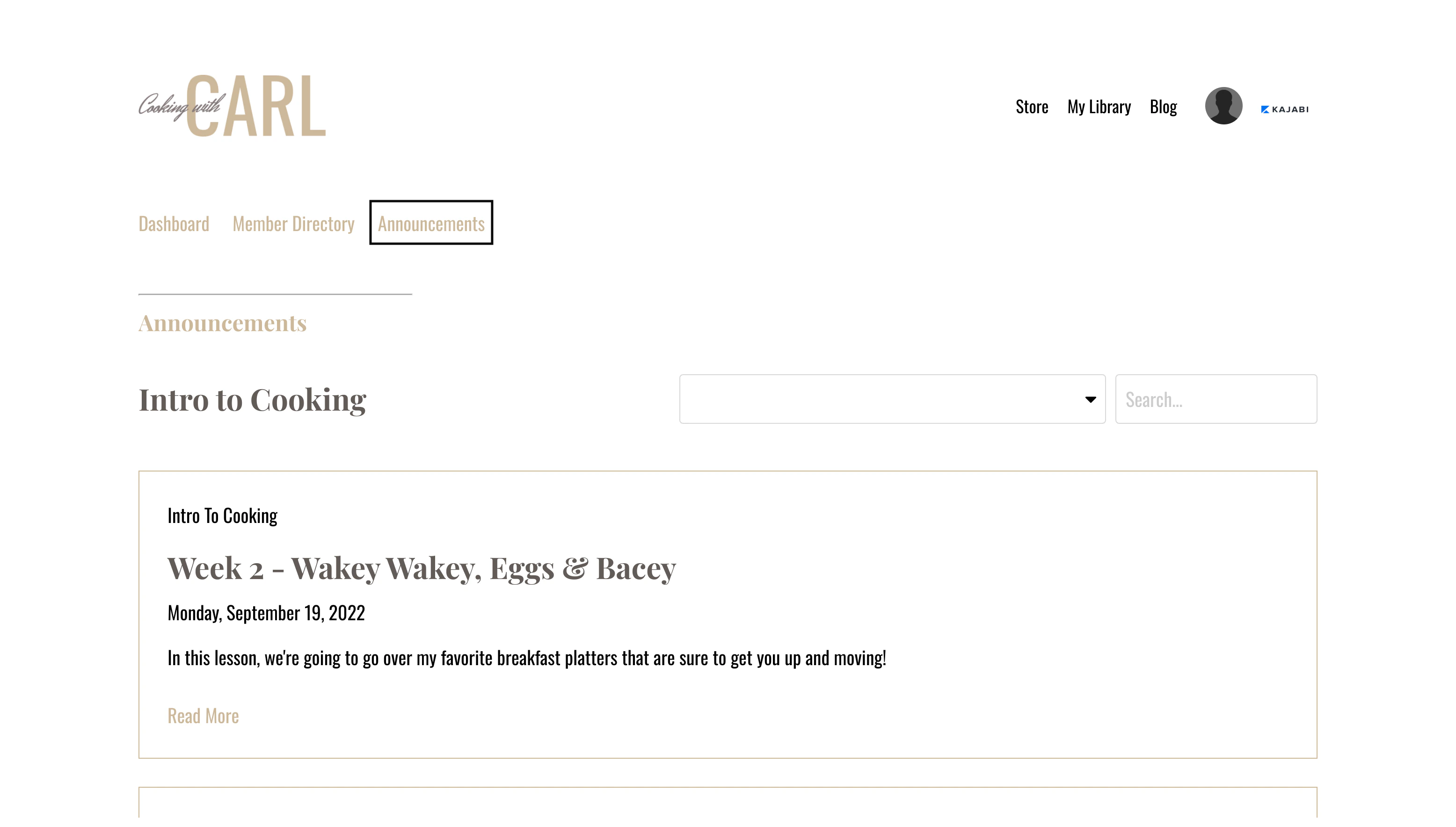
Email notification
If you want to send all customers an email notifying them of the Announcement make sure to click the checkbox next to “Send an e-mail notification about this announcement to customers of this product.” Don’t want to send an email? Be sure to deselect Send an email notification before clicking Post Announcement.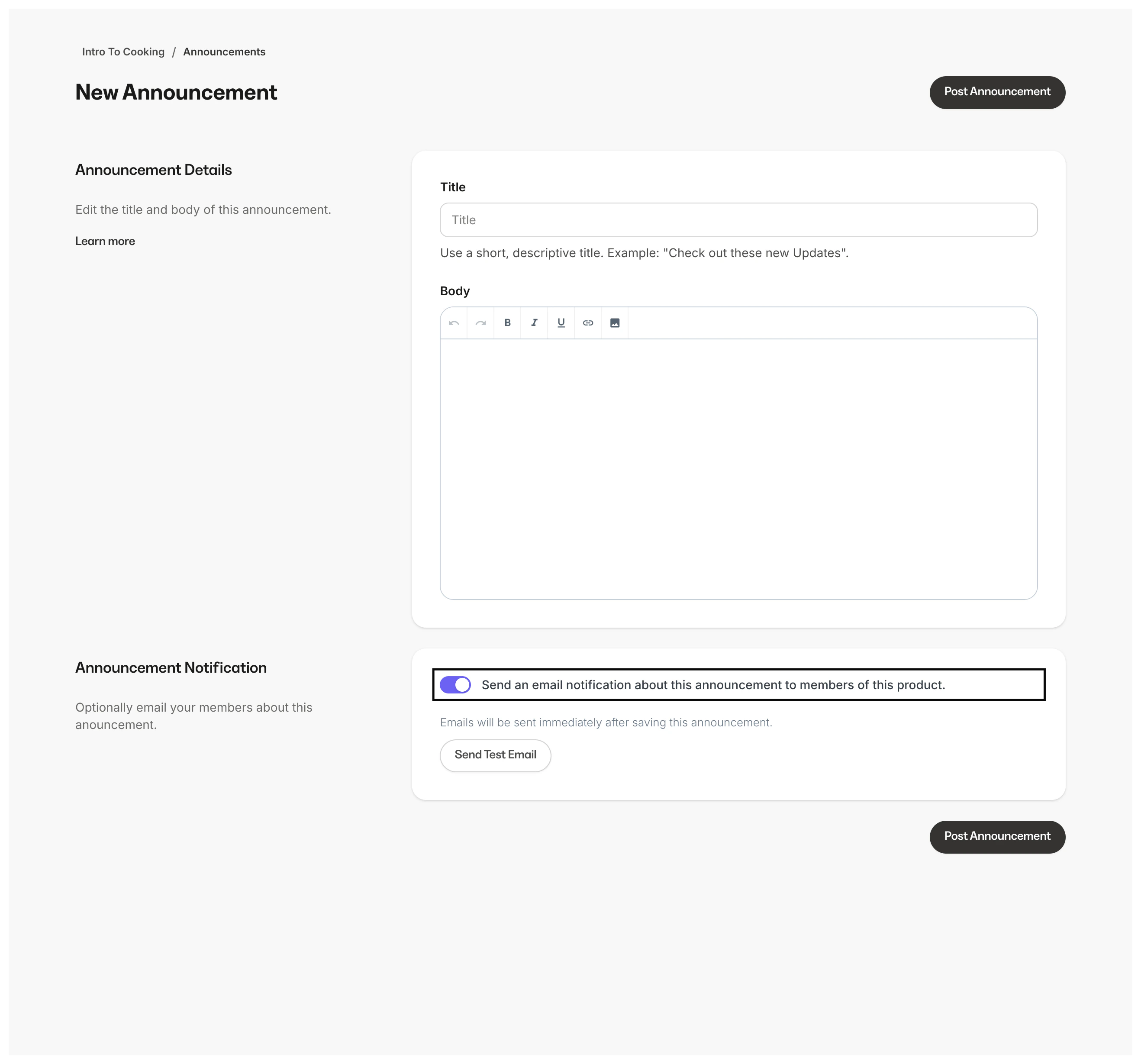
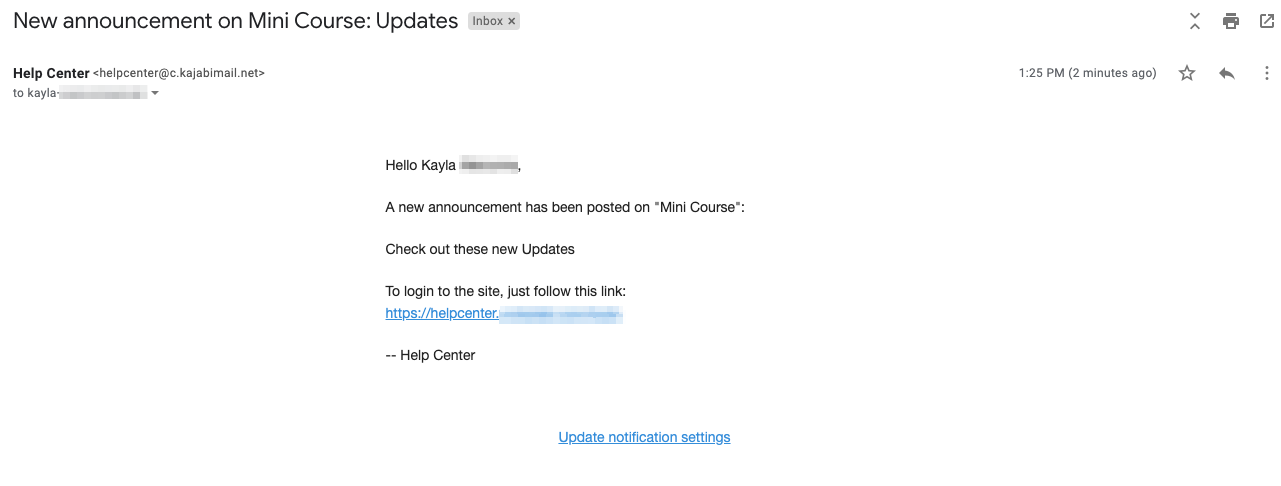
- Customer’s Name
- Announcement Details
- Login link for their Library
Note:
If you choose to send an email notification, your customers will receive the Product Announcement notification email if they are subscribed to receive Product Announcements. However, if they are unsubscribed from receiving your Product Announcements, they will not receive the Product Announcement email notification. Learn more about marketing and transactional emails.
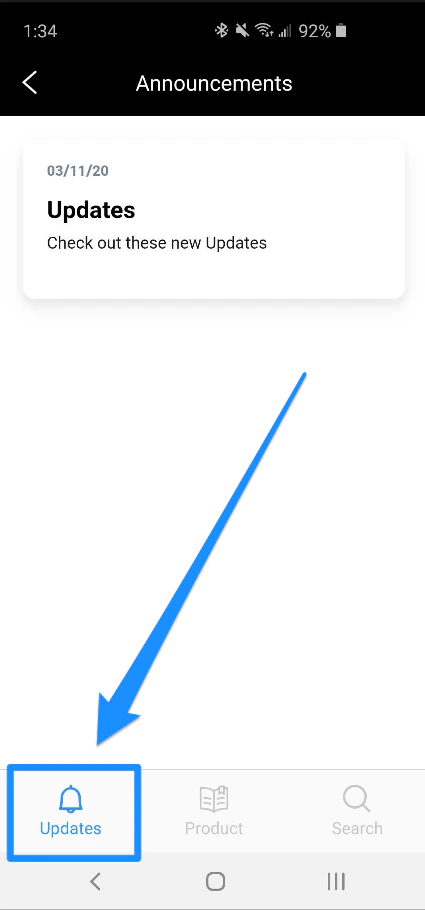
Kajabi mobile app push notification
Customers with the Kajabi Mobile App can receive push notifications alerting them of a Product Announcement. Within the Kajabi Mobile App, your customers can access their Product Announcements under the Updates tab: