

Why it matters
Understanding the difference between your marketing and transactional emails is necessary for complying with commercial email laws and avoiding hefty penalties for violating them. According to the CAN-SPAM Act of 2003, transactional emails are exempt from most provisions of the CAN-SPAM Act. The main differentiating factor is the primary purpose of the email:- Commercial content – promotes or advertises a commercial product or service, including content from a website with a commercial or marketing purpose
- Transactional or relationship content – facilitates an agreed-upon transaction, or updates or notifies customers about an ongoing transaction
CAN-SPAM Act resources
Read more about what the Federal Trade Commission (FTC) has to say about the CAN-SPAM Act in their CAN-SPAM Act: A Compliance Guide for Business. This information is provided as a resource, but it is not to be used as legal advice. We encourage you to consult legal counsel in your area to learn how various anti-spam regulations and laws may apply to your organization.Marketing and transactional emails on Kajabi
The following sections define what marketing emails and transactional emails mean on Kajabi.Marketing emails
Marketing emails on Kajabi are promotional emails sent to your email list subscribers. Marketing emails include: If your contacts are not subscribed, have unsubscribed, or have not approved their receipt of your marketing emails, they will not receive these types of emails. Learn how customers can update their email preferences.Transactional emails
Transactional emails on Kajabi include any email built for the purpose of sending a transactional message. Transactional emails should not contain any marketing or commercial content in order to comply with commercial email laws like the CAN-SPAM Act. Looking to change your transactional email sender information? Learn how to update your transactional email sender information.System generated emails (Email Templates)
System generated emails are emails sent out regardless of whether or not your users are subscribed to your marketing emails as they alert them to an action that has occurred within the app. For example, if a purchase is confirmed, product access has been granted, and more. Learn how to edit the auto-generated email templates sent by your site to edit your system-generated emails.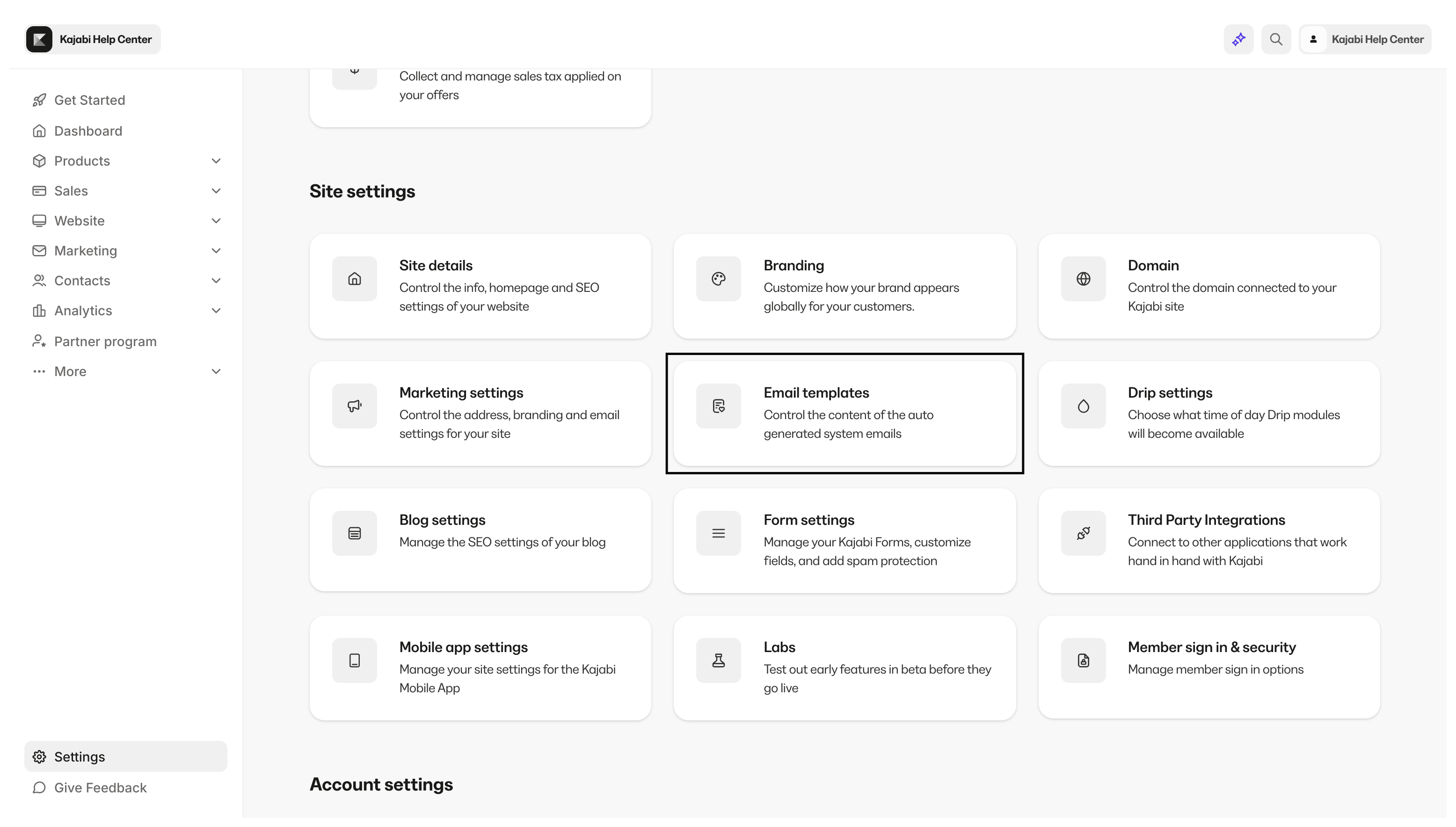
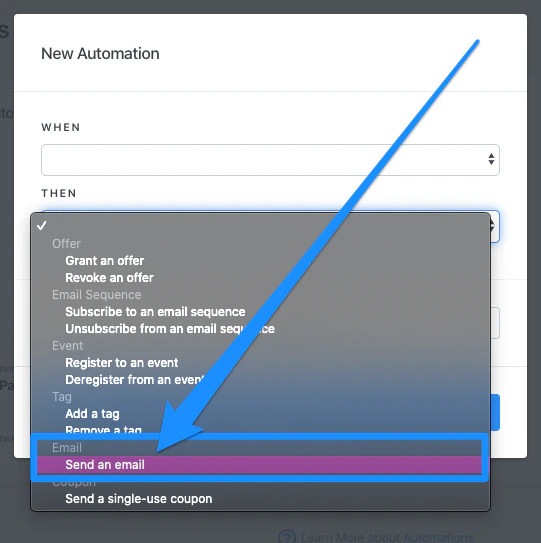
Notification emails
- Send an email in Automations. Read Automations overview for more details.
Note:
Product Announcements and Offer Grant Emails are separate emails that are considered marketing emails that your customers can manually unsubscribe from within their customer email notification settings.
FAQs
Why aren’t my customers receiving emails?
If your customers report missing emails, try these initial steps:- Check the Contacts tab to ensure their email address is valid
- Check if they are subscribed to marketing emails by opening their contact inside your Contacts list (this only applies if the missing email was a marketing email specifically)
- Ask the customer to check their spam and junk folders