

Resend emails
Even the best emails sometimes go unread. That’s why Kajabi gives you the power to resend emails to those who didn’t open them the first time. Resending your broadcasts to non-openers can give your audience another chance to see your information, boost audience engagement, and let you optimize your message by updating the subject line, preview text, or body copy.Note:
To protect your email sender reputation, resending an email is not available for email broadcasts with less than a 20% open rate and is only available to established senders. Once Kajabi has identified your site as an established sender, the feature will be available on your account.
Resend an email broadcast
- Navigate to the Marketing tab from your Dashboard.
- Open Email Campaigns.
- Click the
…icon to open more options for an email broadcast that has been sent. This option will be available 48 hours after the original email was sent, up until three months after the original email was sent. - Select Resend to unopened:
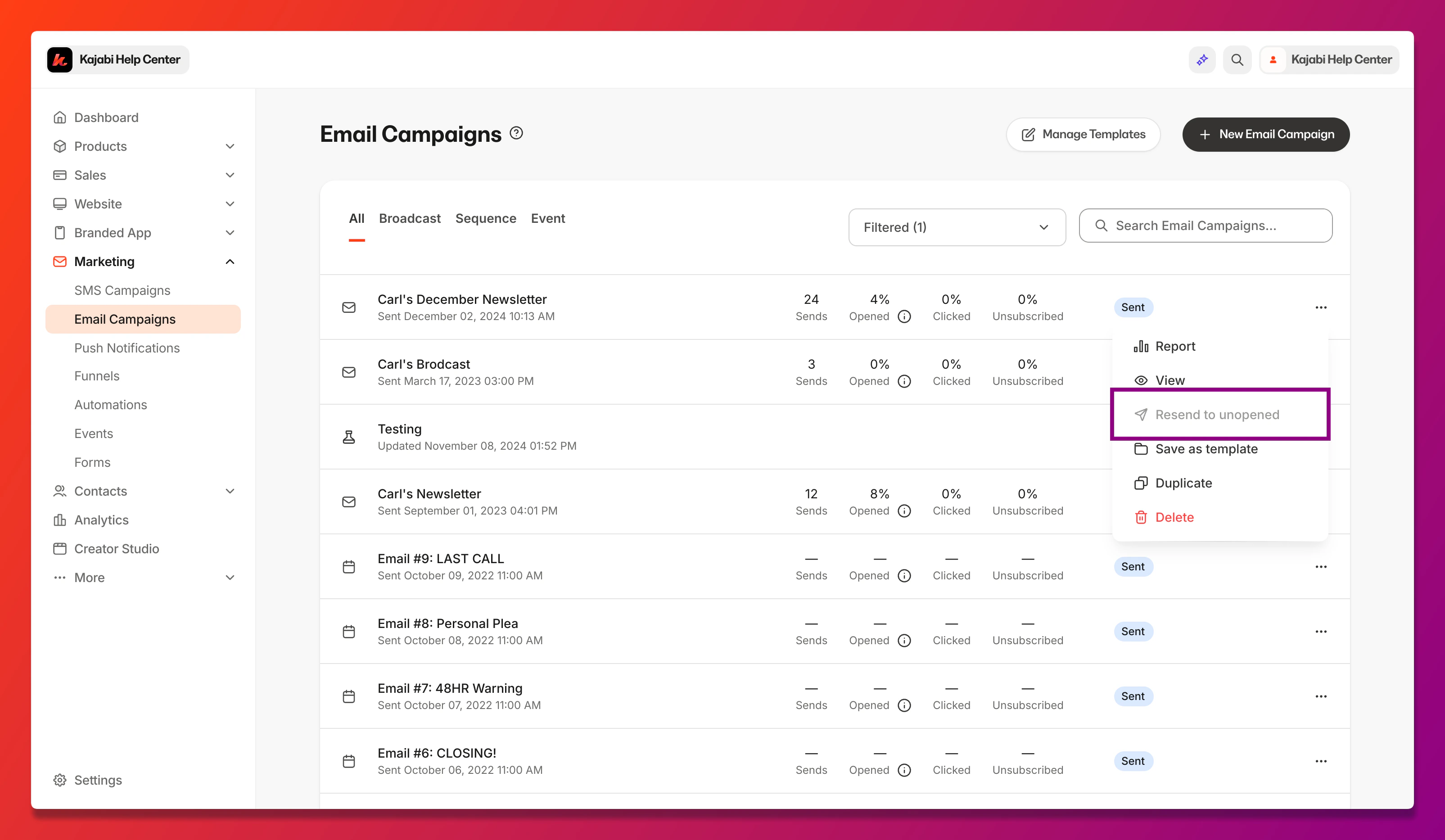
- Follow the prompts to edit your email broadcast.
Note:
You do not have to edit your email. Continue through the prompts to keep your original email copy/designs.
- Schedule your resend:
- Send right now
- Schedule for later