

Optimize font size
Adjust your font size to optimize the appearance of your email content across devices.Change the heading size of the font
- Hover over the Text Section you wish to customize and click Edit.
- Navigate to the sidebar and highlight the text you want to edit.
- Click the Header dropdown menu.
- Select the Header size you wish to use.
- Click Save to keep your changes:
Configure the font size for the chosen heading size for both desktop and mobile
- Navigate back to the main sidebar editor.
- Click Settings in the top menu:
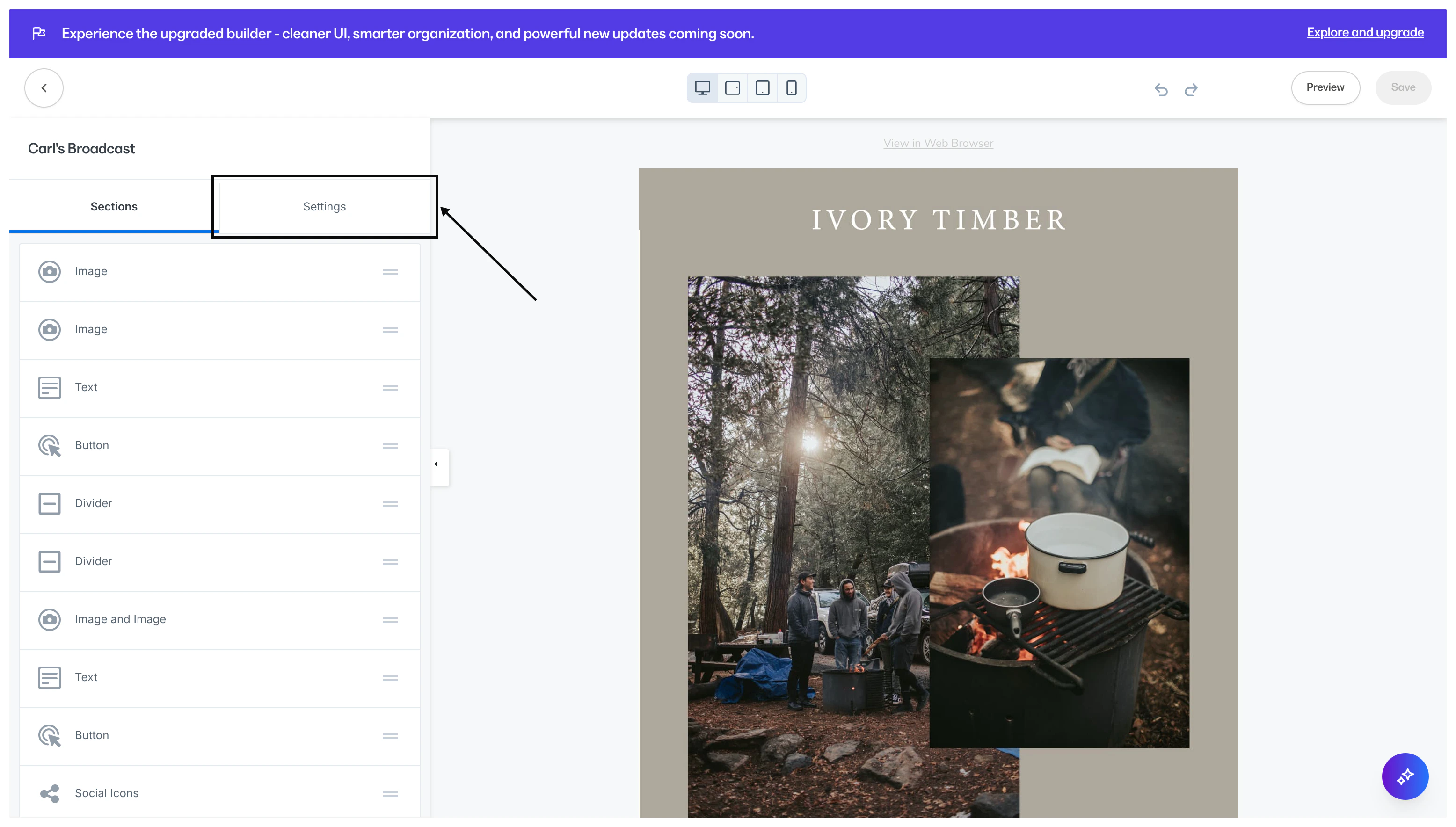
Change the font size for desktop
Desktop font size
- Scroll down to the Desktop Font Sizes Section.
- Locate the Heading size you selected (for example, h6).
- Click the dropdown menu and select the pixel size for the Heading font size when viewed on a desktop device.
- Click Save to apply and keep your changes.
- Refer to your preview to see your font size as it would appear on a desktop device:
Change the font size for mobile
Mobile font size
- Adjust your view to mobile by clicking the Mobile icon found in the top toolbar.
- Navigate to the Mobile Font Sizes Section.
- Locate the Heading size you selected (for example, h6).
- Click the dropdown menu and select the pixel size for the Heading font size when viewed on a mobile device.
- Click Save to apply and keep your changes.
- Refer to your preview to see your font size as it would appear on a mobile device:
Preview font size on different devices
- Navigate to the top toolbar to select a device view.
- Select MOBILE to see your font size as it would appear on a mobile device.
- Select DESKTOP to see your font size as it would appear on a desktop device.
- Once you have configured your font according to your email design vision on both mobile and desktop devices, click Save to keep your changes: