

Email Visual Editor
Templates
If starting with an empty screen makes you want to scream, no problem. Use one of our 15+ highly customizable templates, or create your own custom email templates to design your Email Broadcasts, Email Sequences, and Event Emails. There’s one for every type of email you’ll need, so you can forget the design struggle and focus on what you’re actually saying:Customize
Now you can make the true impression of your brand within your email campaigns (i.e., Email Broadcasts, Email Sequences, and Event Emails) by customizing color schemes, fonts, and by adding beautifully organized layouts of images and text. You can create professionally designed emails without knowing a lick of code: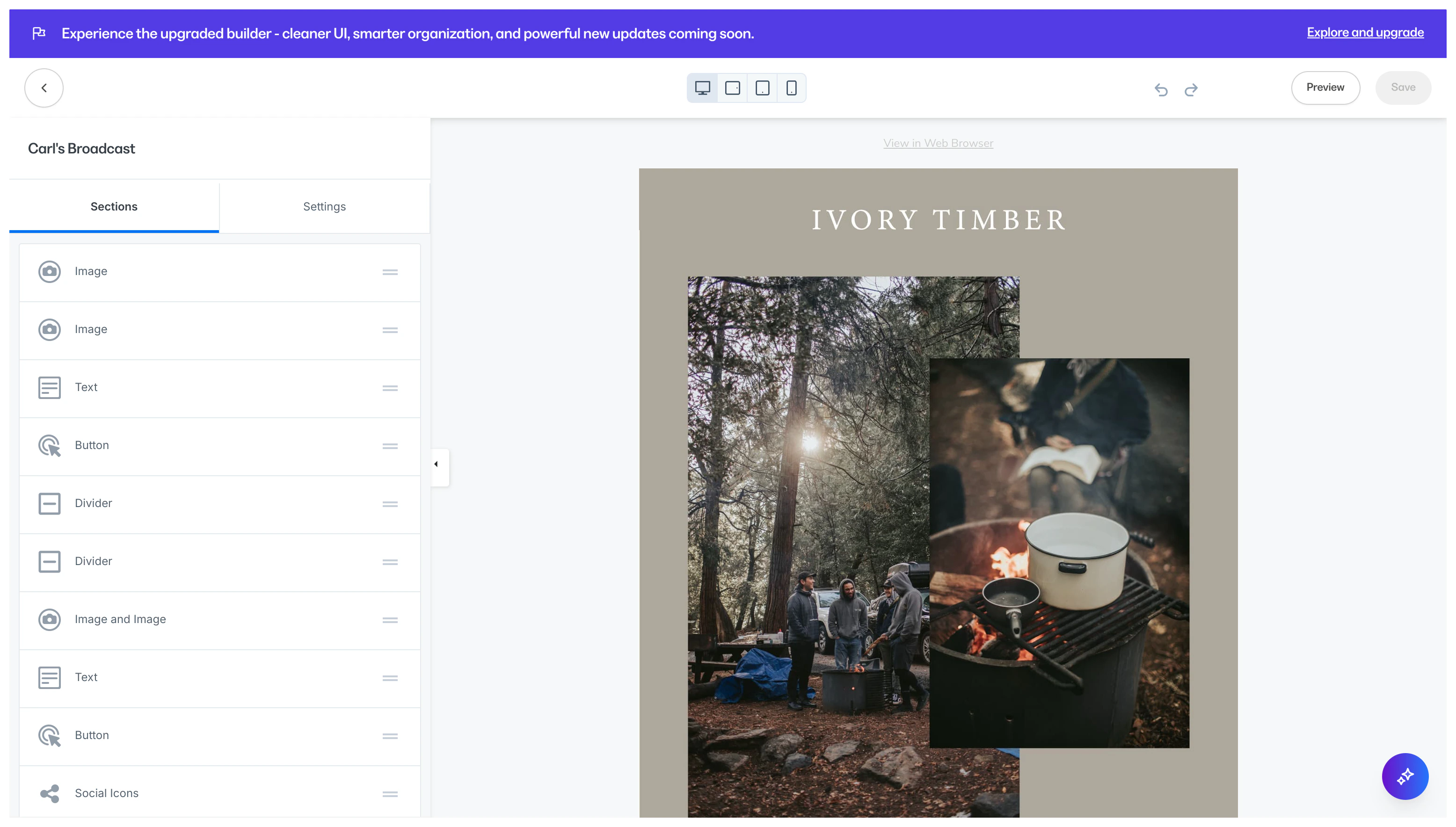
Mobile vs desktop layouts
In our responsive editor, you’ll see how your emails automatically adjust for mobile. This means every one of your subscribers can have a great experience, regardless of whether they are viewing your emails on a computer or on a mobile device. Customize how sections look on desktop versus mobile, making it easier than ever to control how your emails look on any device:Section types within the Visual Editor
Text: Communicate with your contacts and say exactly what you want to say by adding a customizable Text section. Read Add and customize a Text section in Email Campaigns for details. Image: Brand your email campaigns, set the tone for your emails, and show your personality with an Image section. Read Add and customize an Image in Email Campaigns for details. Button: Encourage your audience to open a separate page, purchase an offer, and more by simply clicking a button. Read Add and customize a Button in Email Campaigns for details. Logo: Determine your audience’s first visual impression by adding your logo to your emails, setting the stage to showcase your brand. Read Add and customize a Logo Image in Email Campaigns for details. Video: Adding video to your emails is an entertaining and impactful way to engage with your audience, quickly informing your contacts while further establishing your brand. Read Add a Video in Email Campaigns for details. Countdown Timer: Add a dynamic countdown timer without relying on any outside tools. Just add it in and customize it with a few clicks. Read Add and customize a Countdown Timer in Email Campaigns for details. Social Icons: Connect with your audience and effortlessly boost traffic by showcasing Social Media links inside your emails. Read Add and customize Social Icons in Email Campaigns for details. Divider: Design your emails for the best user experience by breaking your content into easily consumable sections with a divider. Read Add and customize a Divider section in Email Campaigns for details. Announcement: Send important information to your contacts with an announcement banner right from your Email Campaign. Read Add and customize Announcements in Email Campaigns for details. 2-Column Text and Image Layout: Create beautifully organized layouts of text blocks and images within your emails with these 2-column style combinations: Looking to change your email footer or the View in Browser button? Learn to change the email footer language.Supported email clients
The Email Visual Editor is designed to display your email to your recipients across a multitude of email clients. Read our list of supported email clients for details. Grades- A - Thoroughly tested. Email templates are fully supported in these email clients.
- B - Not thoroughly tested. Email templates are assumed to be functional in these email clients. Defects are investigated and fixed, if possible.
- F - Explicitly unsupported and untested email clients.