Overview
Emails with “spammy” subject lines are more likely to land in the Junk folder. Follow these rules to help get your emails to your readers’ inboxes.Limit the use of punctuation characters
Overusing punctuation can be a trigger for spam filters. To help your mail reach your contact’s inbox, avoid excessive punctuation marks in the subject line (especially exclamation points).Limit the total number of characters
We recommend limiting the number of characters in your subject line to 50 characters to ensure that your subject line properly displays across all devices. Limiting the total number of characters in your subject line allows you to communicate the subject of your email without getting cut off. Maximum characters: 140Avoid using all caps
Overusing capitalization in your subject lines can send your email to your contact’s Junk folder. To avoid getting marked as spam, don’t use all capitalized letters in your subject line.Avoid spam filter trigger words
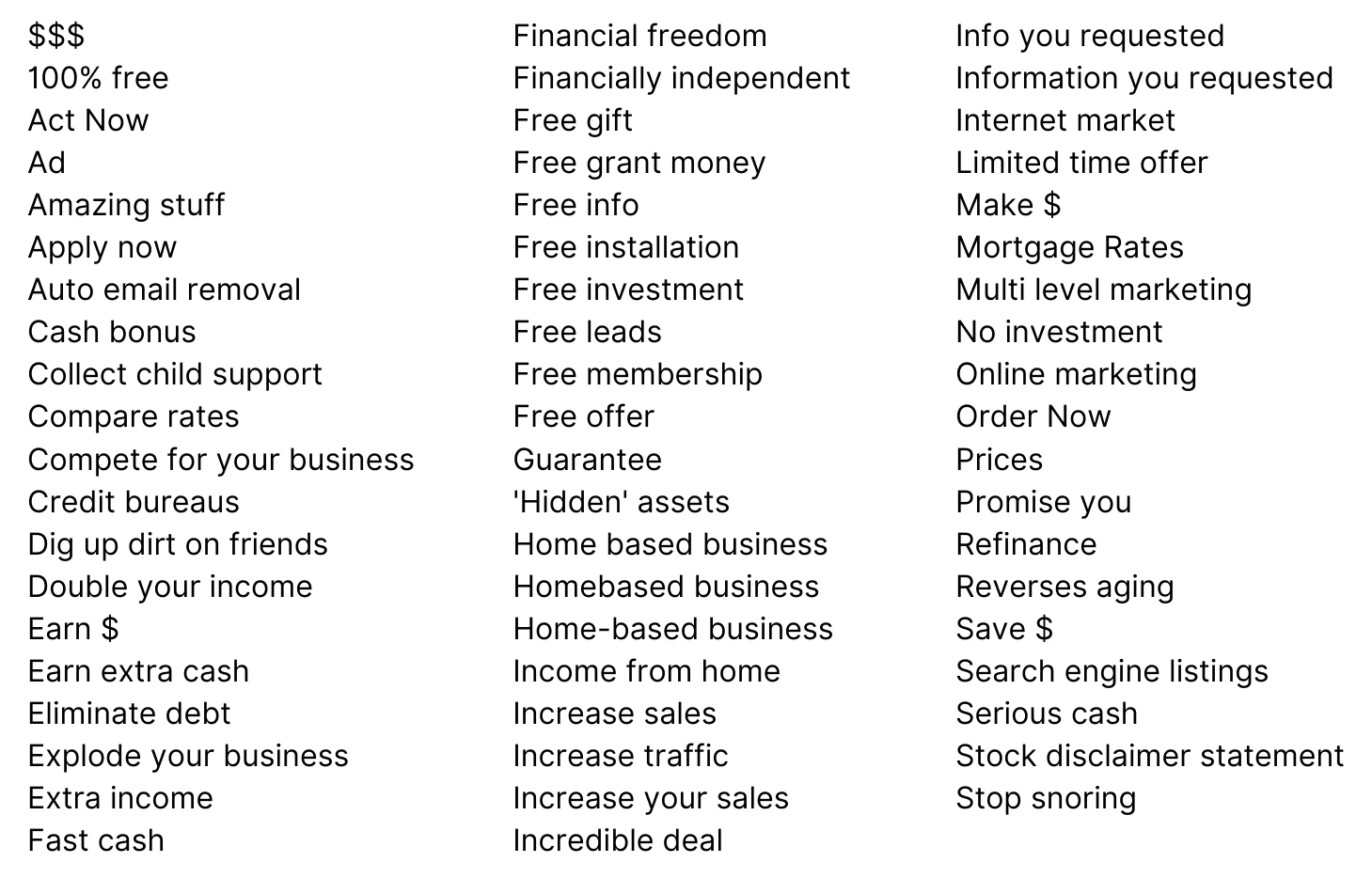
Adding certain words to your subject line can trigger a recipient’s spam filter. To help get your emails to your contact’s inbox, check the email subject line for common words known to trigger spam filters: