Email Broadcasts
To send an email to a single contact, you will need to use Kajabi’s Email Broadcasts. Email Broadcasts are a type of marketing email on Kajabi commonly used as Email Blasts, Newsletters, or individually crafted emails sent to a specified audience. Build and design your Email Broadcasts with the Email Visual Editor or the Classic Editor to reach your audience and grow your brand. Learn to create an Email Broadcast.Send an Email Broadcast to a single contact
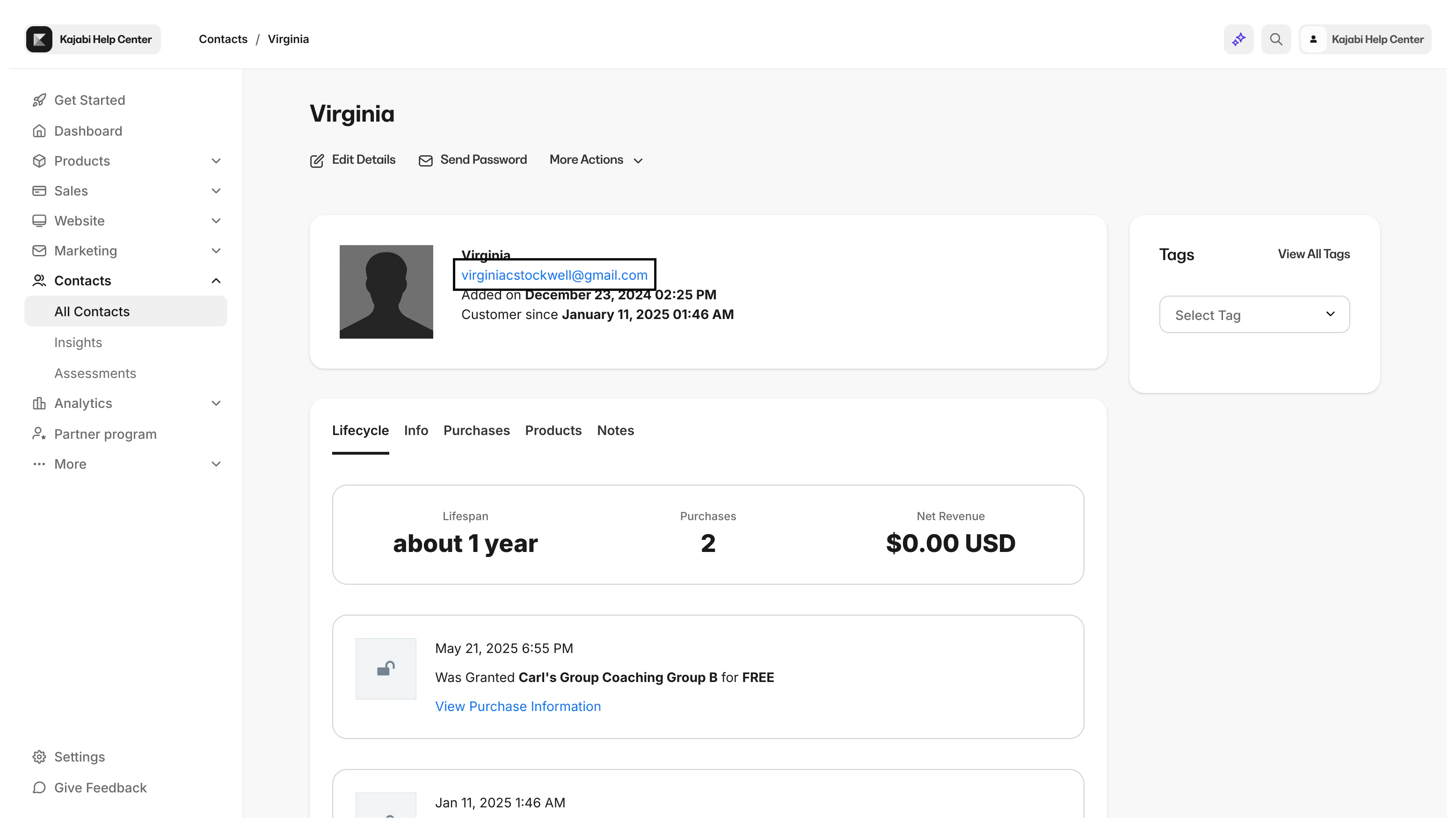
- Open the Profile of the contact you wish to email in your Contacts tab.
- Copy their email address from the email field:
- Open the Email Broadcast that you wish to send to that contact (if it has already been created) or create an Email Broadcast.
- Click Select Recipients:
- On the Select Recipients screen, under “Who will receive this broadcast?” open the dropdown menu.
- Click Custom Segment.
- Open the Select Filter dropdown menu.
- Select Email Contains under “Default Field Filters”.
- Paste your chosen contact’s email address in the empty field box. Your custom filter should look similar to the image below:
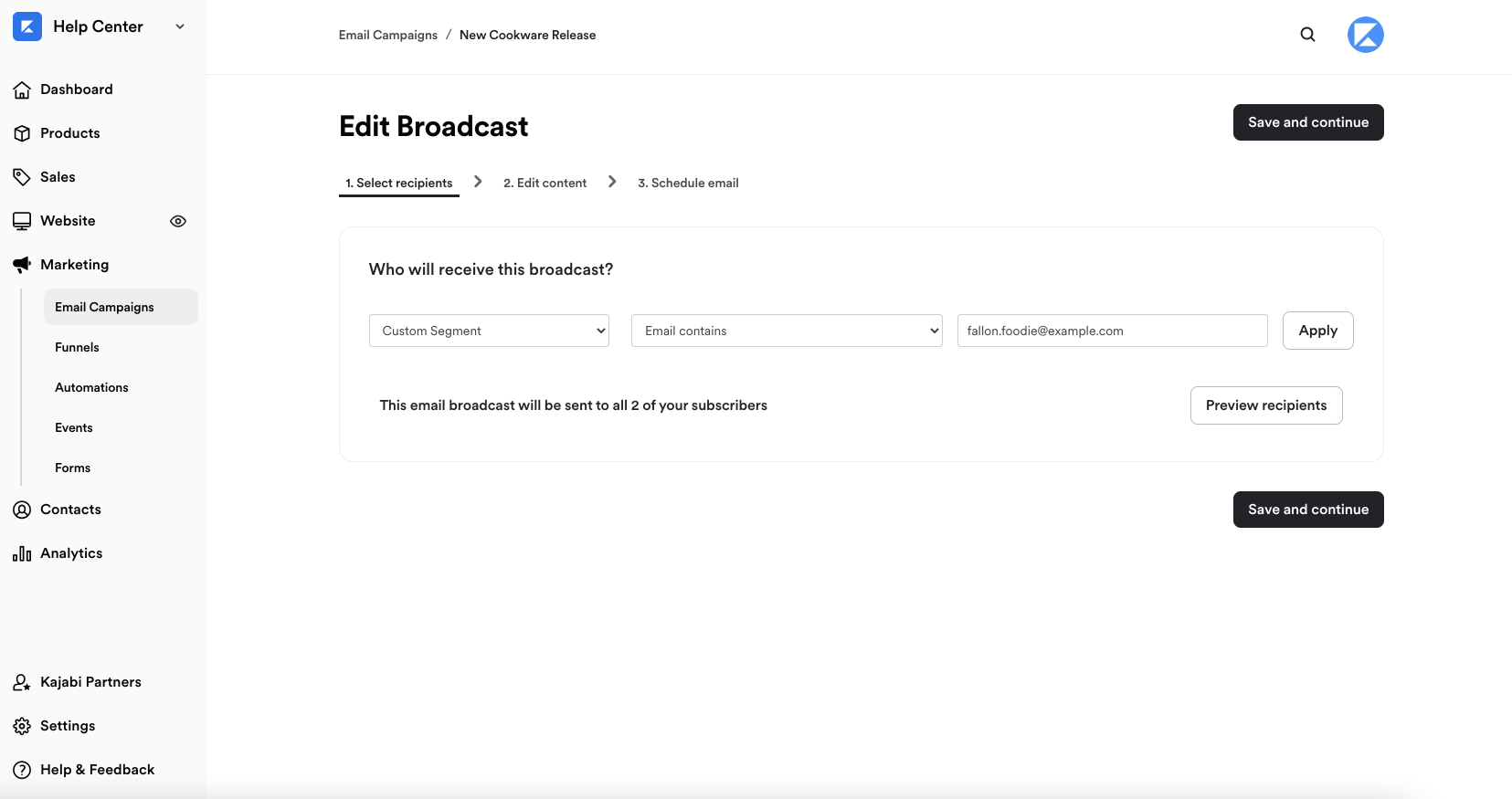
- After adding your selected contact, click Apply: