

Note:
The Translations & Transcriptions feature is only available with the Growth & Pro Plans announced on September 16th, 2025. Check out kajabi.com/pricing for more details.
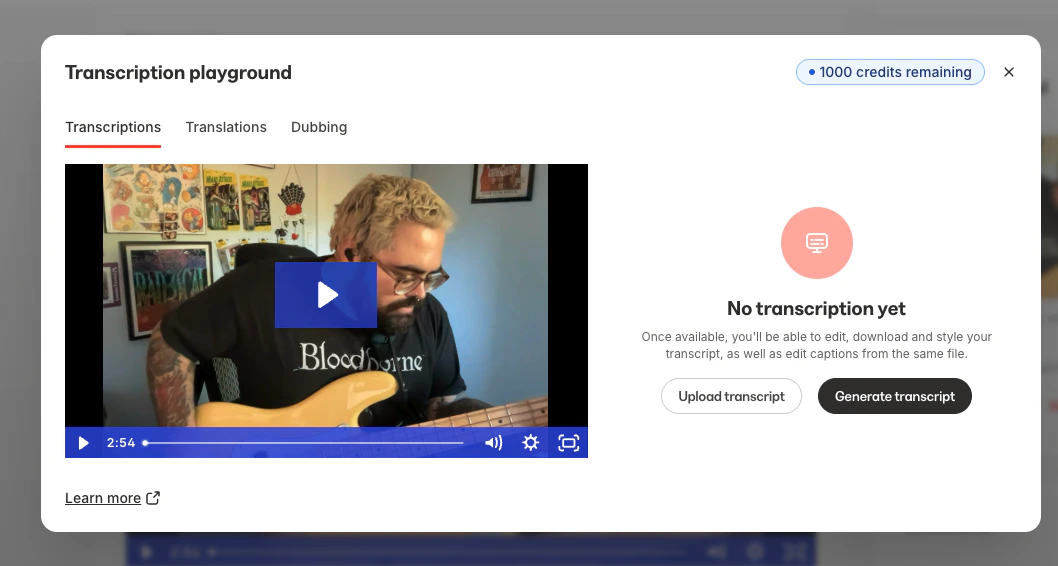
- Automatically generate transcripts for any uploaded video
- Edit transcripts in the interactive editor
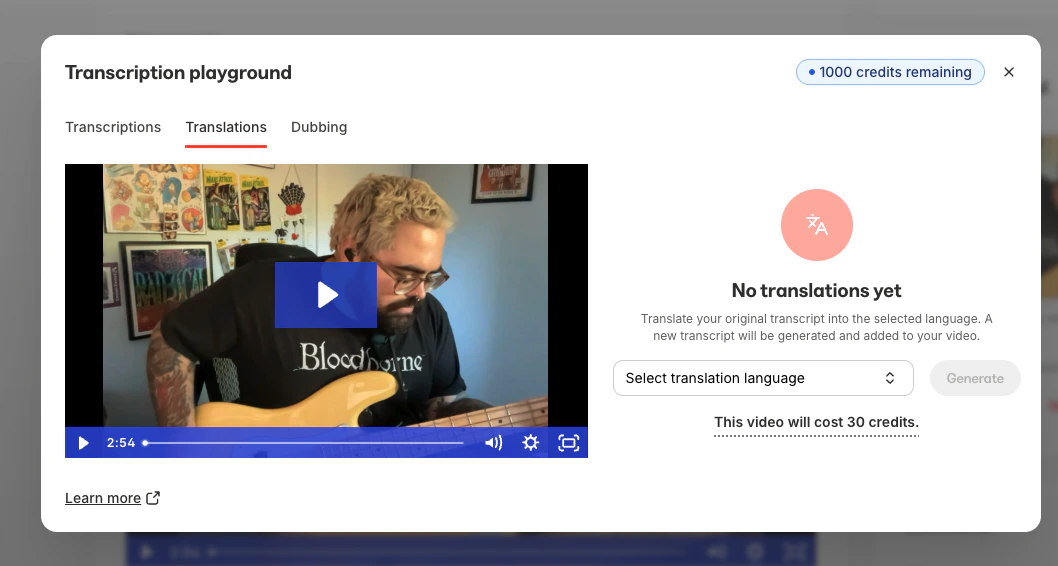
- Instantly translate your transcription from 30+ source languages into 70+ languages
- Download and edit SRT files
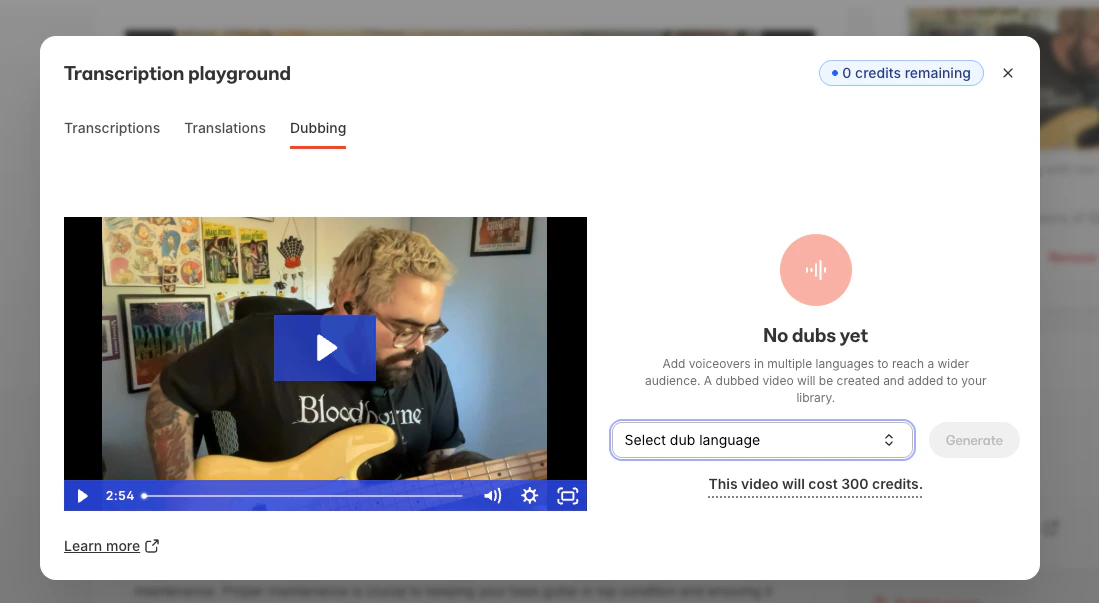
- Add dubbed voice-over in multiple languages
AI credits
AI credits power the Transcriptions and Translations feature. Growth and Pro plan users receive a monthly credit allotment, and additional credits are available for purchase. Learn more about AI credits.Use Transcriptions, Translations, and Dubbing
Transcriptions, Translations & Dubbing can be used with any video already uploaded to your Course lesson, course live video, website editor, coaching session, or anywhere else you use a video in Kajabi, as well as with uploaded videos.- Upload a video or choose an already uploaded video.
- Once the video has finished uploading, click Video Actions.
- Select View in media library.
- Select the specific video inside the Media Library.
- Under Transcriptions, use the Transcriptions tool to upload a transcription or generate a transcript:
- Under Translations, use the Translations tool to translate your video to a different language once a transcription has been created:
- Alternatively, use the Dubbing tool to generate a video featuring a dubbed voiceover in another language:
Important notes
Note:
- To use the Translations or Dubbing feature, a transcription must be uploaded or created first.
- Coaching live sessions and Cohort live sessions can be used with Transcriptions and Translations, but the Dubbing feature does not currently support Coaching & Cohort live sessions.
- The Dubbing feature may take a few minutes to process. You can safely navigate away after submitting your video, and you’ll receive an email notification once the dubbed video is ready.
- Transcriptions, Translations, & Dubbing all require AI credits. Learn more about AI credits.
- Wistia currently supports 70+ languages for translation. To view the list of available languages, visit Wistia’s transcription languages page.