

- Open the Products tab from the Dashboard
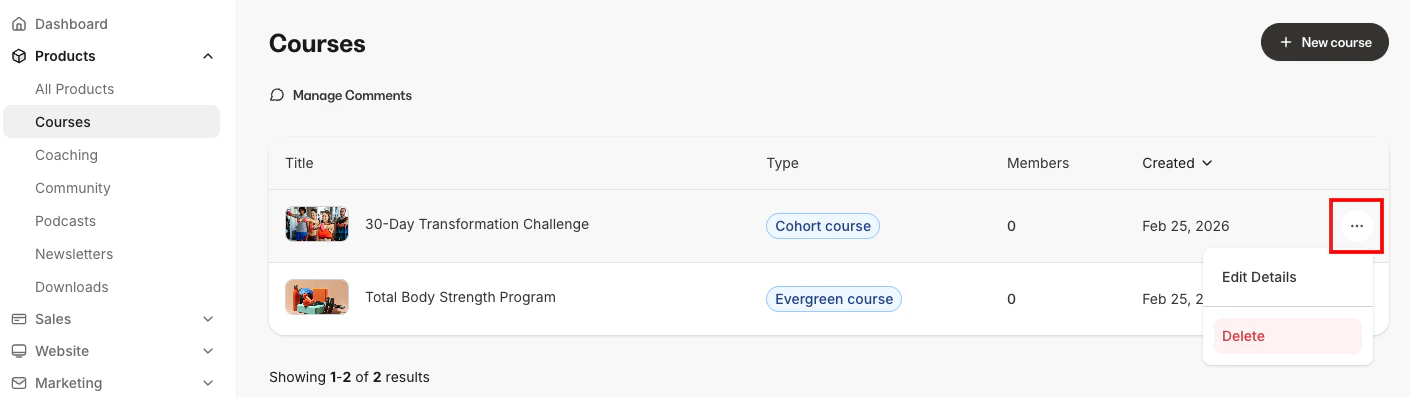
- Select the ellipsis
…icon to the right of the Title of the Product you wish to remove - Click Delete
- Then, click Yes, delete to confirm its permanent deletion:
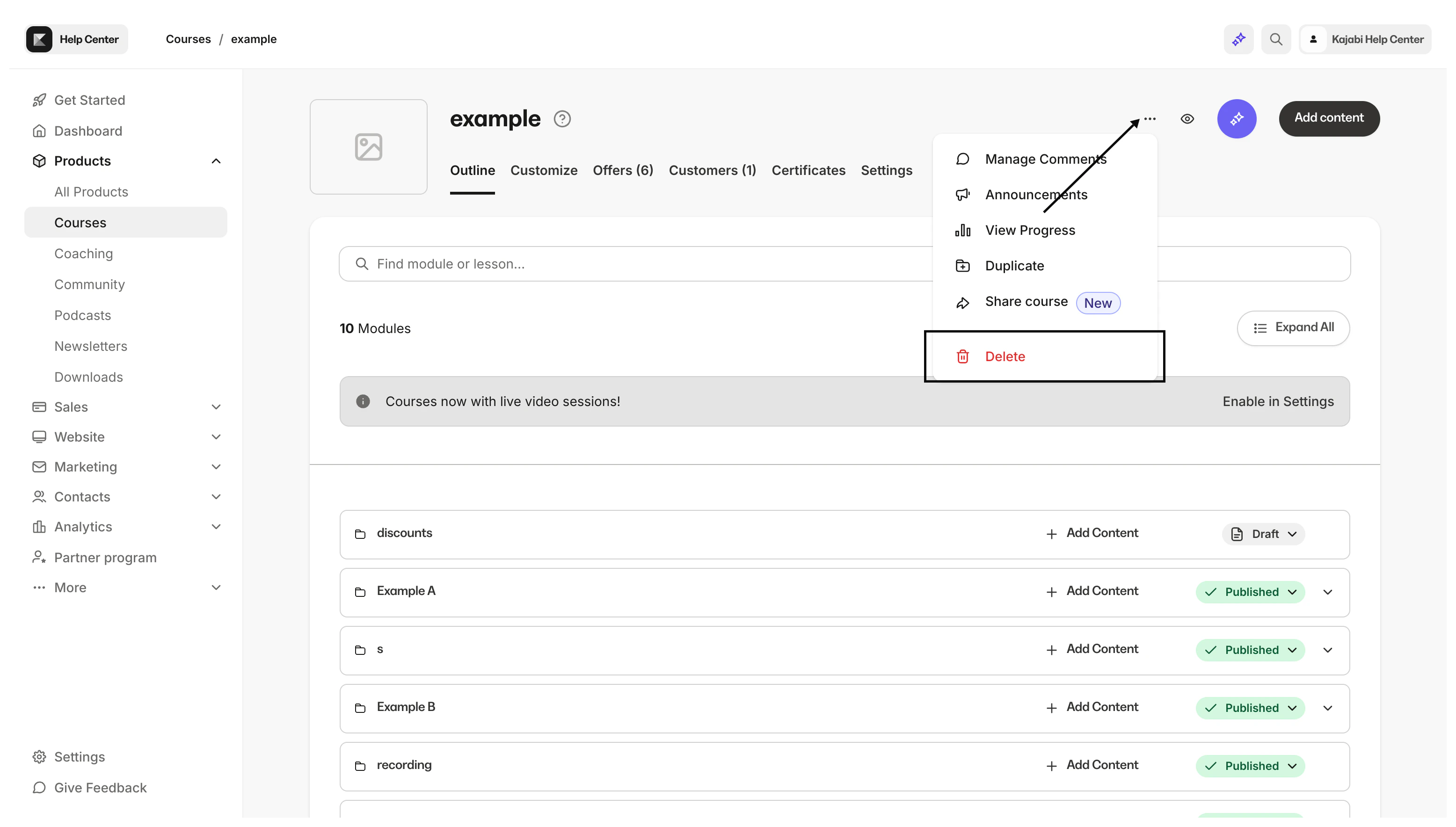
- You may also delete a Product by clicking the More ellipsis
...dropdown menu from within the Product:
Note: If your Product is attached to a recurring payment (Payment Plan or Recurring Subscription) Offer, your customers will continue to be charged after your Product’s deletion. If you wish to completely remove an Offer containing the Product, be sure to adjust or deactivate the Offer from your customers’ profiles before deleting the Product. See How to Cancel Your Customer’s Subscription for details.