Understand contacts
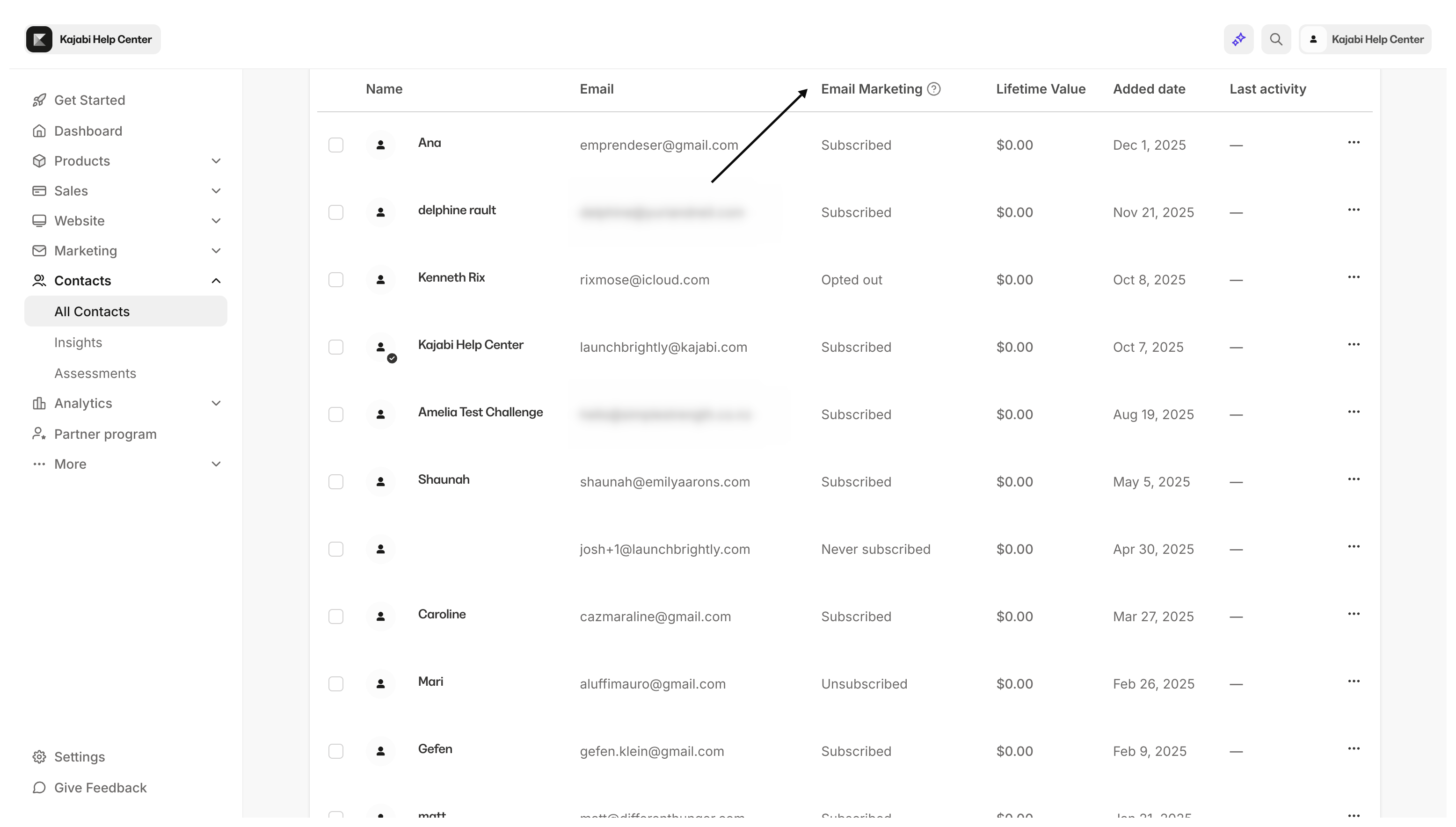
To better understand the terms contacts, customers, and subscribers in Kajabi, it is best to begin by understanding where these terms can be found, the Contacts tab: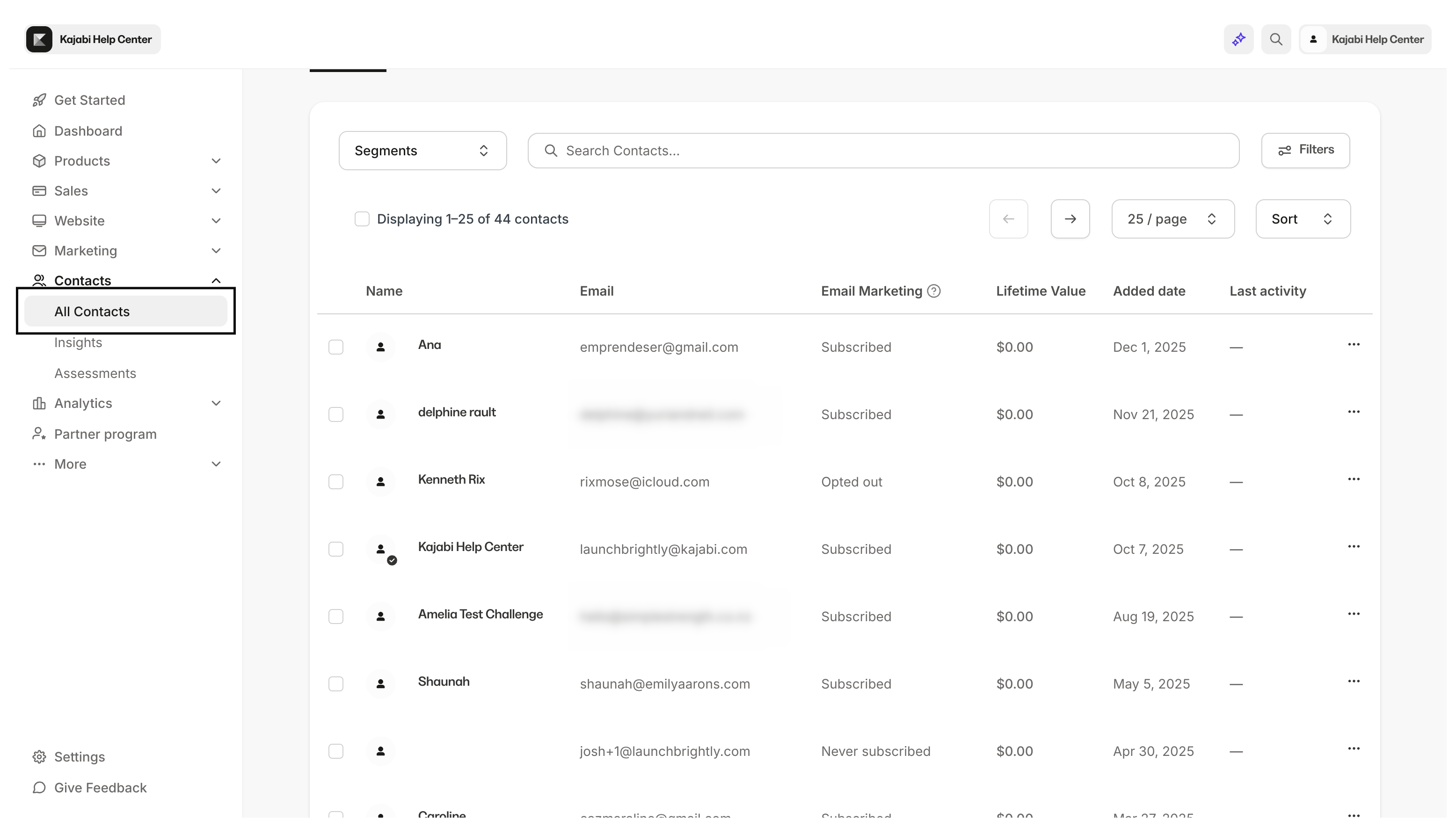
- All: A view of all of your contacts — this includes customers, subscribers, and contacts that may have unsubscribed or may have never subscribed.
- Customers: A view of contacts that have purchased an Offer from your site or have been granted an Offer.
- Subscribed: A view of contacts that have expressed consent to receive any marketing emails from you.
Understand customers
A customer is a user or contact that has completed a purchase or has been granted an Offer on your site. Customers can be identified in your Contacts tab by the blue checkmark icon on their avatar: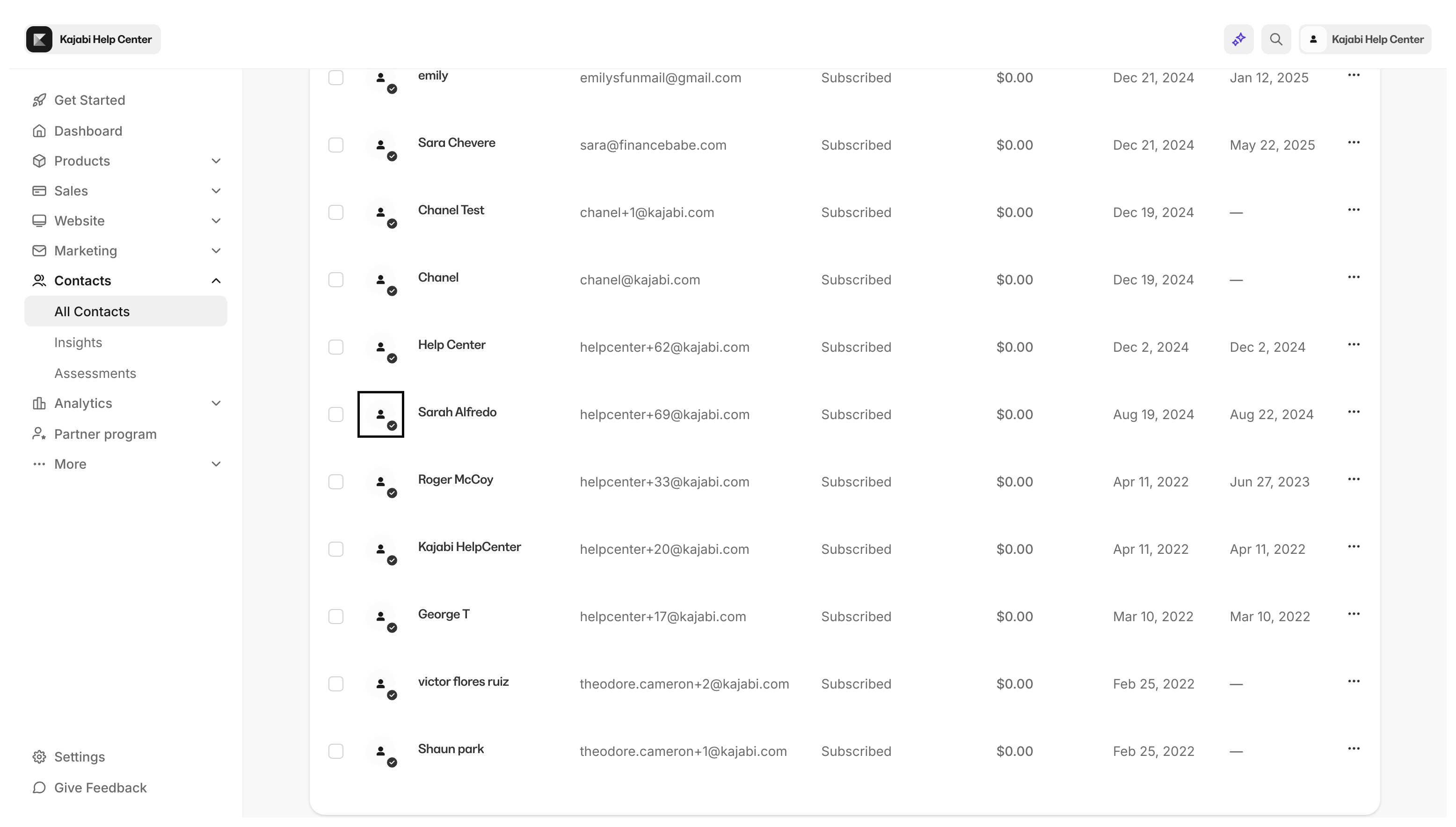
- Purchased an Offer: Your customer will receive the Purchase Confirmation Email containing a congratulatory message and the link to the Login Page of your site. Review the purchase flow of a customer.
- Granted an Offer: Your customer will receive the Offer Grant Confirmation email containing a congratulatory message and the link to the Login Page of your site and the Member Welcome Email with a customer’s login credentials. If the Offer is granted to an existing customer, your customer will only receive the Offer Grant Confirmation email. Edit the automated emails sent by your site.
Note: Your customer may receive additional emails if configured in the Offer After Purchase Settings.
Understand subscribers
A subscriber is a user or contact that has provided consent to receive your marketing emails. Subscribers can be added to your site through a Form submission or imported onto your site. Although subscribers may also be customers of your site, subscribers are not required to be customers to receive marketing emails. As long as the subscriber has provided the proper permissions to receive marketing emails, they are considered subscribers. Keep in mind that contacts in your Contacts tab may not always be a subscriber. For example, contacts in your Contacts tab may not be subscribers if:- the contact manually unsubscribes,
- results in a hard bounced email,
- does not confirm a Double Opt-in Form,
- or was imported without selecting Subscribe to marketing emails.