Understanding your contact usage limits helps you manage your account effectively and avoid interruptions to your business.
If you reach 90% of your contact usage, you will see an in-app notification and banner upon login:
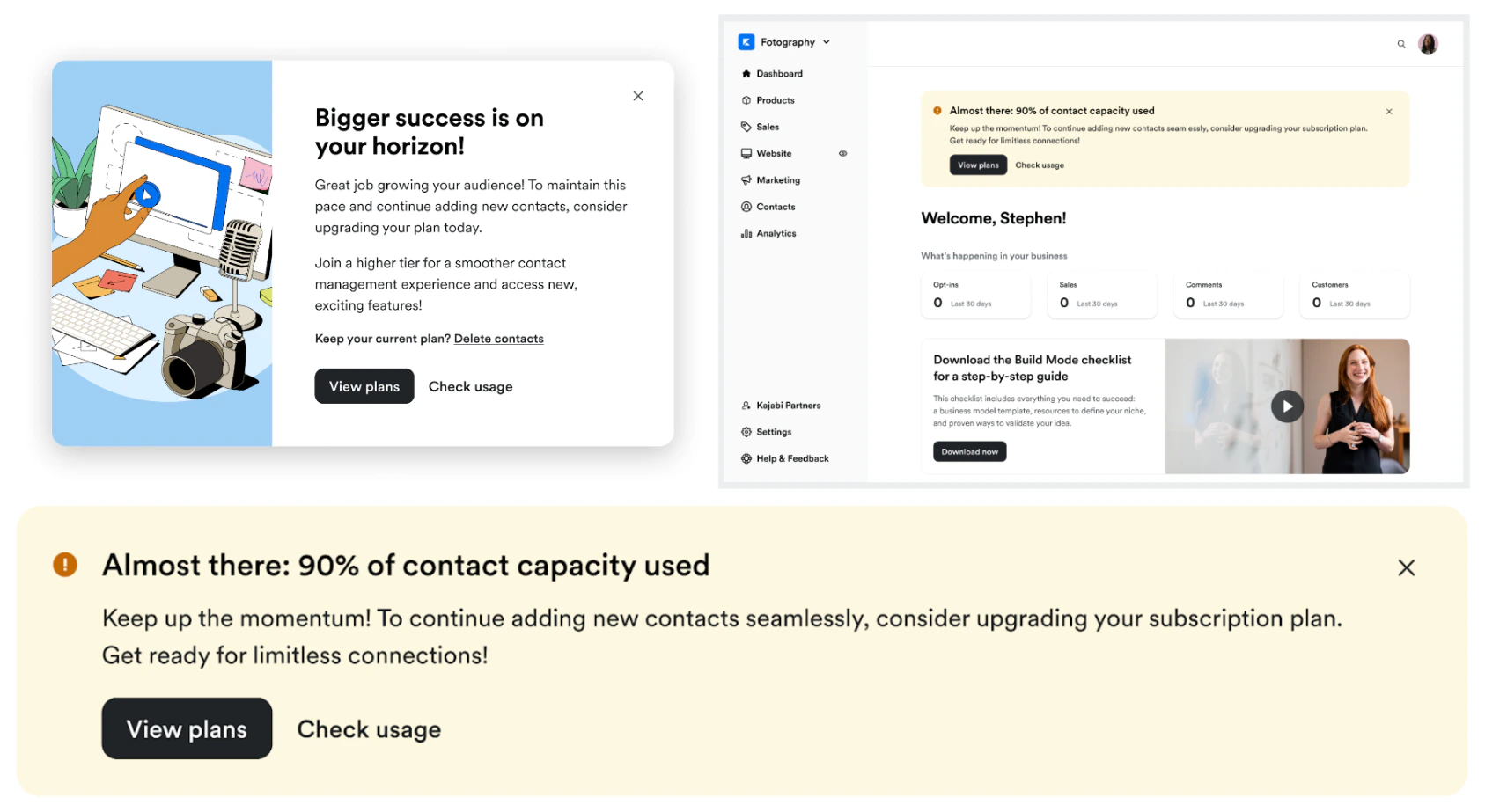 If you hit 100% of your contact usage, you will receive an email notification and an updated in-app banner upon login:
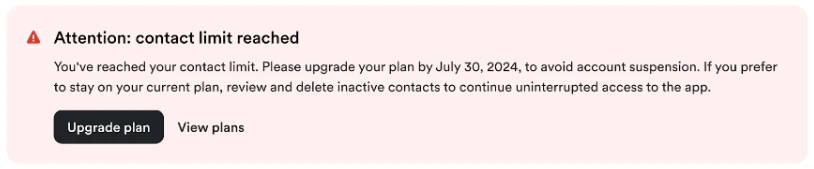 You will be given 30 days to update or remove your contacts before your account is locked. After the 30-day grace period, you will be unable to access your account and will be required to upgrade to a higher plan or reach out to our support team to help you delete contacts.
What happens when an account is locked
After the 30-day grace period, you will be unable to access your account and will be required to upgrade to a higher plan or reach out to our support team to help you delete contacts. During this time you will be able to log into your account but only to use the Account Settings pages to upgrade.
Important: Your customers’ user experience will not change. They will still be able to engage with your website, emails, automations, courses, etc.
Upgrade
If at any point you choose to upgrade your plan, you can upgrade your account through your Account Settings. Learn more.
Choose the plan that best fits your growing business needs.
Don’t want to change your plan? Consider removing contacts that are:
- Not customers
- Are unsubscribed
- And not added in the last 60 days
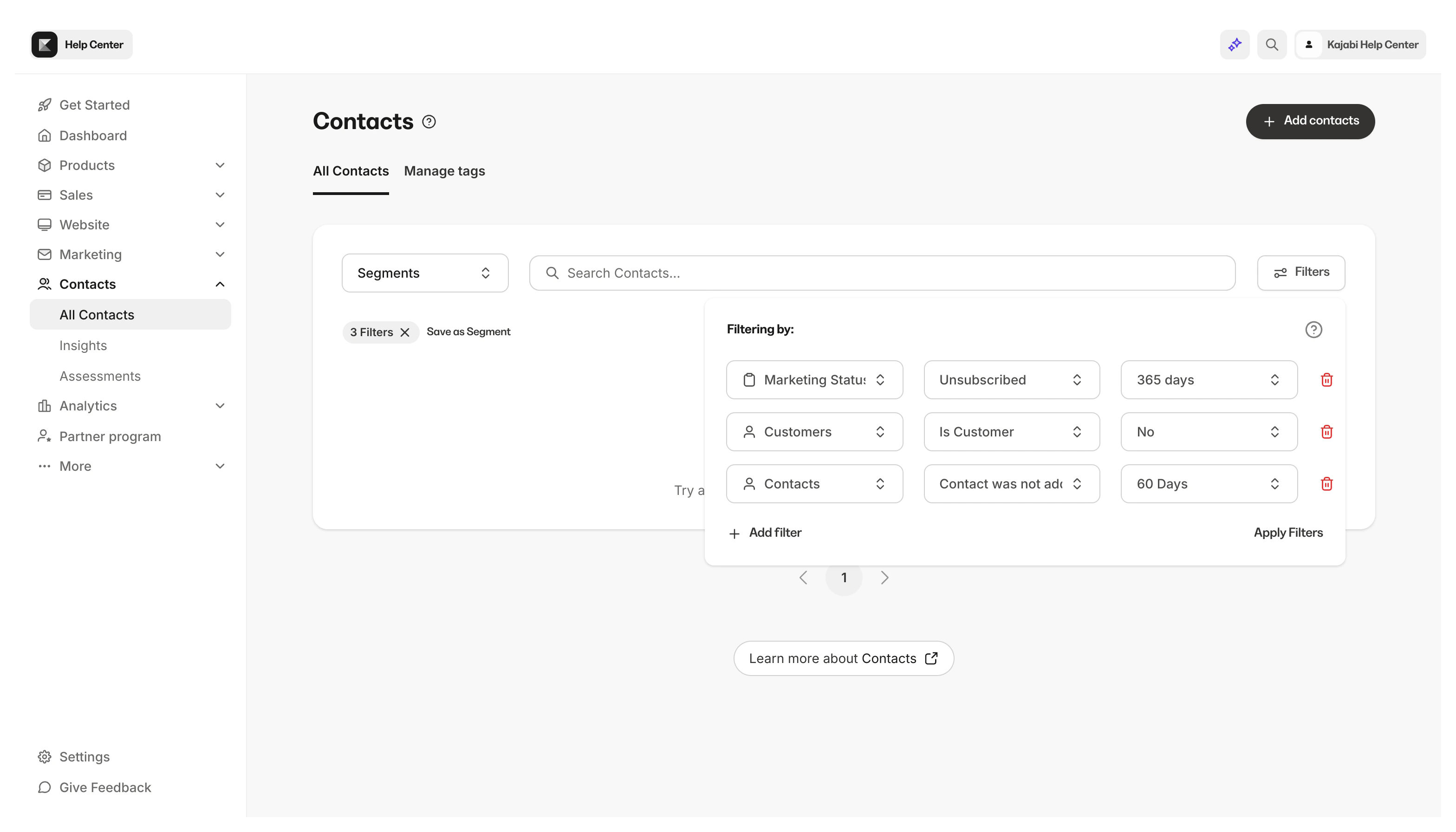 Additionally, it is always a good idea to remove inactive, unsubscribed, or bounced contacts to make room for contacts.
Learn to delete contacts.
Additionally, it is always a good idea to remove inactive, unsubscribed, or bounced contacts to make room for contacts.
Learn to delete contacts. 
