Export customers and contacts from the Contacts tab to receive a CSV file via email.

Export contacts

  1. Open the Contacts tab from your Dashboard.
  2. Filter or Segment the contacts you wish to Export.
  3. Select the contact you wish to export or click Select All to export the entire Segment.
  4. Click open the Bulk Actions dropdown menu.
  5. Then, select Export:
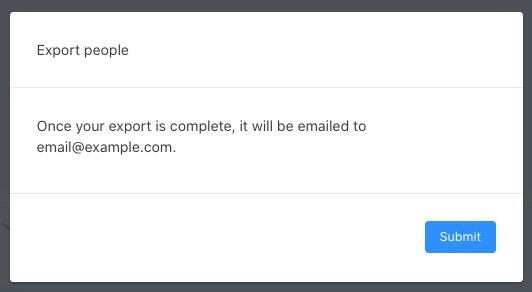
Your exported list will be emailed to the email address associated with your Kajabi account.
  1. Click Submit to acknowledge the popup.
Export confirmation
Tip: Create meaningful groups to export by Segmenting your contacts. Your contact export is limited to the contacts limit of your Kajabi Plan.

Download the exported list

Download the CSV from the email within 3 days of receiving it before the link expires. If you are unable to download the CSV within the 3 days of receiving the email, simply repeat the steps above to export your List.
  1. Log into your email associated with your Kajabi account.
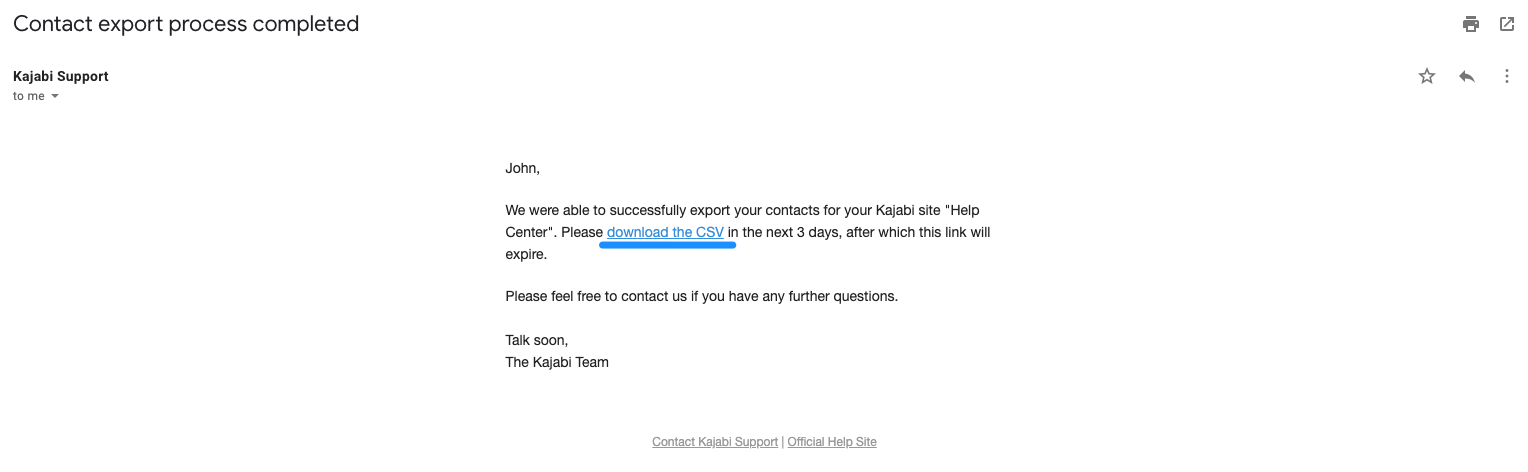
  2. Your exported list will be attached to an email from our support team with the Subject Line: Contact export process completed.

  3. Open the email and click download the CSV:
Download CSV email