

Beta:
This feature is being rolled out gradually. Some things are still being refined, and more detailed how-to articles are on the way. If you run into anything unexpected, reach out to payments.support@kajabi.com and the team will assist.
Key benefits
- Fully customizable Upsell pages — built and styled in the same Builder you use for your site and checkout pages, with full control over layout, sections, spacing, and content
- Reusable across Offers — create an Upsell once and attach it to multiple Offers; edits apply everywhere it’s used
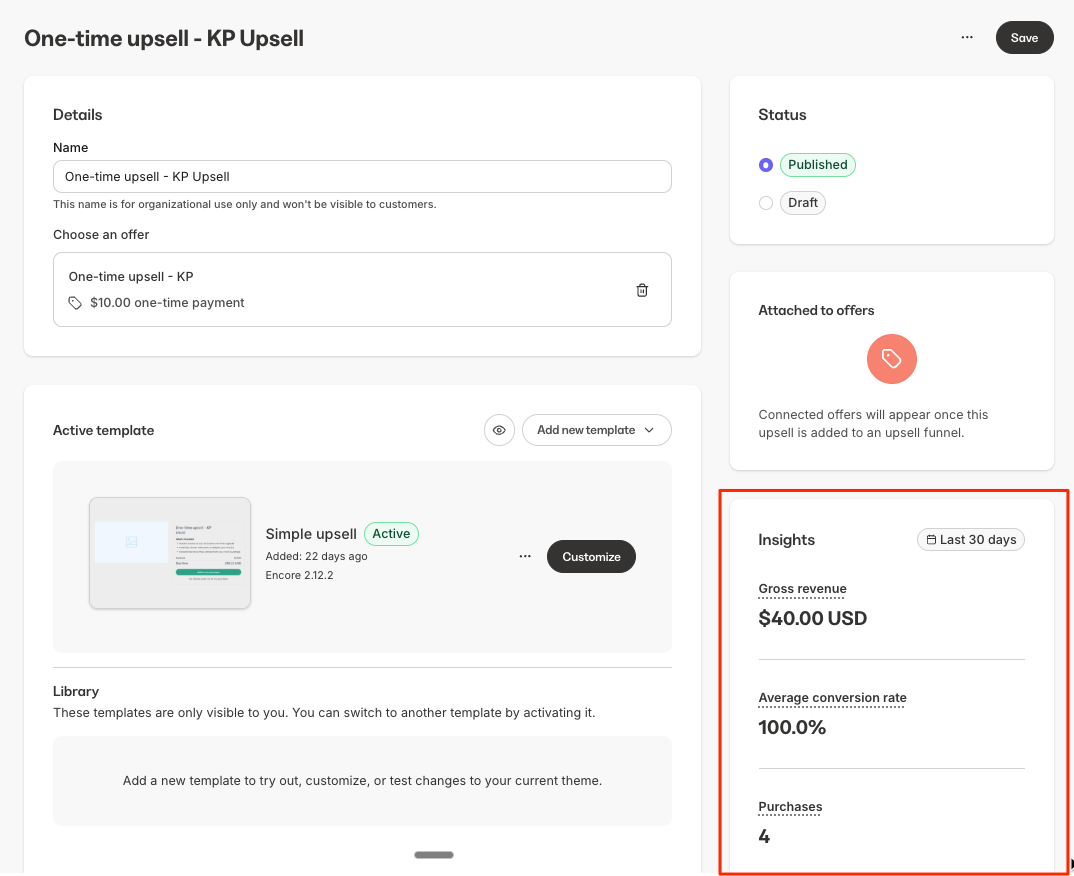
- Built-in analytics — view purchases, conversion rate, and revenue at a glance on the index page or within each individual Upsell
- Streamlined navigation — Offers is now Pricing, the Cross-Selling tab is now Purchase Flow, and Order Bumps have moved to the Settings tab within an individual Offer
How Upsells and Downsells work
Upsells are created once and reused across your Offers. The same Upsell can serve as either an Upsell or a Downsell, depending on where it appears in your Upsell Funnel. Downsells are not created or managed separately — they are Upsells shown after a previous Upsell is declined.How Upsell Funnels work
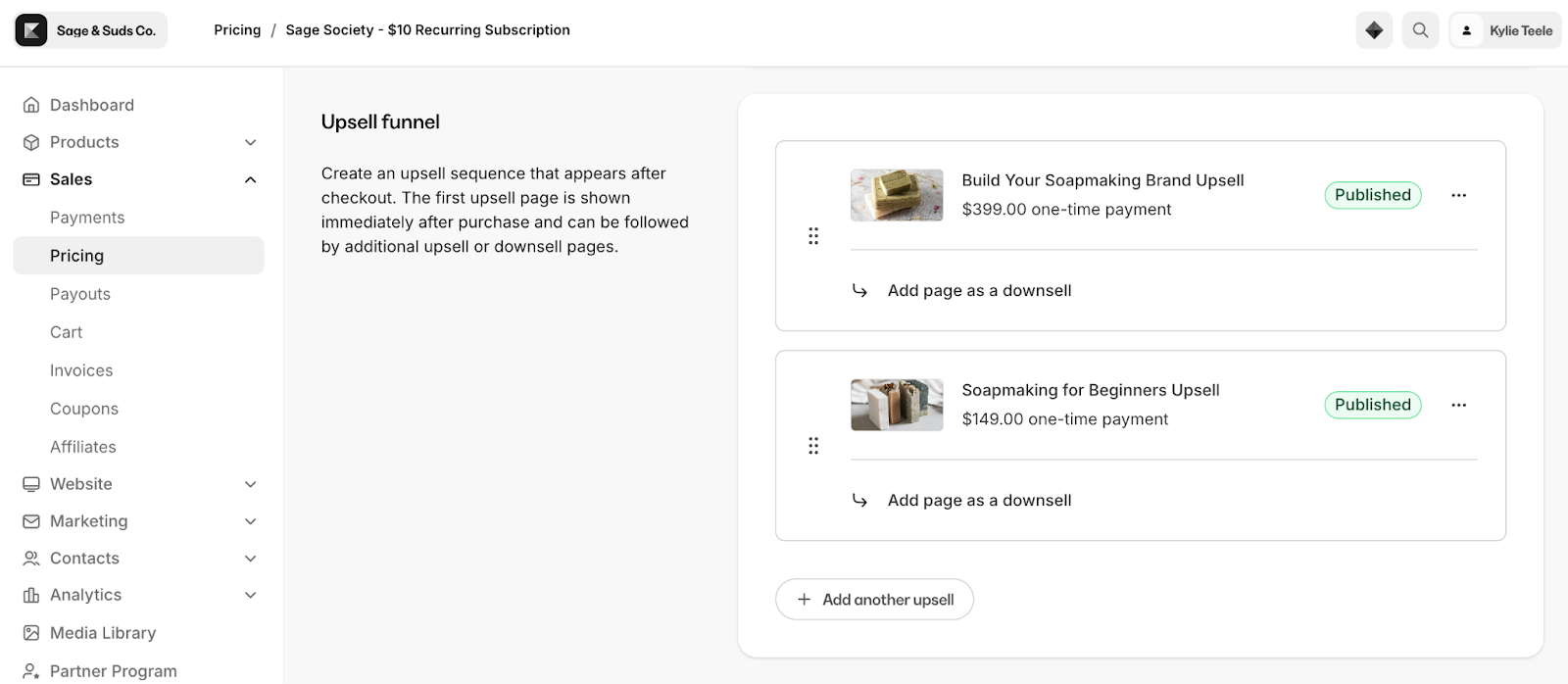
After a customer completes a purchase, you can guide them through a series of Upsells. Each step shows an Upsell. If the customer declines, you can optionally add another Upsell as a Downsell before continuing to the next step. The same Upsell can be reused across different funnels, but it can only appear once within a single funnel. Here is an example of a three-step Upsell Funnel with Downsells at each step: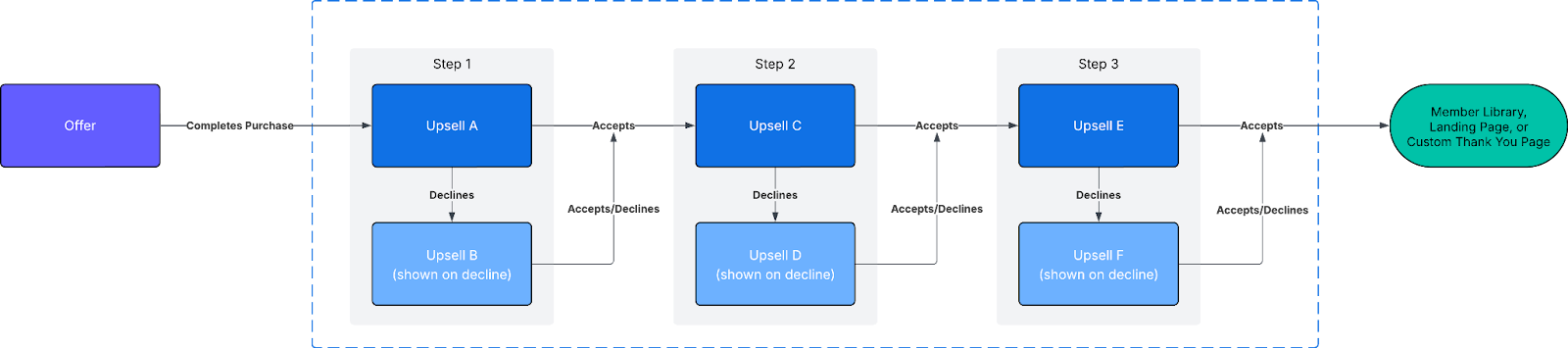
Navigation changes
A few things have moved in your dashboard as part of this update:- Offers has been renamed to Pricing. The Pricing section includes two tabs: Offers and Upsells.
- The Cross-Selling tab has been renamed to Purchase Flow. This is where you find all post-purchase actions for an Offer, including your Upsell Funnel, Post-Purchase Page, Emails, and Automations.
- Order Bumps have moved to the Settings tab within an individual Offer.
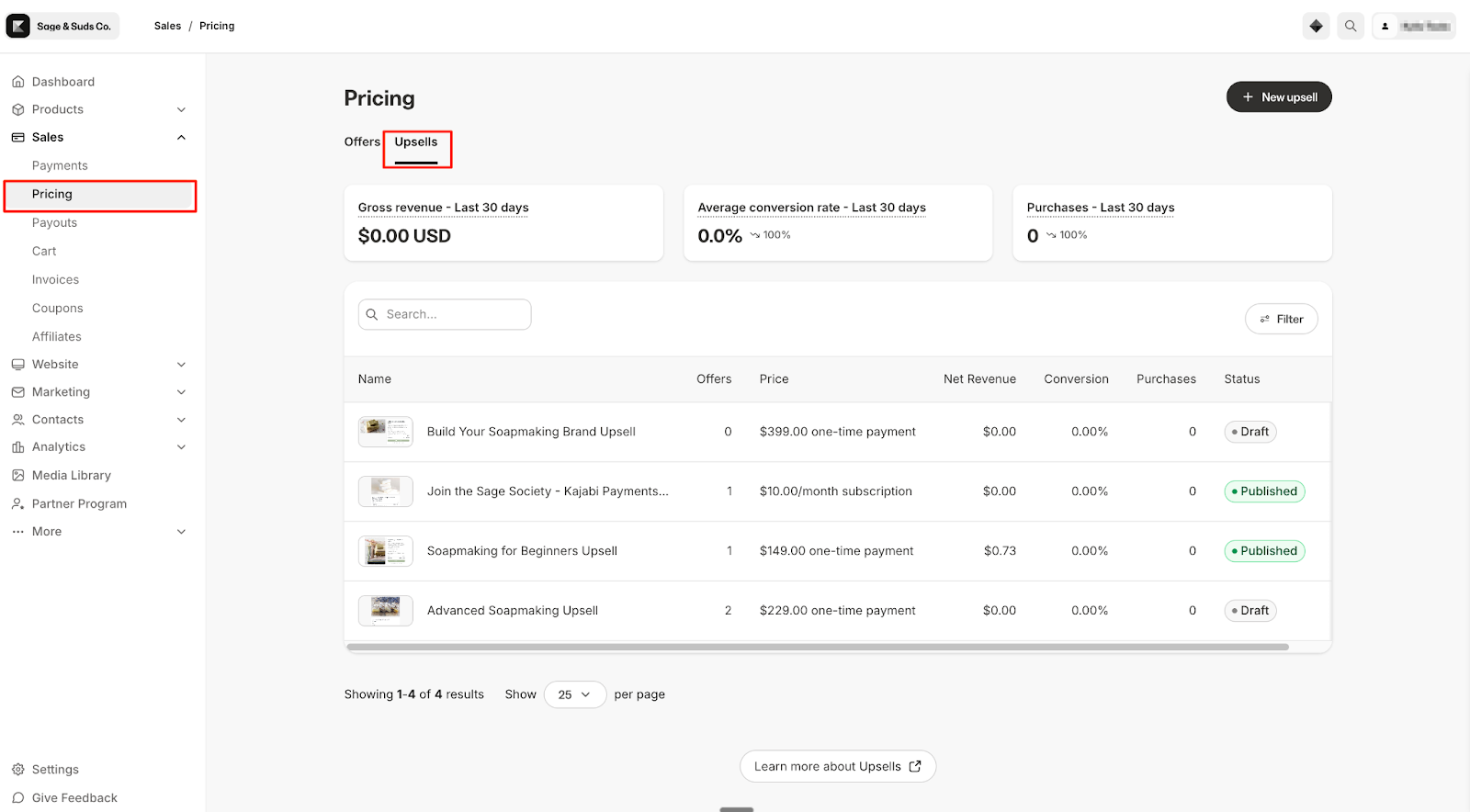
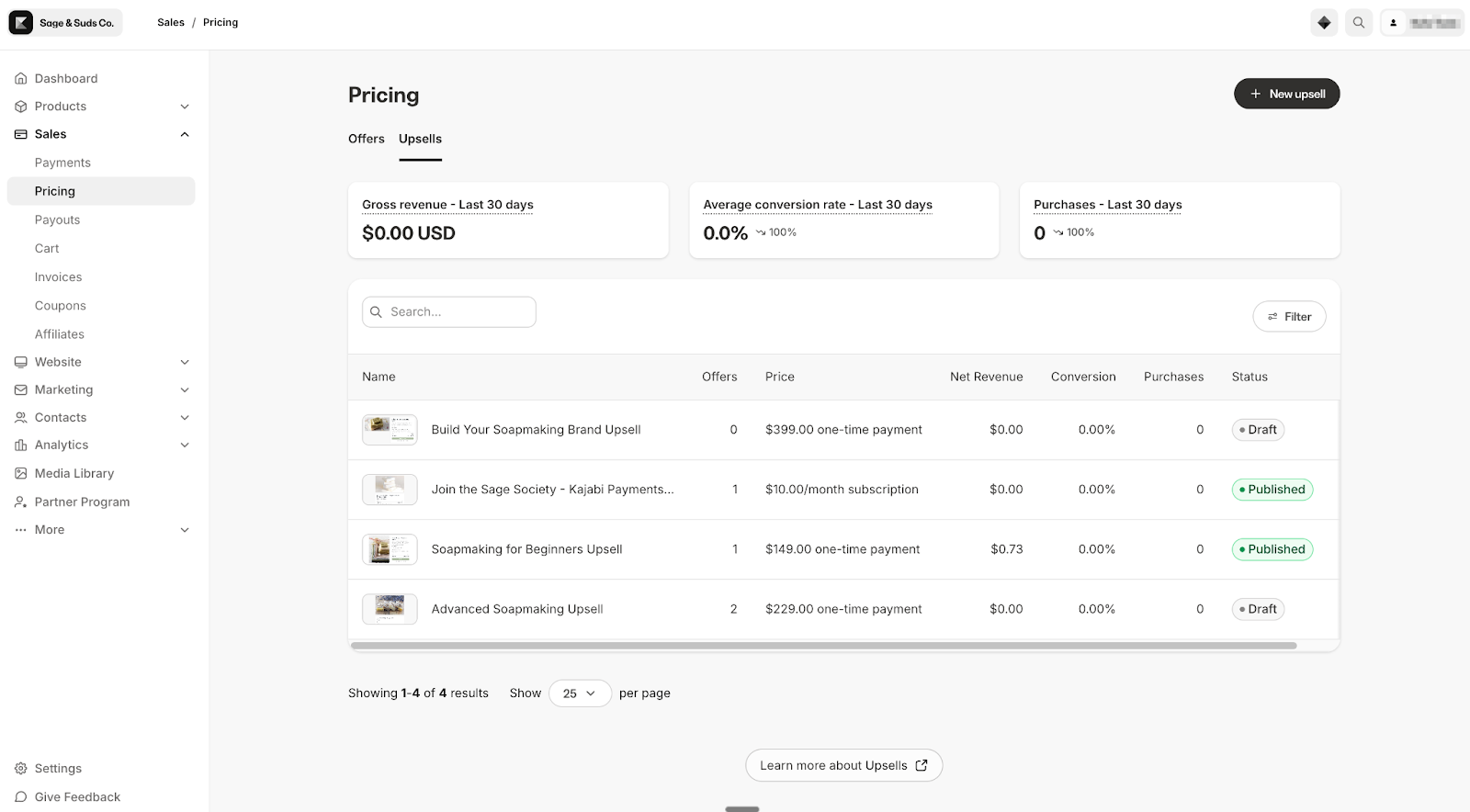
View Upsells
All of your Upsells are centrally managed from one place:- Go to Sales > Pricing
- Click the Upsells tab
- Click into an Upsell and review the details
- Preview to see how it appears to customers
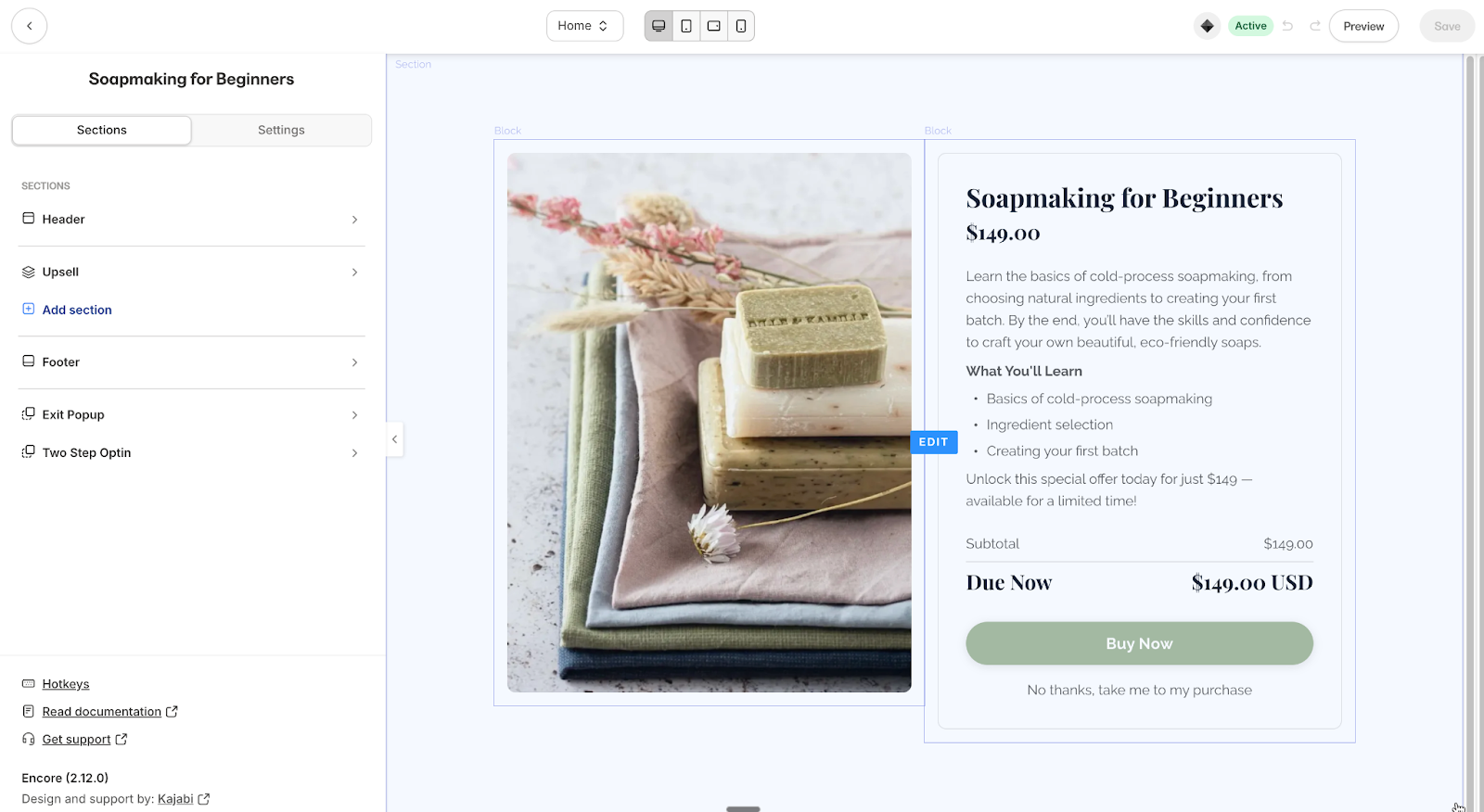
Customize an Upsell page
- Open any Upsell from the Upsells tab
- Under the active template, click Customize
- Adjust layout, add sections or blocks, and refine branding directly in the Builder
- Save your changes — updates apply everywhere this Upsell is used
Manage Upsells within an Offer
- Open an Offer from Sales > Pricing > Offers
- Go to the Purchase Flow tab
- Scroll to Upsell Funnel
- Add Upsells, add Downsell pages, and reorder steps using drag and drop
View Upsell analytics
You can view performance across all your Upsells at a glance on the Upsells tab, or click into any individual Upsell to see metrics for that specific Upsell. Metrics include purchases, conversion rate, and revenue.Note:
Analytics begin collecting from the time the rebuilt system was enabled and do not include historical data.
FAQs
What happened to my existing Upsells?
All of your previous Upsells were automatically migrated when the rebuilt system was enabled in your account. They are reusable and centrally managed from the Upsells tab under Sales > Pricing.Will my live Upsell flows be disrupted?
No. Customer-facing Upsell pages continue to function as expected. The update only affects how Upsells are managed on your end.Why don’t I see historical analytics data for my Upsells?
Analytics begin collecting from the date the rebuilt Upsells system was enabled in your account. Upsell activity prior to that date is not included.Where did the Cross-Selling tab go?
It has been renamed to Purchase Flow and is still found within each individual Offer. It includes all post-purchase actions: Upsell Funnel, Post-Purchase Page, Emails, and Automations.Related articles