

Test purchase
Note:
Test purchase and accidental customer purchase transaction fees are non-refundable.
Test your purchase in incognito mode
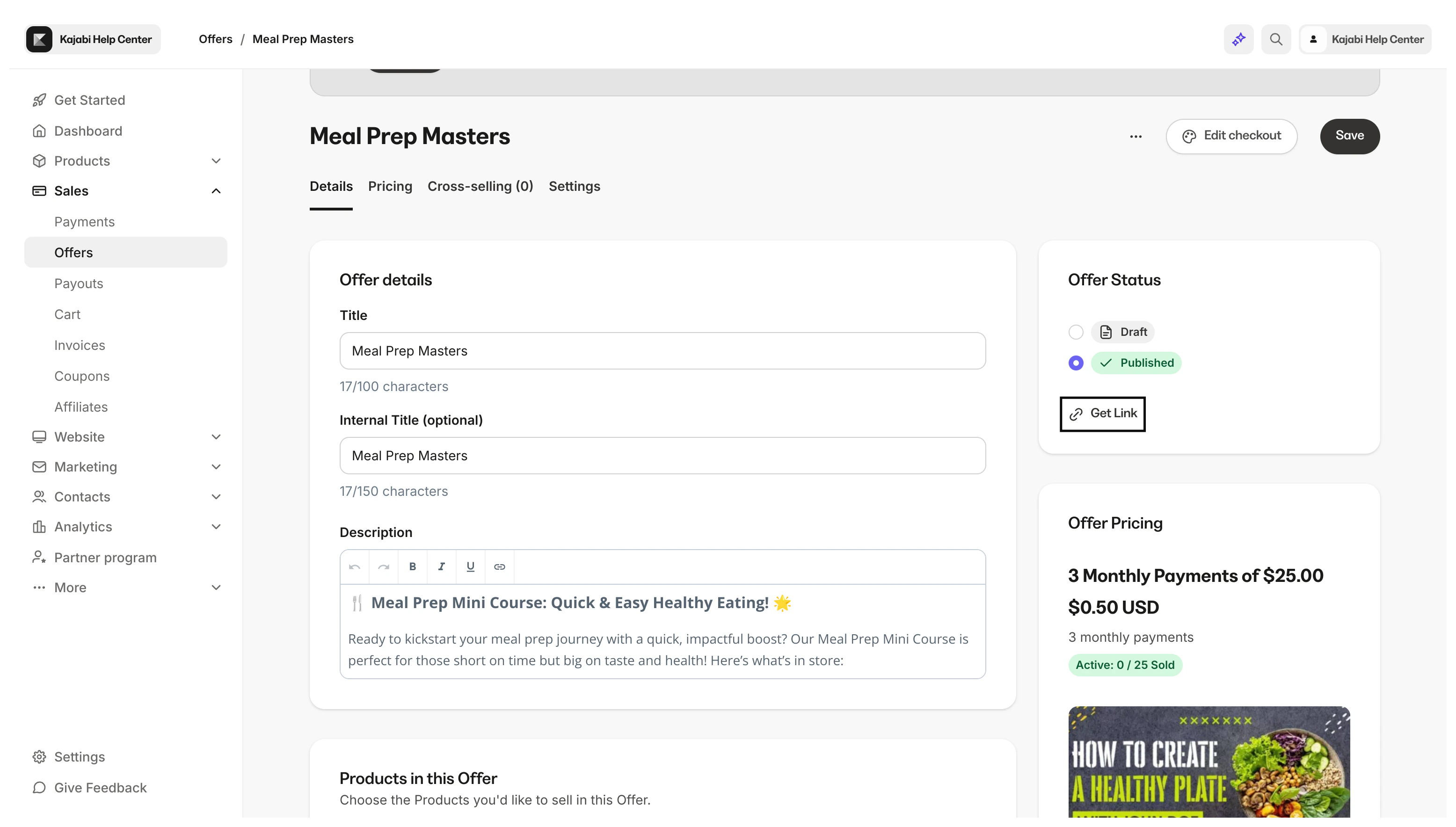
- Open the Sales tab from your Dashboard.
- Click Offers and select the Offer you want to test.
- In the Offer Status card, click Get Link.
- Open an incognito window and paste your link.
- On the checkout page, follow the flow of your customers by going through the process of purchasing your Offer.
Best practices when testing a purchase
Only use the Offer Link (not the Preview link) when testing
Always use a different browser or incognito/private window when testing
To successfully test a purchase, do not test on the same browser when logged in as an Admin of your Kajabi account.Troubleshoot an un-clickable checkout button
Is your purchase button un-clickable? Be sure to exit out of preview mode when testing your Checkout Page:preview=true piece of the URL.
Use a different email address when testing
We recommend creating a separate email address specifically for testing purposes. This will allow you to use different variations of the same email address for tests you wish to perform on your site.- If you are using G-Suite or any new test Gmail address, simply insert a ”+” character before the ”@” symbol and insert any verbiage you wish. This will send any applicable emails connected with your test to your Gmail inbox with a unique identifier.
- Example: kajabihelpcenter**+purchasetest1-date**@gmail.com