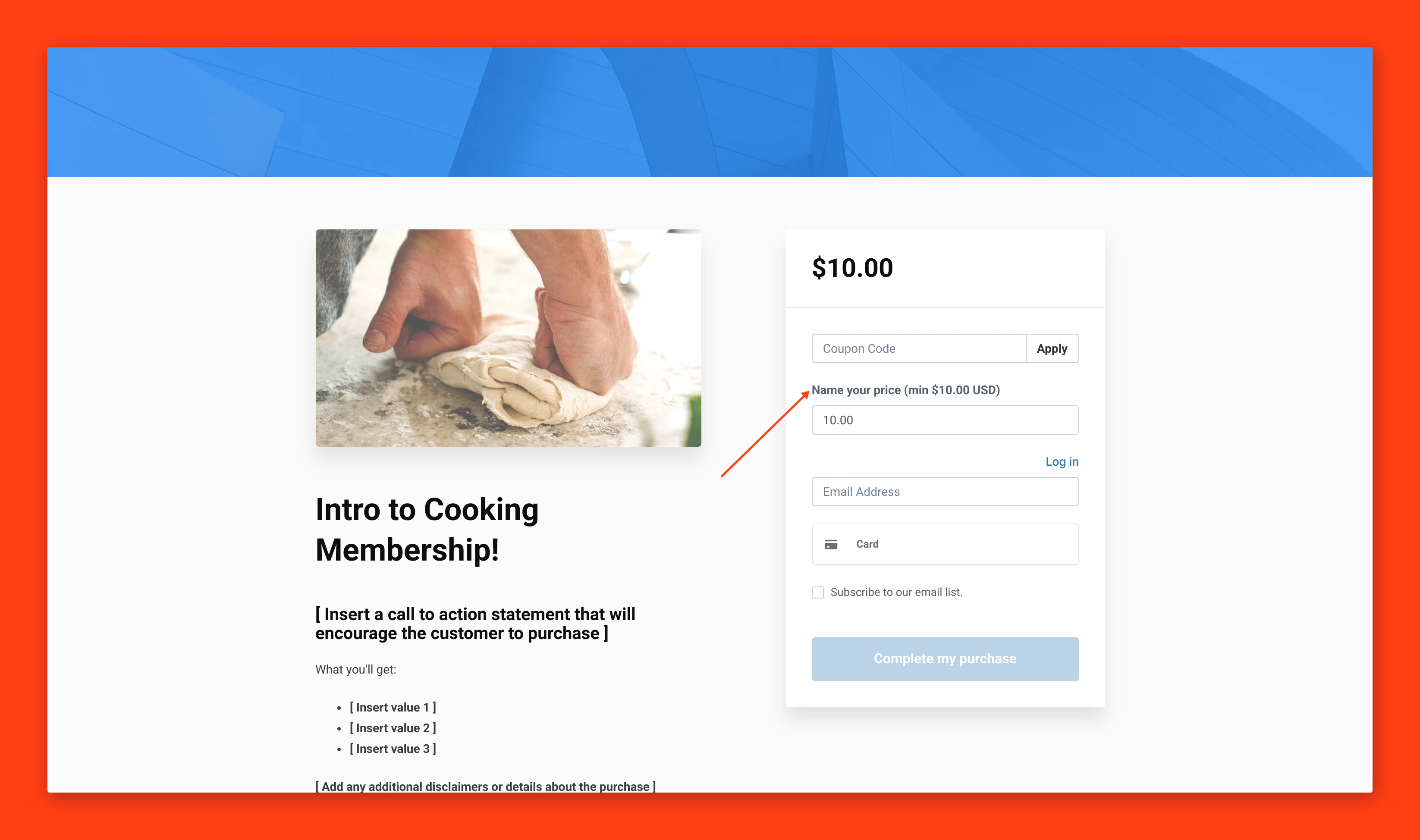
Pay What You Want Offers means that you can set a minimum purchase price for a one time payment Offer, including $0, and then your customers can purchase the offer for either the minimum price or for whichever amount they want.The Pay What You Want option has multiple benefits for you, your business, and your customers:
Experimentation - Pricing your product can be a big hurdle and hard to gauge accurately. With Pay What You Want offers, you enable your customers the option to pay more, which may prove that what you offer holds more value than you originally expected. This also allows you to run pay-your-own-price style promotions to entice new members.
Support - Letting your customers choose how much they want to pay for your product allows them to tip you or pay more than the baseline price you set. This enables them to show their support for you and your product.
Creating a Pay What You Want Offer is easier than ever due to the Offer creation flow.To create a Pay What You Want Offer:
From your Kajabi dashboard, select Sales
Navigate to Offers
Click +New Offer to enter the Offer creation flow
Once inside the Offer Creation Wizard, enter an Offer Title and choose the Product(s) to sell with this offer
To use the Pay What You Want feature, select the One Time payment option
Check the Let customers pay what they want box
A Pay What You Want offer can be free (priced at $0), or whichever base minimum amount you desire to sell your product, as long as the price is set over 0.50
Choose the Payment Provider and any additional payment options for your offer
Select Save and Finish to complete creating your offer
Change a pre-existing Offer to a Pay What You Want Offer
You can also change a pre-existing offer to a Pay What You Want offer. This is helpful in situations where you want to offer flexible pricing, such as a promotion or sale.To change a pre-existing offer to Pay What You Want:
From your Kajabi dashboard, select Sales
Navigate to Offers
Select the Offer you wish to edit
Click Pricing
In the Price Details section, select One-time Payment from the drop-down menu (Note: If your offer is already set up as a one-time payment, you may need to reset the payment type drop-down menu and re-select the one-time payment option to open the Minimum Price field for editing)
Enter a price for your offer to set a Minimum Price (this can be $0, or any price 0.50 or higher)
Click the Let customers pay what they want checkbox
While you still will need to select the One-Time Payment pricing option, you can charge your customers 0ormore,bysettingtheminimumpriceofyourPayWhatYouWantofferas0.
If my Pay What You Want offer is $0 or more, can my customers pay 25 cents?
Your customers are free to pay 0oranything0.50 and above. A checkout won’t submit any amount that your customer puts into the name your price field that is between 0.01 and 0.49. This is in place to keep you from paying more in payment processing fees than you make on your sale.
Can my customers use coupons on a Pay What You Want offer?
Coupons will still work on Pay What You Want offers. If a customer applies a coupon to the Pay What You Want offer, the discount will be applied based on the minimum price. Note that after the coupon is applied, the customer won’t have the option to pay more and will be charged the discounted price.
Do order bumps work with Pay What You Want offers?
Order bumps work on all Pay What You Want offers whose minimum price is not 0.Iftheoffer′sminimumpriceissetto0, the order bump won’t display. Otherwise, the order bump will show.
What if my Pay What You Want offer is configured as an upsell, downsell, or order bump?
In the case where your PWYW offer is an upsell, downsell, or order bump, your customers will simply be charged the minimum price set on the offer. For example, Barking 101 is Pay What You Want, has a minimum price of 15,andisanupsellforanotheroffer;thecustomerwillbecharged15 for Barking 101.
If someone purchases a Pay What You Want offer, will they still see my upsells?
Upsells are dependent on a payment at the time of checkout. If the minimum price of the Pay What You Want offer is set above 0,orthecustomerchoosestopayanyamountonaPayWhatYouWantoffer,theywillseetheupsells.Ifacustomerchoosesnottopayanythingfora0 Pay What You Want offer, they will not see your upsells.
Pay What You Want will only be available to the current checkout template. If you switch a legacy checkout offer to Pay What You Want, it will simply charge the minimum price without the option to pay more. Learn how to update to the 2018 version of the checkout template.