Navigate to Offer stats pages, where you can find the number of purchases, Offer revenue, and recent activity for specific Offers.
View Offer stats
- Open the Sales tab from your Dashboard
- Click Offers
- Locate the Offer you wish to view and click the Stats icon on the far right
Looking to view information about all payments made to your site? Learn how to view all payments.
Understand Offer stats
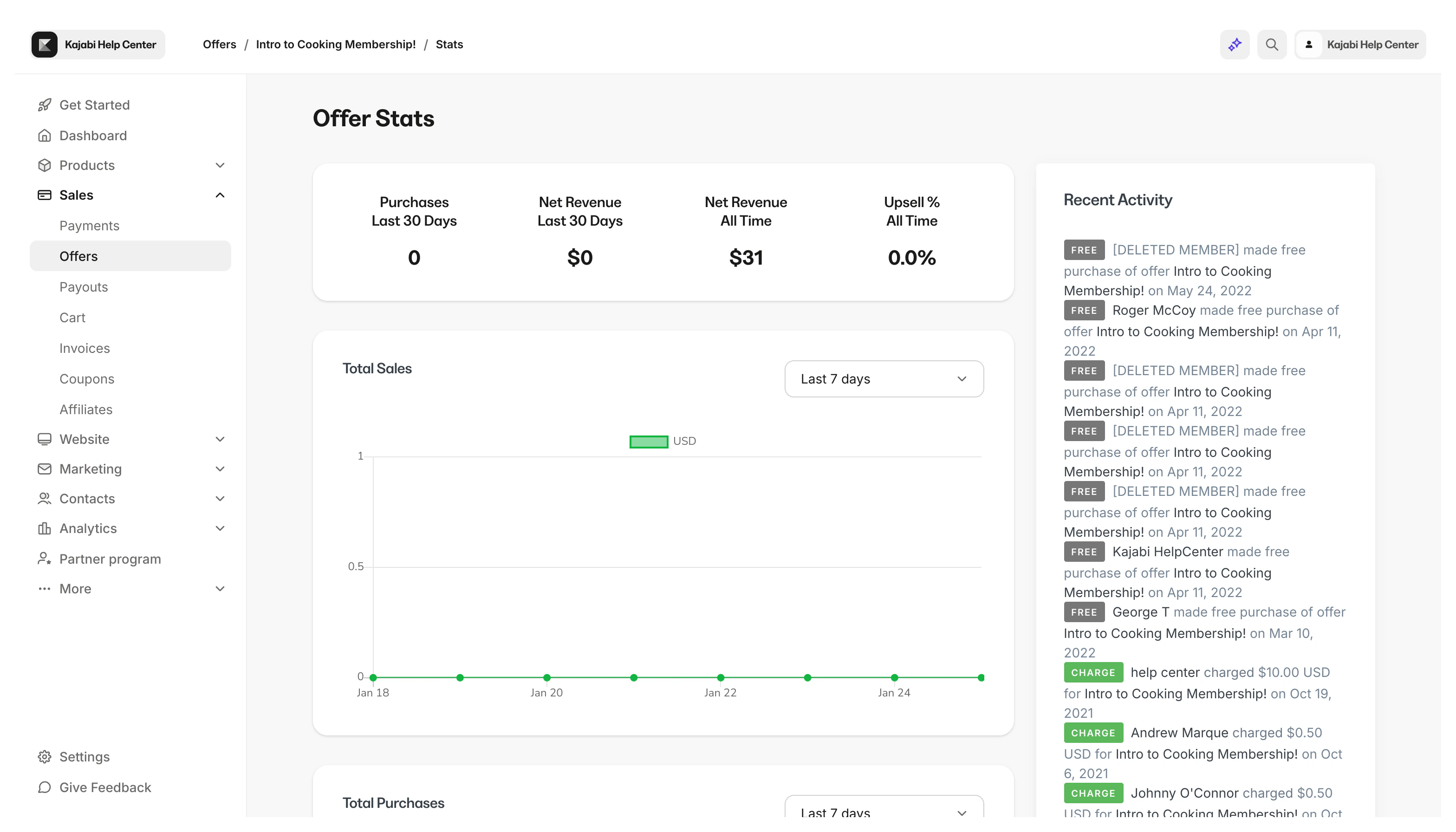 The first card in Offer Stats displays:
- Purchases made in the last 30 days (includes Free Offers purchased)
- Net Revenue from the last 30 days
- All Time Net Revenue for the Offer
- Percentage of customers who purchased an Upsell included with the Offer (if applicable)
The additional Offer Stats provide further detail, including:
- Total Sales
- Total Purchases (includes Free Offers purchased)
- Order Bump Revenue (if applicable)
- Upsell Revenue (if applicable)
Tip: Filter your Stats to view a specified Time Frame between the Last 7 Days to the Last Year.

