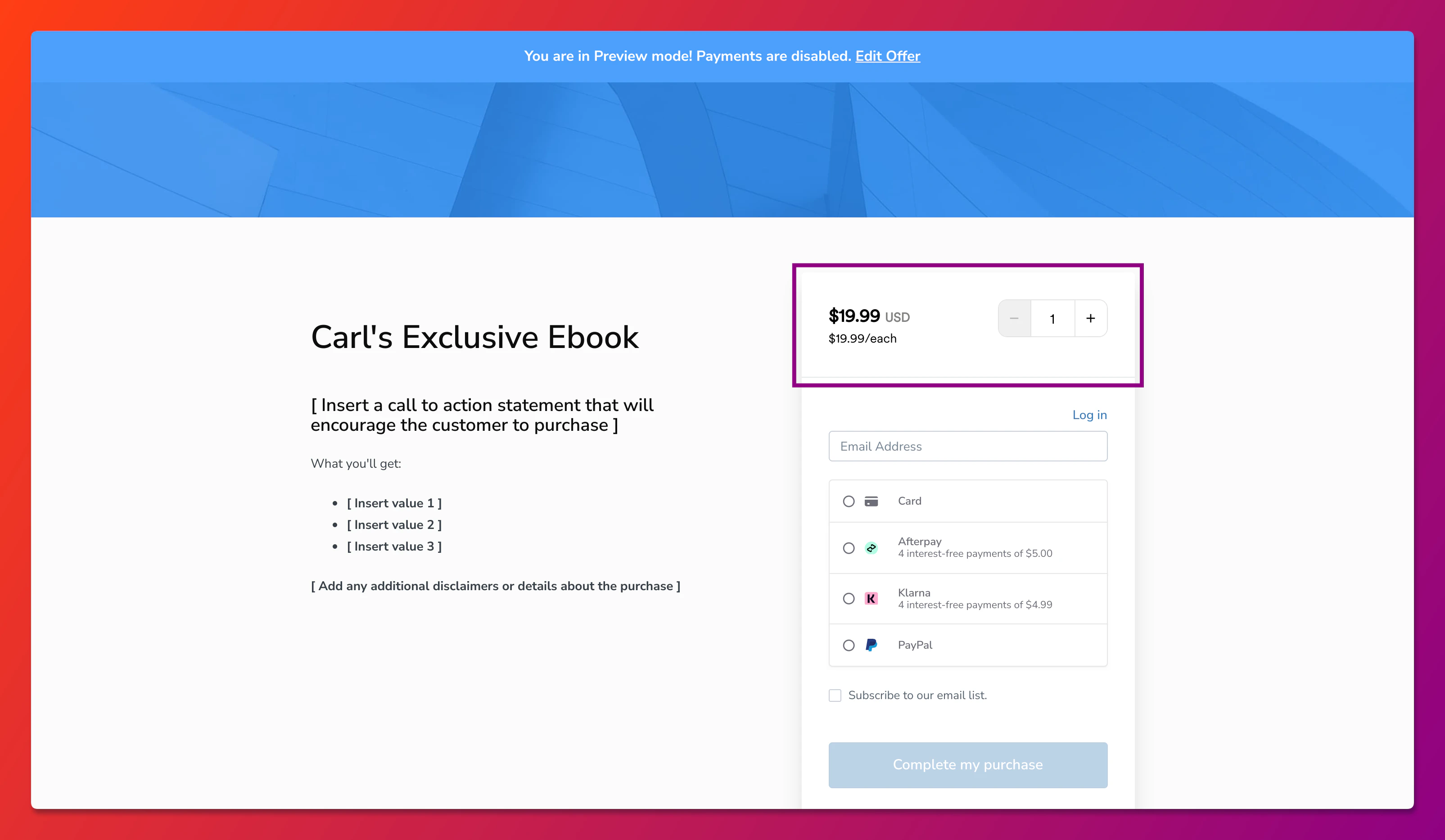
Note: Only the buyer of the offer will be granted access to the product.
Enable the checkout quantity selector
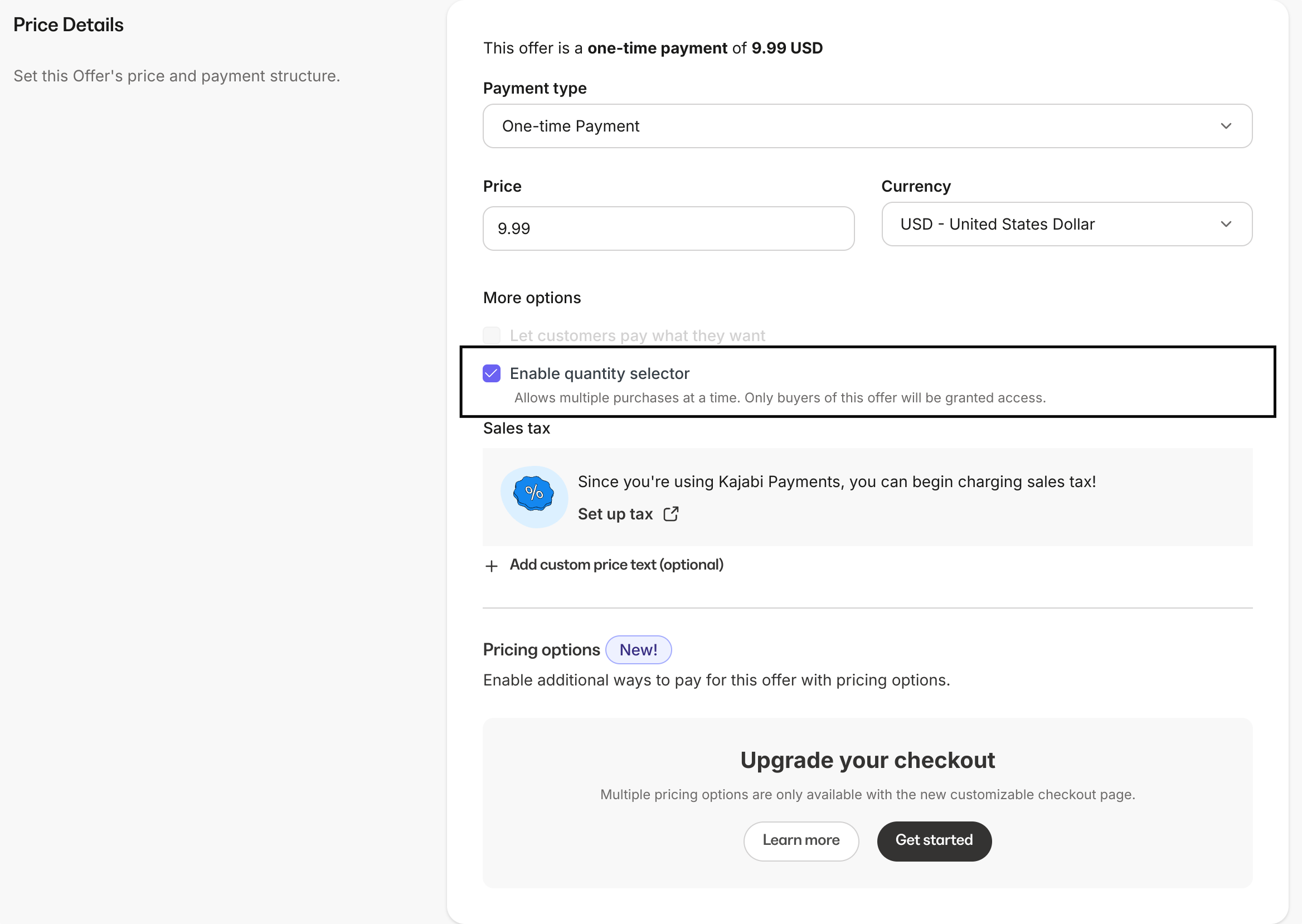
The checkout quantity selector can be enabled through each Offer’s Pricing Details page. An offer must first be created to enable the checkout quantity selector for that offer. To enable the checkout quantity selector for an Offer:- From your Kajabi dashboard, select Sales
- Navigate to Offers
- Select the Offer you wish to enable the CQS for
- Click the Pricing tab to open the Pricing Details page
- Toggle the enable quantity selector box
- Remember to hit Save to save your changes