

Overview
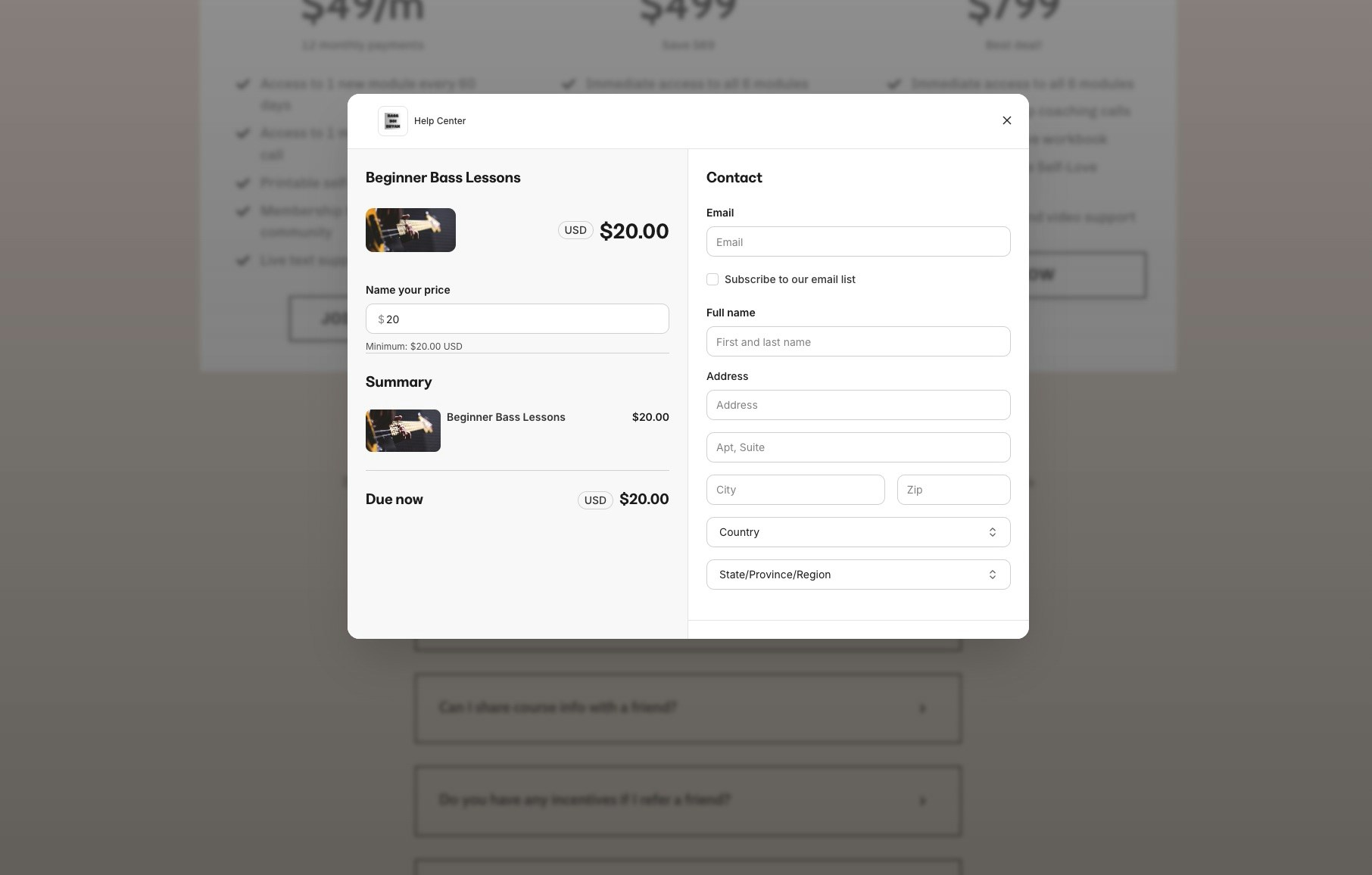
Popup Checkout allows customers to complete their purchase in an overlay window that appears directly on your page. This keeps customers engaged with your content while providing a seamless buying experience. Instead of redirecting customers to a separate checkout page, Popup Checkout opens a streamlined payment form right where they are. This reduces friction in the buying process and can help improve conversion rates by keeping customers focused on your offer. Popup Checkout works with buttons, links, and other clickable elements throughout your Kajabi site.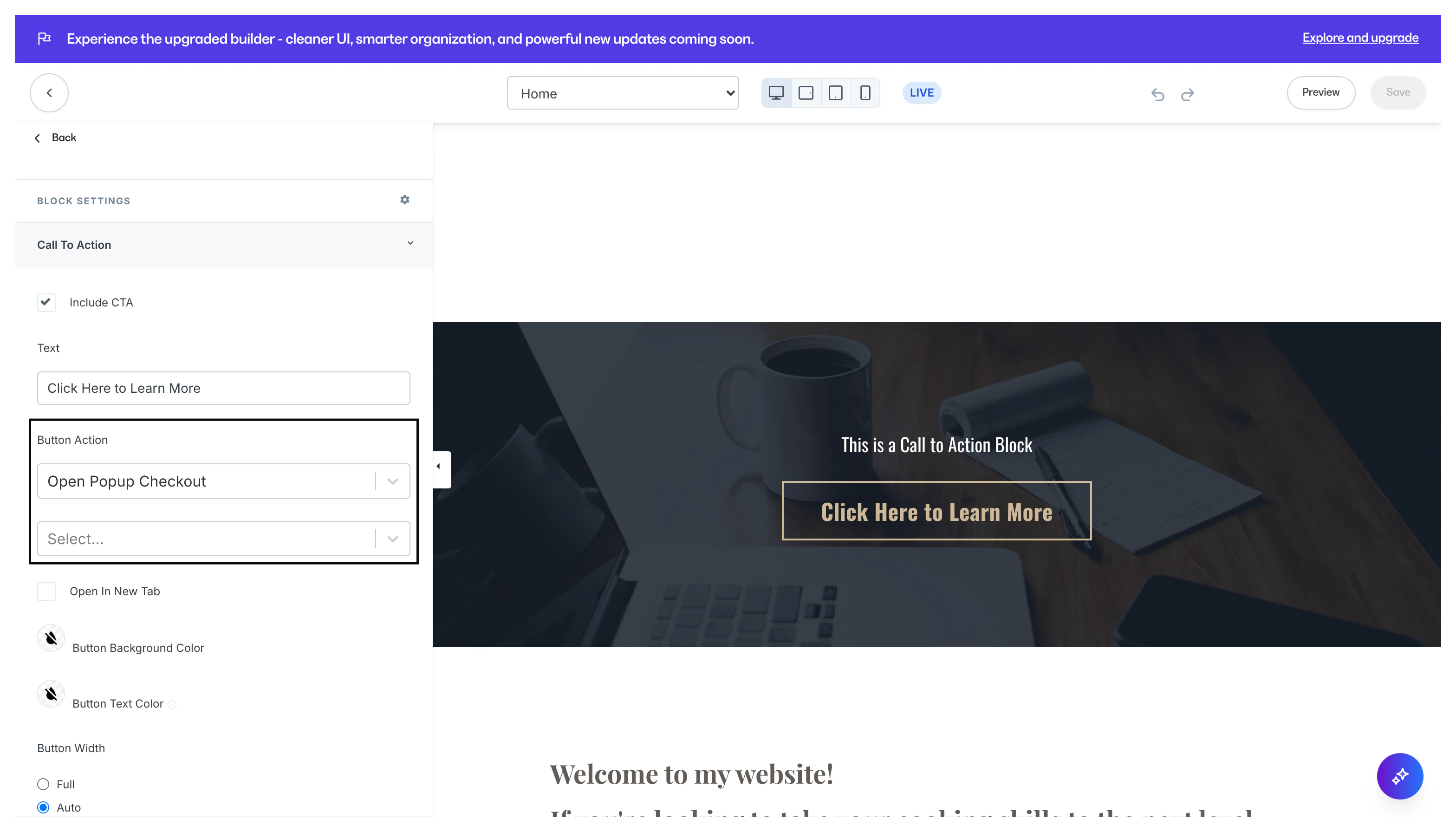
How Popup Checkout works
When a customer clicks a checkout button or link with Popup Checkout enabled:- An overlay appears on the current page
- The customer enters their payment information
- The purchase completes without a page redirect
- The customer sees a confirmation message
Enable Popup Checkout on a button
To set up Popup Checkout for a button on your page:- Open the Page Builder for your page
- Select the button you want to configure
- In the button settings, click Action
- Select Checkout as the action type
- Choose your offer from the dropdown
- Enable the Open in popup toggle
- Click Save and publish your page
Note: Popup Checkout requires the Enhanced Checkout to be enabled on your offer. If your offer uses the legacy checkout, upgrade it first in your offer settings.
Enable Popup Checkout on a link
You can also trigger Popup Checkout from text links:- Select the text you want to link
- Click the Link icon in the text editor
- Choose Offer Checkout as the link type
- Select your offer
- Enable the Open in popup option
- Click Apply
Best practices for Popup Checkout
- Keep your offer simple — Popup Checkout works best with single products or straightforward payment options
- Test on mobile devices — Verify the popup displays correctly on smaller screens
- Use clear call-to-action text — Button text like “Buy Now” or “Get Instant Access” sets the right expectation
- Limit form fields — The fewer fields customers need to complete, the faster they can purchase