

Overview
Kajabi allows you to customize the login requirements for your checkout pages. You can choose whether customers must create an account, can optionally log in, or can check out as guests. The right setting depends on your business model and how you want customers to interact with your products.Note:Availability of the login requirement settings varies depending on the version of the checkout feature:
- 2016 Legacy Checkout - not compatible
- 2018 Legacy Checkout - compatible
- Checkout 2.0 - not compatible
Login requirement options
Kajabi offers three login requirement settings for your checkout:- Required - Customers must create an account or log in to complete their purchase. Best for products that require ongoing access, such as courses or memberships.
- Optional - Customers can choose to create an account or check out without one. Provides flexibility while still encouraging account creation.
- Disabled - Customers check out without creating an account. Best for one-time purchases like downloads or physical products that don’t require login access.
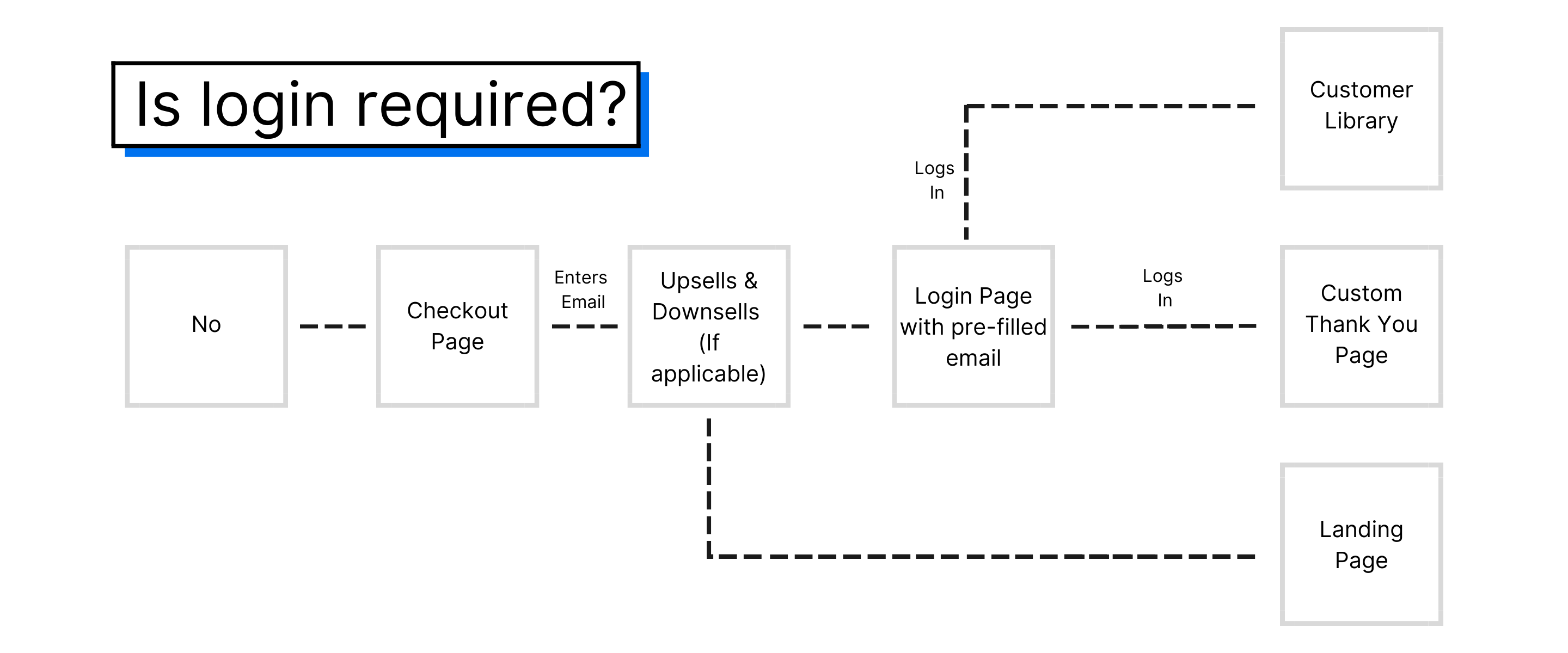
Update the login requirement
To change the login requirement for your checkout:- Open the Settings tab from your Dashboard.
- Click Checkout Settings.
- Locate the Login Requirement section.
- Select your preferred option: Required, Optional, or Disabled.
- Click Save to apply your changes.
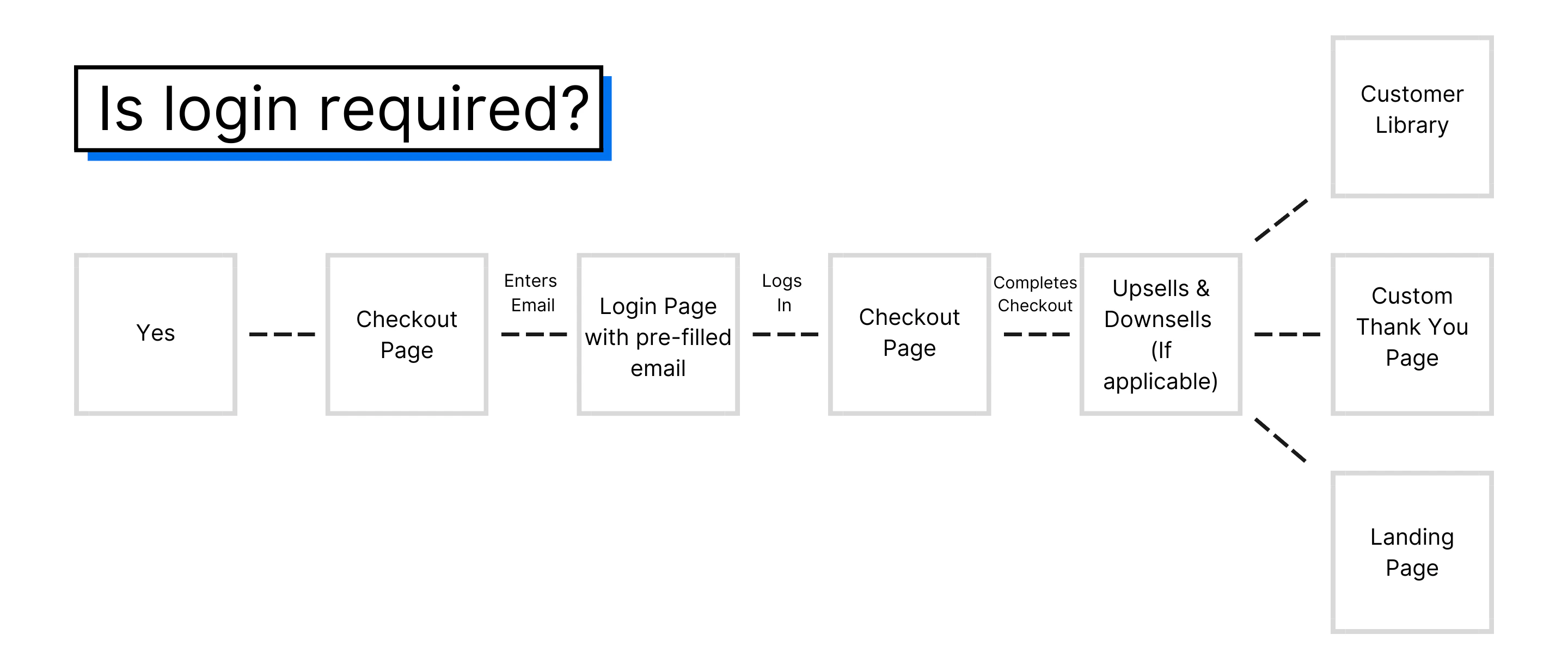
Choosing the right setting
When to require login
Require login when your products need ongoing access:- Online courses with multiple lessons
- Membership sites with gated content
- Community access
- Coaching programs with scheduled sessions
When to make login optional
Use optional login when you want flexibility:- Mixed product catalogs with different access requirements
- Audiences who prefer quick checkout experiences
- Testing which approach converts better for your audience
When to disable login
Disable login for simple transactions:- One-time downloadable products
- Physical merchandise
- Event tickets without ongoing access