Overview
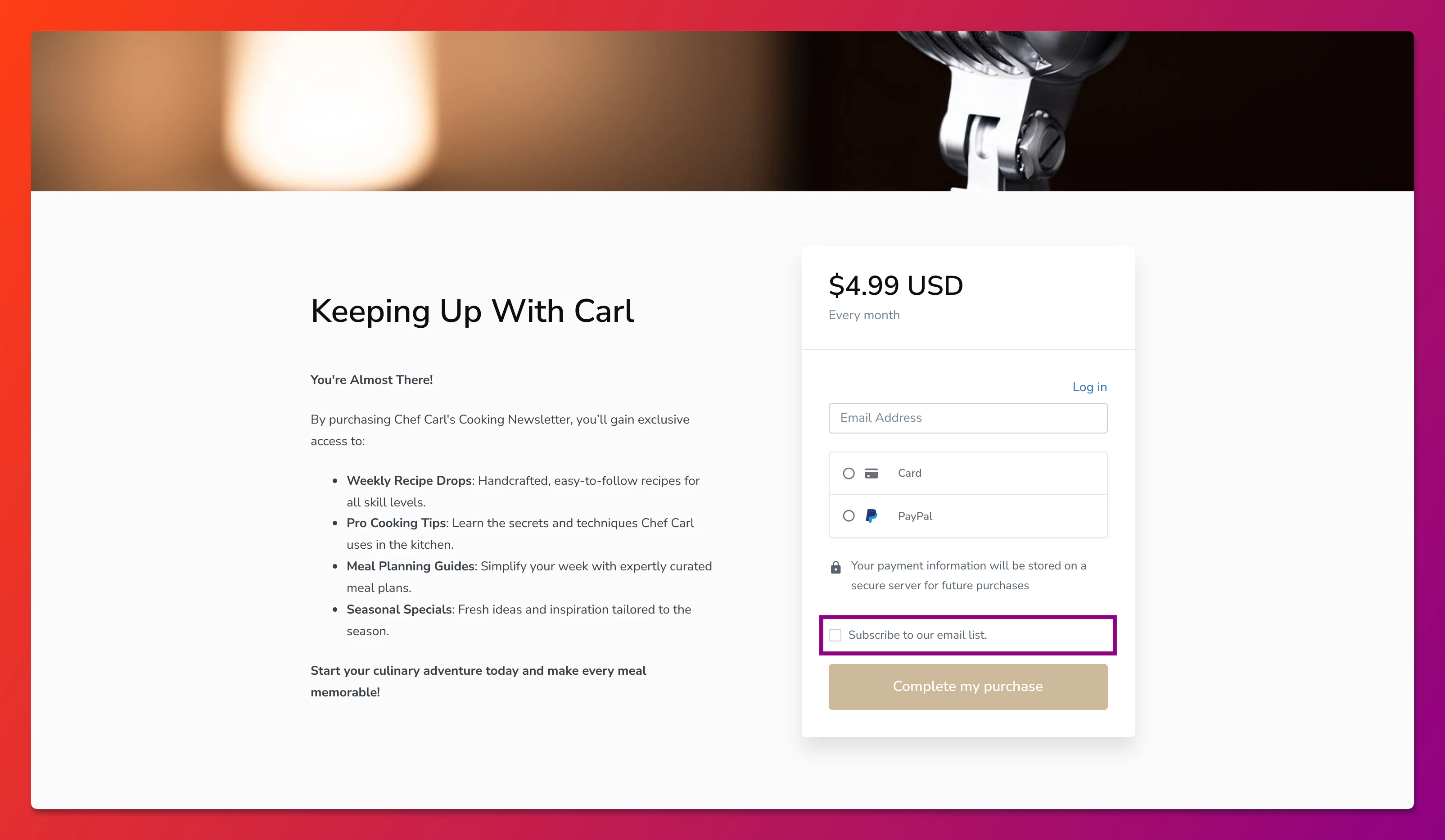
Your checkout page includes an email opt-in checkbox that allows customers to subscribe to your marketing emails when completing a purchase. You can customize this message to better reflect your brand voice and clearly communicate what customers are signing up for.
Customizing this message helps you build trust with customers by being transparent about how their email will be used, while also ensuring compliance with email marketing regulations.
Customize the email opt-in message
To update the email opt-in message on your checkout page:
- Open the Settings tab from your Dashboard.
- Click Checkout Settings.
- Locate the Email Opt-in Message field.
- Enter your custom message in the text field.
- Click Save to apply your changes.
Warning:Privacy laws such as GDPR, CAN-SPAM, and CASL require explicit consent before sending marketing emails. Make sure your opt-in message clearly states that customers are agreeing to receive marketing communications. Failing to obtain proper consent can result in legal penalties and damage to your sender reputation.
Best practices for email opt-in messages
- Be specific about what subscribers will receive (newsletters, promotions, course updates)
- Keep it concise so customers understand the value without reading a lengthy paragraph
- Avoid pre-checked boxes to ensure customers actively choose to opt in
- Mention frequency if you send emails regularly (weekly tips, monthly updates)
FAQs
Where does the email opt-in checkbox appear?
The checkbox displays on your checkout page, typically below the email address field. Customers see it when completing any Offer purchase.
Will existing customers see the updated message?
Yes, your custom message appears for all customers going through checkout after you save your changes.
What happens if a customer doesn’t check the opt-in box?
Customers who don’t check the box will still complete their purchase but won’t be subscribed to your marketing email list. They will still receive transactional emails related to their purchase.
