

Overview
Enhanced Checkout allows you to add multiple pricing options to a single Offer. Customers can choose between one-time payments, payment plans, or subscriptions directly on the checkout page, making it easier for them to select the option that fits their budget.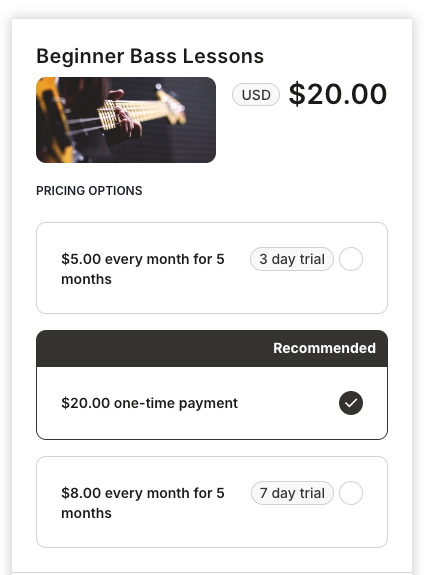
Add pricing options to an Offer
To add multiple pricing options:- Navigate to your Offer and open the checkout settings
- Select Enhanced Checkout as your checkout template
- Add your pricing options:
- One-time payment: Full price paid upfront
- Payment plan: Split the total into multiple installments
- Subscription: Recurring payments for ongoing access
- Save your changes
Note: You can highlight a recommended option to guide customers toward your preferred pricing. This is useful for encouraging payment plans or annual subscriptions.
Upsells and downsells
Enhanced Checkout also supports upsells and downsells, allowing you to:- Upsell: Offer a higher-tier product or add-on after the initial purchase
- Downsell: Present a lower-priced alternative if a customer hesitates