Overview
Your checkout page includes options for customers to opt in to email marketing and save their payment information for future purchases. Configuring these settings correctly helps you grow your email list while respecting customer privacy and complying with data protection regulations.
Control how and when customers can opt in to receive your marketing emails.
- Go to Sales > Offers
- Select the offer you want to configure
- Click Checkout in the left sidebar
- Scroll to the Email opt-in section
- Choose your preferred opt-in behavior:
- Show checkbox (unchecked by default) - Customers must actively check the box to opt in
- Show checkbox (checked by default) - The box is pre-checked but customers can uncheck it
- Hide checkbox - No opt-in option is displayed
- Click Save
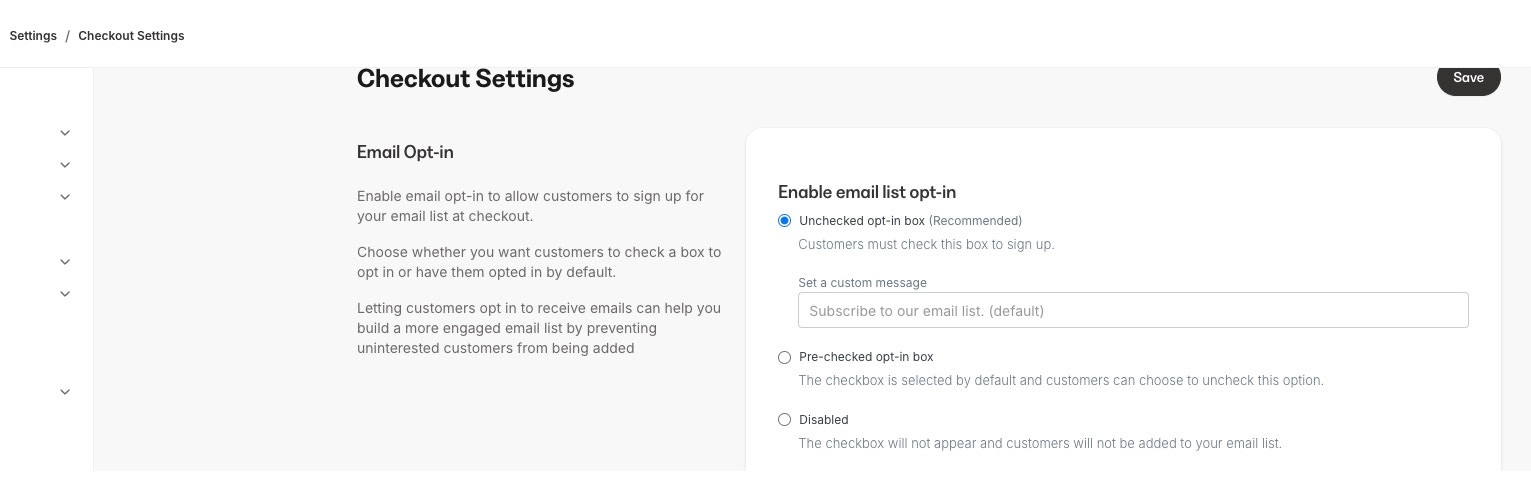
Warning: Depending on your location and where your customers are located, you may be required to use unchecked opt-in boxes by default. Review GDPR, CAN-SPAM, and other applicable privacy regulations to ensure your opt-in settings are compliant.
- Go to Sales > Offers
- Select the offer you want to configure
- Click Checkout in the left sidebar
- Scroll to the Save card section
- Toggle the save card option on or off
- Click Save
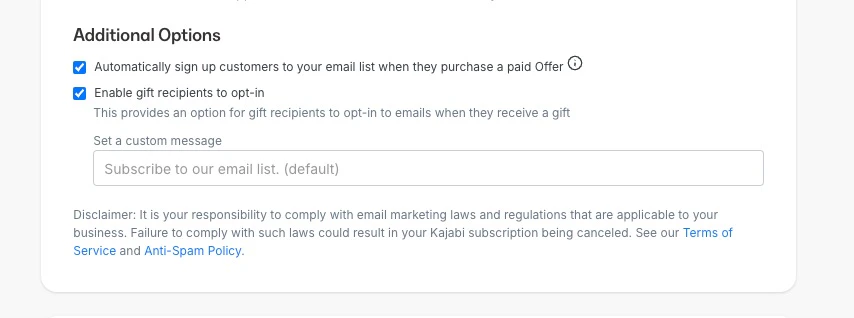
Warning: When enabling card storage, ensure you have appropriate privacy policies in place that disclose how customer payment information is stored and protected. This helps maintain customer trust and regulatory compliance.
Update opt-in settings for an existing offer
Modify the opt-in configuration on checkout pages you’ve already created.
- Go to Sales > Offers
- Select the offer with the checkout page you want to modify
- Click Checkout in the left sidebar
- Update the email opt-in or saved card settings as needed
- Click Save

