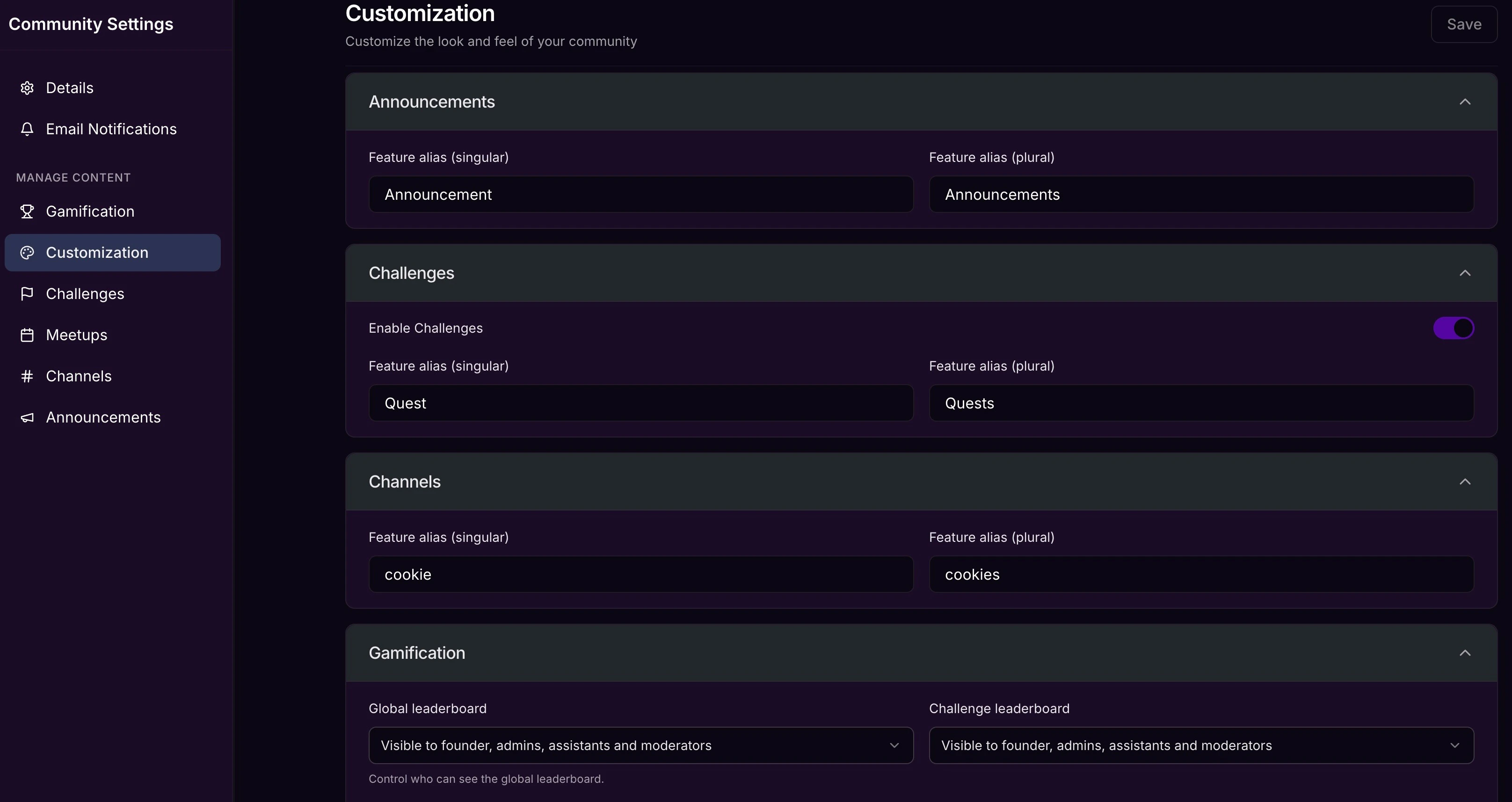
- Challenges
- Meetups
- Channels (formerly Circles)
- Live Rooms
- Announcements
- Leaderboards
Note: Renaming Community features will update the name for the feature across the entire app including desktop, mobile, and notifications. In addition to the app updates, the URLs will be updated to reflect the name change. However, the original name will display in your Community settings as an admin. Member-facing settings will not contain the original names.
Rename Community features
To rename Community features:- Open your Community.
- Click the ellipsis icon on your cover photo, then select Community Settings.
- Then, click Customization.
- Locate the feature you wish to rename and open the dropdown.
- Enter your Feature alias for both plural and singular.
- Then, click Save to keep and apply your changes.