Create a Meetup
Meetups are shown in your local time zone. The time is adjusted to your time zone automatically.- Open the Products tab from your Kajabi Dashboard.
- Select Community from the sidebar.
- Click Go to Community.
- Click the ”…” icon in the upper-left corner and select Community Settings.
- Navigate to Meetups and select Create Meetup.
- Fill in the info needed for your meetup:
- Image/Video: Upload a video or image for your Meetup.
- Title: Add the name of your event.
- Enter the event link for the virtual meetup in the “Location/ Meeting link” or you can use a Live Room by clicking the “Use Live Room” tab.
- Date: Schedule the date and time of your meetup.
- Description: Fill in the info giving a description of what you will be doing.
- Select which Access Group you want to have access to the meetup.
- (Optional) Select a channel related to this event.
- You have the option to create a recurring meetup. Select how often you want to hold this meetup.
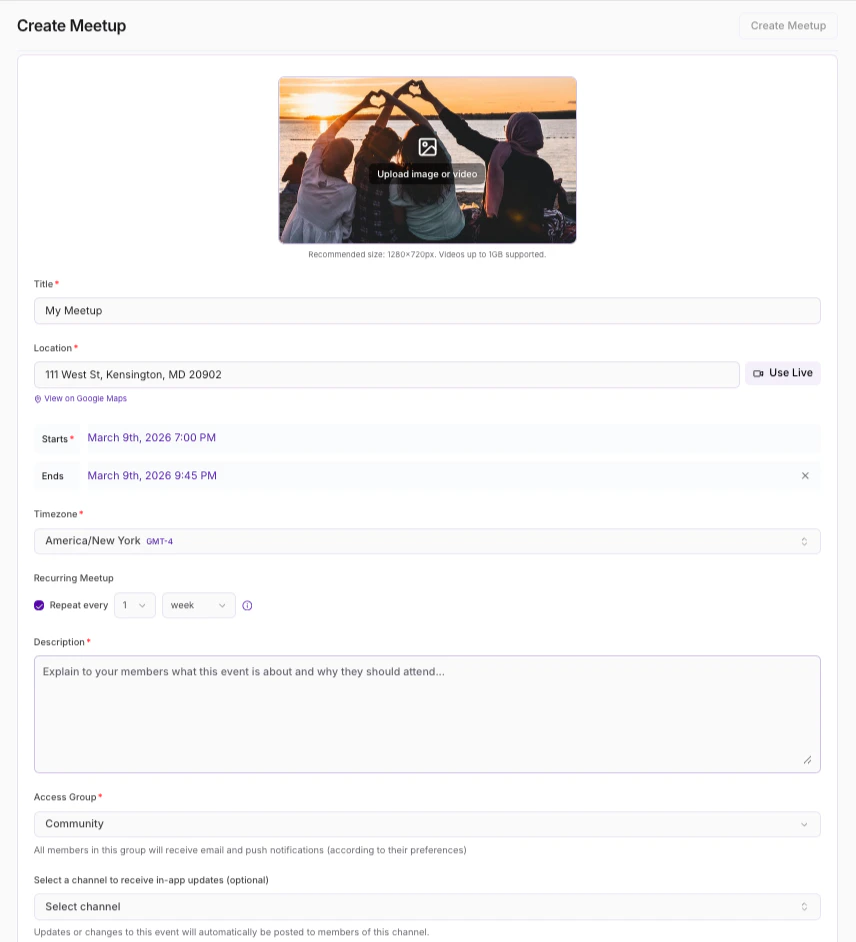
- Review the details and click **Save **to keep and apply your changes.
Note: If you want to upload an image or video file to your Meetup, there is a video upload limit of 1 GB and a photo upload limit of 40 MB.
Enable or disable Meetups
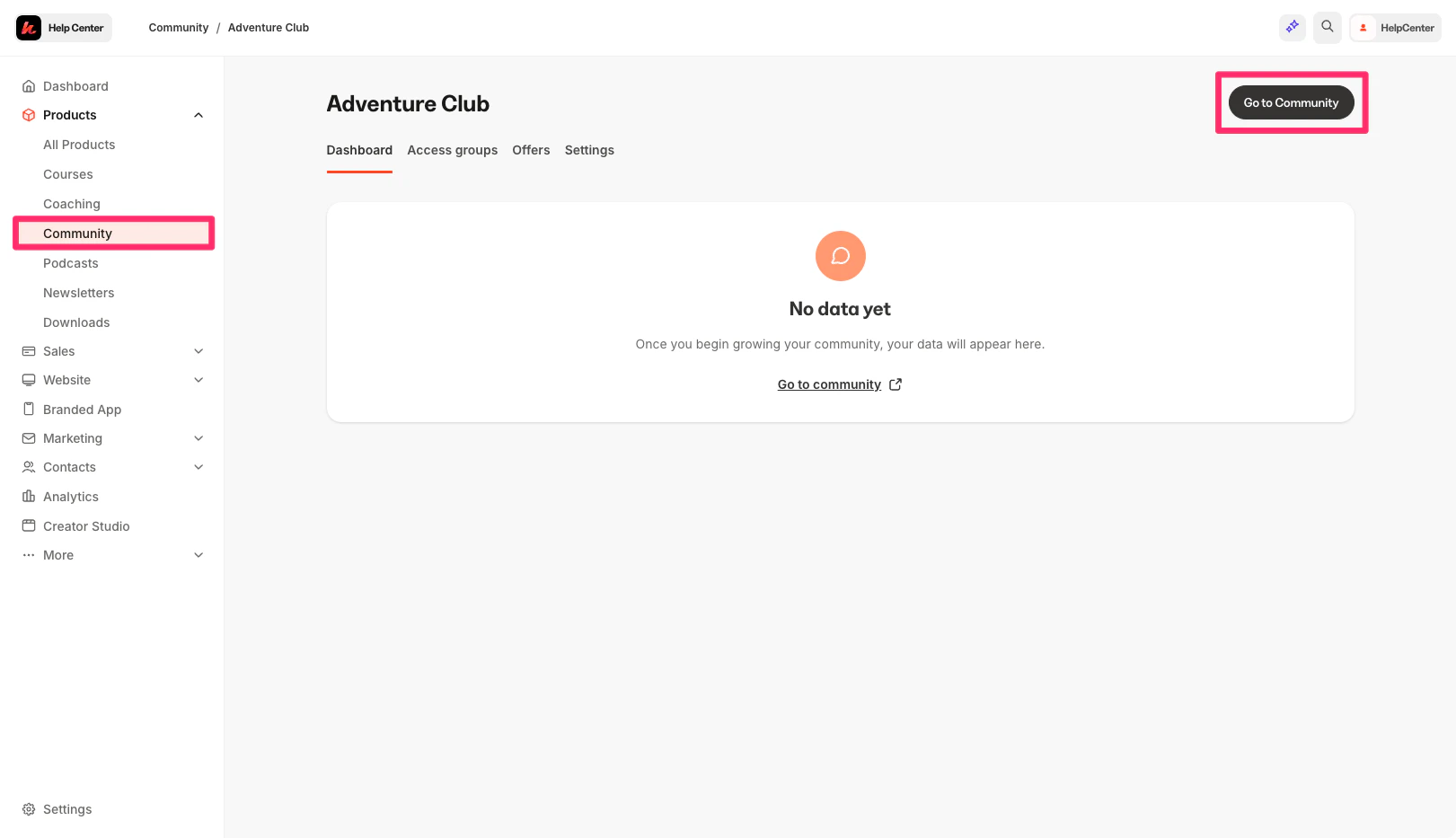
Turn on or off your meetups in your Communities product:- Open Products from your Kajabi Dashboard.
- Select Community.
- Click Go to Community:
- Click the ellipsis icon on your cover photo, then select Community Settings.
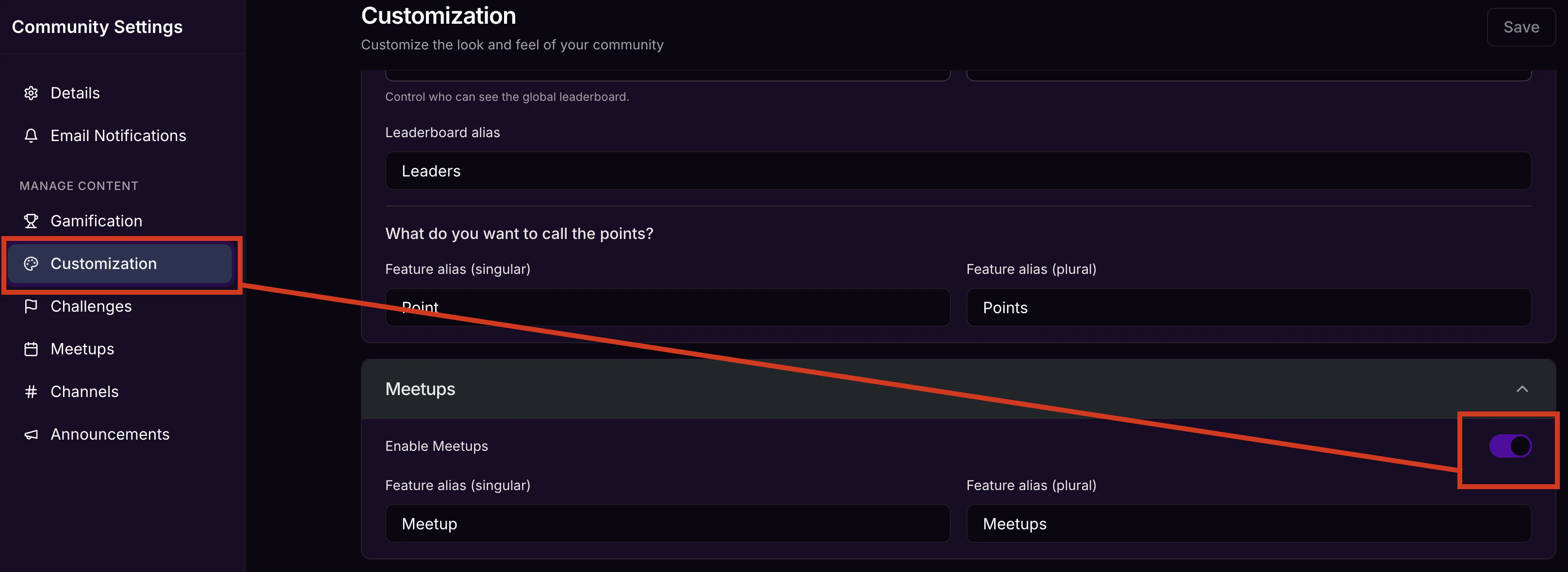
- Click Customization.
- Locate Features.
- Then, select Customization.
- Use the toggle for Enable Meetups to turn on or off your Meetups.
- Then, click Save to keep and apply your changes:
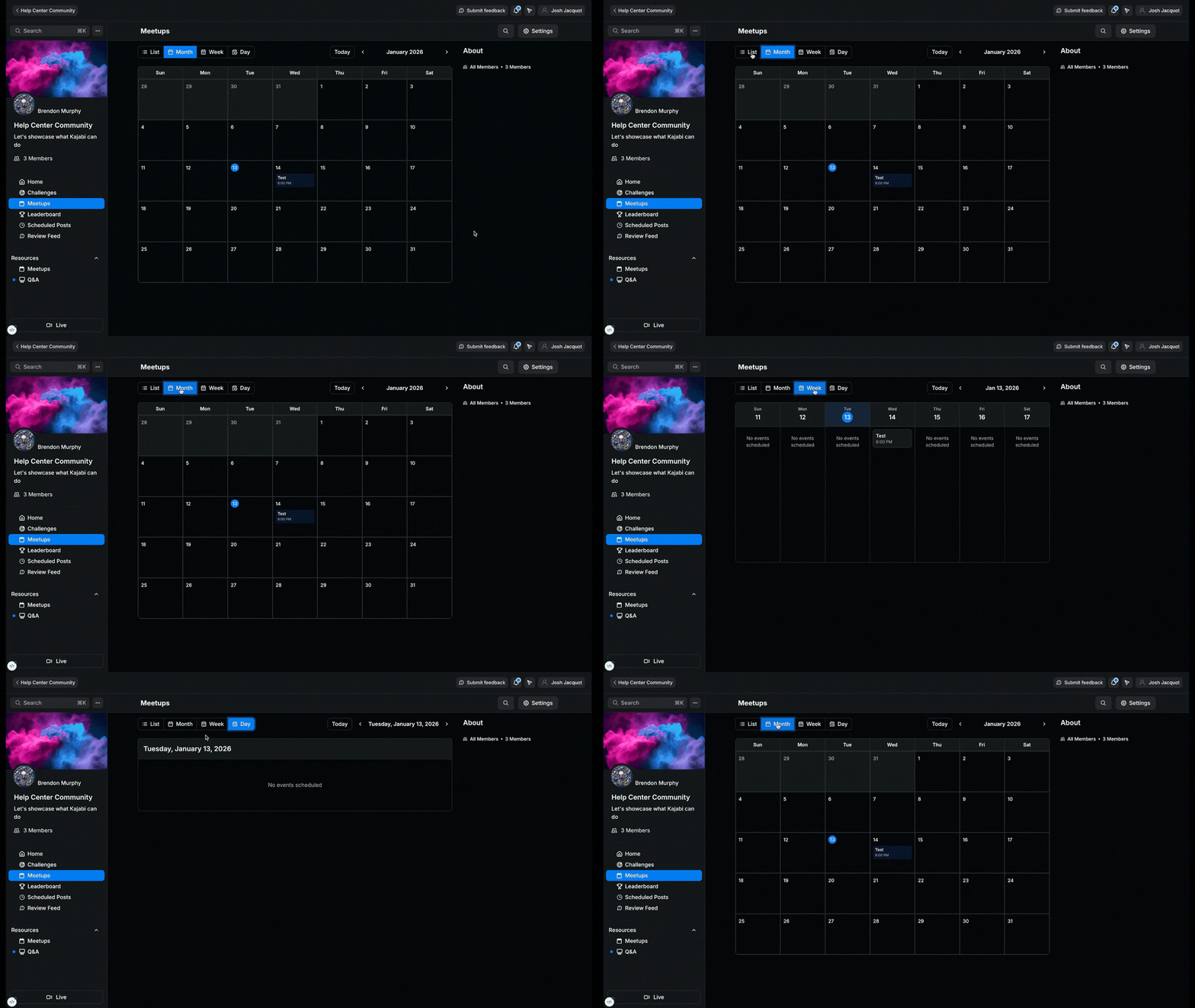
Calendar View
Finding and planning community events is easy with the community calendar.