

Create an Announcement
To post your Announcement using the Community web app:
- In the left sidebar, click the ellipsis icon beside the search bar.
- Select Community Settings.
- Navigate to Announcement then select +New announcement.
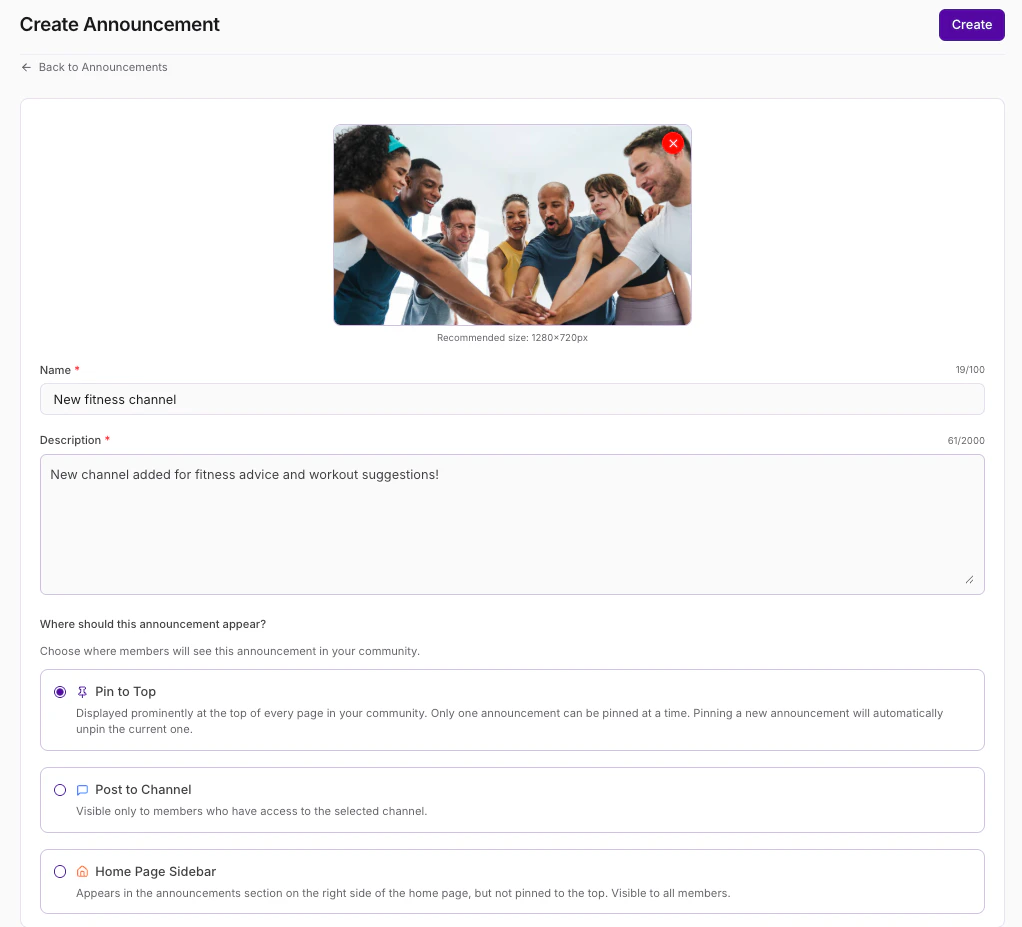
- Enter a Title and Description for your Announcement.
- (Optional) Click the Upload button to add a photo if desired (max file size is 40 MB).
- Choose from the following:
- Click the first toggle “on” to Pin this announcement to your homepage, or
- Click the second toggle “on” if This is a Channel announcement only. If you choose to pin your Announcement only to a specific Channel, select your desired Channel from the dropdown menu.
- Click Save to post your Announcement.
Edit or delete an Announcement
To edit or delete your Announcement using the Community web app:
- In the left sidebar, click the ellipsis … icon beside the search bar.
- Select Settings:
- Select Announcements.
- Place your cursor over the Announcement you wish to edit.
- Click the ellipsis … icon on the right.
- Select Edit announcement.
- Update as desired and click Save (or click Delete Announcement to delete your Announcement):
