

Update the Community URL
- Open your Community.
- Click the ellipsis icon on your cover photo, then select Community Settings.
- Select Details.
- Under Basic Information, navigate to the URL Slug field to change your URL.
- Input your URL Slug and click Save.
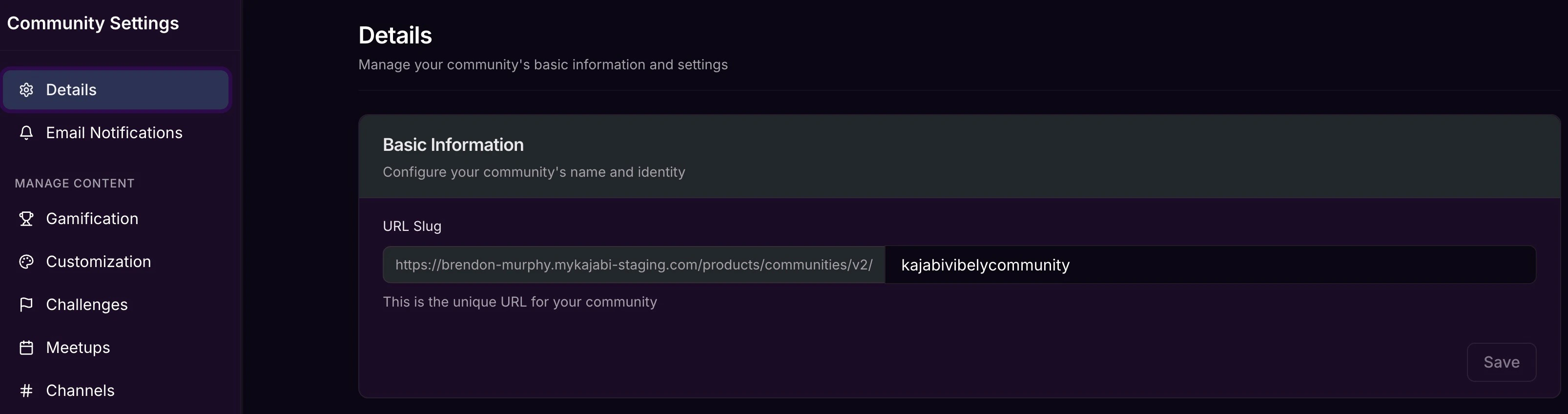
- The first part of the URL is pulled from your site’s domain.
- The last part is the section you can customize in the Community settings.