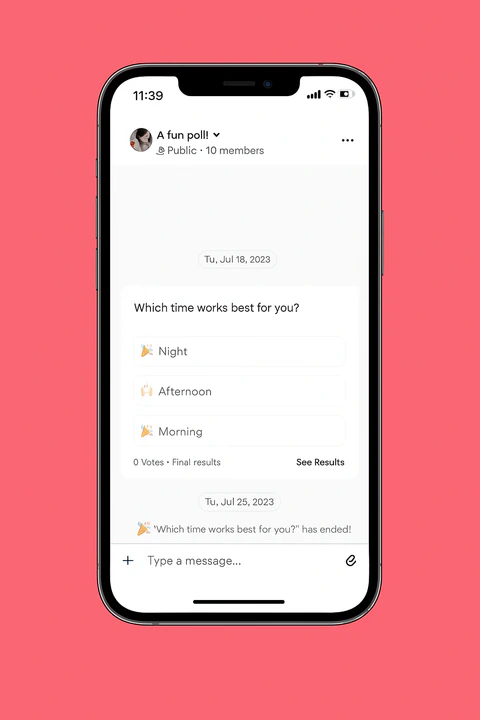
Create a Poll in the Channel Chat (Web)
Engage your community members with a poll inside of a chat:- Open the Products tab from your Dashboard.
- Select Community from the sidebar.
- Click Go to Community.
- Open the Channel where you want to create a poll.
- Click the ”+” icon at the lower left next to the message field.
- Click Create poll.
- Enter your poll questions and answer options.
- (Optional) Click the gear icon to:
- Enable “Allow Multiple Answers” (if needed).
- (Optional) Click the gear icon to:
- Set an End Date for the poll.
- Review your poll details and click Post:
Create a Poll in the Channel Feed (Web)
- Open the Products tab from your Dashboard.
- Select Community from the sidebar.
- Click Go to Community.
- Open the Channel Field where you want to create a poll.
- Write a post.
- Click the ”+” icon at the lower left of the Post box.
- Click the Poll icon.
- Enter your poll questions and answer options.
- (Optional) Click the gear icon to:
- Enable “Allow Multiple Answers” (if needed).
- Set an End Date for the poll.
- Review your poll details and click Post:
Create a Poll in the Channel Chat (Mobile)
Create a poll in your community chat channel from the mobile app:- Open the mobile app and select the Channels tab.
- Select the chat channel where you want to create a poll.
- Click the + icon at the lower left of the message entry field.
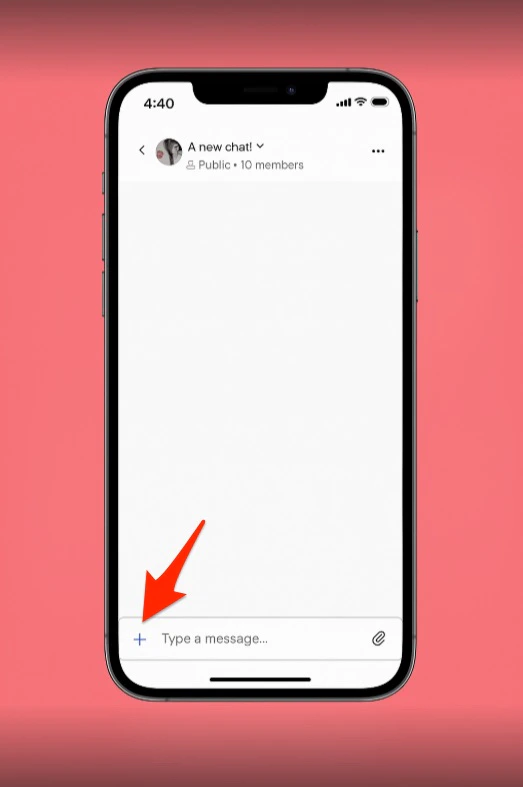
- Select Create a Poll.
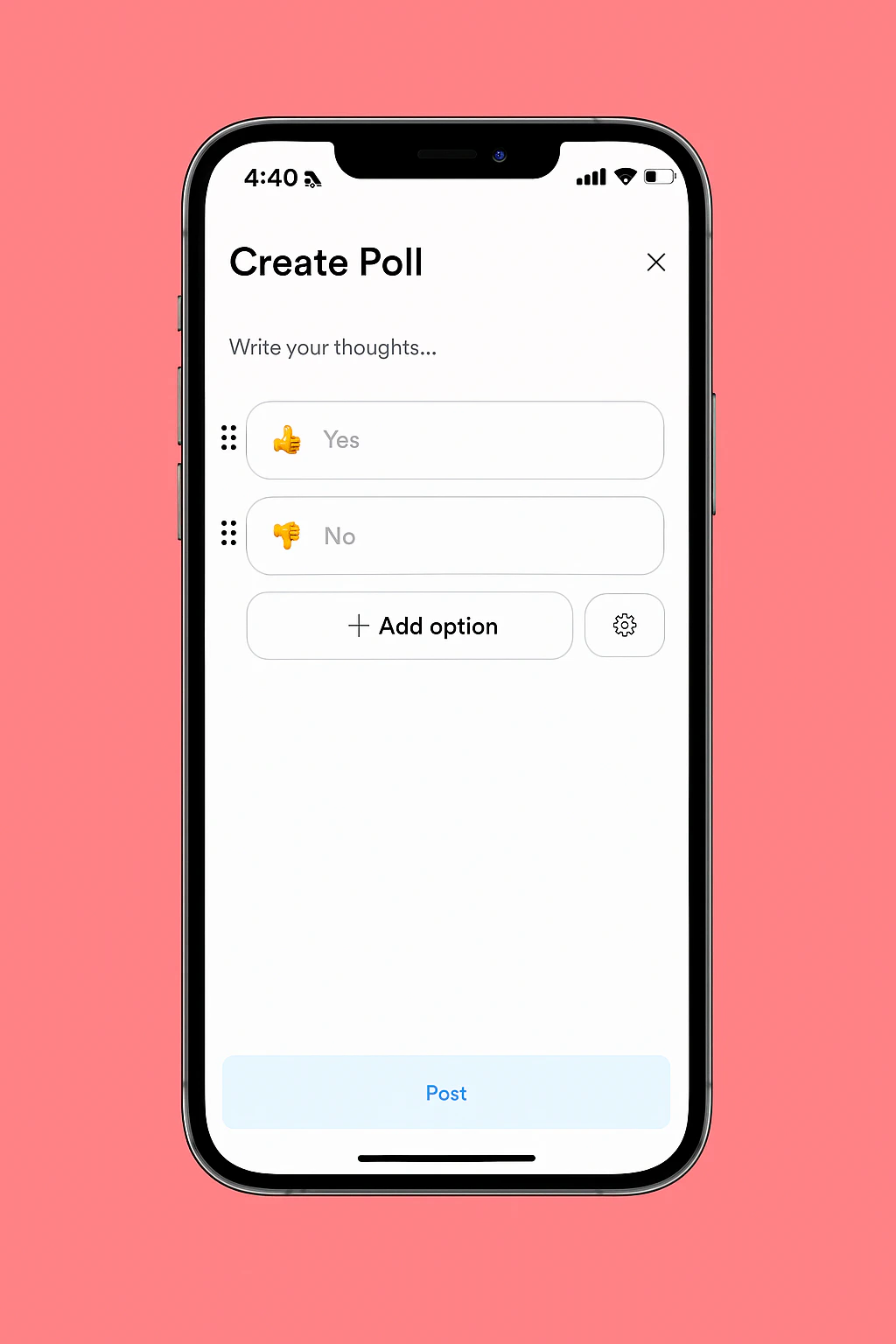
- Add your poll questions and answer options as needed.
- (Optional) Click the gear icon to:
- Enable Allow Multiple Answers (if needed).
- Set an End Date for the poll.
- Review your poll details and click Post.
Create a Poll in the Channel Feed (Mobile)
Create a poll in your community feed channel from the mobile app:- Open the mobile app and select the Channels tab.
- Select the feed channel where you want to create a poll.
- Click the poll icon.
- Add your poll questions and answer options as needed.
- (Optional) Click the gear icon to:
- Enable “Allow Multiple Answers” (if needed).
- Set an End Date for the poll.
- Review your poll details and click Post.