

Overview
Payments can fail when a customer’s recurring payment (subscription or payment plan) is not processed successfully. Kajabi Payments provides tools to handle failed payments, view and export them, and manage automatic retries.Note:
Kajabi Payments is currently available to Heroes whose businesses are registered in the United States, Canada, Australia, the United Arab Emirates, the United Kingdom, and select European countries.
Understand failed payments
Payments can fail when a customer’s recurring payment (subscription or payment plan) is not processed successfully. These failures can stem from a variety of reasons, including:- Lack of a payment method tied to the customer record
- An expired payment method
- The payment is declined, which can happen for a variety of reasons
Handle failed payments with Kajabi Payments
Kajabi Payments uses Stripe’s Smart Retries feature to automatically attempt to recover failed payments. When a payment fails, Smart Retries will attempt to collect the payment up to 4 times over the course of several weeks. The timing of retries is optimized for success—for example, the attempt could be sooner if it predicts there is a higher chance of success due to new information. For additional insights, refer to Stripe’s documentation on Smart Retries.What happens when a payment fails?
- If a payment fails, the status of the purchase record becomes Past Due wherever it is displayed in Kajabi
- On the Transactions Details page, the failed charge shows a Retrying status
- If a retry succeeds, the status is set back to Active
- If all 4 retries fail, the subscription or payment plan will be Canceled which revokes product access for the customer
Automatic emails
When a payment fails, Kajabi will automatically send emails to:- Your customer, prompting them to update their payment information when a payment fails. Learn how to customize the failed payment email notification.
- Your email on file, alerting you why the payment didn’t go through, how many times we’ve retried, and the approximate date for the next attempt.
View failed payments
To access information regarding failed payments, follow these steps:- Navigate to the Payments page
- Click the Transactions tab
- Click Filter
- In the Filter Menu, select Failed and Kajabi Payments
- Apply the filter to view failed payments
- Use … to view more details about the failed payment
Export failed payments
To export your failed payment data:- Go to Sales > Transactions
- Filter for Failed payments
- Click Export
Auto revoke and auto grant after failed payment
If you want to revoke product access after the first failed payment for a subscription or payment plan, and then have access auto-granted back to your customer once the payment has succeeded, this setting can be turned on from your Customer Payments setting page. This feature is exclusively available to Kajabi Payments and Stripe. To turn on Auto Revoke/Auto Grant:- From your Kajabi Dashboard, navigate to Settings
- In Settings, select Customer Payments
- Toggle the box under the revoke and grant access section
- Click Save to apply the changes
Note:
The auto revoke/grant feature does not trigger grant automations.
Manually retry failed payments
With Kajabi Payments, you can manually retry a failed payment. This process can be attempted twice every 24 hours, per transaction. To manually retry a failed payment:- From the Kajabi Dashboard select the Sales tab
- Click Payments
- Select the Transactions tab
- Locate the transaction you wish to retry, then click on the payment
- Select Retry Payment
- Click Retry Payment in the pop-up window to confirm
Turn off automatic retries
If you’d prefer to stop retries after a failed payment—without canceling the subscription—you can do so directly in Kajabi.Disable automatic retries on a failed payment
- Go to Sales > Payments > Transactions
- Locate the failed transaction. You can do this by filtering by status: Failed
- Once you have selected the failed transaction click the … menu and select Turn Off Automatic Retries

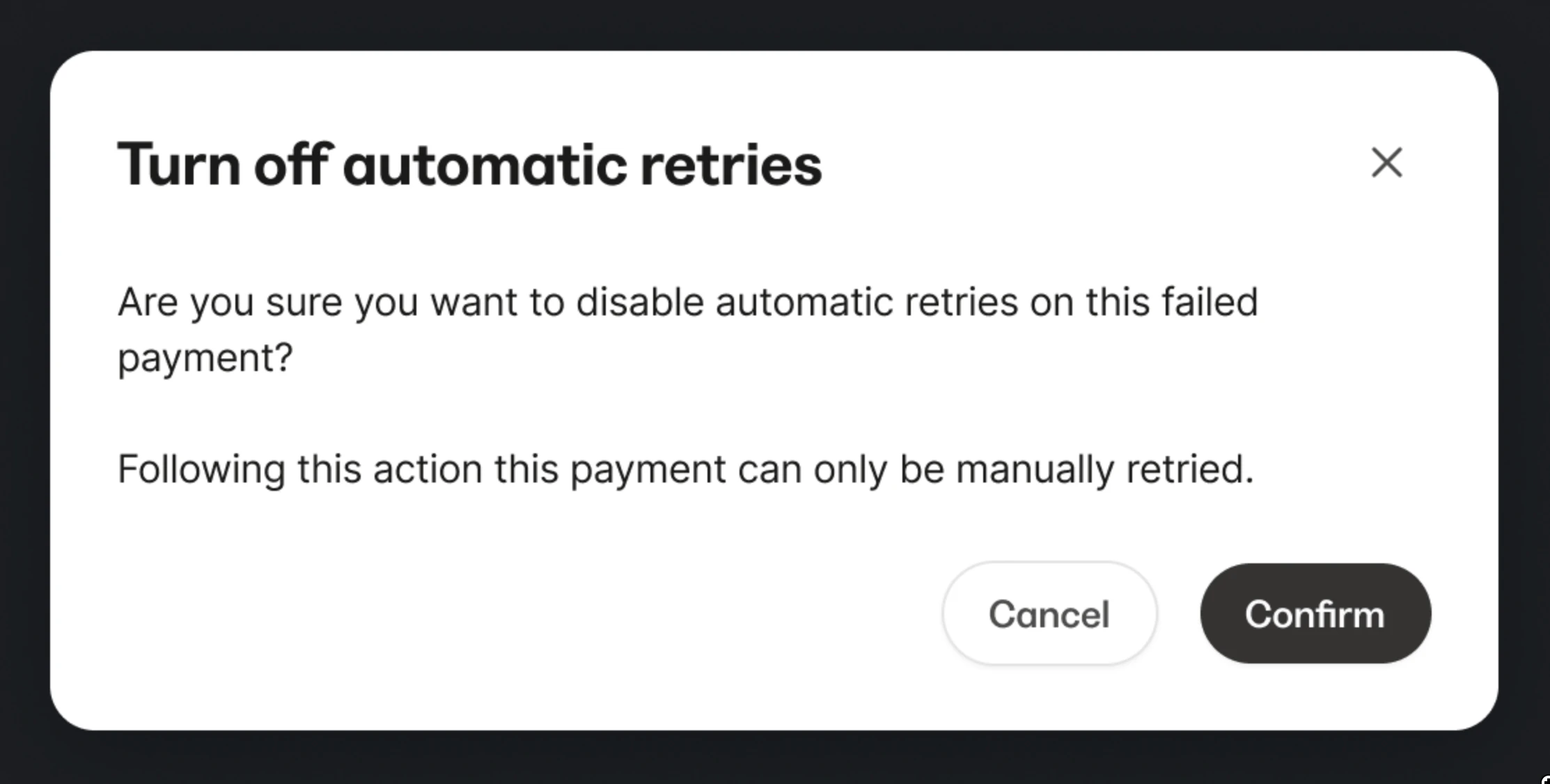
- Retry attempts will stop immediately
- The transaction will update from Retrying to Failed
- The subscription remains active unless manually canceled
Disable automatic retries when canceling a subscription or payment plan
- Go to Sales > Payments > Transactions
- Locate the subscription or payment plan
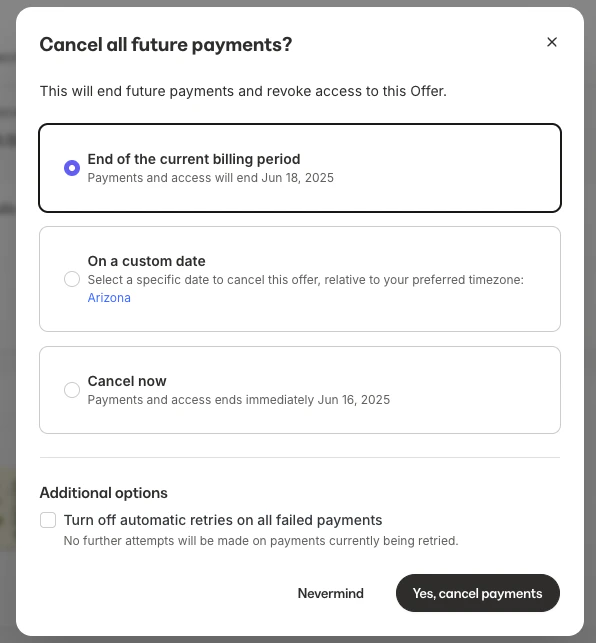
- Click the … menu and select Cancel Subscription
- Select your cancellation option and check the box Turn off automatic retries on all failed payments
Disable automatic retries when pausing a subscription or payment plan
- Go to Sales > Payments > Transactions
- Locate the subscription or payment plan
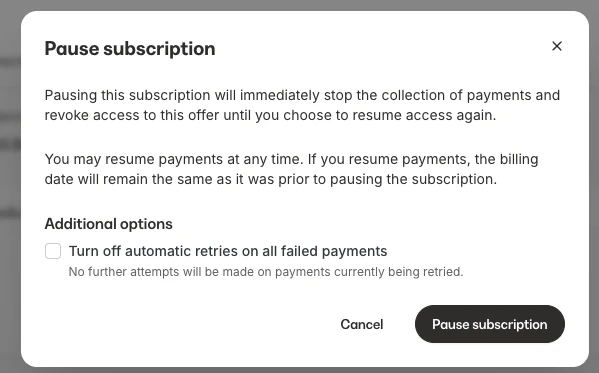
- Click the … menu and select Pause Subscription
- Check the box Turn off automatic retries on all failed payments
- Click the Pause subscription button
Note:
This is only available for Kajabi Payments and only applies to subscription or payment plan types.