Overview
Kajabi offers a migration service to help you upgrade your active subscriptions and payment plans from Stripe into Kajabi Payments. Your customers will not need to re-enter their payment information or re-purchase—billing and access continue seamlessly. When you switch to Kajabi Payments, you avoid costly third-party fees and streamline your business in one place. You’ll also unlock high-converting payment options your customers love, such as Apple Pay and Google Pay, and flexible Buy Now, Pay Later choices through Afterpay and Klarna.Note: Kajabi Payments is currently available to Kajabi Heroes whose businesses are registered in the United States, Canada, Australia, the United Arab Emirates, the United Kingdom, and select European countries.
What to expect during the migration
Submit a request
Complete the migration request form to get started.Review & schedule
Our team will confirm eligibility, outline requirements, and lock in your migration date.Migration in progress
We’ll seamlessly migrate your subscriptions and/or payment plans into Kajabi Payments. Your customers don’t need to take any action, and their billing schedules and access remain uninterrupted. This lets you stay focused on your business.Move subscriptions & payment plans to Kajabi Payments
Create plans
We create a subscription or payment plan in Kajabi Payments using your customer data from Stripe. The plan picks up right where the Stripe plan left off.Keep billing on track
Billing schedules match the original Stripe plan exactly. Customers are not charged again until their regular renewal date.Transition the Stripe plan
Immediately after the subscription or payment plan is created, the old Stripe plan is canceled to prevent duplicate billing.Maintain access
Product access and progress continues without interruption.Admin view after migration
In the customer’s Purchases tab, you’ll see both the original Stripe record and the Kajabi Payments record. Each entry is clearly labeled as Canceled by Kajabi migration for the Stripe plan and Created by Kajabi migration for the new one. You can click into either record for details, and a link back to the original Stripe record will also be available. For payment plans, the Kajabi Payments record will only show the remaining installments. For example, if a customer completed 2 of 10 payments before migration, the plan will display as 0 of 8, keeping the schedule aligned.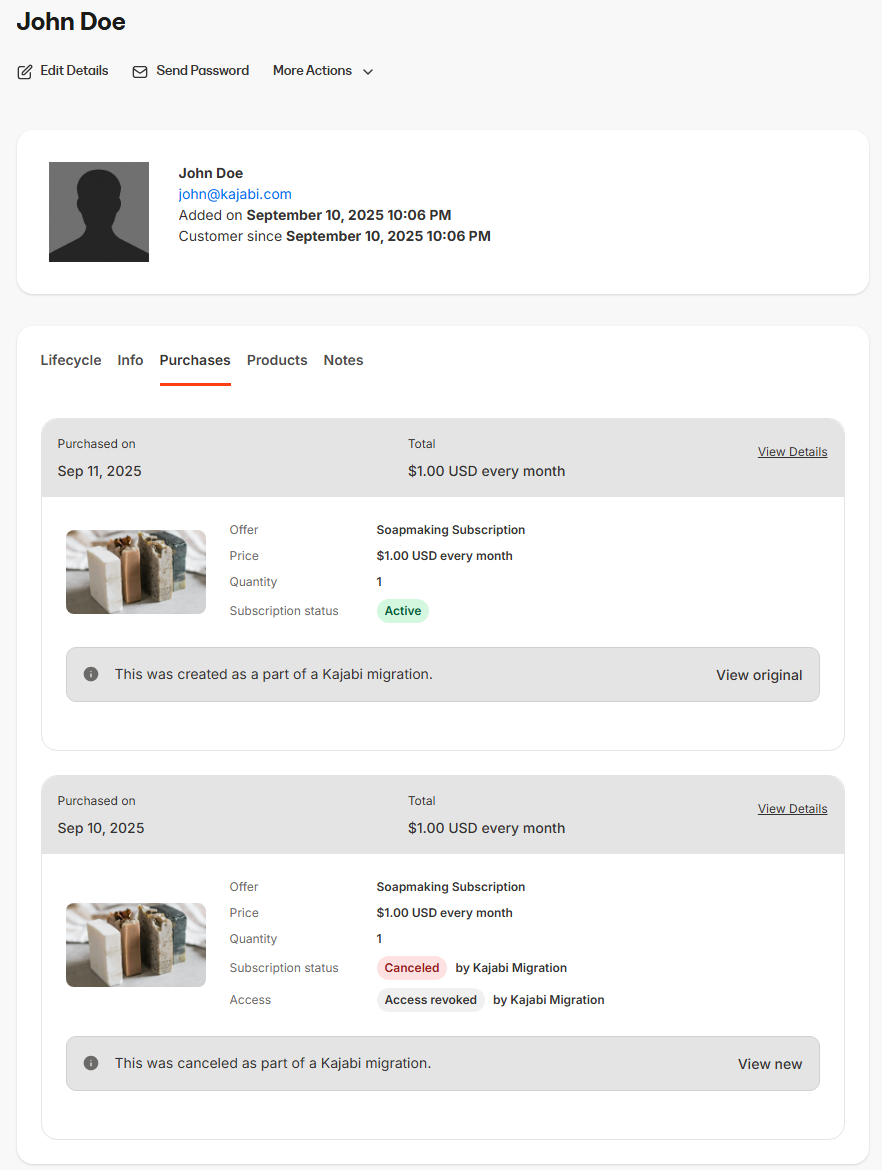
Customer view after migration
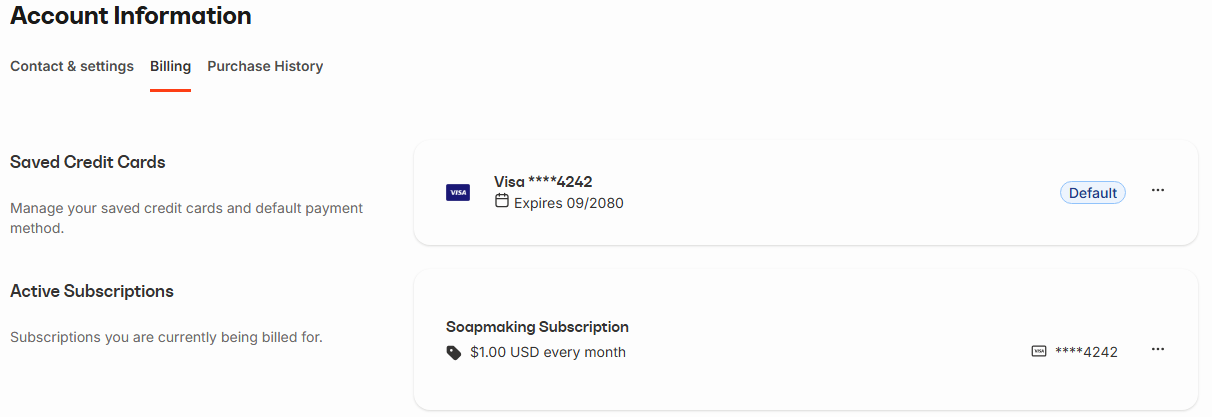
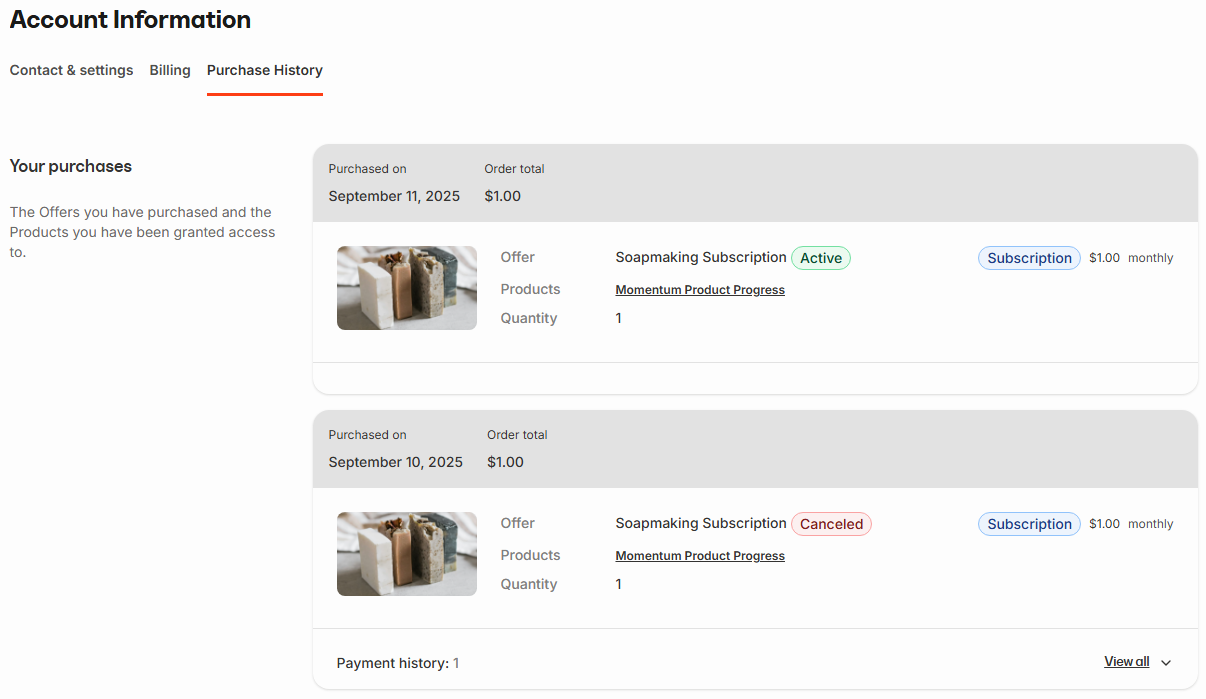
Your customers will hardly notice a change. In their account, they’ll see one active subscription in billing, just as before. If they check their purchase history, the original Stripe subscription will appear as canceled with all past receipts still available, and the active subscription or payment in Kajabi Payments will show as their current plan. Everything looks familiar, clear, and uninterrupted.