Overview
If you’ve received a notification indicating that your Employer Identification Number (EIN) has not been verified, you’ll need to upload your tax documentation and ensure your business information matches exactly.Note:
Kajabi Payments is currently available to Heroes whose businesses are registered in the United States, Canada, Australia, the United Arab Emirates, the United Kingdom, and select European countries.
Upload tax documentation
If you have received an email or notification indicating that your Employer Identification Number (EIN) has not been able to be verified, you will need to upload your tax documentation.To upload your tax documentation:
- Open Settings in the bottom left corner of your Kajabi Dashboard
- Click Payment Integration
- Open the More actions menu by clicking the three dots above Kajabi Payments
- Click Finish setup
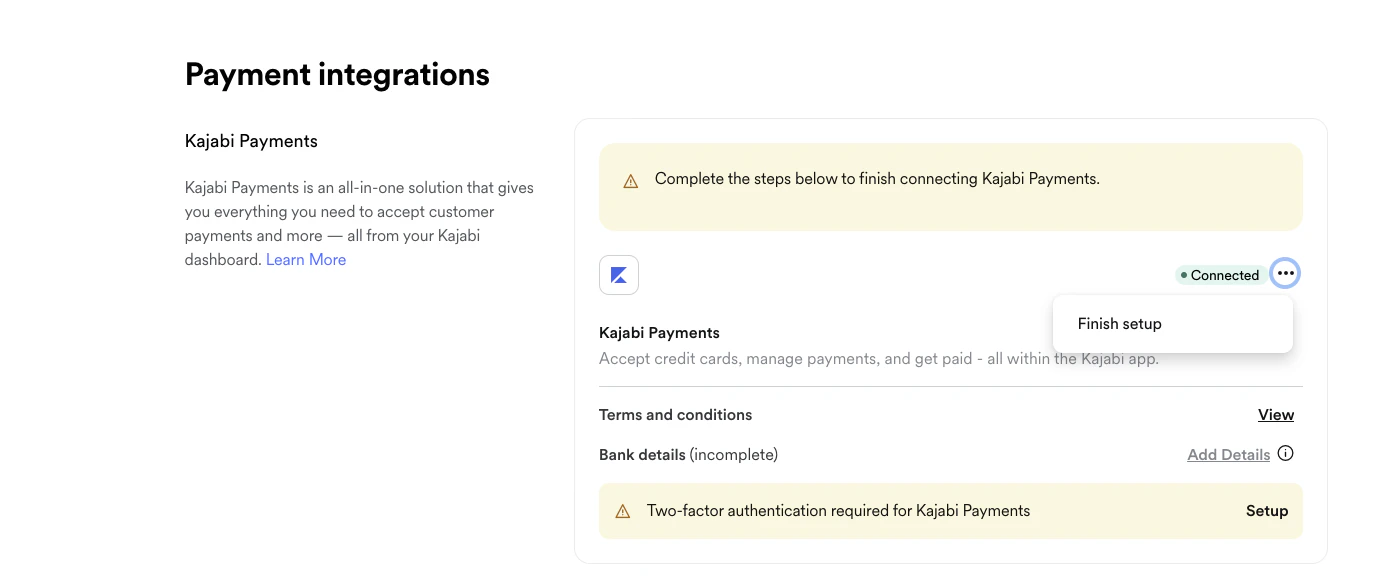
- Upload your tax documentation as indicated on the onboarding page:
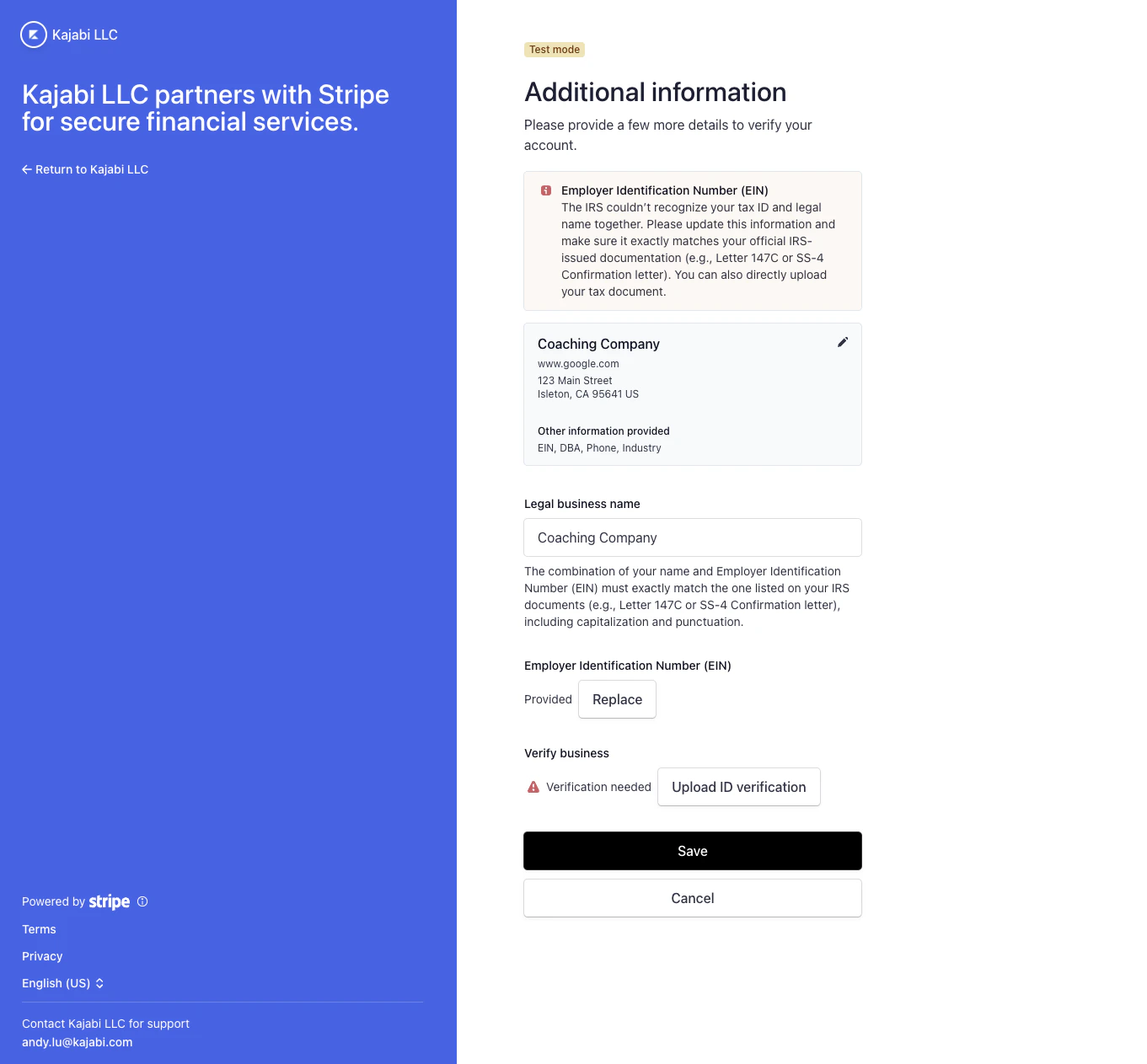
Match a legal business name and EIN to documentation
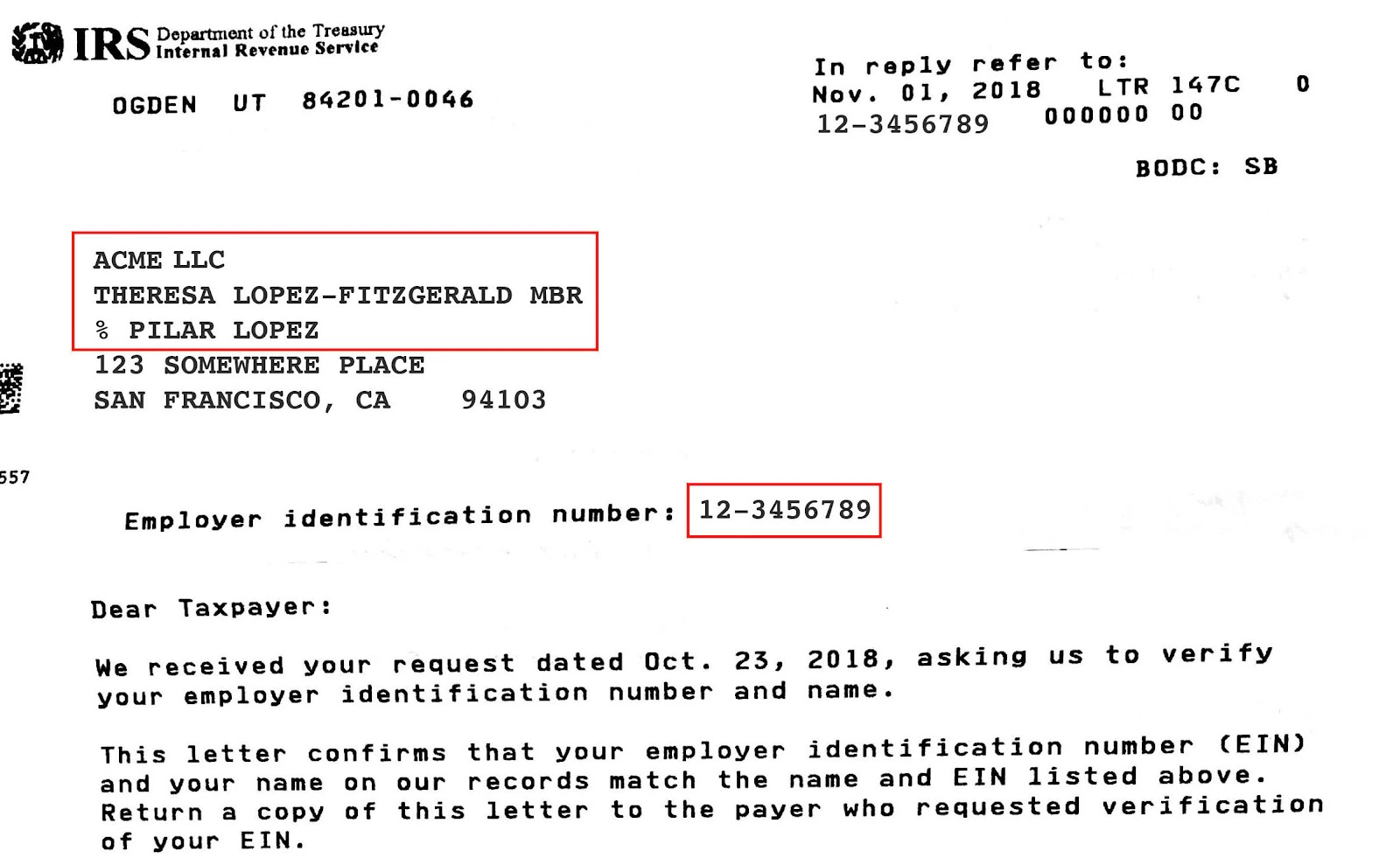
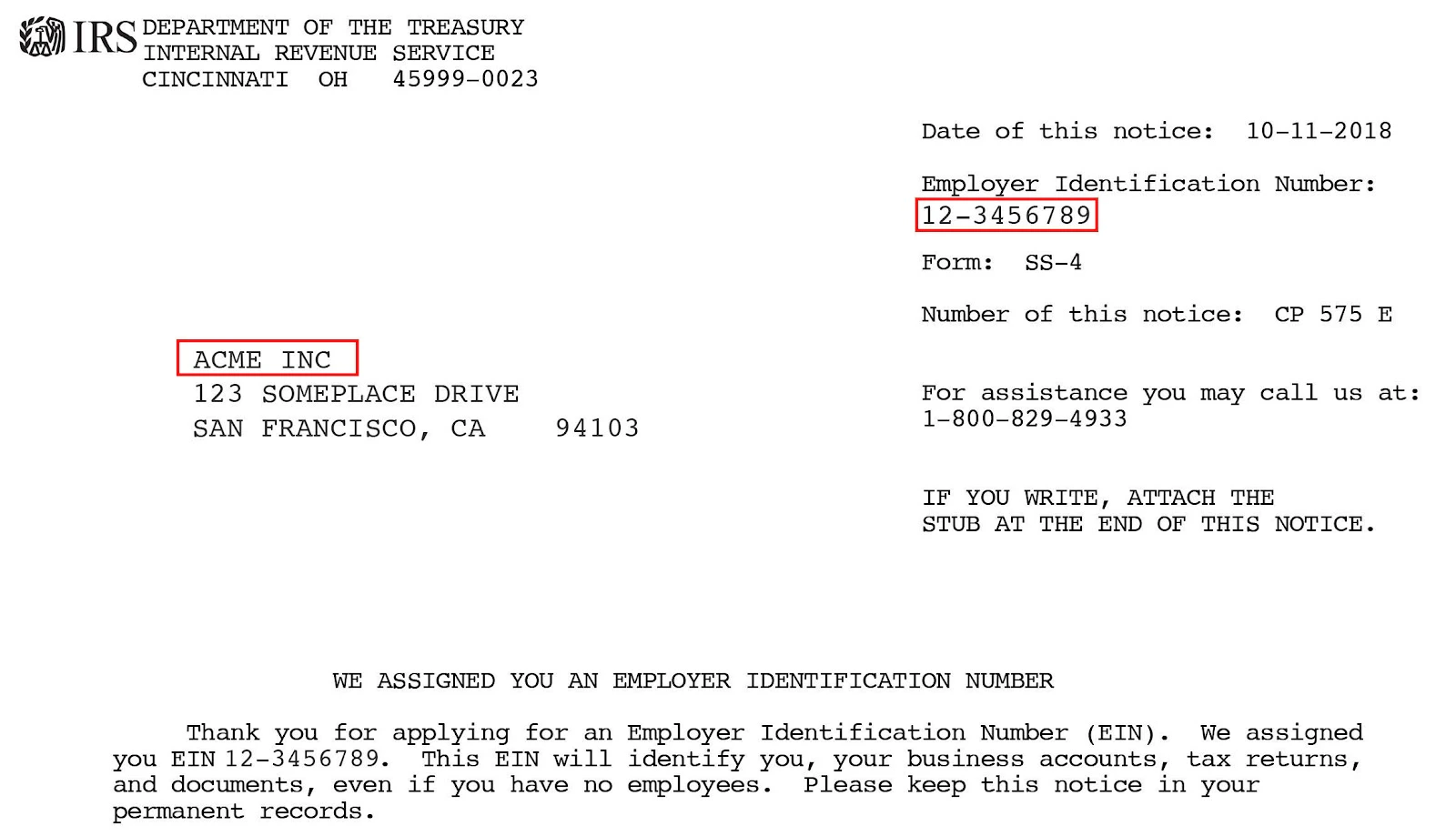
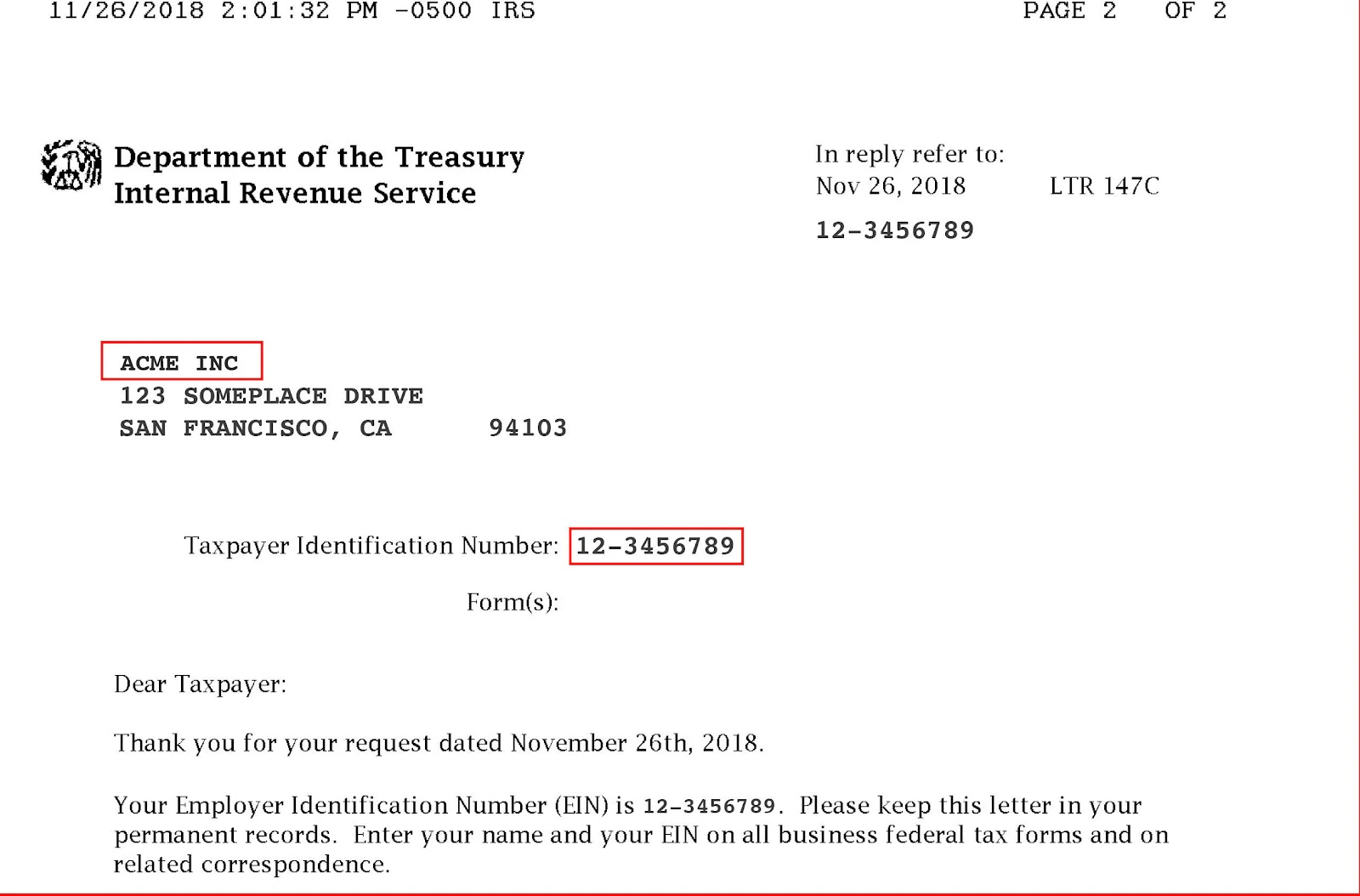
Ensure your Legal Business Name and EIN match your documentation exactly. It is important to note any capitalization, punctuation, and second lines as the name needs to match IRS records precisely. Using IRS documentation as reference when entering business name and tax ID number (TIN) for US-based businesses It is important that the information you enter for your legal name and tax ID number exactly match the information displayed on your official IRS-issued documentation, such as your SS-4 confirmation letter or your Letter 147C (the record of how your entity is filed with the IRS). The IRS may display business name, and/or owner name, and/or organization name, or other unexpected combinations of information in their records. It is a common naming convention for LLCs to include both the owner name and the business name. For Kajabi Payments partners to verify this information with the IRS, the full name must be entered exactly as displayed on these forms, including upper/lower case, symbols, and punctuation placement. When in doubt, enter all information listed above the business address. If there are several lines above the address, enter all details on one line separated by single spaces. If your legal name and tax ID on file match the information on your SS-4 confirmation letter and Kajabi Payments partners are unable to verify it with IRS records, it is best to call the IRS and request a Letter 147C (the record of how your entity is filed with the IRS). If Kajabi Payments partners are still unable to verify the information on your recently obtained Letter 147C, upload a copy of your Letter 147C to the Dashboard.SS-4 confirmation letter examples
Example 1
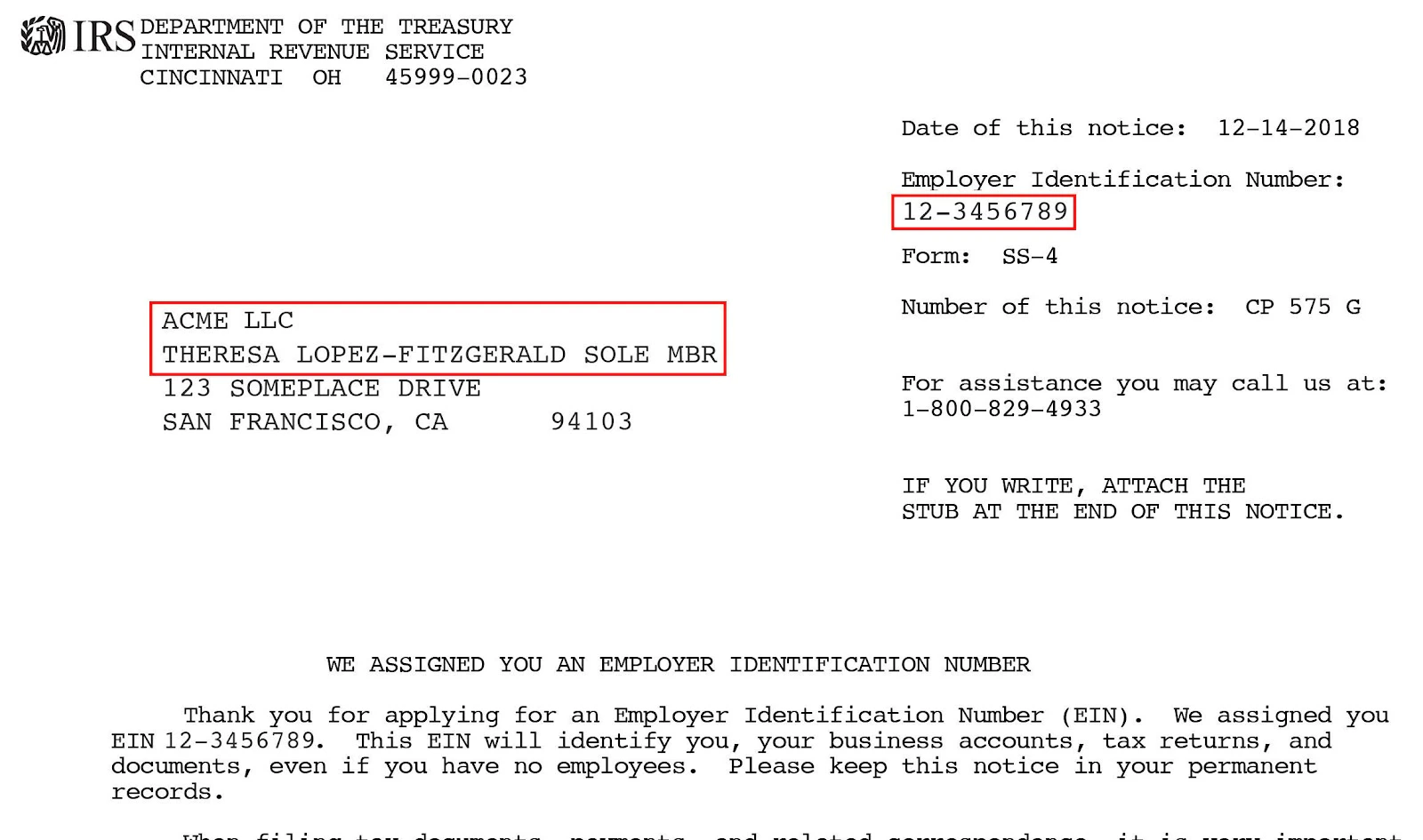
Example 2
Letter 147C examples
Example 1
Example 2