Overview
Xero is an accounting software that streamlines financial tasks for businesses and individuals. It offers tools for expense tracking, invoicing, bank reconciliation, and real-time reporting. With the Kajabi Payments integration, Xero creates a feed to automatically import your recent Kajabi Payment transactions so you can reconcile transactions regularly and know where your business stands.Note:
Xero is only available through Kajabi Payments. Learn more about onboarding to Kajabi Payments.
Imported data from Kajabi Payments
Kajabi Payments passes all of your payout information directly to Xero including a breakdown of the following information:- Fees
- Payouts
- Transaction Amount
- Offer Internal Title
- Offer ID
- Customer email
- Customer address information (address, state, zip, country)
- Offer Quantity
- Sales Tax Amount
- Sales Tax Name
- Sales Tax Rates
- Order ID (for Cart transactions)
Integrate Xero with Kajabi Payments
To leverage the Xero integration, you must have a Xero account and have Kajabi Payments fully set up. To integrate Xero with your connected Kajabi Payments account:- Open the Settings page from the Dashboard
- Click Payment Setup
- Click View app
- Click Install app
- Click Connect Xero
- Sign up for a Xero account, or sign in to authenticate your Xero account
- Click Complete setup
Sync historical payouts to Xero
When you connect Xero to Kajabi Payments, all new payouts will automatically be synced to your Xero account. To sync your previous payouts, follow these steps:- Open the Settings page from the Dashboard
- Click Payment Setup
- Select the … menu located next to the Xero integration and click on View app
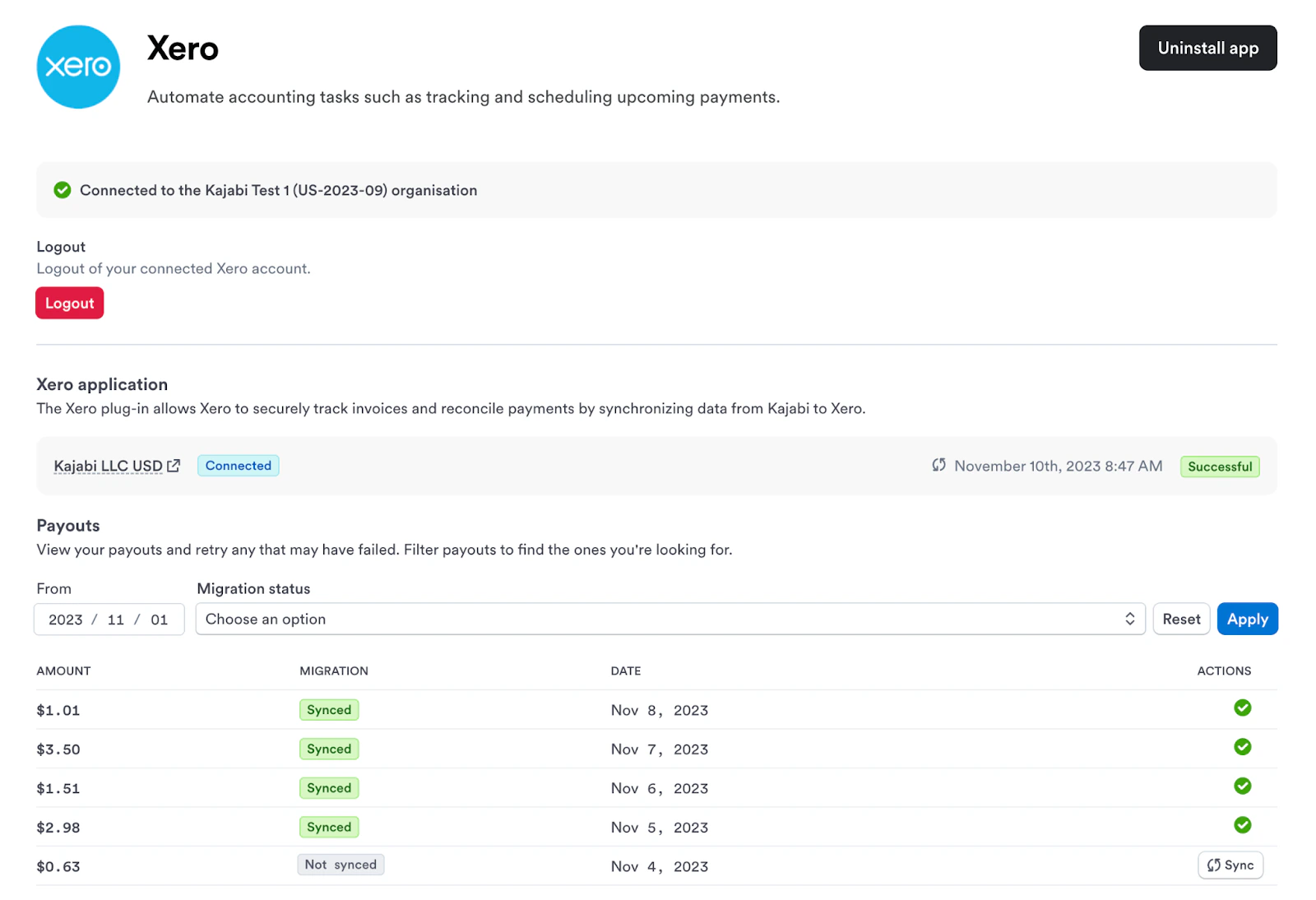
- Under Payouts, select the start date that you would like to gather all unsynced payouts from (to sync all of your previous Kajabi Payments payouts, we recommend selecting a date before you received your first Kajabi Payments payout)
- Change the Migration status to Not synched. Click Apply
- You should see the Sync button next to each of your previous payouts that have not been synced with Xero. Select Sync for each payout you would like to be synced to Xero