

Note:
Looking for the email notifications sent to your customers and contacts? Learn about the email templates sent by your site.
Configure email notifications
- Open the Settings tab from your Dashboard.
- Select Notifications & Privacy from your Account Settings.
- Update your email notifications.
- Remember to click Save to keep your changes.
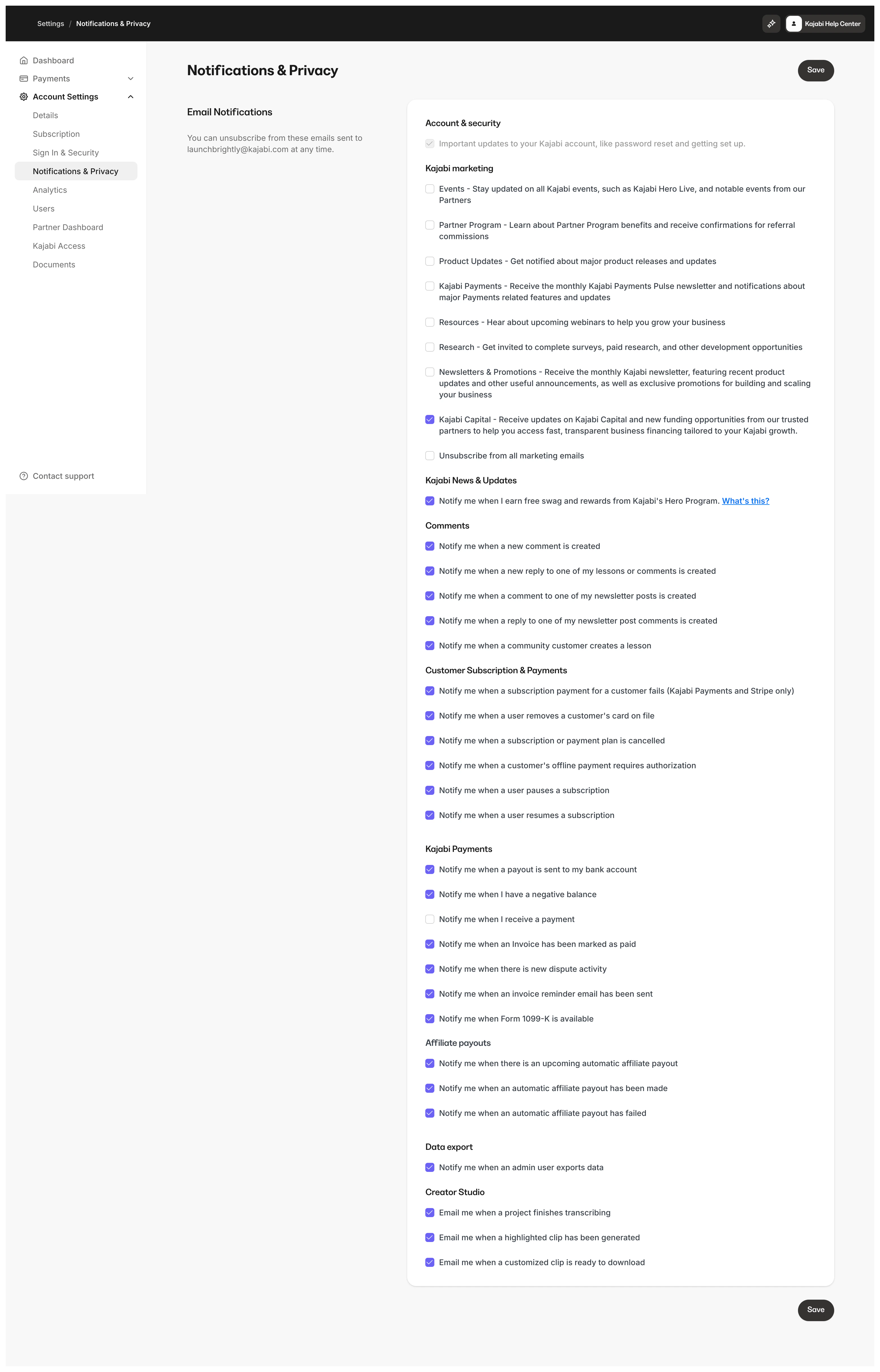
Marketing emails
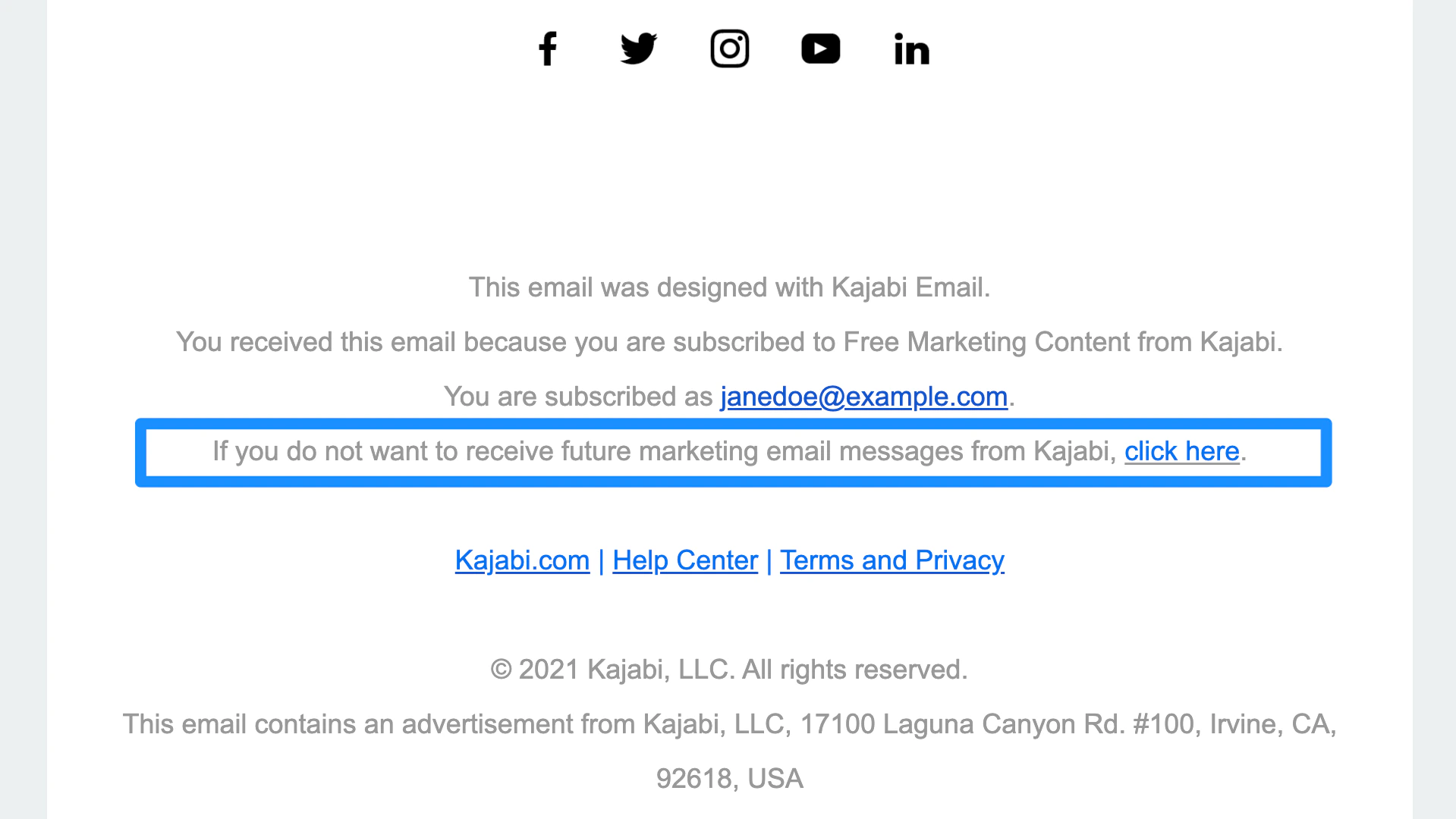
Kajabi sends marketing emails to share information about features, swag rewards for reaching a Hero tier, promotions, and updates about Kajabi. You can find out if an email you received from us is a marketing email by scrolling down to the bottom of the email you received and locating the text, “You received this email because you are subscribed to Free Marketing Content from Kajabi.” If you see this text, then it is a Kajabi marketing email.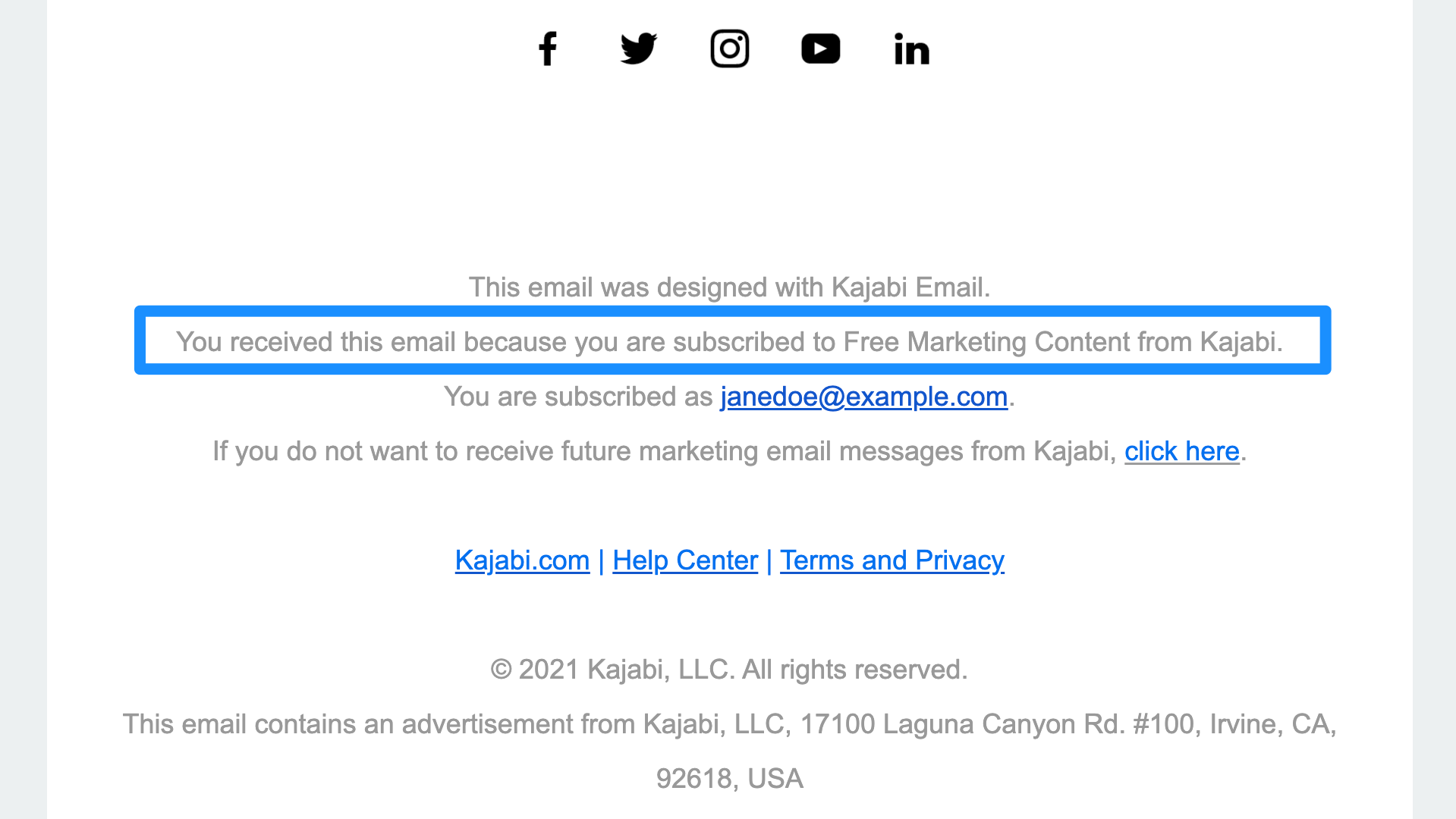
Account & security
Subscribe to Account & security emails to receive important updates about your Kajabi account, such as password reset emails and setting up.Comments & posts
Receive notifications when:- A new comment is created
- A new reply to your post or comment is created
- A community customer creates a post
Customer subscription & payments
Receive email notifications when:- A subscription payment for a customer fails
- A customer removes their card on file
- A customer cancels a subscription
- A customer’s offline payment requires authorization
Kajabi Payments
Receive email notifications when:- A payout is sent to your bank account
- You have a negative balance
- You receive a payment
- There is new dispute activity
- An invoice has been marked as paid
- An invoice reminder email has been sent
Data export
If you enable Data export notifiers, every time data from one of the reports listed below is exported, you, as the owner of the account, will receive a notification: Payments: If you want to receive notifications when an Offer is purchased or a Form is submitted, learn how to set after purchase settings to notify your team after an Offer is purchased, or learn how to set after submission settings to notify your team after a Form is submitted. Analytics:Creator Studio
Receive an email notification when:- A project finishes transcribing
- A highlighted clip has been generated
- A customized clip is ready to download
Send renewal reminders
Automations Set up an email automation to send reminders before subscription renewals. Adjust timing and content to maintain consistency. Email Broadcasts Use manual broadcast features for personalized communication with a specific subscriber group.Note:
Keep in mind that there may be other types of email notifications that are sent, but the emails listed above are the most common.
Important:
It is important not to mark notification emails as spam in your email provider (e.g., Gmail, Outlook.com, etc.). This will result in you not receiving future notifications from Kajabi, including password reset emails. If you are having trouble receiving notification emails, please contact support.