

View the offers sold report
- Open the Analytics tab from your Dashboard
- Click View in the Offers Sold card
Filter the offers sold report
- Payment Type
- Currency
- Offer
- Date
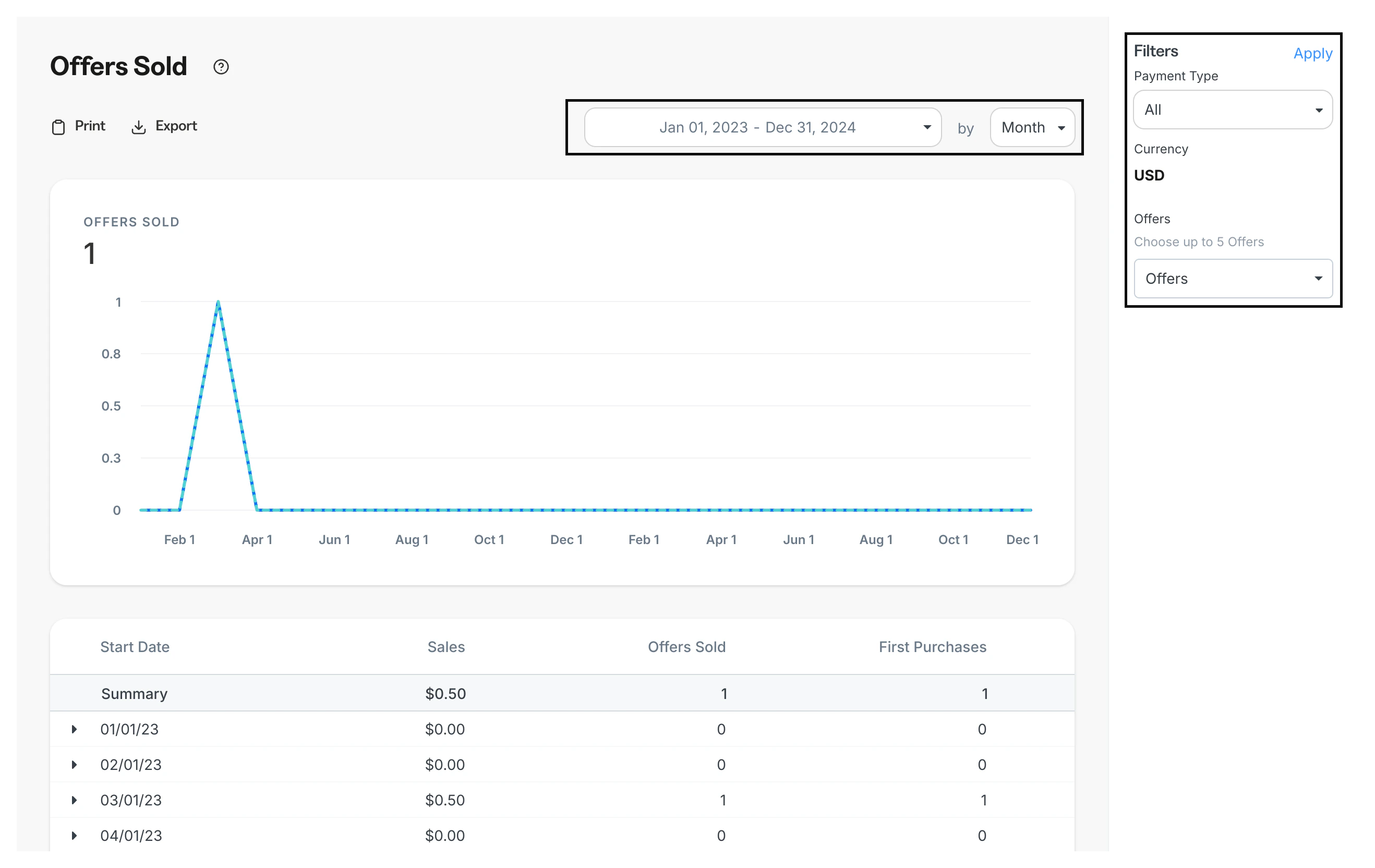
Understand the offers sold report
Offers Sold indicates the total number of offers purchased, including both first purchases and regular purchases.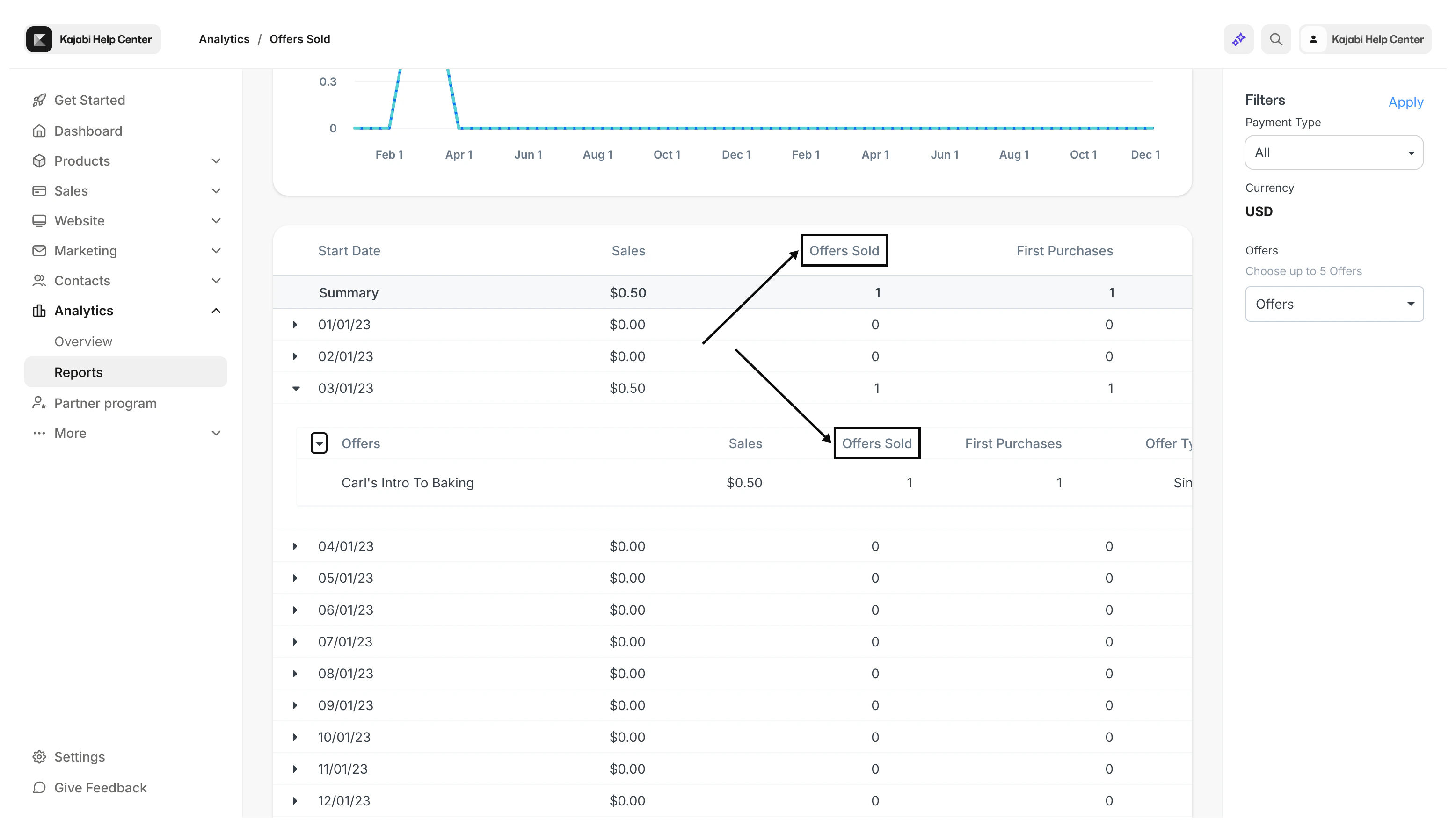
First purchase vs. regular purchases
Discerning between First Purchases and Regular Purchases is essential to understanding how much of your revenue is coming from existing customers or new customers.- First Purchases: Of the total Offers Sold, the First Purchase contains the number of first-time purchases made by new customers
- Regular Purchases: A purchase made by a current customer of your site that has previously purchased an offer on your site
Offer payment types
When creating Offers in Kajabi, you have the option to select from four different payment types:- Free
- Single Payment
- Payment Plan
- Recurring Subscription
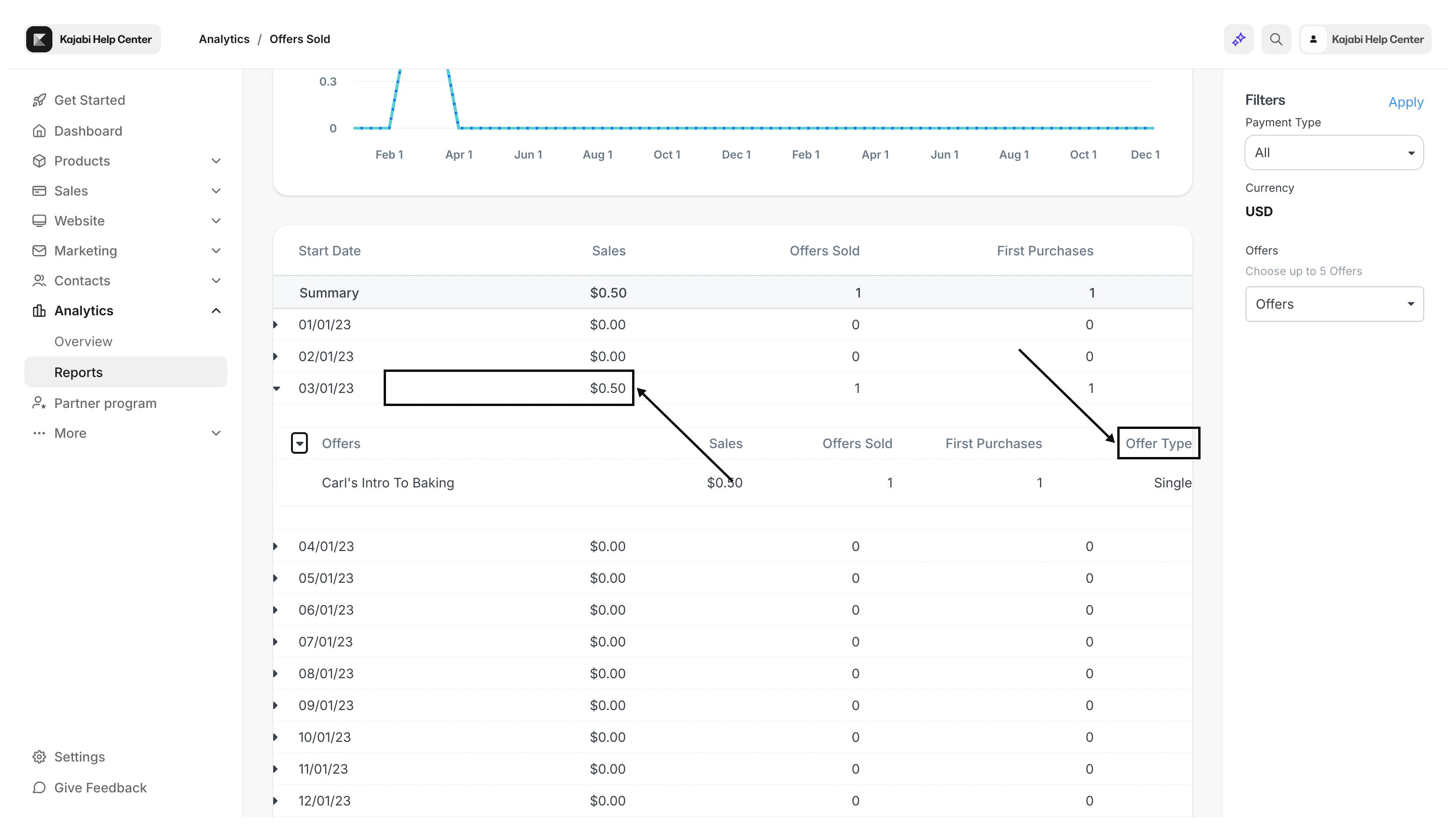
- Payment Plan Offers display the installment/increment price paid for the Payment Plan Offer on the report for each month
- Recurring Subscription Offers reflect the date of purchase as the Start Date and the Sales amount displays the one-month charge of the Recurring Subscription Offer. Take a look at the Subscription Metrics report for a deeper understanding of your Recurring Subscription Type Offers
Note:
If the first purchase is a subscription offer and the next offer purchased by that same customer is a one-time payment offer, the one-time payment offer purchased will be added to the total amount under “Offers Sold”, but not the amount under “First Purchase” in the Offers Sold Report.
Export the Offers Sold report
Export your Offers Sold Report to share, file, and record your offers sold. Your Offers Sold Report can be exported as “Sales by Date” or “Offers by Date”:- Sales by date: Displays the cumulative sales amount by date within your specified date applied before exporting
- Offers by date: Displays every Offer sold for each date within your specified date filtered applied exporting
Export Offers Sold
- Open the Analytics tab from your Dashboard
- Located toward the top of the page, click Export
- Select Sales By Date or Offers by Date
Note:
Exporting this report will notify the owner of the Kajabi account if the owner has selected to receive notifications data is exported from their account. Learn to update email notification settings.
Exported data
The following data is exported with the Offer Sold report, depending on if you choose Sales by Date or Offers by date:Sales by Date
- Start Date
- Sales
- Payment Plan
- First Purchases
- Payment Types
- Currencies
Offers by Date
- Start Date
- Offer Token
- Title, Sales
- Offers Sold
- First Purchases
- Payment Plan Currency