

- Monitoring how much revenue your subscribers generate on average
- Comparing ARPU across different time periods to identify growth or decline
- Evaluating the impact of pricing changes, discounts, or plan adjustments
Data presented
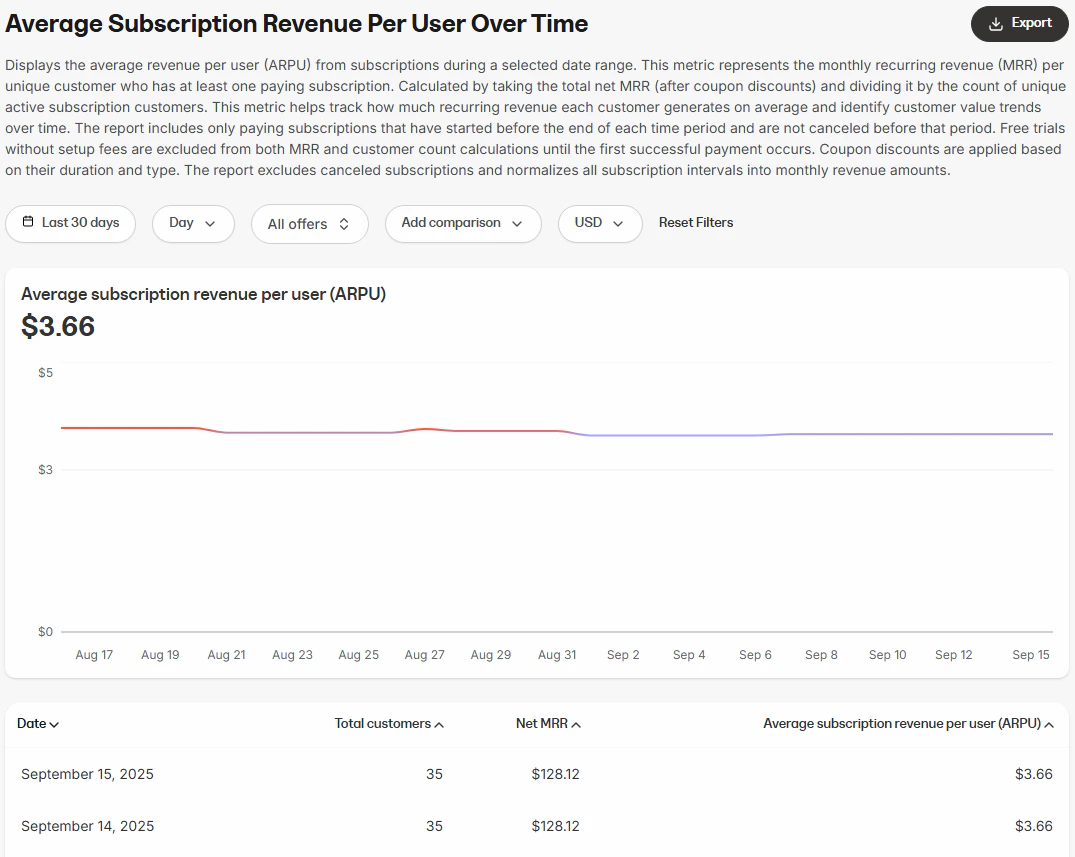
Visual charts
- Average subscription revenue per user (line chart): Displays ARPU trends across the selected time frame
Data table
The data table provides a daily breakdown of ARPU and supporting metrics:- Date: The calendar date of the data
- Total customers: The total number of active subscribers for that date
- Net MRR: The total subscription revenue earned for that date (after refunds or adjustments)
- Average subscription revenue per user (ARPU): The net revenue divided by total customers
How to use the report
You can customize the data displayed in the report using several controls.Controls
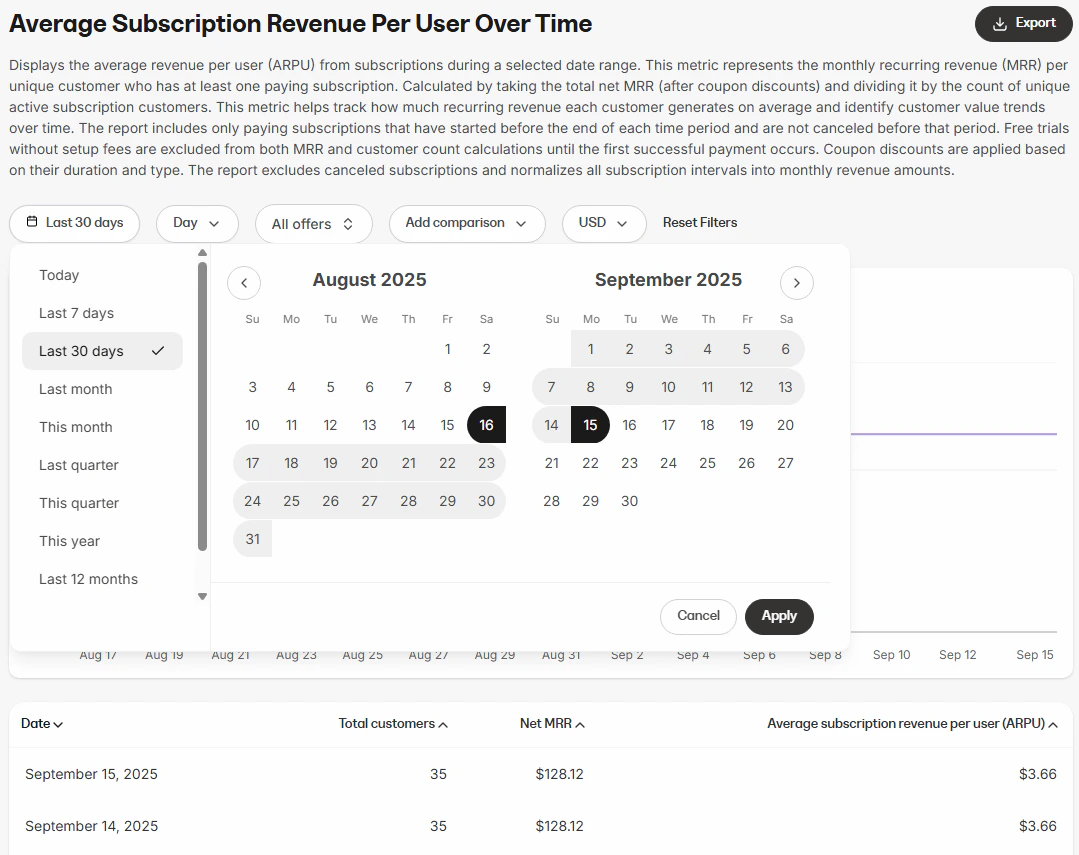
- Time range: Filter ARPU data by period (e.g., last 7 days, last 30 days, custom date range)
- Interval: Choose how the data is grouped within the selected time range (Day, Week, Month, Year)
- Offer selection: Choose whether to view ARPU across all offers or focus on a specific offer
- Currency selector: View ARPU in your preferred currency
- Add comparison: Compare current ARPU to past performance
Export information
When you export the Average subscription revenue per user over time report, the resulting file will include the same columns and reflect any filters you have applied. This ensures the data in the export matches what is displayed in the report:- Date
- Total customers
- Net revenue
- Average revenue per user
- Currency